.webp)
10 Best AI Tools for Smarter & Faster Talent Acquisition
Navigating today’s HR landscape, AI has evolved from a buzzword into a powerful enabler, transforming recruitment, performance, and workforce insights across the employee lifecycle. HR teams face pressure to drive performance and plan smarter, and tools that automate repetitive tasks while offering decision intelligence are now essential. With enterprise AI, companies achieve smarter, faster hiring and cost reduction, cutting recruitment costs by 30%, reducing time-to-hire by 50%, and forecasting attrition with 87% accuracy.
AI-powered tools streamline HR by screening candidates, answering queries, generating reviews, and optimizing workforce planning. They improve decision-making, enhance daily workflows, and accelerate talent acquisition through data-driven insights and continuous support. As recruitment becomes increasingly data-driven, integrating these platforms alongside the powerful AI tools to manage your business smarter ensures that your talent strategy aligns with your overall company growth

 Updated: April 27, 2026 | 17 min read
 Last Updated June 2026
This guide was reviewed to verify:
- Current pricing plans
- Recently released features
- Free trial and freemium options
- Product availability and support status
The rankings were updated based on the latest information available at the time of review.
| Name | Best For | Price | Ease of Use |
| Paradox (Olivia) | Conversational AI for high-volume hiring, scheduling automation | $1,000–$2,500 per month (minimum for basic access) | Very Easy |
| Aeqium | Compensation planning and workforce analytics | $8–$20 per employee/month | Medium |
| HireVue | AI video interviewing and candidate assessment | $35,000/year (Essentials); averages $50K–$100K+/year (Enterprise); can exceed $145K for large scale | Medium |
| Degreed | Learning and upskilling workforce platforms | Custom enterprise quote (SaaS, annual contracts based on org size) | Easy |
| Agentnoon | Organizational design and workforce planning | SMB: $4 per record/month; Enterprise: Custom (~$1,000/user/month) | Easy |
| Deel | Global hiring, payroll, and compliance | EOR (Employer of Record): $599/employee/month (Standard); $899 (Enterprise) | Very Easy |
| Lattice | Performance management and employee engagement | Talent Management (core): $11/user/month Add-ons (Engagement/Grow): +$4 each; | Easy |
| Personio | HR management for SMBs (recruitment + HR workflows) | Typical: Starts from ~€7.60 / $8–10+ per employee/month (Core/Core Pro plans) | Easy |
| Leena AI | HR chatbot for employee support and automation | Custom enterprise quote (employee-based licensing) | Very Easy |
| Eightfold AI | AI talent intelligence and skills-based hiring | Typical: ~$7–$10 per employee/month (estimates); starts ~$650/month for smaller setups | Medium |
Cover Photo 10 Best AI Tools for Smarter & Faster Talent Acquisition
Why You Can Trust This List
AI recruiting platforms can differ significantly in candidate sourcing, resume screening, interview automation, and ATS integrations. To build this guide, we reviewed each tool's recruiting-focused capabilities rather than relying solely on marketing claims.
We compared publicly available product information, hiring workflow features, integration support, pricing transparency, and real-world use cases to identify solutions that address common recruitment challenges.
Notice this is talking specifically about recruiting workflows, not generic software evaluation.
Our Evaluation Methodology
Each recruiting platform was evaluated across several areas that directly impact hiring teams:
- Candidate sourcing capabilities
- Resume screening and matching features
- Interview scheduling tools
- ATS and HR software integrations
- Automation functionality
- Ease of implementation
- Pricing accessibility
- Scalability for growing organizations
These factors were used to compare tools consistently across different business sizes and recruiting requirements.
How We Ranked These Tools
Higher rankings were generally awarded to platforms that offered:
- Strong automation features
- Broad integration support
- Flexible hiring workflows
- Positive adoption across organizations
- Transparent pricing structures
- Scalability for long-term growth
No single factor determined the rankings. Instead, we(denlook team) considered the overall value each solution provides throughout the hiring process.
Why HR departments should use AI for the induction process?
AI has evolved from a buzzword into a powerful enabler of recruitment, performance, and workforce insights across the employee life cycle. To understand What is AI recruitment and why it matters, look no further than the bottom-line impact: it helps HR teams improve performance, enhance employee experience, and plan smarter. Companies achieve faster hiring, cost reduction, and improved accuracy—cutting recruitment costs by 30%, time-to-hire by 50%, and forecasting attrition at 87% accuracy. Virtual co-pilots automate screening, answer HR queries, generate reviews, and support workforce planning, improving decisions, engagement, and 24/7 HR efficiency.
1 Eightfold AI
Eightfold AI uses deep learning to transform recruiting and internal mobility. It leverages a global career database to match candidates with roles using skills adjacency and career progression models. If you want to see how it handles these complex workflows in practice, our comprehensive Eightfold AI review breaks down its core features, helping organisations identify hidden talent, speed up hiring, and improve retention at enterprise scale.
What Makes Eightfold AI Special?
- Uses deep learning for advanced talent matching
- Identifies hidden-fit candidates beyond resumes
- Supports internal mobility and career progression mapping
- Includes DEI-focused bias-aware scoring systems
How to Use Eightfold AI Talent Intelligence Platform?
- Upload job descriptions and candidate profiles into the system
- Enable AI matching and skills-based recommendations
- Use dashboards to track hiring and mobility insights
- Apply DEI tools for fair screening and evaluation
Pros
- Strong AI-driven candidate matching accuracy
- Improves hiring speed and efficiency
- Enhances employee retention through internal mobility
- Supports fair and bias-aware hiring practices
Cons
- High cost for small organisations
- Requires structured HR data for best performance
- Complex implementation for new users
- Best suited for enterprise-level adoption
Who Should Use the Eightfold Platform?
Large enterprises, HR leaders, and recruitment teams are seeking AI-driven hiring, talent optimisation, and workforce development solutions.
Things to Consider
- Works best with large candidate datasets
- Requires integration with HR systems
- Implementation may take time and expertise
Cost & Plans
Eightfold AI pricing is custom and enterprise-focused (best suited for 10,000+ employee organizations). Estimates range from $7–$10 per employee/month or a starting point of ~$650/month. Contact sales for a detailed quote.
Alternative Choice
Beamery, Phenom People, Workday Talent Optimisation, SAP SuccessFactors Talent AI
2 Leena AI
Leena AI is a 24/7 HR chatbot that automates employee queries, ticketing, and HR system integration for real-time support. It uses conversational AI to answer questions, route complex issues, and track resolutions through HRIS and knowledge bases. It also learns from interactions, reduces ticket volume, and improves employee satisfaction, making it ideal for large, distributed organizations. For a deeper look at its specialized conversational ticketing system, read our comprehensive Leena AI Review.
What Makes Leena AI Special
- Provides 24/7 automated HR support via chatbot
- Routes and resolves employee queries intelligently
- Integrates with HRIS and knowledge management systems
- Continuously learns from interactions to improve accuracy
How to Use Leena AI?
- Integrate Leena AI with existing HR systems
- Configure chatbot responses and workflow rules
- Deploy across employee communication channels
- Monitor tickets, queries, and resolution analytics
Pros
- Reduces HR workload through automation
- Improves employee response time and satisfaction
- Scales easily for large organizations
- Enhances HR service consistency and efficiency
Cons
- Requires setup and HR system integration
- Limited effectiveness without quality knowledge base
- Premium pricing may not suit smaller companies
- Needs ongoing training and updates
Who Should Use Leena AI?
Leena AI is best for large enterprises and HR teams needing scalable, automated employee support and HR service delivery.
Things to Consider
- Works best with well-structured HR systems
- Requires initial configuration effort
- Accuracy depends on an updated knowledge base
Cost & Plans
Enterprise pricing only with customized plans; cost varies based on organization size, features, and integration needs.
Alternative Choice
Espressive Barista, ServiceNow HR Service Delivery, Moveworks, Paradox Olivia
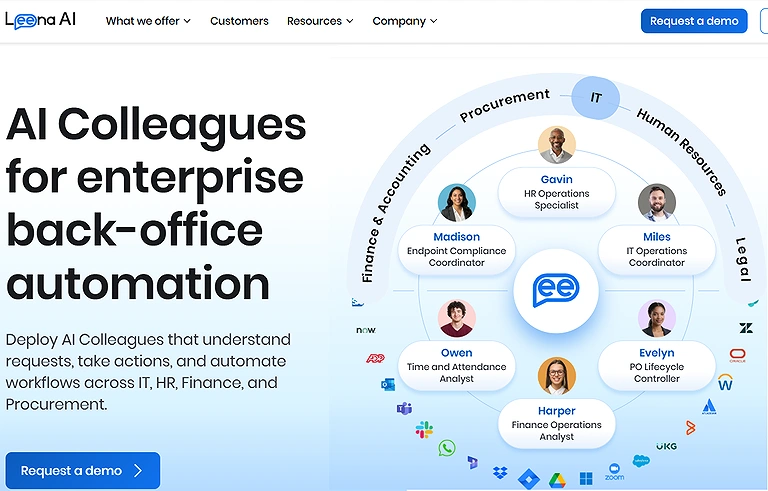
Leena AI Official source image
3 Personio
Personio is a full-suite HRIS that streamlines HR operations through workflow automation and process optimisation. It identifies inefficiencies, suggests improvements, and automates tasks like reminders, reporting, and approvals. By integrating recruitment, performance, and time tracking in one system, it simplifies HR for SMBs and reduces repetitive administrative workload. For a deeper look at how it manages standalone core infrastructure, read our comprehensive Personio Review.
What Makes Personio Special
- Combines recruitment, HR, and time tracking in one platform
- Automates HR workflows like approvals and reporting
- Identifies inefficiencies and suggests process improvements
- Helps SMBs centralise and simplify HR operations
How to Use Personio?
- Set up the company HR structure and employee records
- Configure automated workflows and approval systems
- Manage recruitment, on-boarding, and performance tracking
- Use dashboards for reporting and HR insights
Pros
- All-in-one HR management system
- Strong automation for repetitive HR tasks
- Improves HR efficiency for small and medium businesses
- Easy centralised employee data management
Cons
- May feel limited for very large enterprises
- Requires setup time for full configuration
- Advanced features may require a learning curve
- Pricing can be high for very small startups
Who Should Use Personio?
Personio is ideal for small and medium-sized businesses seeking automated HR management, streamlined workflows, and centralised employee operations.
Things to Consider
- Best suited for SMB-level HR structures
- Setup and on boarding require initial effort
- Works best with clean and organised employee data
Cost & Plans
Personio uses per-employee-per-month (PEPM) pricing with custom quotes (Core and Core Pro plans). Starts from approximately €7.60 (~$8–10) per employee/month. One-time setup fee applies. Pricing varies by company size and added modules/apps.
Alternative Choice
BambooHR, Rippling, Workday HCM, Zoho People
4 Lattice
Lattice streamlines performance management through reviews, engagement surveys, and OKRs, supported by AI-generated insights and writing assistance. To see how these tools hold up in practice, our Lattice review, features, pricing and performance analysis breaks down how it summarizes feedback, suggests review phrasing, and analyzes engagement trends to identify attrition risks, helping leaders improve engagement, understand team performance, and make more informed workforce decisions.
What Makes Lattice Special?
- Combines performance reviews, OKRs, and engagement surveys
- Uses AI to summarize feedback and performance insights
- Identifies attrition risks through engagement trend analysis
- Supports structured people development and growth planning
How to Use Lattice?
- Set up teams, goals, and performance review cycles
- Collect feedback through surveys and review tools
- Use AI insights to analyze engagement and performance trends
- Track OKRs and adjust strategies based on data
Pros
- Improves performance management structure
- Enhances employee engagement tracking
- Provides AI-driven insights for better decisions
- Supports goal alignment across teams
Cons
- Advanced features require paid plans
- May feel complex for very small teams
- Needs consistent participation for accurate insights
- Customization can take time to configure
Who Should Use Lattice?
Lattice is best for HR leaders, managers, and organizations focused on performance reviews, employee engagement, and structured team development.
Things to Consider
- Works best in feedback-driven company cultures
- Requires consistent usage for accurate insights
- Setup needed for OKRs and review cycles
Cost & Plans
Lattice uses modular per-seat pricing (annual contracts, $4,000 minimum annual spend):
- Talent Management (core): $11/user/month Add-ons: Engagement/Grow +$4 each, Compensation +$6 Full platform bundles typically $19–$25/user/month.
Alternative Choice
15Five, Culture Amp, Betterworks, Leapsome
5 Deel
Deel streamlines global payroll and compliance across 150+ countries using an AI-driven platform. By automating payroll localization, tax compliance, and workforce management, a comprehensive Deel Review, Global Hiring, Payroll & EOR Platform highlights how the system provides AI-powered insights, anomaly detection, and real-time HR analytics for distributed teams.
What Makes Deel Special
- Automates global payroll across 150+ countries
- Ensures compliance with local tax and labor laws
- Uses AI to detect payroll anomalies and risks
- Provides real-time workforce and HR analytics
How to Use Deel?
- Onboard employees or contractors into the platform
- Configure payroll settings for each country
- Use AI tools for compliance and anomaly tracking
- Integrate with HR tools for performance and reporting
Pros
- Simplifies global payroll management
- Strong compliance automation across regions
- Supports remote and distributed teams easily
- Provides real-time financial and HR insights
Cons
- High cost for small businesses
- Complex setup for multi-country operations
- Requires accurate data for compliance automation
- Limited flexibility in some local regulations
Who Should Use Deel?
Deel is ideal for global companies, remote teams, and enterprises managing international payroll, compliance, and workforce operations.
Things to Consider
- Best suited for multi-country organizations
- Compliance rules vary by region and setup
- Requires structured HR and payroll data
Cost & Plans
Deel has transparent per-user pricing:
- EOR (Employer of Record): $599/employee/month (Standard); $899 (Enterprise)
- Contractor Management: $49/contractor/month
- Global Payroll: $29/employee/month HRIS modules available as add-ons. Visit deel.com/pricing for full details.
Alternative Choice
Remote.com, Papaya Global, ADP Global Payroll, Oyster HR
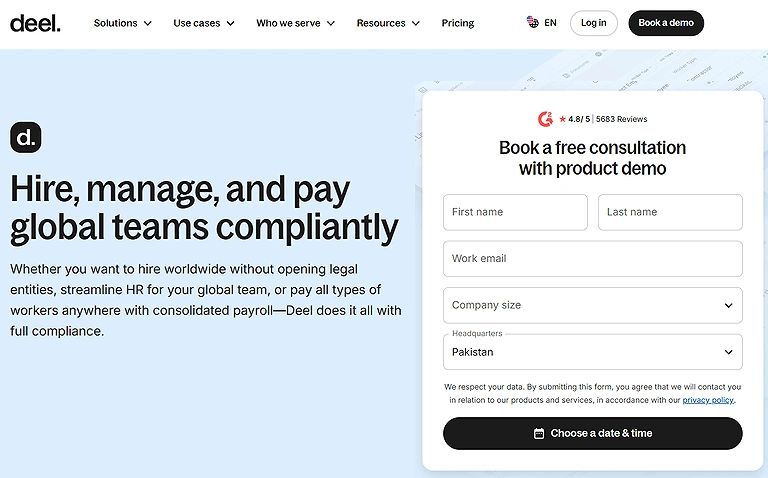
Deel official source image
6 Agentnoon
Agentnoon is an AI-powered platform for headcount planning, org design, and workforce modelling. It provides visual org charts, scenario planning, and insights to optimise structures, detect inefficiencies, forecast workforce needs, and support better decision-making aligned with business goals. For HR teams focusing on compensation and workforce planning, combining these insights with the top trending AI tools for data analysis can provide a much clearer picture of your internal labor costs.
What Makes Agentnoon Special?
- Builds visual org charts for workforce structure clarity
- Enables scenario planning for hiring and restructuring
- Detects inefficiencies in organizational design
- Forecasts headcount and workforce requirements
How to Use Agentnoon?
- Import organizational and workforce data into the platform
- Create org charts and visualize team structures
- Run scenario models for future planning
- Analyze insights to improve workforce efficiency
Pros
- Strong visualisation of organisational structures
- Improves workforce planning accuracy
- Supports strategic HR and finance decisions
- Enables scenario-based forecasting
Cons
- Requires accurate data for reliable insights
- May be complex for small teams
- Premium pricing for advanced features
- Learning curve for first-time users
Who Should Use Agentnoon?
Agentnoon is best for HR leaders, finance teams, and enterprises focusing on workforce planning, org design, and compensation strategy.
Things to Consider
- Works best with structured HR and finance data
- Requires consistent updates for accurate modelling
- Best suited for mid to large organisations
Cost & Plans
- SMB Plan: $4 per record/month
- Enterprise Plan: Custom quote (typically around $1,000 per user/month) Contact sales for Enterprise details.
Alternative Choice
ChartHop, Visier People, Anaplan Workforce Planning, Workday Adaptive Planning
7 Degreed
Degreed provides AI-powered personalized learning pathways based on skills, roles, and development goals. It curates content and performs skill gap analysis, and by checking our comprehensive Degreed Review, you can see how it tracks progress and recommends mentors, projects, and career paths to support continuous upskilling and internal mobility.
What Makes Degreed Special
- Builds personalized learning paths using AI
- Performs real-time skill gap analysis
- Recommends mentors, courses, and projects
- Supports internal mobility and career growth
How to Use Degreed?
- Create employee skill profiles within the platform
- Define learning goals and career objectives
- Access curated learning content and pathways
- Track progress and adjust development plans
Pros
- Strong personalisation for employee learning
- Improves workforce skill development
- Encourages internal mobility and retention
- Integrates learning with career progression
Cons
- Requires consistent user engagement
- Advanced features may be costly for small firms
- Needs accurate skill data for best results
- Setup can take time in large organizations
Who Should Use Degreed?
Degreed is ideal for HR leaders, L&D teams, and organisations focused on employee ups killing, career development, and workforce transformation.
Things to Consider
- Works best with active learning participation
- Requires clear skill mapping for accuracy
- Adoption depends on employee engagement levels
Cost & Plans
Subscription-based pricing with enterprise plans; cost varies depending on organisation size, learning modules, and integrations.
Alternative Choice
LinkedIn Learning, Cornerstone OnDemand, Coursera for Business, Udemy Business
8 HireVue
HireVue uses AI to analyze video interviews, assessing communication, tone, and language to enable faster, more objective hiring decisions. Understanding how [HireVue's automated evaluation and testing tools] work from the employer's side is crucial, especially since many candidates are already using the best AI tools to boost job search efficiency to prepare for automated interviews.
What Makes HireVue Special
- Uses AI to analyze video interview responses
- Assesses communication skills, tone, and language patterns
- Standardizes candidate evaluation for fairness and consistency
- Speeds up hiring decisions with automated insights
How to Use HireVue?
- Create job roles and interview templates in the platform
- Invite candidates to complete video-based interviews
- Let AI evaluate responses and generate insights
- Review ranked candidates for final selection
Pros
- Reduces manual effort in screening interviews
- Speeds up recruitment process significantly
- Improves consistency in candidate evaluation
- Scales easily for large hiring volumes
Cons
- May raise concerns about AI bias or interpretation
- Requires strong internet and video setup
- Candidates may feel less personal interaction
- Limited flexibility in interview format customization
Who Should Use HireVue?
HireVue is best for HR teams, recruiters, and enterprises managing high-volume hiring and seeking AI-assisted interview evaluation.
Things to Consider
- Works best for structured hiring processes
- Requires clear communication of AI usage to candidates
- Accuracy depends on video and audio quality
Cost & Plans
HireVue pricing is custom/enterprise-only. The Essentials plan starts at approximately $35,000/year, with average enterprise contracts around $50,000–$100,000+/year (higher for large-scale AI features). Implementation costs typically range from $15,000–$40,000. Request a demo for exact pricing.
Alternative Choice
Pymetrics, Spark Hire, Modern Hire, Harver
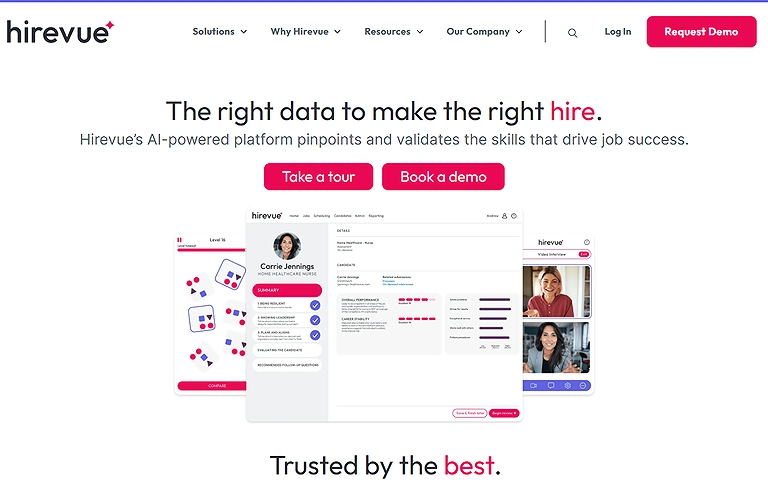
HireVue Official source image
9 Aeqium
Aeqium automates compensation planning for salary, equity, and bonuses using AI-driven accuracy and fairness. It includes a formula builder for pay recommendations, and by checking our comprehensive Aequim review, you can see how it uses real-time pay equity checks and a self-service portal to drive corporate transparency, helping HR teams ensure consistent, equitable compensation decisions across the organization.
What Makes Aeqium Special
- Automates salary, bonus, and equity compensation planning
- Provides real-time pay equity analysis and fairness checks
- Uses formula-based AI recommendations for pay adjustments
- Offers employee self-service transparency portals
How to Use Aeqium?
- Upload compensation and employee data into the system
- Configure pay structures and formula rules
- Run AI-driven compensation cycles and recommendations
- Review equity insights before final approval decisions
Pros
- Improves fairness and consistency in compensation
- Reduces manual effort in comp planning cycles
- Enhances transparency for employees and HR teams
- Helps identify pay gaps and inconsistencies
Cons
- Requires accurate and structured compensation data
- May be complex for small organizations
- Advanced features can be expensive
- Setup and configuration may take time
Who Should Use Aeqium?
Aeqium is best for HR leaders and enterprises focused on fair compensation planning, pay equity analysis, and structured salary management.
Things to Consider
- Works best with well-maintained HR and payroll data
- Requires strong internal compensation policies
- Implementation may need HR systems integration
Cost & Plans
Enterprise pricing with customized plans; cost depends on organization size, employee volume, and compensation planning features.
Alternative Choice
Pave, Ravio, OpenComp, CompTrak
10 Paradox (Olivia)
Paradox Olivia is a conversational AI that automates candidate engagement, screening, and interview scheduling through a chat-based interface. Designed for high-volume hiring, it conducts real-time screening, schedules interviews, manages hiring events, and sends reminders to streamline recruitment workflows and improve candidate experience. You can see how it handles these automated workflows in our complete Paradox Olivia AI review and guide.
What Makes Paradox Olivia Special
- Automates candidate screening through conversational AI chat
- Handles interview scheduling and hiring event coordination
- Engages candidates in real-time using natural language
- Reduces manual workload in high-volume recruitment
How to Use Paradox Olivia?
- Set up hiring workflows and job roles in the system
- Enable chat-based candidate engagement features
- Let AI screen candidates and schedule interviews automatically
- Monitor recruitment progress through dashboards
Pros
- Speeds up high-volume hiring processes
- Improves candidate experience with instant responses
- Reduces recruiter workload significantly
- Works 24/7 for continuous candidate engagement
Cons
- Best suited for large-scale hiring environments
- Limited flexibility for complex interview processes
- Requires proper workflow setup and configuration
- AI responses may need periodic monitoring
Who Should Use Paradox Olivia?
Paradox Olivia is ideal for recruiters and enterprises managing high-volume hiring who need automated candidate engagement and scheduling solutions.
Things to Consider
- Works best for fast-paced recruitment cycles
- Requires structured hiring workflows for accuracy
- Integration with HR systems may be needed
Cost & Plans
Paradox uses custom enterprise pricing with no public rates. Typical costs start around $1,500–$2,500/month, with annual contracts commonly ranging from $30,000–$100,000+ depending on hiring volume, modules, and company size. Implementation and training add extra costs. Contact sales for a tailored quote.
Alternative Choice
HireVue, SmartRecruiters AI, Beamery, Eightfold AI
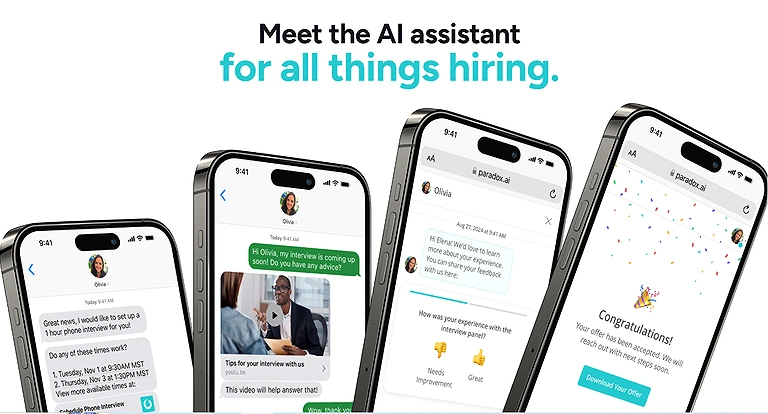
Paradox (Olivia) Official source image
FAQ
Is AI helpful in hiring suitable candidates?
Yes. AI analyses candidate profiles, skills, experience, and even behavioral cues to screen, rank, and match candidates efficiently, helping HR teams find the most suitable candidates faster and more objectively.
Which is the best tool for HR departments?
The “best” depends on needs, but tools like Eightfold, Leena AI, Personio, and Lattice are top choices. Eightfold excels in talent intelligence and career path matching, Leena AI in 24/7 HR support, Personio in workflow automation, and Lattice in performance insights.
Can small firms use AI?
Absolutely. Tools like Personio and Aeqium are suitable for small to mid-sized companies, providing intuitive HR automation and data-driven compensation planning without overwhelming complexity.
What about merit while using AI?
AI can enhance merit-based decisions when properly configured. Features like bias-aware scoring in Eightfold or fairness-optimized algorithms in HireVue ensure objective evaluation, reducing human bias while recognizing true talent and performance.
Are AI tools very expensive?
Costs vary. Some enterprise-grade tools like Deel or Eightfold may be higher, but others like Leena AI or Personio offer scalable pricing, making AI adoption feasible even for small and mid-sized organisations.
Best AI Recruiting Tools by Use Case table that aligns with each product's primary strengths.
| Use Case | Recommended Tool | Key Strength |
| Best Overall AI Recruiting Platform | Eightfold AI | Talent intelligence and AI-powered matching |
| Best for Candidate Communication | Paradox (Olivia) | Conversational AI and recruiting automation |
| Best for Video Interviewing | HireVue | AI-assisted video interviews and assessments |
| Best for HR & Recruiting Management | Personio | Recruiting combined with HR operations |
| Best for Employee Performance & Growth | Lattice | Performance management and employee development |
| Best for Global Hiring & Compliance | Deel | International hiring and workforce management |
| Best for Workforce Planning | Agentnoon | Organizational planning and workforce analytics |
| Best for Learning & Skill Development | Degreed | Skills tracking and workforce upskilling |
| Best for Employee Support Automation | Leena AI | HR helpdesk and employee experience automation |
| Best for Compensation Planning | Aeqium | Compensation and rewards management |
Conclusion
When comparing AI vs traditional recruitment, it becomes clear that modern technology is transforming HR by enabling faster, smarter, and fairer talent acquisition. Platforms like Eightfold, Leena AI, HireVue, and Paradox automate screening, improve workforce planning, reduce bias, enhance employee experience, and provide real-time insights for better decision-making, cost efficiency, and scalable HR operations. Ultimately, while these HR platforms handle the heavy lifting of hiring, you can further optimise your daily workflow by utilising the best AI tools for time management to focus on high-level strategy.