.webp)
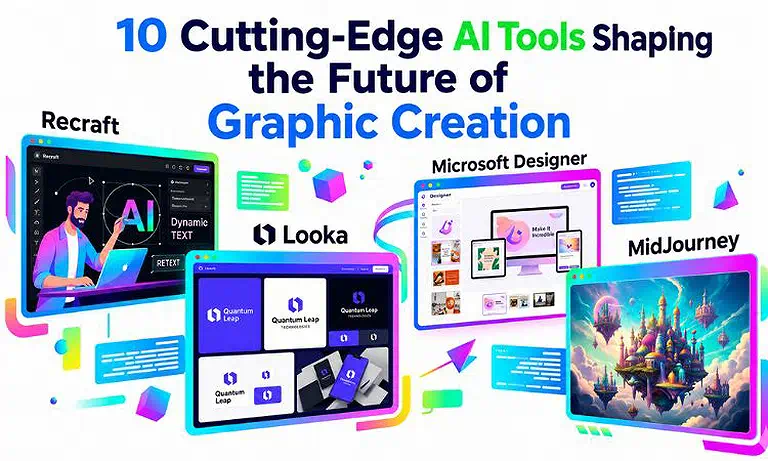
10 Cutting-Edge AI Tools Shaping the Future of Graphic Creation
Graphic design has become essential in modern projects as visual communication grows in importance. AI tools now enhance this field by generating images from prompts, suggesting fonts, colors, and layouts, and automating repetitive tasks. This allows creators to focus more on creativity, ideas, and overall design quality.
AI design tools help beginners create professional visuals easily using features like background removal, photo editing, and mockups, saving time, reducing costs, and improving efficiency for marketing and social media work. As digital aesthetics evolve, professionals are moving beyond static images to embrace a suite of the best AI tools that empower your creativity by merging technical precision with limitless artistic potential.

 Updated: April 26, 2026 | 11 min read
 | Name of Tool | Best For | Price | Ease of Use |
| AutoDraw | Quick sketches & turning drawings into icons | Free | Very Easy |
| MidJourney | High-quality AI art & creative visuals | Paid | Moderate |
| Remove.bg | Removing image backgrounds instantly | Freemium | Very Easy |
| Microsoft Designer | Social media graphics & marketing visuals | Freemium | Easy |
| Recraft | Vector art, icons, and illustrations | Freemium | Easy |
| Figma | UI/UX design & team collaboration | Freemium | Moderate |
| Looka | Logo design & brand identity | Paid | Very Easy |
| Uizard | Rapid app & website prototyping | Freemium | Easy |
| Canva | Graphic design, presentations, social media | Freemium | Very Easy |
| Adobe Firefly | AI-generated images, text effects, and design assets | Freemium | Easy |
Cove Photo 10 Cutting-Edge AI Tools Shaping the Future of Graphic Creation
1 Adobe Firefly (Best for Professional)
Adobe Firefly is an AI tool by Adobe that generates images from text prompts, enhancing Photoshop with fast, accessible creative design features. These generative capabilities are not just for artists; they are also central to how to use AI tools for architecture when creating hyper-realistic environmental renders and conceptual structures.
Key Features
- Text-to-image generation from prompts
- Integration with Photoshop and Adobe ecosystem
- Commercial-safe AI-generated content
- Fast concept creation and design prototyping
How to use Adobe Firefly
- Open Adobe Firefly via browser or Adobe app
- Enter a detailed text prompt
- Adjust style and visual settings
- Generate and refine results
Pros
- Beginner-friendly interface
- High-quality professional outputs
- Strong Adobe integration
- Speeds up creative workflow
Cons
- Requires Adobe account/subscription for full access
- Limited advanced customization compared to some tools
- Needs stable internet connection
- Output depends heavily on prompt quality
Best Use Case
- Transforming modern outfits into 80s fashion looks
- Creating 80s themed party outfits
- Developing retro fashion concepts
Pricing Plan
- Free plan offers limited generations and basic features
- Paid plan included in AdobeAlternatives Creative Cloud subscription with advanced access
Alternative
Midjourney, DALL·E, Stable Diffusion, Canva AI
undefined
2 Canva (Best All-in-one for Teams)
Canva is an online graphic design software with many tools and features for generating visual content. It was developed in 2013. For creators focused on engagement, these platforms pair perfectly with the best AI tools for social media management to maintain a consistent visual brand across every digital channel.
Key Features
- Drag-and-drop design editor with templates
- AI-powered tools for image and content creation
- Collaboration features for teams and workflows
- Built-in branding kits for consistent visual identity
How to use Canva
- Sign up and open Canva dashboard
- Choose a template or start from scratch
- Customize design using drag-and-drop tools
- Export or share directly to platforms
Pros
- Very easy for beginners and teams
- Huge library of templates and assets
- Strong collaboration features
- Fast content creation for social media
Cons
- Advanced features require paid plan
- Limited customization compared to pro design software
- Heavy templates can reduce originality
- Performance may lag on low devices
Best Use Case
- Social media content creation
- Marketing and branding designs
- Team-based design collaboration
Pricing Plan
- Free plan includes templates, basic tools, and limited assets
- Paid plan (Canva Pro/Teams) unlocks premium templates, AI tools, and brand management features
Alternatives
Adobe Express, VistaCreate, Figma, Piktochart
3 Uizard (Best for rapid prototyping)
Uizard is a web-based AI tool that quickly transforms ideas into user interface designs. It converts sketches, screenshots, or text into interactive and editable UI mockups with a fast, user-friendly interface. Featuring templates, component libraries, and sketch-to-design conversion, it ensures design consistency and speed. Uizard also supports collaboration, making it ideal for non-designers and small teams creating simple, effective interfaces.
Key Features
- Text-to-UI and sketch-to-design conversion
- Pre-built templates and UI component libraries
- Drag-and-drop interface for fast editing
- Real-time collaboration for teams
How to use Uizard
- Sign up and open the Uizard workspace
- Enter text prompt, upload sketch, or screenshot
- Let AI generate an editable UI design
- Customize and export or share the prototype
Pros
- Very beginner-friendly interface
- Fast UI prototyping from simple inputs
- Useful for non-designers and startups
- Supports team collaboration in real time
Cons
- Limited advanced design customization
- Not suitable for complex UI/UX systems
- Free plan has feature restrictions
- Output may require manual refinement
Best Use Case
- Early-stage app prototyping
- Startup MVP design creation
- Quick UI mockups for product ideas
Pricing Plan
- Free plan includes basic prototyping features and limited projects
- Paid plan unlocks advanced AI tools, collaboration features, and export options
Alternatives
Figma, Framer, Adobe XD, Sketch
4 Looka (Best for Logo design
Looka is an AI-powered logo design tool founded in 2016 that creates brand identities based on user inputs like name, colors, and style preferences. It generates multiple logo options within minutes, which can be easily customized. Beyond logos, Looka offers a Brand Kit with 300+ templates for business cards, social media, and marketing materials, helping users build a complete brand identity quickly.
Key Features
- AI-generated logo designs based on user inputs
- Customizable brand identity creation
- Brand Kit with 300+ marketing templates
- Business card and social media design tools
How to use Looka
- Enter your business name and industry
- Choose preferred styles, colors, and icons
- Browse and customize AI-generated logos
- Download logo and full Brand Kit
Pros
- Very fast logo creation process
- Easy to use for beginners
- Complete branding package available
- Wide range of customization options
Cons
- Requires payment to download high-resolution files
- Limited originality compared to human designers
- Branding options can feel template-based
- No deep vector editing flexibility
Best Use Case
- Startup logo creation
- Small business branding
- Quick brand identity development
Pricing Plan
- Free plan allows logo generation and previews
- Paid plan required for downloads, brand kit access, and commercial use
Alternatives
Canva, Hatchful by Shopify, Wix Logo Maker, Tailor Brands
undefined
5 Figma
Figma is a cloud-based interface design tool used for creating websites, mobile apps, and interactive prototypes. It is developed by Figma, Inc. and allows real-time collaboration between designers, developers, and stakeholders directly in the browser or desktop app.
Key Features
- Real-time collaborative UI/UX design
- Cloud-based access via browser and desktop apps
- Interactive prototyping and component systems
- Version control and auto-saving design history
How to use Figma
- Sign up and open Figma in browser or desktop app
- Create a new design file or select a template
- Add frames, components, and UI elements
- Share link for real-time collaboration and feedback
Pros
- Excellent real-time team collaboration
- Works on any device via browser
- Strong prototyping and design system tools
- Easy sharing and feedback collection
Cons
- Requires stable internet for best performance
- Can feel complex for absolute beginners
- Advanced features require paid plan
- Large projects may slow down browser performance
Best Use Case
- UI/UX design for websites and mobile apps
- Team-based product design workflows
- Interactive prototyping and design systems
Pricing Plan
- Free plan includes basic design tools and collaboration features
- Paid plan unlocks advanced features like design systems, version history, and team libraries
Alternatives
Adobe XD, Sketch, Canva, Framer
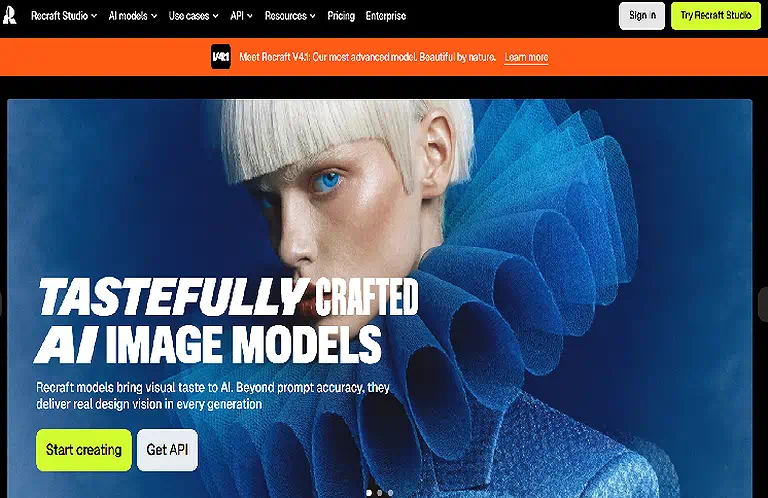
6 Recraft
Recraft is an AI-powered design tool for creating vector graphics like logos, icons, and illustrations in scalable SVG format. It generates editable designs from text prompts with style and brand consistency, supports multiple icon styles, and integrates with tools like Figma, making it ideal for UI/UX and branding work.
Key Features
- Text-to-vector SVG generation
- Logo, icon, and illustration creation
- Style and brand consistency controls
- Integration with design tools like Figma
How to use Recraft
- Sign up and open the Recraft dashboard
- Enter a text prompt describing your design
- Choose style, color, and vector format options
- Generate, edit, and export SVG assets
Pros
- Produces high-quality scalable vector graphics
- Very useful for UI/UX and branding projects
- Easy prompt-based design workflow
- Supports editable and reusable design assets
Cons
- Limited advanced manual editing control
- Requires learning prompt-based design style
- Some features may require paid access
- Output quality depends on prompt accuracy
Best Use Case
- Logo and icon design for brands
- UI/UX vector asset creation
- Scalable illustration development
Pricing Plan
- Free plan offers basic vector generation and limited exports
- Paid plan unlocks advanced features, higher export quality, and commercial usage rights
Alternatives
Figma, Adobe Illustrator, Canva, Vectorizer AI
Recraft Home page
7 Microsoft Designer
Microsoft Designer is an AI-powered visual creation platform developed by Microsoft. It helps users quickly create professional posters, banners, and social media graphics using AI prompts and is integrated with Microsoft 365 apps like Word, PowerPoint, and Photos.
Key Features
- AI-powered poster and banner generation
- Integration with Microsoft 365 apps
- Text-to-design creation for quick visuals
- Easy drag-and-drop editing interface
How to use Microsoft Designer
- Open Microsoft Designer web app or Microsoft 365 app
- Enter a prompt describing your design
- Choose layout, style, and design suggestions
- Edit and download or export your design
Pros
- Very easy for beginners
- Fast creation of professional visuals
- Strong Microsoft ecosystem integration
- Great for social media and marketing content
Cons
- Limited advanced design customization
- Requires Microsoft account for full access
- Some features depend on internet connection
- Fewer templates compared to Canva
Best Use Case
- Social media posts and ads
- Posters and event banners
- Quick marketing visuals for businesses
Pricing Plan
- Free plan includes basic AI design tools and templates
- Paid access included with Microsoft 365 subscription for advanced features
Alternatives
Canva, Adobe Express, VistaCreate, Figma
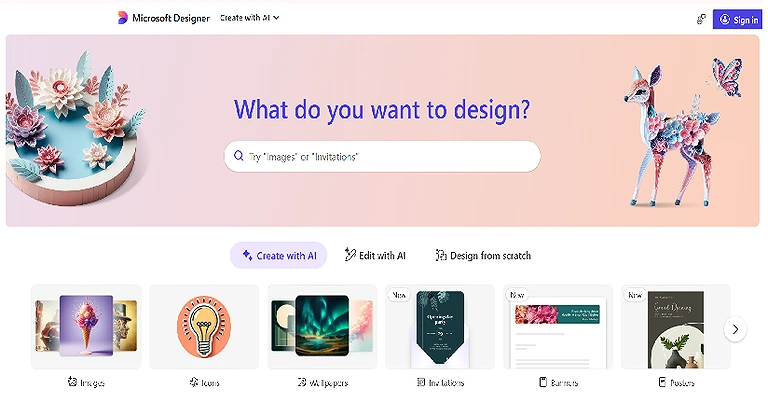
Microsoft Designer Official source image
8 Remove.bg (Background Removal)
Remove.bg is a web-based AI tool that removes image backgrounds in seconds with a single click. It automatically detects the subject, lets users upload and download edited images instantly, and also provides background replacement options. It supports formats like JPG and PNG, offering a free version with paid plans for higher resolution and advanced features. You can also try our AI background remover for quick and easy background removal.
Key Features
- One-click automatic background removal
- AI subject detection with high accuracy
- Supports JPG and PNG file formats
- Background replacement and editing options
How to use Remove.bg
- Upload an image to the platform
- Let AI automatically remove the background
- Edit or replace background if needed
- Download the final image in desired format
Pros
- Extremely fast and easy to use
- No design skills required
- High-quality automatic cutouts
- Works directly in browser
Cons
- Free version has limited resolution downloads
- Requires internet connection
- Complex images may need manual correction
- Advanced features require paid plan
Best Use Case
- Product image editing for e-commerce
- Profile pictures and portraits
- Marketing and social media visuals
Pricing Plan
- Free plan allows basic background removal with low-resolution downloads
- Paid plan unlocks HD downloads, API access, and batch processing
Alternatives
Canva Background Remover, Adobe Express, Slazzer, PhotoRoom
9 MidJourney (Text to Image Generator)
MidJourney is an AI art platform that transforms text prompts into high-quality images. It operates via Discord or a web interface, where users log in and join the community to explore others’ work and prompts. After entering a prompt, it generates four image variations, which can be further refined, resized, or customized for improved results.
Key Features
- Text-to-image generation from prompts
- Produces multiple image variations per prompt
- High-quality artistic and realistic outputs
- Community-based prompt sharing via Discord
How to use MidJourney
- Join MidJourney via Discord or web interface
- Enter a descriptive text prompt in a channel
- Receive multiple generated image variations
- Upscale, refine, or regenerate preferred results
Pros
- Produces highly detailed, artistic images
- Strong community for inspiration and learning
- Great for concept art and creative projects
- Regular model improvements and updates
Cons
- Requires Discord or web-based workflow
- Paid subscription needed for full access
- Limited control compared to some design tools
- Learning curve for prompt crafting
Best Use Case
- Concept art and digital illustrations
- Creative advertising and storytelling visuals
- Fantasy and stylized image generation
- Pricing Plan
- Free access is limited or restricted depending on current policy updates
- Paid plans provide full image generation, higher speed, and commercial usage rights
Alternatives
DALL·E, Stable Diffusion, Adobe Firefly, Leonardo AI
MidJourney Official source image
10 AutoDraw (rough sketch to polished graphics)
AutoDraw is a web-based AI drawing tool developed by Google Creative Lab that converts rough sketches into polished illustrations. It uses machine learning to recognize doodles and suggest clean icons, making drawing faster, simpler, and more accessible for users of all skill levels.
Key Features
- AI-powered sketch recognition
- Converts doodles into polished icons
- Large library of clean illustrations
- Works directly in web browser without installation
How to use AutoDraw
- Open AutoDraw in a web browser
- Start sketching with simple lines or shapes
- View AI-suggested refined drawings
- Select and customize the best matching result
Pros
- Extremely easy to use for beginners
- Fast sketch-to-art conversion
- No design skills required
- Free and web-based access
Cons
- Limited artistic customization options
- Not suitable for complex design projects
- Requires internet connection
- Simple output style only (not advanced art)
Best Use Case
- Quick doodles and simple illustrations
- Educational drawing activities
- Basic icons for presentations or notes
Pricing Plan
Free to use with no subscription required
Alternatives
Canva Drawing Tool, Sketch.io, Microsoft Paint 3D, Adobe Express Drawing Tools
FAQ
Which AI tool is best for App and Web design?
Figma is a powerful AI-assisted design tool widely used for creating modern app and web interfaces collaboratively and efficiently.
Can I generate an 8K image with an AI tool?
Yes! Using Midjourney, you can generate ultra-high-resolution images, including 8K or higher outputs with detailed, realistic visual quality.
How can I generate images for free?
All AI tools offer trial versions, where you can generate images for free. But all these offer a limited quantity.
Can rough sketches be converted into a polished graphic?
Yes! AutoDraw provides a platform where you can draw the sketches roughly, and it converts them into fine and polished graphics by suggesting the related options in the “toolbar”.
Which tool helps in background removal?
Remove.bg quickly removes image backgrounds in seconds while preserving high quality and maintaining original visual clarity without distortion.
Can I sharp the existed images ?
Yes! you can do easy with different ai tools like Gigapixel AI,Let’s Enhance, You can explore there further details here.
Conclusion
AI design tools make graphic design faster, easier, and more accessible for beginners and professionals. The tools covered here support different needs, from creating AI art and removing backgrounds to designing logos, interfaces, social media graphics, and prototypes.
The right tool depends on your design needs, budget, and experience. Canva and Microsoft Designer work well for quick designs, while MidJourney and Adobe Firefly offer advanced creative options. For retro projects, AI tools for image transformation of 1980 can help turn modern photos into realistic 1980s style visuals. Choosing the right tool can save time, reduce costs, and bring creative ideas to life.