.webp)
10 Best AI Tools that Empower Your Creativity
In today’s world, Artificial Intelligence (AI) has revolutionized almost every field of life and completely changed the way people work and think. It streamlines daily tasks, improves decision-making, and enhances productivity across industries. From businesses to education, AI has become an essential tool that supports innovation, saves time, and helps humans perform complex tasks more efficiently than ever before now.
There are countless Artificial Intelligence (AI) tools available in the market today, but we will focus on the ten most influential ones that can significantly improve your work efficiency. These tools come in both free and paid versions, offering different features for various needs. Choosing the right AI tool depends on your goals, budget, and required functionality for best results.

 Updated: January 19, 2026 | 14 min read
Cover Photo 10 Best AI Tools that Empower Your Creativity
| Name of Tool | Best For | Price | Ease of Use |
| Shield AI | Autonomous systems & defense AI | Custom pricing | Advanced |
| Semrush | SEO, keyword research, marketing analytics | Paid (free trial available) | Moderate |
| Webflow | Website design & development without coding | Freemium | Easy to Moderate |
| Hawk-Eye | Sports analytics & tracking (tennis, cricket, etc.) | Enterprise pricing | Advanced |
| Grammarly | Grammar checking & writing enhancement | Freemium | Very Easy |
| Aidoc | Radiology & medical diagnostics | Enterprise pricing | Moderate |
| InVideo | Video editing & content creation | Freemium | Easy |
| Grok AI | Conversational AI & real-time insights | Paid (via X Premium+) | Easy |
| Google Gemini | Multimodal AI, research, productivity | Freemium | Easy |
| ChatGPT | Content creation, coding, general AI tasks | Freemium | Very Easy |
1 ChatGPT (Free, paid optional)
ChatGPT, developed by OpenAI, is an advanced AI assistant that helps with writing, coding, brainstorming, research, summaries, and image generation. Its “Thinking” mode improves reasoning for complex tasks, making it useful for students, professionals, and creators. Both free and premium plans are available for different AI needs.
Key Features
- Generates human-like text, summaries, essays, and research assistance
- Supports image generation through AI prompts
- “Thinking” mode improves logical reasoning and response accuracy
- Helps with coding, brainstorming, translations, and study support
How to use ChatGPT?
- Visit the official ChatGPT website and create an account
- Enter prompts or questions in the chat box clearly
- Use detailed instructions for more accurate responses
- Enable advanced modes or premium tools for deeper research and image generation
Pros
- Easy-to-use interface for beginners and students
- Produces fast responses for writing and research tasks
- Supports multiple tasks including coding and image generation
- Free version available with useful core features
Cons
- Sometimes provides inaccurate or outdated information
- Advanced features are limited in the free version
- Requires clear prompts for high-quality outputs
- Heavy usage may occasionally slow response times
Best Use Case
- Academic research and assignment assistance
- Content writing and brainstorming ideas
- Learning coding, language translation, and productivity tasks
Limitations
- Cannot always verify real-time information accurately
- AI-generated responses may require manual fact-checking
- Complex prompts may still produce inconsistent outputs
Pricing Plan
- Free Plan: Access to basic AI chat features with limited advanced capabilities
- Paid Plan: ChatGPT Plus offers faster performance, advanced AI models, and premium tools
Alternatives
Google Gemini, Claude AI, Microsoft Copilot, Perplexity AI
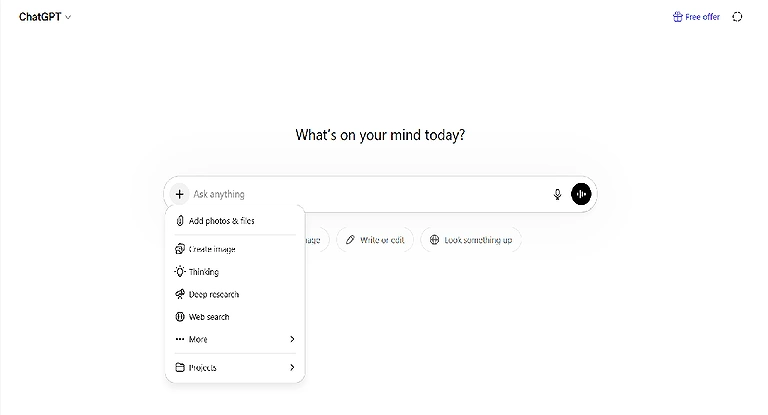
ChatGPT Official source image
2 Google Gemini (Free, paid optional)
Google Gemini is a multimodal AI system that understands text, images, audio, video, and code. It assists with research, writing, coding, and creative tasks across web and mobile platforms. Popular among students, developers, and professionals, Gemini offers free access alongside premium plans with advanced AI features.
Key Features
- Natively multimodal AI supporting text, images, audio, video, and code
- Assists with writing, coding, summarization, and research tasks
- Supports file uploads and contextual follow-up conversations
- Available on both web and mobile platforms
How to use Google Gemini?
- Open Google Gemini using your Google account on the web or mobile app
- Type prompts or upload images, documents, audio, or files
- Use it for writing, coding, brainstorming, or solving questions
- Improve outputs by giving detailed prompts and follow-up instructions
Pros
- Strong multimodal capabilities for diverse tasks
- Easy integration with Google ecosystem and services
- User-friendly interface suitable for beginners and professionals
- Free access available for everyday AI usage
Cons
- Advanced models require a paid subscription
- Responses may occasionally contain inaccurate information
- Some premium features are region-dependent
- Requires internet connectivity for full functionality
Best Use Case
- Research, study assistance, and academic productivity
- Content creation, brainstorming, and professional workflows
- Coding support and multimodal AI interaction tasks
- Limitations
- Free version has restricted access to advanced AI models
- AI-generated responses still require human verification
- Complex tasks may sometimes produce inconsistent results
Pricing Plan
- Free Plan: Basic AI tools and multimodal features available at no cost
- Paid Plan: Gemini Advanced unlocks stronger AI models, premium tools, and expanded capabilities
Alternatives
ChatGPT, Claude AI, Microsoft Copilot, Perplexity AI
3 Grok AI (Free, paid optional)
Grok is an AI-powered assistant designed for productivity, creativity, and research. It provides fast conversational responses, brainstorming support, content generation, and analytics assistance. Widely used by students, professionals, and businesses, Grok offers both free and premium plans with advanced AI capabilities.
Key Features
- Fast AI responses for writing, research, and brainstorming
- Supports conversational interactions with real-time assistance
- Useful for productivity, analytics, and creative content generation
- Available through web and app-based platforms
How to use Grok?
- Access Grok through its website or supported app using your account
- Select the feature or AI capability you want to use
- Enter prompts, questions, text, or datasets for analysis
- Refine responses with follow-up instructions for better accuracy
Pros
- Delivers quick and interactive AI-generated responses
- Simple interface suitable for beginners and professionals
- Helpful for productivity, idea generation, and decision-making
- Offers both free and premium access options
Cons
- Advanced tools may require a paid subscription
- AI responses can sometimes be inaccurate or incomplete
- Limited availability compared to older AI platforms
- Some features may depend on platform integration
Best Use Case
- Content creation, brainstorming, and research tasks
- Productivity improvement for students and professionals
- Business support for analytics and decision-making
Limitations
- Requires internet access for real-time functionality
- Free plan may include limited AI capabilities
- Complex queries may still need human verification
Pricing Plan
- Free Plan: Basic AI features and limited usage access available at no cost
- Paid Plan: Premium subscriptions unlock advanced tools, enhanced AI models, and expanded usage limits
Alternatives
ChatGPT, Google Gemini, Claude AI, Perplexity AI
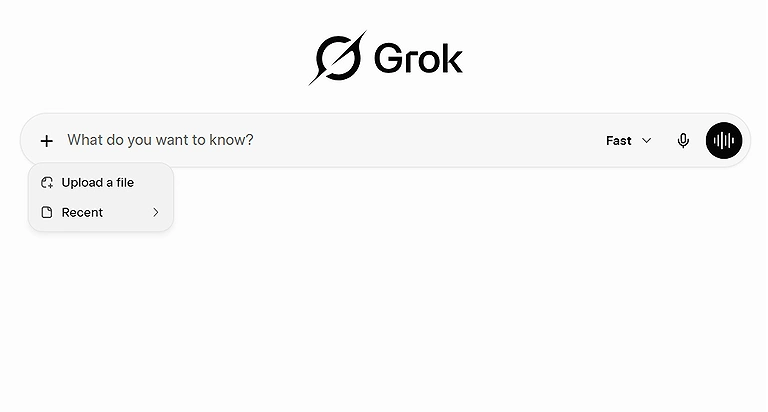
Grok AI Home page
4 InVideo (Free, paid optional)
InVideo is an AI tool for video creation that converts text prompts and scripts into professional videos with visuals, voiceovers, music, and transitions. Popular among marketers, educators, and YouTubers, it helps users create engaging content quickly without requiring advanced video editing skills.
Key Features
- Converts text prompts and scripts into AI-generated videos
- Automatically adds visuals, transitions, effects, and music
- Includes voiceover and narration options for storytelling videos
- Offers customizable templates for social media and marketing content
How to use InVideo?
- Open InVideo and create an account on the website
- Enter your title, script, or text prompt into the editor
- Choose templates, styles, or AI-generated video settings
- Generate the video and customize visuals, audio, or transitions before export
Pros
- Beginner-friendly interface with quick video generation
- Saves time by automating editing and visual creation
- Large template library for social media and marketing videos
- Free version available for testing and basic projects
Cons
- Free plan includes watermark and limited export quality
- Advanced features require a paid subscription
- AI-generated visuals may sometimes need manual adjustments
- Rendering large projects can take additional time
Best Use Case
- Creating YouTube, TikTok, and Instagram videos
- Marketing and promotional content production
- Educational storytelling and presentation videos
Limitations
- Free version only supports limited video exports and 480p quality
- Some premium templates and assets are restricted to paid users
- AI automation may not fully replace professional video editing control
- Pricing Plan
- Free Plan: Supports basic video creation with watermark and limited 480p exports
- Paid Plan: Premium subscriptions unlock HD exports, advanced editing tools, and professional assets
Alternatives
Canva Video Editor, Pictory AI, Synthesia, Runway ML
5 Aidoc
Aidoc is an AI-powered clinical decision support platform launched in 2016 for radiology and emergency care. It analyzes CT scans, MRIs, and X-rays to detect critical conditions in real time and quickly alert doctors. While it is a sophisticated medical tool, those exploring AI tools for nursing students may find its diagnostic speed a compelling example of how technology is reshaping patient care
Key Features
- AI-powered analysis for CT scans, MRI scans, and X-rays
- Real-time alerts for life-threatening medical conditions
- Supports radiology workflows and emergency department efficiency
- Integrates with hospital imaging and healthcare systems
How to use Aidoc?
- Access Aidoc through a healthcare or hospital imaging system
- Upload or connect medical imaging scans for AI analysis
- Review AI-generated alerts and diagnostic insights
- Use results to support faster clinical decision-making and patient care
Pros
- Speeds up detection of critical medical conditions
- Improves workflow efficiency for radiologists and emergency teams
- Real-time alerts help reduce diagnostic delays
- Supports integration with existing hospital systems
Cons
- Advanced enterprise solutions can be expensive
- Requires professional medical infrastructure for implementation
- AI predictions still require human medical verification
- Limited usefulness outside healthcare environments
Best Use Case
- Radiology departments analyzing medical imaging scans
- Emergency rooms requiring faster diagnostic support
- Hospitals improving workflow efficiency and patient response times
Limitations
- Depends heavily on high-quality imaging data
- Cannot replace professional doctors or radiologists
- Some advanced tools may require complex enterprise integration
Pricing Plan
- Free Plan: Limited access available for experimentation and smaller-scale usage
- Paid Plan: Enterprise pricing depends on features, healthcare integration, and data processing volume
Alternatives
Viz.ai, Qure.ai, Zebra Medical Vision, PathAI

AIdoc Home page
6 Grammarly
Grammarly enhances writing by correcting grammar, tone, and clarity. While essential for research, creators often pair it with other top free AI writing platforms to maximize speed and accuracy. Since 2009, it has remained a premier tool for polished, professional content.
Key Features
- Corrects grammar, spelling, punctuation, and sentence structure
- Provides tone and clarity improvement suggestions
- Includes plagiarism detection and vocabulary enhancement tools
- Works across browsers, apps, and writing platforms
How to use Grammarly?
- Create an account on Grammarly and install the browser extension or app
- Paste or type your content into the editor
- Review grammar, tone, and clarity suggestions provided by the AI
- Accept or customize corrections before finalizing your writing
Pros
- Easy-to-use interface suitable for all writing levels
- Improves writing accuracy and readability instantly
- Supports emails, academic work, blogs, and business documents
- Works with multiple platforms including Microsoft Word and browsers
Cons
- Advanced writing suggestions require a premium subscription
- AI corrections may sometimes change intended writing style
- Internet connection is needed for most features
- Plagiarism checker is not included in the free version
Best Use Case
- Academic writing and research proofreading
- Professional email and business communication
- Blog writing, content editing, and social media captions
Limitations
- Cannot fully replace human editing for complex writing
- Some contextual suggestions may be inaccurate
- Premium tools are necessary for advanced writing analysis
Pricing Plan
- Free Plan: Basic grammar, spelling, and punctuation corrections available
- Paid Plan: Premium plans unlock advanced tone suggestions, plagiarism checks, and AI writing assistance
Alternatives
ProWritingAid, QuillBot, Hemingway Editor' LanguageTool
7 Hawk-Eye
Hawk-Eye is an AI-powered tracking and diagnostic system used in sports analytics and medical imaging. Known for precision monitoring and real-time analysis, it helps detect abnormalities and improve decision-making. Its advanced tracking technology supports healthcare professionals, sports officials, and researchers requiring accurate, high-speed data insights.
Key Features
- Real-time precision tracking and motion analysis
- AI-powered diagnostics for detecting abnormalities
- High-speed data processing with accurate visualization tools
- Supports sports analytics and healthcare applications
How to use Hawk-Eye?
- Access Hawk-Eye through an integrated sports or medical system
- Upload or connect tracking and imaging data sources
- Analyze AI-generated insights and visual reports
- Use the results to support decisions, diagnostics, or performance analysis
Pros
- Delivers highly accurate tracking and analysis
- Improves decision-making speed in sports and healthcare
- Real-time monitoring enhances efficiency and response times
- Useful for both medical diagnostics and sports performance analysis
Cons
- Advanced systems can be costly to implement
- Requires specialized hardware and technical integration
- Accuracy depends on data quality and system calibration
- Limited accessibility for smaller organizations or clinics
Best Use Case
- Sports performance tracking and officiating decisions
- Medical imaging and diagnostic assistance
- Real-time monitoring for healthcare and research environments
Limitations
- Requires strong technical infrastructure and equipment
- Cannot replace professional medical or sports judgment entirely
- Enterprise-level deployment may involve high maintenance costs
Pricing Plan
- Free Plan: Limited demonstrations or trial access may be available for testing purposes
- Paid Plan: Enterprise pricing depends on integration requirements, hardware, and usage scale
Alternatives
Viz.ai, Catapult Sports, Second Spectrum, Qure.ai
8 Webflow
Webflow is a visual platform for building and hosting responsive websites without manual coding. By generating clean HTML/CSS automatically, it bridges the gap toward the new era of Vibe Coding platforms revolutionizing software in 2026. It remains a premier choice for professional, high-performance web development.
Key Features
- Drag-and-drop visual website builder with responsive design tools
- Automatically generates clean HTML, CSS, and JavaScript
- Built-in CMS, hosting, and deployment capabilities
- Supports animations, interactions, and eCommerce functionality
How to use Webflow?
- Create an account and start a new website project
- Design pages visually using drag-and-drop tools
- Customize layouts, animations, and responsive settings
- Publish and host the website directly through Webflow
Pros
- No advanced coding skills required for professional websites
- Fast and responsive website creation process
- Integrated hosting and CMS simplify management
- Produces clean and optimized web code automatically
Cons
- Beginners may face a learning curve initially
- Advanced features can become expensive
- Limited flexibility compared to fully custom-coded solutions
- eCommerce tools may require premium plans
Best Use Case
- Business and portfolio website creation
- Responsive landing pages and marketing websites
- Designers wanting visual development without coding complexity
Limitations
- Complex backend functionality may require third-party integrations
- Premium hosting and CMS features increase overall cost
- Some advanced customization still needs coding knowledge
Pricing Plan
- Free Plan: Basic website creation and limited publishing options available
- Paid Plan: Premium plans unlock custom domains, advanced CMS, hosting, and eCommerce tools
Alternatives
Wix Studio, Framer, WordPress, Squarespace
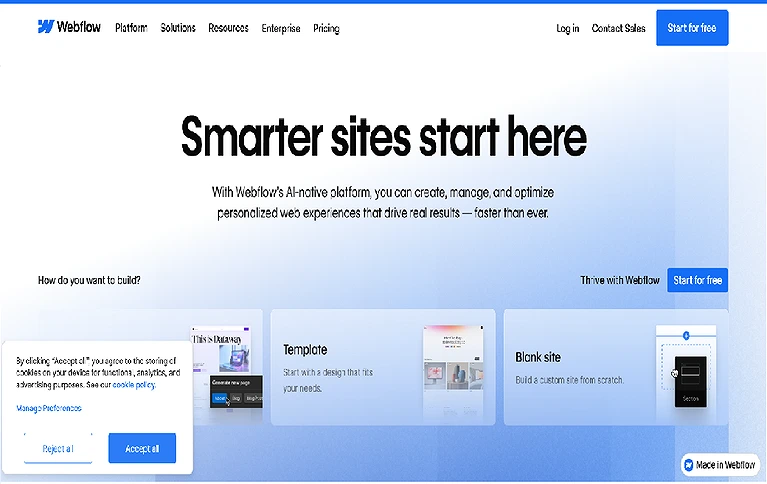
Webflow Official source image
9 Semrush
Semrush is a powerful SEO and digital marketing platform launched in 2008 that helps businesses improve online visibility using data-driven insights. It provides tools for keyword research, competitor analysis, site audits, and backlink tracking to grow website rankings and understand search trends effectively.
Key Features
- Keyword research using Keyword Magic Tool for SEO planning
- Competitor analysis for tracking market performance
- Site audit tools to detect SEO and technical issues
- Backlink analysis for improving domain authority
How to use Semrush?
- Create an account on Semrush and log in to the dashboard
- Enter a website, keyword, or competitor domain for analysis
- Explore SEO reports like keywords, backlinks, and traffic insights
- Apply recommendations to improve website ranking and visibility
Pros
- Comprehensive SEO and digital marketing toolkit
- Strong competitor analysis and keyword research features
- Helps improve search engine rankings effectively
- Suitable for beginners and advanced marketers
Cons
- Full features require a paid subscription
- Can be complex for beginners at first
- Limited access in free or demo version
- High cost for small businesses or freelancers
Best Use Case
- SEO optimization for websites and blogs
- Competitor and market research for digital marketing
- Keyword planning for content strategy and growth
Limitations
- Free version offers very limited functionality
- Requires learning curve for advanced SEO tools
- Expensive for full-scale professional use
Pricing Plan
- Free Plan: Limited access with basic SEO tools and demo features
- Paid Plan: Advanced SEO, keyword research, backlink tracking, and competitor analysis tools
Alternatives
Ahrefs, Moz, Ubersuggest, SpyFu
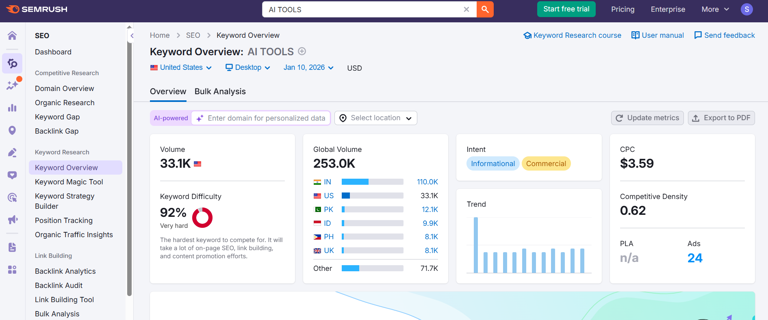
Semrush Official source page
10 Shield AI
Shield AI is an advanced defense-focused artificial intelligence platform launched in 2015. It powers autonomous aircraft, drones, and robotic systems capable of operating without GPS or communication links. Militaries use it for surveillance, intelligence gathering, and autonomous mission execution in high-risk or restricted environments.
Key Features
- Autonomous navigation and mission execution without GPS dependency
- AI-powered surveillance and intelligence gathering (ISR)
- Supports drones, aircraft, and robotic defense systems
- Operates effectively in communication-denied environments
How to use Shield AI?
- Integrate Shield AI software into compatible drones or defense systems
- Configure mission parameters and operational objectives
- Deploy autonomous systems for surveillance or tactical missions
- Monitor mission outcomes through secure control dashboards
Pros
- Works in GPS-denied and communication-limited environments
- Enhances military surveillance and intelligence capabilities
- Reduces human risk in dangerous missions
- High-level autonomy improves operational efficiency
Cons
- Restricted mainly to military and defense organizations
- Extremely high implementation and operational costs
- Requires advanced technical infrastructure and training
- Ethical and regulatory concerns around autonomous weapons
Best Use Case
- Military surveillance and reconnaissance missions
- Autonomous drone operations in hostile environments
- Intelligence gathering in denied or high-risk zones
Limitations
- Not accessible for civilian or general commercial use
- Depends on highly specialized hardware systems
- Requires strict regulatory and defense compliance
Pricing Plan
- Free Plan: No public free version; only limited demonstrations or defense partnerships
- Paid Plan: Enterprise and government contracts based on mission scale, system integration, and defense requirements
Alternatives
Anduril Lattice, Palantir Gotham, Boeing Autonomous Systems, Lockheed Martin AI Defense Solutions
FAQ
Which is the most popular AI tool?
Although numerous AI tools are available, ChatGPT remains extremely popular. The main reason behind this is its user-friendly interface, and a majority of people are not familiar with other AI tools
Who can use AI tools?
Everyone can use AI tools. Choosing the right tool is very important to get the required results. Mostly, tools are designed to be user-friendly.
How do I choose the right AI tool?
You should understand the nature of your job first. Read the description of the tool carefully. It will enable you to select the right tool.
Which AI Tool is best for students?
It depends on the nature of the study. If we talk about the most relevant tool, Grammarly is very useful for grammar and spelling checks.
Are AI tools easy to use for non-technical users?
Yes! Non-technical users can use AI tools easily. Most of the tools are user-friendly and GUI with ready-made templates. But ease depends on the task and tool
Conclusion
Artificial Intelligence has rapidly advanced across industries, offering powerful tools that save time, reduce costs, and improve productivity. However, selecting the right AI tool is essential to avoid inaccurate results and wasted effort. This guide presents top AI tools across different domains, explaining their use cases, pricing models, and limitations. All tools are carefully selected to help users make informed decisions and choose the most suitable option, with upgrade paths available for advanced needs and professional use. To further enhance your productivity and work efficiency for converting the pdf document into editable word docs, you can also explore our detailed guide on effective pdf to word converter for enhance the productivity and focus, and consistent results in daily work routines.