.webp)
How Vibe Coding Platforms Are Revolutionizing Software Development in 2026
Vibe coding is a new way to build apps where you describe what you want in plain English, and AI generates the code and full application stack for you. It saves time, effort, and money compared to traditional software development, which requires teams of developers and months of work.

 Updated: May 03, 2026 | 19 min read
 Different AI platforms serve different needs
- No-code tools like Knack and Bubble help non-technical users create apps quickly using AI-powered app builders.
- Developer-focused tools like Bolt, Lovable, Replit, and Cursor let teams generate full-stack apps, collaborate in real-time, and handle complex workflows efficiently.
- Solo or lean startup platforms like Tempo Labs and v0 allow rapid prototyping and iteration from natural language prompts, helping small teams launch products fast.
- Team-oriented platforms like Base44 provide structured AI-assisted pair programming, workflow management, and collaboration tools for full teams.
When choosing an AI platform, focus on critical features like scalability, integration depth, and architectural reliability, rather than flashy demos. Vibe coding tools let you iterate faster, deploy sooner, and reduce costs, making app development accessible, efficient, and scalable for everyone—from solo creators to full development teams.
| Best For | Pricing | Ease | |
| Bubble | No-code web apps | Free + Paid plans | Beginner |
| ToolJet | Internal tools & dashboards | Free (OSS) + Cloud paid | Intermediate |
| Cursor’s Vibe Coding Platform | AI-assisted coding | Paid (subscription) | Intermediate |
| Memex | Knowledge-driven workflows | Free + Paid | Beginner |
| Replit’s Vibe Coding Platform | Browser-based development | Free + Paid | Beginner |
| Tempo Lab’s Vibe Coding Platform | AI product building | Paid | Intermediate |
| Code Conductor | Automated app generation | Paid | Beginner |
| Knack’s Vibe Coding Platform | Database-driven apps | Paid (trial available) | Beginner |
| Lovable’s Vibe Coding Platform | Rapid MVP creation | Paid | Beginner |
| Bolt’s Vibe Coding Platform | AI full-stack generation | Paid | Intermediate |
Cover Image: How Vibe Coding Platforms Are Shaping the Future of Development in 2026
What Is Vibe Coding and Why Does It Matter in 2026?
Vibe coding is transforming software development in 2026 by enabling founders and non-technical creators to build applications using plain English. Instead of traditional coding, AI generates full-stack solutions—including databases, APIs, and integrations—in real time. This approach eliminates development delays, reduces costs, and accelerates innovation. With platforms delivering production-ready apps in minutes, vibe coding makes software creation faster, more accessible, and significantly more affordable than conventional development methods.
What Features Should You Prioritize When Choosing an AI Platform?
When choosing an AI platform, prioritize core capabilities over surface appeal. Focus on architecture, scalability, and integration depth to ensure the platform can handle real-world applications. Instead of being influenced by demos, evaluate how well it manages complex workflows and reliable integrations. The right platform should support long-term growth, deliver consistent performance, and align with your specific use case, making it a practical choice for developers, founders, and product teams.
1. Bubble
When you dive into no code tool stacks, Bubble stands out as a platform that enables you to build and scale AI assisted applications without writing traditional code; it uses a visual editor and AI powered no code platform features to help you create complex workflows, UI components, and backend logic directly in a drag and drop canvas, making rapid prototyping feel more intuitive and accessible even if you’re not experienced with coding.
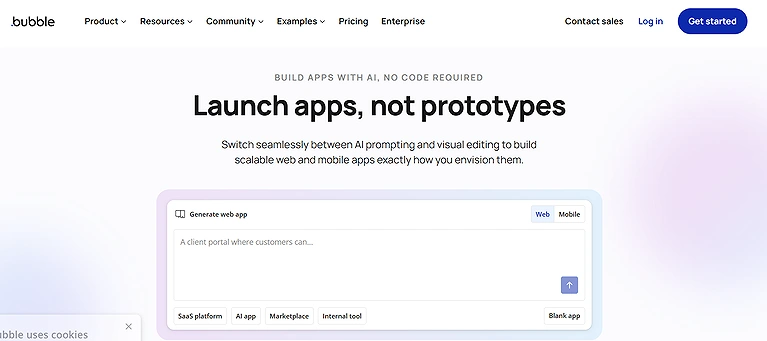
Official Source: Bubble
Key Features
- AI powered no-code development letting you create apps without writing code
- Drag and drop visual editor for UI, database, and logic workflows
- Generates frontend, backend, and workflows automatically
- Real time collaboration & team plans with user permissions
- One click deployment with built in hosting
How to Use Bubble
- Create a Bubble account and start a new application project
- Use the drag-and-drop editor to design pages and workflows
- Connect databases, APIs, and plugins for functionality
- Preview, test, and deploy your application online
Pros
- Great for rapid web app creation without code
- Extensive feature set and integrations
- Scales from simple prototypes to complex projects
- Responsive design support
- Large community and resources for learning
- Its also best for home designing as well
Cons
- Steep learning curve compared to simpler builders
- Performance can lag with complex apps
- Customization less flexible than coded projects
- Pricing may get expensive for high traffic apps
Pricing Plans
- Free Plan: $0 with basic editor & limited usage
- Starter & Paid Tiers: Monthly paid options with more resources and live deployment support
- Checkout there all latest pricing plans
Best For
Founders, no code makers, and SMB teams who want to build full web and mobile apps visually without writing code.
Related Alternatives
Webflow, Adalo, Glide, Softr
2. ToolJet
I’ve found ToolJet to be one of the most flexible low code platforms for internal tools — it combines AI native app building with a visual interface that lets teams rapidly turn natural language or drag and drop logic into production ready tools such as dashboards and workflows.
Key Features
- AI powered app generation from natural prompts
- Visual drag and drop builder with 60+ components
- Connect to databases & APIs automatically
- Version control & Git sync support
- SSO & role based access control for teams
- Self hosted or cloud deployment options
How to Use ToolJet
- Install ToolJet locally or use the cloud version
- Connect your database, APIs, or backend services
- Build internal tools using drag-and-drop components
- Configure workflows and publish the application for teams
Pros
- Helps build internal tools rapidly with AI assistance, Similar to platforms used in AI tools for business development
- Transparent pricing with predictable AI credits
- Scalable for team usage with version control and Git sync
- Open source community edition and extensibility
Cons
- Less mobile native support than some competitors
- Relies on external data sources setup
- Advanced automation workflows may require custom logic
knowledge
- UI may feel less polished for customer facing products
Pricing Plans
- Free: $0 per builder with basic AI credits
- Starter: ~$19/mo per builder
- Pro: ~$79/mo per builder
- Team & Enterprise: Up to ~$199+/mo per builder with advanced
features
Best For
Product, ops, and tech teams building complex internal tools and dashboards with a mix of AI assist and visual design.
Related Alternatives
Retool, Appsmith, Budibase, Superblocks
3. Cursor’s Vibe Coding Platform
From my experience, Cursor stands out as a developer-focused AI coding tool built around a familiar VS Code-style interface, making adoption seamless. It integrates AI directly into the IDE, offering context-aware suggestions, codebase chat, and productivity enhancements. While great for developers and collaboration, it lacks no-code features and advanced AI workflows, though a free plan allows easy experimentation.
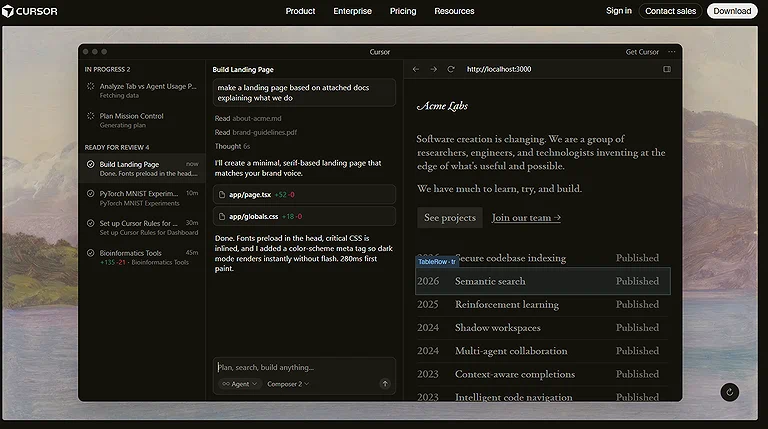
Cursor’s Vibe Coding Platform
Key Features
- AI-powered code suggestions delivering intelligent, context-aware completions that adapt to your coding style in real time
- VS code-style interface based on Visual Studio Code for seamless adoption by developers and engineers
- Ability to chat with codebase to ask questions, analyze code, and receive meaningful responses
- Built-in AI assistance inside the IDE to streamline coding tasks and enhance productivity
- Designed with developer ergonomics to support traditional workflows, iteration, and collaboration
How to Use Cursor’s Vibe Coding Platform
- Install Cursor and open your coding workspace
- Connect your project repository or create a new project
- Use AI prompts to generate, edit, and debug code
- Test the application and deploy updates directly from the editor
Pros
- Strong developer-focused design that feels natural for developers working in a VS Code-style environment
- Deep AI integration that improves coding, suggestions, and context-aware completions
- Excellent productivity improvements through streamlined AI assistance
- Supports collaboration and shared AI-enhanced environment for teams
- Enables faster iteration while maintaining familiar workflows
Cons
- Limited no-code capabilities compared with visual app builders
- Not designed for visual development or drag-and-drop interfaces
- Some advanced AI behaviors are still evolving
- Complex prompt chaining and agent workflows may require improvements
- May not replace traditional IDE setups for every developer use case
Pricing Plans
Free Plan: Available with limited usage
Free Trial: Users can explore features before committing
Pro Plan: Paid tiers unlock higher usage limits and advanced capabilities
Best For
Developers who prefer a VS Code-like IDE experience and want AI-powered coding assistance that integrates naturally into their daily development workflows.
Related Alternatives
GitHub Copilot, Windsurf, Codeium, Tabnine
4. Memex
Among the more unique options in vibe coding, Memex acts like a desktop centric AI platform where you describe your idea in natural language and it generates working prototypes or tools locally, giving you control, privacy, and flexible workflows even for niche or research focused apps even also better for you daily time managements .
Key Features
- AI voice interaction from plain English to code and tools on your device
- Local first execution & privacy with desktop app support
- Build data apps, dashboards, or internal tools with prompt guided generation
- AI credits model with multiple tiers for usage
- Supports connecting to wide range of data sources (BigQuery, PostgreSQL, etc.)
- No vendor lock in since code runs locally
How to Use Memex
- Create a workspace and organize your projects or notes
- Save research, documents, and coding references in collections
- Use AI-powered search and knowledge management features
- Collaborate with team members and manage workflows efficiently
Pros
- Full control & privacy with local environment
- Amazing for prototyping unconventional tools and scripts
- Lower entry cost starting from a free plan
- Disk level control & virtual environment setup support
Cons
- Reasoning steps can run long or require manual stopping
- Desktop only approach may limit web deployment workflows
Pricing Plans
Discover (Free): $0 with 250 AI credits
Build: ~$20/mo with more AI and cloud credits
Scale: ~$50/mo with higher credits and private apps
Enterprise: Custom options ,
Best For
Technical founders, data engineers, and developers wanting local, private AI coding and powerful custom tool building.
Related Alternatives
Notion AI, Obsidian, Capacities, Logseq
5. Replit’s Vibe Coding Platform
Replit is a cloud-based IDE that enables developers to build, collaborate, and deploy applications directly from the browser. Its integrated AI assistant, Ghostwriter, helps write, explain, and debug code, making it ideal for beginners and rapid prototyping. While performance may lag for complex projects, its real-time collaboration, multi-language support, and free plan make it a strong choice for quick development.
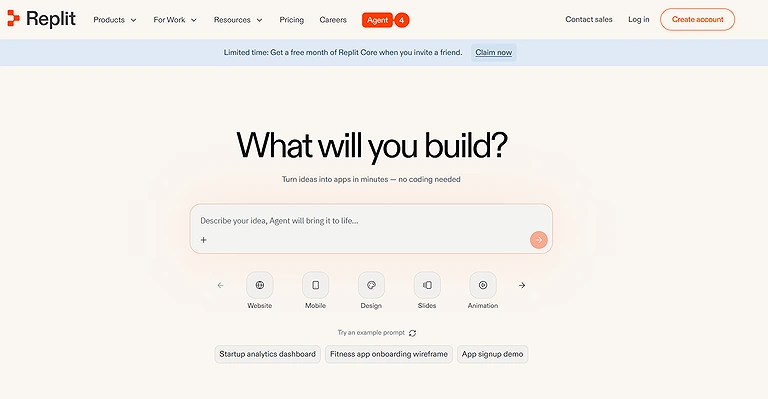
Replit Official Tool
Key Features
- Cloud-based IDE accessible from browser with no setup required
- Ghostwriter AI assistant providing help to write, explain, and debug code
- Full deployment pipeline to move from concept to production smoothly
- Real time multiplayer coding for collaborative, live coding sessions
- Multi language support across a wide array of programming languages
- Browser based environment that lets you build from any device
How to Use Replit’s Vibe Coding Platform
- Create a Replit account and start a coding workspace
- Choose a programming language or project template
- Use AI coding assistance to generate and improve code
- Run, test, and deploy applications directly from the browser
Pros
- Lets you code, collaborate, and ship applications entirely in the browser
- AI assistance makes coding more accessible for students and beginners
- No installation or local setup needed; excellent for rapid prototyping
- Real time multiplayer coding enhances teamwork and shared development
- Strong support for many popular languages makes it versatile
Cons
- Performance limitations with large or heavy complex applications
- Not as powerful as traditional desktop IDEs for advanced workflows
- Occasional lag during heavy collaborative sessions
- Cloud dependency can affect speed based on internet connection
- Less control over environment configuration compared to local dev tools
Pricing Plans
Free Plan with basic features and limited deployment options
Hacker Plan (paid) for enhanced compute, private Repls, and increased limits
Teams for Education/Business with collaboration features and team controls
Best For
Developers and teams who want an all in one cloud IDE with AI assistance, easy collaboration, and instant deployment without the hassles of local configuration.
Related Alternatives
GitHub Codespaces, Glitch, StackBlitz, CodeSandbox
6. Tempo Lab’s Vibe Coding Platform
Tempo Labs is a text-to-app platform that lets founders build full-stack applications using natural language prompts. It generates UI, backend, and logic, enabling fast MVP development and easy iteration through AI chat. While ideal for rapid prototyping and solo builders, it lacks scalability and strong version control. A limited free plan allows users to explore its capabilities.
Key Features
- Text-to-app platform for building full-stack applications from natural language prompts
- Refinable via prompts to update, iterate, and enhance functionality using AI
- End-to-end stack support that generates UI, logic, and backend infrastructure
- Exportable full codebase allowing you to download complete front-end and back-end source code
- Ideal for MVPs and rapid prototyping with working code from written instructions
How to Use Tempo Lab’s Vibe Coding Platform
- Sign up and create a new design-to-code project
- Import UI designs or start with templates
- Use AI tools to generate frontend code automatically
- Customize components and export the final project
Pros
- Empowers solo developers to turn ideas into applications quickly
- Great for early-stage product builders and lean startups
- Removes need for a full team during initial development
- Produces usable products that are easy to iterate
- Cost-effective starting point with exportable code
Cons
- Not built for scaling into larger or enterprise-level apps
- Lacks robust version control like branching or rollback
- Limited prompt usage under free plan constraints
- Less ideal for distributed team collaboration
- Fewer advanced workflow management tools
Pricing Plans
Free Plan: Includes 30 prompts per month (5 per day)
Paid tiers: (Based on online pricing) usually include higher prompt limits and commercial use options — check Tempo Labs official pricing for latest details
Best For
Solo builders, early-stage founders, and anyone who wants a fast, text-to-app solution to quickly iterate and launch prototypes without complex setup or teams.
Pro Tip:
Once Tempo Lab generates your app's foundation, you can use the top free AI writing platforms to polish your site's content and messaging.
Related Alternatives
Lovable, Bolt, Builder.io, Locofy
7. Code Conductor
I’ll also share details for Code Conductor, an AI software development platform that generates production grade underlying code for web and mobile apps based on your project description, giving developers a strong foundation they can customize further.
Key Features
- AI driven code generation for applications like React & Spring Boot
- Deploy to cloud with one click deployment
- Code customization & fine tuning after generation
- Integration with version control (Git, SVN, Mercurial)
- Support for third party integrations and security audits
- Multi cloud deployment options including containerization
How to Use Code Conductor
- Create an account and define your application requirements
- Select templates or configure workflows for your project
- Use AI automation to generate app structure and logic
- Review, edit, and deploy the completed application
Pros
- Accelerates initial development efforts
- Supports scalable architectures
- Flexible deployment options
- Reduces manual coding burden
- Useful templates for common app patterns
Cons
May still require developer expertise to fine tune generated code
Pricing varies per project and can be opaque
Pricing Plans
Starter / Standard / Pro / Enterprise: Custom quotes based on products and integrations — contact Code Conductor for exact pricing.
Best For
Teams and architects who want a head start on clean, scalable code generation for full apps without starting from scratch.
Related Alternatives
Builder.ai, OutSystems, Mendix, Appian
8. Knack’s Vibe Coding Platform
Knack is a no-code platform that enables users to build custom business applications using AI-powered prompts. It combines structured data models, workflow automation, and role-based access to create scalable, secure apps without coding. Ideal for SMBs, it supports fast deployment and iteration. However, complex apps require planning and have a learning curve, though a free trial is available.
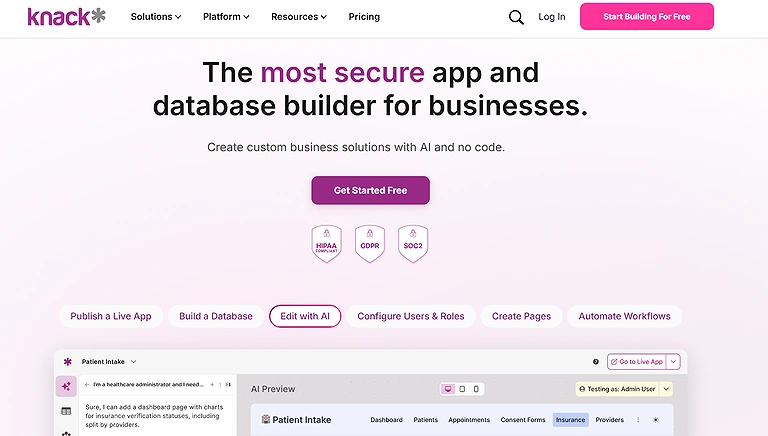
Knack’s Vibe Coding Platform
Key Features
- AI-powered app builder using natural language prompts
- Built-in logic that connects data, workflows, and automation
- No-code data model with structured data relationships and role-based permissions
- Deployment-ready platform with hosting and security included
- Designed to launch, scale apps fast, and enable iterative development
How to Use Knack’s Vibe Coding Platform
- Create a database-driven application project in Knack
- Add forms, workflows, and data management features
- Customize dashboards and user permissions
- Publish and share the application with users or clients
Pros
- Empowers users without coding skills to create custom business applications
- Scalable performance and reliability for real business use cases
- Robust security features with data encryption and role-based access
- No per-user pricing — supports team growth without rising costs
- Intuitive and structured interface for no-code app creation
Cons
- Noticeable learning curve for advanced features
- Complex data relationships may require planning
- Automations can become intricate in larger projects
- Requires careful upfront structuring for large-scale applications
- May feel limiting for developers who prefer full coding flexibility
Pricing Plans
Free Plan: Available with basic capabilities
14-Day Trial: Risk free access with no credit card needed
Paid Plans: Tiered pricing for advanced features and usage (check Knack’s site for current details)
Best For
Small to medium businesses and teams who want a structured, scalable no code app creation experience backed by AI support without the complexity of traditional development.
Pro Tip: Knack is ideal for creating internal systems that manage your business smarter, such as custom customer databases and automated workflow trackers.
Related Alternatives
Airtable, Quickbase, Zoho Creator, Caspio
9. Lovable’s Vibe Coding Platform
Lovable is an AI-driven platform that builds full-stack web applications from natural language prompts, combining UI, backend, database, and deployment into one workflow. It supports live editing, one-click deployment, and integrations like Supabase and Stripe for faster prototyping. While it enables rapid development with exportable code, it has limited design flexibility and depends on prompt quality, with a free tier available.
Key Features
- Prompt to app generation turning plain language descriptions into full stack web apps
- Live editing with live rendering and point and click editing for visual updates
- One click deployment to quickly push apps from idea to live
- AI assisted backend support including database, authentication, and API integration
- Custom code export providing clean, editable code for further development
How to Use Lovable’s Vibe Coding Platform
- Start a new project and define your app requirements
- Use AI prompts to generate interfaces and workflows
- Customize generated code and application components
- Test and deploy the application for production use
Pros
- Allows fast, intuitive, and accessible app creation for designers and front end focused builders
- Strong support for rapid prototyping and functional prototypes
- Useful AI powered bug detection and backend fixes
- No heavy coding experience required; user friendly interface
- Seamless front to back integration with modern tools like Supabase and Stripe
Cons
- Limited design customization for complex or unique UI needs
- Dependent on AI interpretation of prompts, which can vary
- Not ideal for large scale or performance critical apps
- Generates code that may need refinement for production readiness
- Daily credit limits on the free tier can restrict heavy use
Pricing Plans
Free Plan: Includes a free tier with daily credits
Paid Subscriptions: Various monthly plans unlock more credits, features, and higher deployment limits – check Lovable’s official pricing page for details
Best For
Designers, UI developers, and teams seeking a fast, intuitive, and accessible way to build full stack web apps with natural language prompts and minimal coding.
Related Alternatives
Bolt, v0 by Vercel, Builder.io, Softr
10. Bolt’s Vibe Coding Platform
Bolt is an AI-powered platform that generates full-stack web applications from natural language, powered by the Sonnet 3.5 model. It integrates tightly with GitHub for version control, branching, and collaborative workflows, making development and deployment seamless for teams. While it supports flexible tech stacks and boosts productivity, it requires GitHub and still needs manual review for complex AI-generated code, with a free usage tier available.
Key Features
- AI powered full stack app generation using natural language and the Sonnet 3.5 AI model
- GitHub integration to connect projects with repos for version control and collaboration
- Multi branch support with scoped AI context that prevents context leakage
- Real time collaboration and real time updates in shared coding environments
- Supports popular frameworks and compatible libraries for flexible development and data analysis
How to Use Bolt’s Vibe Coding Platform
- Open Bolt and create a new development workspace
- Describe the application or feature you want to build
- Let the AI generate code, layouts, and integrations
- Refine outputs, test functionality, and deploy the project
Pros
- Built for teams with GitHub centric workflows and integrations
- AI enhanced productivity that reduces coding time significantly
- Encourages collaborative development with real time teamwork features
- Flexible with popular frameworks and libraries
- Automates complex development tasks efficiently
Cons
- Requires GitHub account, which may limit accessibility
- AI generated code often needs manual review
- Potential AI limitations in handling edge cases or complex logic
- Some advanced integration workflows may have a learning curve
- Not ideal for teams that avoid GitHub or prefer self hosted versioning
Pricing Plans
Free Plan: Includes generous usage with a 150,000 daily token limit
Paid Plans: Tiered subscriptions unlock higher token limits, priority support, and advanced team features (check Bolt’s official pricing for up to date details)
Best For
Teams and developers who prioritize GitHub centric workflows and integrations, want powerful AI driven code generation, and need efficient real time collaboration and deployment support tied directly into their existing GitHub ecosystem.
Related Alternatives
Lovable, v0 by Vercel, Replit, CodeSandbox
11. Base44’s
Base 44 is a structured AI pair programming platform designed for team-based software development. It enables workflow-driven application building through guided prompts, modular components, and built-in data modeling, helping teams maintain consistency, scalability, and coordination. While it improves collaboration and process clarity, it can feel restrictive for freeform creativity and has a smaller ecosystem. A free plan is available for initial experimentation.
Key Features
- Structured AI workflow creation for guided, logic driven app development
- Component based development with modular components for scalability
- Built in data modeling to design and connect the app’s data layer within the interface
- Strong focus on code quality, consistency, and collaboration throughout the lifecycle
- Tools to streamline collaboration and accelerate development workflows
- Emphasis on organized process with clear structured steps and prompts
How to Use Base44’s
- Create an account and initialize a new app project
- Configure workflows, automation, and backend connections
- Use AI-assisted tools to generate app functionality quickly
- Test, optimize, and launch the application for users
Pros
- Workflow centric design helps teams structure development with clarity
- Built for teamwork, supporting coordinated efforts across members
- Emphasis on process keeps product development on track
- Modular components improve updates and long term maintainability
Cons
- Rigid for freeform ideation and less intuitive for loosely structured innovation
- Smaller community with limited support resources and fewer shared templates
Pricing Plans
Free Plan: Includes 25 message credits and 500 integration credits per month
Paid Plans: Typically offer higher message and integration credit limits and additional team features — check Base44’s official pricing page for the latest offerings
Best For
Teams that want structured workflows and collaborative AI assisted pair programming with strong emphasis on coordination, code quality, and disciplined development and even also the email marketing.
Related Alternatives
Bubble, Glide, Softr, Appsmith
FAQs: Best AI Tools for Vibe Coding
1. What is vibe coding, and how do these AI tools support it?
Vibe coding refers to a workflow where developers or non-technical users can build software using natural language prompts, AI-assisted generation, or visual interfaces. Tools like Knack, Lovable, and Tempo Labs translate prompts into front-end, back-end, or full-stack functionality, making prototyping and app building faster and more intuitive.
2. Which AI tool is best for non-technical users?
Platforms like Knack and Bubble are ideal for non-technical users or SMB teams because they emphasize no-code or low-code app creation, offer AI-powered app builders, and provide structured workflows without requiring traditional programming knowledge.
3. Which tools are suitable for full-stack developers or teams?
Tools such as Bolt, Base44, Replit, and Lovable are designed for developers and teams. They provide AI-driven full-stack app generation, GitHub integration, real-time collaboration, multi-branch support, and robust backend management, making them suitable for production-grade applications.
4. Are these AI tools suitable for rapid prototyping?
Absolutely. Most tools like Tempo Labs, Lovable, and v0 excel at rapid prototyping by converting plain-language prompts into functional code or UI components quickly. They allow iterative refinement, testing, and deployment without a full development team.
5. What are the limitations of AI-based vibe coding tools?
Limitations vary by tool but can include limited customization, scaling challenges, dependency on AI accuracy, or less robust version control. For example, non-developer-oriented tools may struggle with complex logic, while developer-focused tools may require some coding knowledge to fine-tune AI-generated code.
Conclusion
AI-powered vibe coding tools are revolutionizing the way apps are built, offering a spectrum from no-code platforms like Knack for non-technical users to developer-focused solutions like Bolt and Replit for teams. These platforms streamline workflows, accelerate prototyping, and reduce manual coding, making software development more accessible, efficient, and scalable across industries. Many professionals already leveraging the Boost Your Career with the Best AI Tools for Engineers are now integrating vibe coding platforms into engineering workflows for faster product development and automation. Similarly, businesses focusing on secure software delivery can combine these platforms with the solutions featured in 15 Powerful AI Tools Transforming Cybersecurity in 2026 to improve application security, vulnerability monitoring, and AI-driven threat protection. Choosing the right tool ultimately depends on your technical expertise, project complexity, collaboration requirements, and long-term scalability goals.