.webp)
Best AI tools for social media management
Let's be real: juggling Facebook, Instagram, LinkedIn, TikTok, and X manually feels like spinning plates while riding a unicycle. One missed post, one bad-timing tweet, and your engagement takes the hit. That's where AI-powered social media tools step in not to replace your creativity, but to stop you from burning out trying to be five people at once.
Here's the twist: these tools don't just schedule posts, they actually learn your audience. Using NLP and predictive models, they figure out the best time to post, suggest hashtags that actually work, and even hint at content ideas before you run out of them. Add in real-time insights on engagement and audience sentiment, and suddenly your "guessing game" social strategy becomes an actual strategy with way less manual effort and way more results.

 Updated: April 29, 2026 | 30 min read
 What Are AI Social Media Management Tools?
AI social media management tools use artificial intelligence to automate, optimize, and improve every stage of managing social media accounts. They help marketers generate content, schedule posts, create images and videos, analyze campaign performance, monitor audience engagement, and even optimize paid advertising. Modern platforms combine generative AI, predictive analytics, automation, and machine learning to reduce manual work while helping businesses publish more consistently, personalize content, and make data-driven decisions across multiple social media channels from a single workflow.
| Best For | Pricing | Ease | |
| FeedHive | AI scheduling, content prediction | ❌ No (Free trial available) | Easy |
| Buffer | Simple post scheduling | ✅ Yes (Limited free plan) | Very Easy |
| Flick | Hashtag & caption AI | ❌ No (Free trial available) | Easy |
| Hootsuite | Enterprise social management | ❌ No (Free trial available) | Medium |
| Kling AI | AI video generation | ✅ Yes (Limited free credits) | Medium |
| Lexica Art | AI image generation (thumbnails) | ✅ Yes (Limited usage) | Easy |
| Crayo | Short-form video creation | ❌ No (Free trial available) | Easy |
| Albert.ai | AI ad campaign automation | ❌ No | Hard |
| Circleboom | Twitter/X & social automation | ✅ Yes (Limited free plan) | Easy |
| UpGrow | Instagram growth automation | ❌ No (Free trial available) | Easy |
| Freepik | Stock + AI design assets | ✅ Yes (Limited free plan) | Easy |
| ContentStudio | Content scheduling + discovery | ❌ No (Free trial available) | Medium |
| Lately | AI repurposing content | ❌ No (Demo/Trial available) | Medium |
| Emplifi | Enterprise social analytics | ❌ No | Hard |
| WordStream | PPC & social ads optimization | ❌ No (Free tools available) | Medium |
| Cortex | AI content strategy & insights | ❌ No | Hard |
| Magic Studio | AI design tools | ✅ Yes (Limited free usage) | Easy |
| Murf | AI voice generation | ✅ Yes (Limited free plan) | Easy |
Cover Photo: AI Tools for Social Media
Why AI Social Media Management Is Booming in 2026
As businesses publish content across more platforms than ever, manual social media management has become increasingly difficult to scale. AI now enables teams to produce content faster, automate scheduling, personalize messaging, generate visuals and videos, monitor audience sentiment, and optimize campaigns in real time. Growing demand for short-form video, creator marketing, and data-driven engagement has accelerated AI adoption among businesses of every size. In 2026, AI-powered automation has become an essential part of maintaining consistent, competitive, and measurable social media performance.
5. Benefits of AI Social Media Management
Automates content creation and publishing across multiple platforms.
Saves significant time through AI-powered scheduling and workflow automation.
Generates captions, hashtags, images, videos, and voiceovers with minimal effort.
Improves engagement by recommending the best posting times and content formats.
- Provides analytics that help optimize campaigns and audience targeting.
- Maintains consistent brand messaging across social channels.
- Simplifies collaboration for marketing teams and agencies.
- Supports content repurposing for blogs, videos, and social posts.
- Enhances paid advertising performance through AI-driven optimization.
- Enables businesses to scale social media operations without proportionally increasing resources.
6. How We Selected These Tools
To build this list, we evaluated each AI tool based on the capabilities that matter most to modern social media teams rather than simply comparing popularity.
Our evaluation focused on:
- AI-powered content creation capabilities
- Social media scheduling and publishing features
- Multi-platform support
- Analytics and performance reporting
- Automation and workflow efficiency
- Image, video, and creative asset generation
- Collaboration features for teams and agencies
- Ease of use and learning curve
- Pricing and overall value
- Integration with popular marketing and social media platforms
Professional Workflow Stage
| Workflow Stage | Recommended Tools |
| Content Ideation & Caption Generation | FeedHive, Flick, Lately |
| Graphic & Image Creation | Freepik, Magic Studio, Lexica Art |
| Video Content Production | Kling AI, Crayo, Murf |
| Content Scheduling & Publishing | Buffer, Hootsuite, FeedHive, ContentStudio, Circleboom |
| Audience Engagement & Community Management | Hootsuite, Emplifi |
| Analytics & Performance Tracking | Hootsuite, ContentStudio, Cortex, Emplifi |
| Paid Social Advertising | Albert.ai, WordStream |
| Content Repurposing | Lately, FeedHive |
| Brand Monitoring & Social Listening | Emplifi, Hootsuite |
| AI Strategy & Content Optimization | Cortex, Flick |
Platform Compatibility
| Platform | Supported by |
| Buffer, Hootsuite, FeedHive, ContentStudio, Emplifi | |
| Buffer, Hootsuite, Flick, FeedHive, Circleboom, UpGrow, ContentStudio | |
| X (Twitter) | Hootsuite, Buffer, Circleboom, FeedHive, ContentStudio |
| Buffer, Hootsuite, FeedHive, ContentStudio | |
| TikTok | Buffer, Hootsuite, ContentStudio, FeedHive, Crayo, Kling AI |
| YouTube | Buffer, Hootsuite, ContentStudio, Murf, Crayo, Kling AI |
| Buffer, Hootsuite, ContentStudio | |
| Threads | Buffer, Hootsuite, FeedHive *(where supported)* |
| Google Ads & Paid Campaigns | Albert.ai, WordStream |
| Marketing Asset Creation | Freepik, Lexica Art, Magic Studio, Murf |
1 FeedHive (Web)
As I continued refining workflows across multiple brands, FeedHive proved to be a great tool for content creators managing dynamic content and testing different variables within every post. It allows you to repurpose content, take an old idea, reshape it with a different body, craft a new angle, or remix it around a current trend to reach a new audience while keeping long-time fans engaged. It helps increase follower count, present the full picture of your brand, and truly stand for consistency across social media.
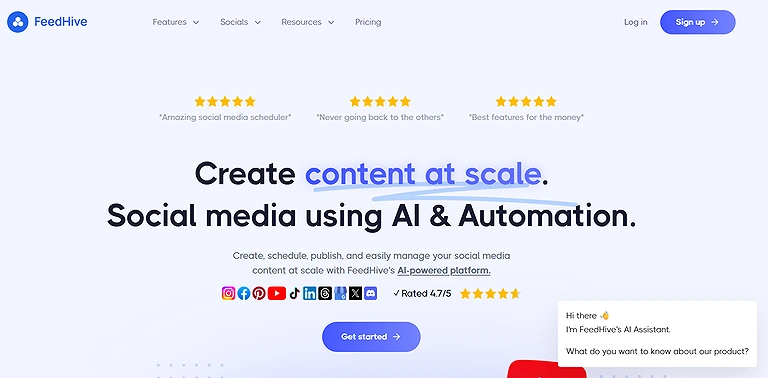
Official Source Image: A comprehensive overview of the FeedHive Tools suite
Key Features
- AI-powered content writing assistant
- Smart hashtag and engagement prediction tools
- Content scheduling with weekly calendar management
- Post categorization and queue automation
- Multi-platform content repurposing support
Best For: AI-powered content scheduling and evergreen content recycling.
How does it work?
- FeedHive includes an AI Writing Assistant inside the compose window for generating and improving social media posts.
- Users can create content with prompts, refine captions, and optimize posts using AI-powered suggestions.
- Features like AI hashtags and performance prediction help improve engagement and repurpose content across platforms.
Pros
- Provides a structured workflow for planning and scheduling social media content.
- Helps organize posts with categories, queues, and publishing automation.
- User-friendly interface with educational resources through FeedHive University.
Cons
- Lower-tier plans support limited social media accounts.
- Advanced features may require upgrading to higher-priced plans.
- New users may need time to explore all AI-powered tools effectively.
Best Use Cases:
- AI-assisted social media scheduling
- Evergreen content recycling
- AI caption generation
- Multi-platform publishing
- Content calendar management
- Creator and agency workflows
Pricing
FeedHive offers subscription-based pricing starting around $15/month on annual billing, with higher-tier plans unlocking additional accounts, automation, and AI features.
Related Tools
Buffer, Hootsuite, SocialBee, Later
2. Buffer
As I continued refining systems across brands, Buffer stood out as an easy yet strategic tool that helps teams keep track of post ideas while understanding their Audience overview from gender, age, cities, to countries across every social media platform they connect, even as cost increases with added channels; working across multiple channels has taught me that each network carries unique rules of engagement, whether it’s Instagram prioritizing strong images, X thriving on rapid-fire takes, or LinkedIn blending boardroom talk with light water cooler banter, so the ability to tailor posts becomes essential.
Key Features
- AI-powered post writing and rewriting assistant
- Multi-platform social media scheduling tools
- Content idea tracking and draft management
- Smart publishing calendar for campaign planning
- Zapier integration for workflow automation
Best For: Simple social media scheduling and content planning for small businesses.
How does it work?
- Buffer’s AI Assistant automatically adapts posts for selected social media platforms while generating optimized captions.
- Users can rewrite, shorten, or expand content with built-in editing tools for better tone and clarity.
- The idea tracking feature stores content ideas, drafts, and inspiration to help fill publishing calendar gaps.
Pros
- Makes it easy to adapt one content idea across multiple social media platforms.
- Helps organize recurring campaigns, seasonal posts, and long-term content planning.
- Keeps feeds active with a balanced mix of fresh and evergreen content.
Cons
- Advanced workflow automation often depends on third-party integrations like Zapier.
- The free plan includes limited channels and post scheduling capacity.
- Managing many social accounts can gradually increase monthly costs.
Best Use Cases:
- Social media scheduling
- Content calendar planning
- Multi-platform publishing
- Basic performance analytics
- Team collaboration
- Small business social media management
Pricing
Buffer offers a free plan with limited scheduling features, while paid plans start around $5/month per channel with expanded posting, storage, and automation capabilities.
Related Tools
Hootsuite, FeedHive, SocialPilot, Later
3. Flick
As I continued experimenting with tools that offer lots of help to support content teams, Flick felt refreshingly straightforward and simple to use, especially when the daily task of keeping social media channels fresh and relevant starts to feel like an uphill battle; at the center of it is Iris, the built-in AI content assistant designed for fast AI generation, though it can take a while and even breaks from time to time, yet when it works smoothly, it helps you find ideas, store ideas, and flesh out rough concepts into potential posts you can confidently produce for different social media channels.
Key Features
- AI-powered post idea and caption generation
- Built-in hashtag generator and content optimization tools
- Social media scheduling and publishing features
- AI rewrite tools for tone and length adjustments
- Content repurposing and brainstorming workflow support
Best For: Instagram growth, hashtag research, and AI caption writing.
How does it work?
- Users enter a topic into the Brainstorm Post Ideas tool to generate structured social media content ideas.
- Flick creates multiple post suggestions with titles, detailed concepts, and practical content tips.
- Generated drafts can be rewritten, refined, scheduled, and optimized using AI-powered editing and hashtag tools.
Pros
- Makes it easy to brainstorm and schedule social media content quickly.
- Helps repurpose blogs, videos, and older posts into fresh social content.
- Simplifies content planning and reduces creative burnout during idea generation.
Cons
- Lower-tier plans support limited social profiles and scheduling capacity.
- High-volume posting strategies may require upgrading to advanced plans.
- Some advanced AI and scheduling features are restricted to paid subscriptions.
Best Use Cases:
- Instagram marketing
- Hashtag research and optimization
- AI caption generation
- Content planning
- Audience growth strategies
- Creator content management
Pricing
Flick offers a 7-day free trial, while paid plans start around £11/month with features based on scheduling limits, connected profiles, and AI content tools.
Related Tools
FeedHive, Buffer, Hootsuite, Later
4 Hootsuite (Web)
When managing complex social media platforms, Hootsuite remains a big social media management name, offering a complete social media management tool with robust reporting tab and a resident AI tool, OwlyWriter, which can quickly generate new post drafts from a URL or brainstorm ideas for posts, whether for holiday campaigns or daily updates; it’s best for prompt variety, applying common copywriting formulas like AIDA (Attention, Interest, Desire, Action) or PAS (Problem, Agitation, Solution) to save time while maintaining solid results and helping teams push quickly across multiple feeds.
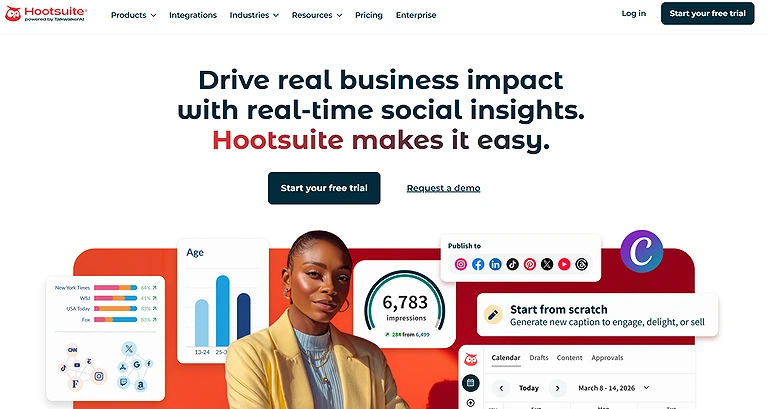
The official source for your Hootsuite workspace.
Key Features
- Multi-platform social media scheduling and publishing
- Advanced analytics and campaign performance tracking
- Unified inbox for messages and audience engagement
- AI-powered content generation with OwlyWriter
- Team collaboration and workflow automation tools
Best For: Enterprise social media management, analytics, and team collaboration.
How does it work?
- Users can create and publish posts across multiple social media accounts from one dashboard.
- The Analytics section provides engagement metrics, campaign reports, and competitive performance insights.
- Teams can manage feeds, respond to messages, and turn analytics into actionable content strategies using templates and automation tools.
Pros
- Helps manage campaigns, audience engagement, and social conversations from a centralized platform.
- Supports workflow automation and detailed reporting for large-scale social media strategies.
- Makes it easier to organize content, monitor sentiment, and handle multiple accounts efficiently.
Cons
- Pricing is significantly higher compared to many competing social media tools.
- Advanced reporting and feed management features may feel complex for smaller teams.
- Fully utilizing AI and analytics tools requires time and platform familiarity.
Best Use Cases:
- Multi-platform publishing
- Campaign management
- AI content generation
- Audience engagement
- Social media analytics
- Team collaboration
Pricing
Hootsuite offers premium subscription plans starting around $149/user/month with advanced analytics, scheduling, collaboration, and AI-powered social media management features.
Related Tools
Buffer, Sprout Social, SocialPilot, Later
5. Kling AI
For those looking to create AI video ads and handle video generation at scale, Kling AI has become a favorite among top performance marketers, offering a full AI creative studio to orchestrate workflows and crushing it when launching AI ads. The platform combines tools like Claude for writing scripts, generating video snippets, and ElevenLabs for text-to-speech voice overs, while Topaz Labs enhances visuals, providing a full suite of capabilities for AI video creators.
Key Features
- AI-powered video generation using multiple video models
- Text-to-video creation with prompt-based workflows
- Integration support with creative and productivity platforms
- Automated editing and content formatting tools
- Collaborative workspace for teams and campaigns
Best For: Creating AI-generated marketing videos for social media campaigns.
How does it work?
- Users can experiment with different AI video models and select the best outputs for their projects.
- Video content is generated through text prompts combined with AI-powered editing and automation tools.
- Teams can organize workflows, automate repetitive tasks, and create videos for marketing or social campaigns efficiently.
Pros
- Offers free usage options suitable for testing AI video workflows.
- Integrates smoothly with tools like Notion AI for better productivity.
- Simplifies video creation by automating editing and formatting tasks.
Cons
- Understanding different AI video models may feel complex for beginners.
- Free workspace limits may not suit high-volume content creators.
- Achieving high-quality branded output often requires repeated prompt refinement.
Best Use Cases:
- Product promotional videos
- Instagram Reels
- TikTok videos
- AI-generated marketing content
- Video advertisements
- Brand storytelling
Pricing
Kling AI offers free workspace access with limited usage, while premium plans unlock higher response limits, advanced AI models, and expanded collaboration features.
Related Tools
Runway ML, Pika Labs, Synthesia, InVideo
6. Lexica Art (for blog thumbnails)
For anyone looking to generate marketing content with high-quality AI image generator, Lexica Art stands out as one of the best generative AI tools available. It’s useful for generating images that are not just visually appealing but also realistic AI images, making it perfect for creating blog thumbnail images that align with SEO strategies and search engine optimization goals.
Key Features
- AI-powered image generation from text prompts
- Custom visual creation for branding and marketing
- Reusable image library for consistent content design
- SEO-friendly visual content support for blogs and social media
- Flexible style experimentation with prompt customization
Best For: Creating AI-generated artwork and blog or social media thumbnails.
How does it work?
- Users enter prompts describing the style, theme, or branding needed for image generation.
- The platform creates AI-generated visuals that can be saved and reused across campaigns.
- Teams can generate unique thumbnails, social graphics, and marketing visuals instead of relying on stock images.
Pros
- Speeds up the process of creating branded visual content.
- Supports creative experimentation with different artistic styles and prompts.
- Helps produce unique visuals for blogs, social media, and marketing campaigns.
Cons
- Highly customized results may require several prompt refinements.
- Some premium image generation features are restricted on free plans.
- Users must review outputs carefully to maintain brand consistency.
Best Use Cases:
- Blog thumbnails
- Social media graphics
- Marketing visuals
- Creative artwork
- Promotional images
- Brand illustrations
Pricing
Lexica Art offers free access with limited generation features, while paid plans provide higher-quality outputs, faster generation speeds, and expanded usage capabilities.
Related Tools
Midjourney, Leonardo AI, Adobe Firefly, DALL·E
7. Crayo (for short-form videos)
For creating short form videos across TikTok, Instagram Reels, and YouTube Shorts, Crayo is a powerful tool to check out. The platform, started by Musa and Daniel, has supported big YouTube creators in generating millions of views for faceless YouTube channels while mentoring emerging short-form video creators in the video creation process.
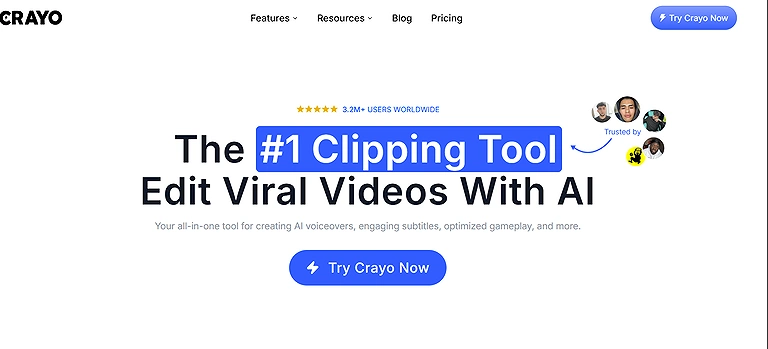
A comprehensive overview of the Crayo interface and creator suite.
Key Features
- AI-powered short-form video generation
- Automated voiceovers, graphics, and storytelling tools
- Fast content ideation and video production workflows
- Dynamic visuals optimized for social media engagement
- Multi-style video customization for marketing campaigns
Best For: Producing viral short-form videos for TikTok, Instagram Reels, and YouTube Shorts. If you're struggling to maintain consistent engagement, explore our guide on AI short-form repurposing tools to learn how AI can transform long-form content into platform-optimized clips that increase reach, audience retention, and social media engagement.
How does it work?
- Users enter concepts or ideas, and Crayo helps generate videos with AI-powered voiceovers, visuals, and story sequences.
- The platform automates repetitive editing tasks to speed up content production.
- Creators can refine videos, test different styles, and optimize content for audience engagement across platforms.
Pros
- Simplifies short-form video creation for creators and marketers.
- Combines voiceovers, graphics, and visuals into a streamlined workflow.
- Helps users quickly experiment with different content styles and strategies.
Cons
- Learning advanced video creation workflows may take some practice.
- Creators still need to tailor videos for audience preferences and trends.
- Managing content across multiple platforms requires ongoing optimization.
Best Use Cases:
- Short-form video creation
- Faceless videos
- Viral social content
- AI captions
- TikTok marketing
- YouTube Shorts production
Pricing
Crayo offers subscription-based pricing with plans that vary based on video generation limits, export quality, and access to advanced AI editing features.
Related Tools
CapCut AI, InVideo, Pika Labs, Runway ML
8. Albert.ai (for digital advertising)
In the dawn of AI for advertising, Albert has emerged as a platform that personalizes and optimizes ad content at scale, covering social media and paid search platforms including Facebook, YouTube, Google Ads, and Bing. Founded by Om Shani, it combines AI and automation to free up human creatives, allowing them to make campaigns that connect on a human level, while the platform functions as a laboratory for testing and tweaking campaigns to explore unseen channel opportunities, unthought of demographics, and new markets.
Key Features
- AI-powered ad campaign optimization and automation
- Real-time audience targeting and bid management
- Multi-platform advertising campaign scaling
- Data-driven creative and performance analysis
- Automated conversion and ROI optimization tools
Best For: AI-driven digital advertising optimization across paid social campaigns.
How does it work?
- Albert.ai analyzes campaign data to optimize ad creatives, targeting, and spending automatically.
- The platform continuously tests and adjusts campaigns across multiple advertising channels.
- AI-driven insights help marketers improve conversions, audience reach, and campaign performance over time.
Pros
- Helps automate and scale complex advertising campaigns efficiently.
- Uses performance data to improve targeting and audience engagement.
- Enables marketing teams to discover new audience opportunities and optimize ROI.
Cons
- Campaign performance may require an initial learning and optimization period.
- Better suited for businesses running large-scale marketing campaigns.
- AI effectiveness depends on collecting enough campaign data over time.
Best Use Cases:
- Facebook Ads optimization
- Cross-platform advertising
- Campaign automation
- Budget optimization
- Paid social marketing
- Performance analysis
Pricing
Albert.ai typically offers enterprise-level custom pricing based on campaign scale, advertising spend, and automation requirements rather than fixed public plans.
Related Tools
AdCreative.ai, Smartly.io, Metadata.io, Pencil AI
9. Circleboom
For social media teams looking to gather different social accounts in one place, Circleboom provides a single dashboard that makes content creation easier. It leverages AI-generated images and AI-generated texts, which can be immediately published with messages, captions, emojis, and hashtags all generated automatically by the AI tool.
Key Features
- AI-powered social media content creation and editing
- Grammar correction and content translation tools
- Multi-account scheduling and publishing management
- Brand-consistent post generation and automation
- User-friendly dashboard for campaign organization
Best For: Twitter/X management, content curation, and automated scheduling.
How does it work?
- Circleboom helps users create, translate, and improve social media posts with AI-powered writing tools.
- Users can schedule posts in advance and manage campaigns across multiple accounts from one platform.
- The system streamlines publishing workflows while maintaining brand tone and consistency.
Pros
- Saves time by automating repetitive social media management tasks.
- Helps generate polished, engagement-focused content for multiple platforms.
- Makes account management and scheduling simple for individuals and teams.
Cons
- Some AI-generated content may still need manual creative refinement.
- Advanced customization for branded visuals can be somewhat limited.
- Scheduled posts should still be reviewed for platform-specific formatting and requirements.
Best Use Cases:
- Twitter/X scheduling
- Content curation
- Audience engagement
- Social media automation
- Multi-platform publishing
- Brand account management
Pricing
Circleboom offers free and subscription-based plans, with premium tiers unlocking advanced AI writing, scheduling, analytics, and multi-account management features.
Related Tools
Buffer, Hootsuite, SocialBee, Later
10. UpGrow
For brands aiming to attract more subscribers and build a genuinely engaged audience, UpGrow leverages AI to analyze filters like location, age, gender, language, interests, and hashtags. This software helps identify and attract active followers who are more likely to interact with content on Instagram, whether through posts or stories.
Key Features
- AI-powered audience targeting and follower growth
- Smart hashtag and engagement recommendations
- Social media post and story scheduling tools
- Audience analytics based on demographics and interests
- Content optimization for better reach and interaction
Best For: Instagram audience growth and follower acquisition.
How does it work?
- UpGrow analyzes audience behavior and targets users based on demographics, interests, and engagement patterns.
- The platform suggests hashtags, posting strategies, and engagement tactics to improve visibility.
- Users can schedule posts and optimize content for higher interaction and follower growth across social platforms.
Pros
- Helps attract active followers who are more likely to engage with content.
- Provides useful insights for improving audience interaction and consistency.
- AI-powered recommendations simplify content optimization and trend alignment.
Cons
- Results depend heavily on proper audience targeting and filter settings.
- Smaller accounts may require consistent posting for noticeable growth.
- Excessive reliance on AI suggestions can reduce originality in brand voice.
Best Use Cases:
- Instagram growth
- Audience targeting
- Profile optimization
- Engagement improvement
- Influencer campaigns
- Social media marketing
Pricing
UpGrow offers subscription-based plans with pricing depending on follower growth features, targeting tools, account management capabilities, and automation limits.
Related Tools
Kicksta, SocialCaptain, Nitreo, HypeAuditor
11. Freepik
For creators looking to create illustrations and social media posts, Freepik AI Content Creation Tools offer both an AI image generator and AI video generator, letting users type prompt and choose from dozens of options including color palettes, characters, objects, graphic styles, composition, and visual effects, making it easy to craft visually appealing content. With over 700,000 satisfied users, Freepik allows you to try the tool for free, get an idea of how it works, and upgrade to a Premium version at $5/month or $10/month, billed annually.
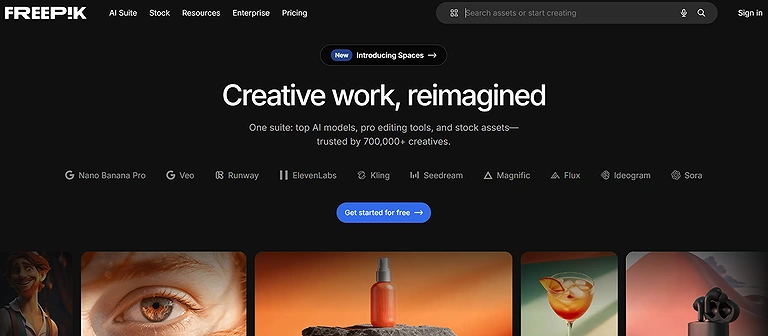
Your official look at the Freepik official source interface
Key Features
- AI-powered image and video generation from text prompts
- Extensive library of graphics, templates, and visual assets
- Customizable design elements including colors, objects, and styles
- Ready-to-use visuals for social media, marketing, and blogs
- Integrated AI tools for faster content creation workflows
Best For: Creating AI-generated graphics and marketing visuals for social media.
How does it work?
- Users enter a text prompt describing the required image, video, or design style.
- Freepik generates multiple AI-powered visual options with different styles and compositions.
- Creators can customize, download, and use these visuals directly in marketing, social media, or blog content.
Pros
- Speeds up content creation by reducing manual design effort.
- Offers flexible design options for different branding and creative needs.
- Suitable for beginners as well as professional designers.
Cons
- Advanced AI and premium assets are restricted to paid plans.
- Heavy reliance on templates may reduce originality if not customized.
- High usage requires subscription for full feature access.
Best Use Cases:
- Social media graphics
- Ad creatives
- Marketing assets
- AI image generation
- Presentation visuals
- Content design
Pricing
Freepik offers a free plan with limited downloads and AI features, while Premium plans unlock full asset access, advanced AI tools, and higher usage limits for professional creators.
Related Tools
Canva, Adobe Firefly, Midjourney, DALL·E
12. Content Studio
For marketers seeking a simple yet powerful tool, Content Studio enables users to create artificial images, generate tweet ideas, and draft inspiring quotes immediately. It helps overcome blank page syndrome by offering AI suggestions to rewrite content, boost visibility, and plan publication across platforms. The tool also suggests relevant hashtags, generates emojis, and automates many AI features, making content creation faster and more engaging.Content Studio is a must-have for teams who want to manage their business smarter by centralizing all communication and scheduling.
Key Features
- AI-powered content rewriting and idea generation
- Automated hashtag and emoji suggestions for engagement
- AI-generated visuals and creative media assets
- Social media scheduling and publishing management
- Multi-platform content planning and organization tools
Best For: Content discovery, AI publishing, and multi-channel social media management.
How does it work?
- Users provide a topic or idea, and the AI generates posts, tweets, or content variations.
- The platform enhances posts with hashtags, emojis, and engagement-focused suggestions.
- It also creates visual assets and allows scheduling for consistent content publishing.
Pros
- Quickly transforms simple ideas into ready-to-publish social media content.
- Helps maintain consistent branding and improve audience engagement.
- Enables automated scheduling for regular and consistent posting.
Cons
- AI-generated content may require manual refinement for brand tone accuracy.
- Image generation may need experimentation for best visual output.
- Excessive automation can reduce originality if not properly managed.
Best Use Cases:
- Social media scheduling
- Content curation
- AI-assisted publishing
- Performance analytics
- Content planning
- Agency workflows
Pricing
Content Studio offers subscription-based pricing with free trial options, while paid plans unlock advanced AI content generation, scheduling tools, and expanded publishing capabilities.
Related Tools
Buffer, Hootsuite, FeedHive, SocialBee
13. Lately
Content teams aiming to streamline strategy, Lately is an AI tool that excels at recognizing context across a wide collection of content and transforming it into ready-to-use publications. The software provides a centralized dashboard for scheduling posts and analyzing performance, making it easier to maintain a consistent content flow while understanding audience engagement.
Key Features
- AI-powered content repurposing and post generation
- Centralized dashboard for multi-platform scheduling
- Performance analytics and engagement tracking
- Smart content suggestions based on audience behavior
- Continuous learning system for content optimization
Best For: Repurposing long-form content into AI-generated social media posts.
How does it work?
- Lately analyzes existing content to understand context and generate new post ideas.
- Users manage and schedule all social media posts from a unified dashboard.
- The AI evaluates performance metrics to improve future content strategy and engagement.
Pros
- Automates content repurposing to save time and effort.
- Provides insights to improve audience engagement and content performance.
- Helps maintain a consistent and optimized social media presence.
Cons
- Output quality depends on the strength and variety of input content.
- Limited data can reduce the accuracy of AI-generated suggestions.
- Human review is still needed to ensure brand consistency.
Best Use Cases:
- Blog repurposing
- Podcast promotion
- Webinar content
- AI copy generation
- Content automation
- Multi-platform publishing
Pricing
Lately offers subscription-based pricing with plans based on team size, content volume, and AI analytics features, with enterprise options for larger organizations.
Related Tools
Buffer, FeedHive, Content Studio, Hootsuite
14. Emplifi
Brands looking to gain advanced information about their audience and optimize campaigns, Emplifi offers tools to discover key insights, manage influencer marketing, and track performance via a monitoring dashboard. Its intuitive interface ensures impressive content flow across social media channels while keeping teams informed and organized.
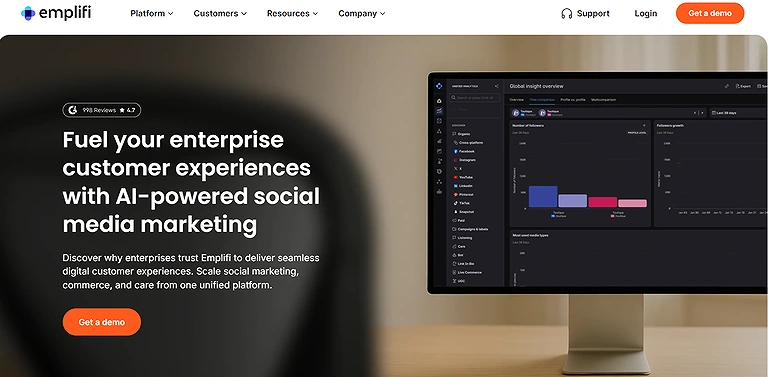
A comprehensive overview of the Emplifi interface and platform capabilities
Key Features
- AI-driven social media analytics and audience insights
- Influencer discovery and campaign tracking tools
- Real-time performance monitoring dashboard
- Customer experience and engagement optimization
- Centralized social marketing and reporting system
Best For: Enterprise customer engagement, social listening, and omnichannel social media management.
How does it work?
- Emplifi collects detailed audience data including behavior, demographics, and engagement patterns.
- It helps identify influencers and measure the performance of marketing campaigns.
- Teams monitor real-time analytics to adjust strategies and optimize content performance.
Pros
- Helps brands optimize content strategy using real-time data insights.
- Improves audience targeting and campaign precision.
- Combines analytics and marketing management in a single platform.
Cons
- Advanced features may require higher-tier subscriptions or training.
- Can be too complex for small-scale or basic social media needs.
- Requires continuous monitoring to fully leverage analytics insights.
Best Use Cases:
- Social listening
- Customer engagement
- Reputation management
- Social commerce
- Brand monitoring
- Enterprise analytics
Pricing
Emplifi offers custom enterprise pricing based on business size, required features, analytics depth, and social media management needs.
Related Tools
Sprout Social, Hootsuite, Brandwatch, Sprinklr
15. Wordstream
For marketers focused on ads and campaign optimization, Wordstream leverages machine learning (ML) to evaluate ads across social media and other platforms, providing actionable recommendations based on data. This ensures campaigns are continually refined for performance while reducing manual guesswork.
Key Features
- AI-powered PPC and ad campaign optimization
- Machine learning-based performance analysis
- Automated targeting, bidding, and budget recommendations
- Real-time campaign monitoring and reporting
- Cross-platform ad management insights
Best For: Optimizing paid social advertising and improving marketing ROI.
How does it work?
- Wordstream analyzes advertising data using machine learning to identify performance gaps.
- It provides actionable recommendations for improving targeting, messaging, and budget allocation.
- The platform continuously monitors campaigns and helps optimize them in real time for better results.
Pros
- Converts complex ad data into simple, actionable optimization insights.
- Reduces manual effort in analyzing and managing advertising campaigns.
- Improves ROI through smarter targeting and budget efficiency.
Cons
- Advanced analytics outputs may require experience to interpret effectively.
- Primarily focused on ad optimization rather than full social media management.
- Smaller campaigns may not generate enough data for strong AI insights.
Pricing
Wordstream offers subscription-based pricing, with plans depending on ad spend, campaign size, and access to advanced optimization and reporting features.
Best Use Cases:
- Facebook Ads management
- PPC optimization
- Paid social campaigns
- Marketing analytics
- Campaign reporting
- Advertising performance
Related Tools
Google Ads, Meta Ads Manager, AdCreative.ai, Smartly.io
Pro-Tip for Social Media Managers: Great social media management often requires high-end visuals and data tracking. If you’re using Wordstream, you should also check out our guides on Top Trending Tools for Data Analysis
16 Cortex, a perfect AI tool for social media
Teams aiming to share optimized content, Cortex is an ideal AI tool for social media that recommends the time and frequency of posts based on historical indicators. It generates detailed analyses of performance, tracks competitors, and provides a clear dashboard interface that highlights the editorial calendar and helps plan campaigns strategically.
Key Features
- AI-driven social media timing and posting frequency optimization
- Visual content analysis for colors, images, and engagement styles
- Competitor tracking and trend monitoring tools
- Editorial calendar for structured content planning
- Data-driven content performance recommendations
Best For: AI-powered content strategy, creative optimization, and predictive social media analytics.
How does it work?
- Cortex analyzes historical performance data to suggest optimal posting times and frequency.
- It identifies high-performing visual styles, including colors and images that engage audiences.
- Users track competitors, follow trends, and manage campaigns through dashboards and editorial calendars.
Pros
- Combines analytics and AI insights for smarter content planning.
- Helps maintain a consistent and engaging visual brand identity.
- Improves social media strategy using competitor and trend analysis.
Cons
- Requires some experience to interpret advanced analytics effectively.
- May provide more data than necessary for small or simple content strategies.
- Heavy reliance on AI suggestions can limit creative originality if not balanced.
Best Use Cases:
- Content strategy
- Creative optimization
- Predictive analytics
- Campaign planning
- Brand consistency
- Performance forecasting
Pricing
Cortex offers custom subscription pricing based on business size, analytics requirements, and campaign complexity, typically aimed at mid-to-large marketing teams.
Related Tools
Sprout Social, Emplifi, Hootsuite, Brandwatch
17. Magic Studio
Creators aiming to create photos of products with professional quality, Magic Studio can help by providing elegant backgrounds and the ability to eliminate undesirable objects from images. The platform allows users to generate photos from texts, making it easier to produce polished visuals for marketing, social media posts, or online catalogs.
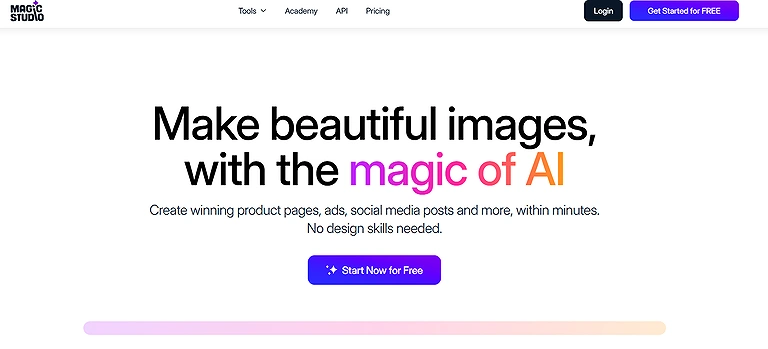
The official look at the Magic Studio ecosystem. ✨ Witness how AI-powered image editing from object removal to background generation makes professional design effortless for everyone.
Key Features
- AI-powered text-to-image and image generation
- Background removal and object editing tools
- Automated photo enhancement for marketing visuals
- Ready-to-use images for social media and e-commerce
- Smart visual consistency across product and campaign assets
Best For: Quickly editing AI-generated images and creating social media marketing visuals.
How does it work?
- Users enter a text prompt or upload an image to generate or edit visuals.
- The AI modifies backgrounds, removes unwanted objects, or enhances image quality.
- Final images are optimized for social media posts, product listings, and marketing campaigns.
Pros
- Speeds up professional-quality image creation without manual editing skills.
- Ensures visual consistency across branding and product images.
- Quickly transforms simple text prompts into usable marketing visuals.
Cons
- Advanced editing still requires manual refinement for best results.
- Output quality depends heavily on how clear the input prompt is.
- Overuse of similar AI visuals may reduce creative originality and engagement.
Best Use Cases:
- Background removal
- Product image editing
- Social media creatives
- AI photo enhancement
- Promotional graphics
- Marketing design
Pricing
Magic Studio offers a freemium model with basic editing tools available for free, while premium plans unlock higher-resolution outputs, advanced AI editing features, and commercial usage rights.
Related Tools
Canva, Adobe Firefly, Freepik, Fotor AI
18 Murf
For creators looking to create short videos or online video ads, Murf provides an efficient solution by generating narrator voices and perfectly customized voice-overs without the need for hiring an actor, which can be expensive and time-consuming. It eliminates the pain of recording voiceovers yourself while maintaining professional quality for videos.
Key Features
- AI-powered text-to-speech and voice-over generation
- Customizable voice tone, speed, and style controls
- Studio-quality narration for videos and ads
- Multi-language voice support for global content
- Easy integration with video editing workflows
Best For: Creating professional AI voiceovers for social media videos and advertisements.
How does it work?
- Users upload scripts or video content, and Murf generates AI-based voice-overs.
- Voice settings like tone, pitch, and speed can be customized to match brand identity.
- The generated narration is exported and synced directly with videos or advertisements for publishing.
Pros
- Eliminates the need for professional voice actors, saving time and cost.
- Maintains consistent audio quality across all video content.
- Allows quick experimentation with different voice styles and tones.
Cons
- AI-generated voices may lack natural emotional depth in some cases.
- Repeated use of similar voices can make content feel less engaging.
- Requires adjustments to perfectly match voice timing with video scenes.
Best Use Cases:
- Video voiceovers
- Social media advertisements
- YouTube narration
- Podcast intros
- Marketing videos
- Multilingual audio content
Pricing
Murf offers subscription-based pricing with free trial access, while paid plans unlock premium voice options, higher usage limits, and commercial rights for professional content creation.
Related Tools
Speechify, WellSaid Labs, Synthesia, Play.ht
Which Tool Should You Choose?
| If You Need... | Recommended Tools |
| The best all-around social media management platform | Hootsuite |
| Affordable social media scheduling for individuals and small businesses | Buffer |
| AI-powered scheduling and evergreen content automation | FeedHive |
| Instagram growth and hashtag optimization | Flick, UpGrow |
| Content discovery and multi-channel publishing | ContentStudio |
| Enterprise social media management and customer engagement | Emplifi |
| AI-generated short-form marketing videos | Crayo, Kling AI |
| AI-generated graphics and social media visuals | Freepik, Magic Studio, Lexica Art |
| Professional AI voiceovers for videos | Murf |
| AI-powered paid advertising optimization | Albert.ai, WordStream |
| Predictive analytics and content performance optimization | Cortex |
| Twitter/X scheduling and account management | Circleboom |
| Repurposing blogs, podcasts, and long-form content into social posts | Lately |
| Managing multiple client or brand accounts | Hootsuite, ContentStudio, FeedHive |
| End-to-end AI-powered social media workflow | Hootsuite, FeedHive, ContentStudio |
How to Choose the Right Tool
Before investing in an AI social media platform, evaluate how well it aligns with your marketing objectives, workflows, and budget.
Consider the following factors:
- Primary Goal: Decide whether your focus is scheduling, content creation, analytics, audience growth, advertising, or creative asset generation.
- Supported Social Networks: Ensure the platform supports the channels where your audience is most active.
- AI Capabilities: Compare features such as AI writing, image generation, video creation, automation, and predictive analytics.
- Team Collaboration: Larger teams should prioritize approval workflows, shared workspaces, and role-based permissions.
- Analytics & Reporting: Look for actionable performance insights rather than basic engagement metrics.
- Integrations: Verify compatibility with your CRM, marketing tools, cloud storage, and design platforms.
- Scalability: Choose software that can grow alongside your business and future social media strategy.
- Pricing: Balance feature availability with long-term value instead of selecting the lowest-cost option.
If TikTok is a key part of your marketing strategy, consider using platforms specifically built for short-form video creation, scheduling, trend analysis, and audience engagement. Explore our guide to AI tools for TikTok management and growth to discover solutions that help streamline content production, automate publishing, and maximize your reach on one of the world's fastest-growing social platforms.
AI challenges for social media
While AI significantly improves social media efficiency, it still requires human oversight to achieve the best results.
Some common challenges include:
- AI-generated content may require editing to match your brand voice.
- Automated posts can lack context during trending or sensitive events.
- Analytics recommendations depend on sufficient historical performance data.
- Managing multiple AI tools can increase workflow complexity.
- Premium AI features are often limited to higher-priced subscription plans.
- AI-generated visuals or videos may need manual refinement before publishing.
- Platform integrations vary, especially for emerging social networks.
- Over-reliance on automation can reduce authenticity and audience engagement if not balanced with human interaction.
Future of AI Social Media Management
AI social media management is rapidly evolving from simple scheduling tools into intelligent marketing assistants capable of planning, creating, optimizing, and analyzing entire campaigns. Future platforms are expected to deliver more predictive analytics, autonomous campaign optimization, multimodal content generation, AI-powered community management, and deeper personalization based on audience behavior. As generative AI continues to improve, businesses will increasingly rely on unified platforms that combine content creation, advertising, engagement, analytics, and workflow automation, enabling marketing teams to produce higher-quality campaigns with greater speed, consistency, and measurable business impact.
FAQs
1. What are AI social media management tools?
AI social media management tools use artificial intelligence to automate and improve tasks such as content creation, scheduling, audience analysis, engagement tracking, and campaign optimization. They help businesses manage multiple social platforms more efficiently while reducing manual effort and improving content performance.
2. How do AI tools improve social media marketing performance?
AI tools analyze audience behavior, engagement patterns, and content performance to provide recommendations for better results. They can suggest optimal posting times, generate captions, improve hashtags, identify trends, and help marketers create more personalized content strategies.
3. Can AI social media tools create images, videos, and other content?
Yes, many AI social media tools can generate creative assets such as images, thumbnails, videos, captions, and voiceovers. Tools like Freepik, Magic Studio, Lexica Art, Crayo, Kling AI, and Murf help marketers create professional-quality visual and audio content faster.
4. Which AI social media management tool is best for small businesses?
The best tool depends on business needs, but Buffer, FeedHive, and ContentStudio are popular choices for small businesses because they offer easy scheduling, content planning, automation, and affordable plans without requiring advanced technical skills.
5. Can AI tools manage multiple social media accounts at once?
Yes, many AI social media platforms allow users to manage multiple accounts from a single dashboard. Tools like Hootsuite, Buffer, FeedHive, and ContentStudio support multi-platform scheduling, publishing, analytics, and team collaboration.
6. Are AI social media tools able to replace human marketers?
No, AI tools are designed to assist marketers rather than completely replace them. They can automate repetitive tasks and generate content ideas, but human creativity, brand understanding, strategy, and decision-making are still required for effective social media campaigns.
7. How much do AI social media management tools cost?
Pricing varies depending on features, users, and business requirements. Some platforms offer free plans with basic scheduling features, while advanced tools with AI automation, analytics, advertising optimization, and team management typically require paid subscriptions.
8. What features should I look for in an AI social media management tool?
Important features include AI content generation, social media scheduling, analytics, automation, platform integrations, audience insights, collaboration tools, and support for creating images or videos. The right features depend on whether your goal is publishing, engagement, advertising, or content creation.
9. What are the risks of using AI in social media management?
AI-generated content may sometimes contain inaccurate information, fail to match brand tone, or appear less authentic without human review. Businesses should review AI outputs, protect user data, and maintain proper oversight when using automation tools.
10. Can AI tools help improve audience engagement?
Yes, AI tools improve engagement by analyzing audience behavior, identifying content trends, recommending posting schedules, and optimizing captions, hashtags, and visuals. These insights help businesses create content that better matches audience interests.
11. Which AI social media tool is best for creating short-form videos?
Tools like Crayo and Kling AI are designed for AI-powered video creation, making them useful for producing TikTok videos, Instagram Reels, YouTube Shorts, promotional clips, and other short-form content formats.
12. How do I choose the right AI social media management tool?
Choose a tool based on your goals, preferred platforms, team size, budget, and required features. Businesses focused on scheduling may prefer Buffer or FeedHive, while enterprises may need Hootsuite or Emplifi for advanced analytics, collaboration, and customer engagement.
Conclusion
AI tools for social media like FeedHive, Buffer, Hootsuite, Flick, Publer, and others help automate content creation, design visuals, schedule posts, and analyze performance. They improve efficiency, creativity, and engagement while reducing manual effort. These AI platforms support trend prediction, campaign optimization, and multi-channel management. When used responsibly with proper privacy and accuracy controls, they enable scalable, data-driven, and high-quality social media marketing even in Journalism (Focus on content scheduling)