.webp)
Best AI Tools for Transcription, Translation, and Trend Analysis in Journalism
Artificial Intelligence (AI) is transforming the field of journalism, offering tools that make news reporting faster, more accurate, and more engaging. From automating content creation to fact-checking, transcribing interviews, analyzing trends, and personalizing news for readers, AI is helping journalists navigate the challenges of today’s fast-paced media environment. By leveraging technologies like machine learning, natural language processing, and speech recognition, journalists can focus on investigative reporting, storytelling, and delivering reliable, high-quality content to a global audience while improving workflow efficiency and editorial accuracy.

 Updated: April 26, 2026 | 24 min read
 | Best For | Pricing | Ease | |
| Pinpoint | News research & document analysis | Free + Paid | Intermediate |
| Perplexity AI | Real-time research & fact-finding | Free + Paid | Beginner |
| Transcribe | Speech-to-text transcription | Free + Paid | Beginner |
| Murf.AI | AI voice & narration | Free + Paid | Beginner |
| Vetted | Source verification & research insights | Paid | Intermediate |
| Connexun | News intelligence & trend monitoring | Paid | Advanced |
| QuillBot | Paraphrasing & rewriting | Free + Paid | Beginner |
| Narrativa | Automated data storytelling | Paid | Intermediate |
| Reality Defender | Deepfake & media verification | Paid | Advanced |
| NewsWhip | Trend & viral news analytics | Paid | Advanced |
| JECT.AI | AI journalism assistance | Paid | Intermediate |
| Wordsmith | Automated content generation | Paid | Intermediate |
Benefits of Artificial Intelligence in Journalism
Artificial Intelligence is transforming journalism by making news faster, more accurate, and personalized. It analyzes reader behavior to deliver relevant content, improves fact-checking by detecting errors and bias, and automates reporting from structured data. AI also enables quick translation across languages and efficient speech-to-text transcription, helping journalists save time and focus more on analysis, storytelling, and impactful reporting.
- Personalization – Tailors news to readers for better engagement and loyalty.
- Fact-Checking – Ensures accuracy and credibility using AI analysis.
- Automated Reporting – Produces bias-free articles from data efficiently.
- Language Translation – Breaks language barriers and expands global reach.
- Speech Recognition – Speeds up transcription, enhancing productivity and
storytelling.
This approach shows how AI helps journalists deliver timely, accurate, and engaging news while improving efficiency across the newsroom.

1. Pinpoint
Google Pinpoint became a powerful research tool during investigative work, helping manage large volumes of documents, emails, and audio files. It quickly finds keywords, names, and patterns while transcribing audio into searchable text across multiple languages. By automating indexing and highlighting key details, it saves hours of manual effort and makes complex research, analysis, and information discovery far more efficient.
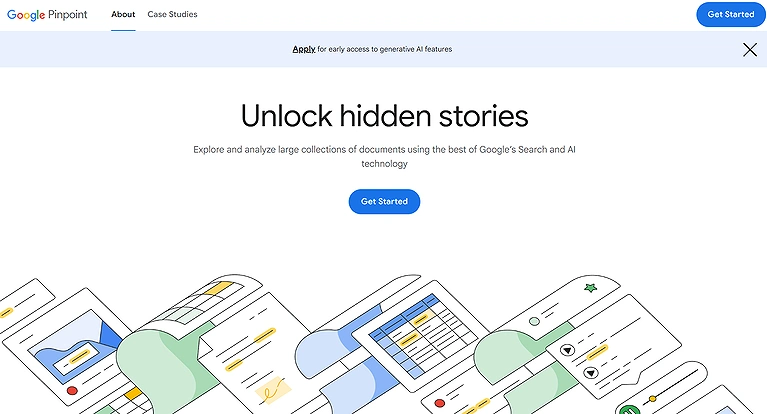
Pinpoint official source image
Key Features
• Upload huge collections like 200,000 documents, images, emails, notes, audio
files.
• Speech-to-text technology and transcribe long audio into searchable text files.
• Keyword search, phrase search, and automatic highlighting of names,
organizations, places, dates.
• Supports multiple languages (eight languages) for transcription and multilingual
research.
• Efficient document exploration, pattern recognition, and content discovery for
investigative projects.
How to Use Pinpoint
- Upload or connect documents, audio, or news sources for analysis.
- Use search to quickly find people, topics, or keywords across files.
- Let AI automatically transcribe and index audio or interviews.
- Extract key quotes, themes, and summaries from large datasets.
- Organize findings into searchable collections for journalism workflows.
Pros
• Free core functionality (unlimited transcription, 100 GB storage) eliminates
budget barriers.
• Integrates with Google Workspace, Drive, Meet, and YouTube for seamless
workflows.
• AI able to find key entities and themes, saving significant research time.
• Minimal learning curve for journalists already in the Google ecosystem.
• Accessible from browser without complex setup.
Cons
• Lower transcription accuracy compared with paid tools; struggles with messy
audio.
• No speaker identification in transcripts.
• Lacks advanced cleanup (e.g., filler word removal).
• Occasional gaps or skips in transcription.
• Limited feature polish compared with specialized transcription or research
platforms.
Pricing Plans
• Free plan — Unlimited transcription, up to 100 GB storage included, no
subscription fee.
• Google Workspace Plans (optional) — Starting from about $12/month
(Business Standard) to include Meet transcription.
Best For
Journalists, reporters, and newsroom researchers who need powerful document and audio search, multilingual transcription, and quick entity extraction without the cost of enterprise software.
Similar tools
Google Speech-to-Text, Otter.ai, Trint
2. Perplexity AI
Perplexity AI improved my research workflow by delivering clear, concise answers with linked sources in real time and functioning that helps you identify the same high-value trends found in our AI keyword research guide. Instead of browsing multiple pages, it gathers, summarizes, and verifies information efficiently. It’s useful for fact-checking, comparing sources, and summarizing content, though it can struggle with vague queries and some advanced features require paid plans.
Key Features
• Delivers real time information retrieval with direct content verification and
IMMEDIATE answers sourced from the web.
• Linked sources allow users to trace claims back to origin for independent
verification.
• Conversational AI that goes beyond search engine links to provide clear
answers and synthesized summaries.
• Supports deep summarizing and follow up queries to refine research context.
• Offers Pro modes with enhanced models for complex inquiries and research
threads.
How to Use Perplexity AI
- Enter journalism-related queries to get real-time AI search results.
- Verify facts using cited sources provided in answers.
- Summarize trending topics for news reporting.
- Explore follow-up questions for deeper investigation.
- Use it for quick research before writing news stories.
Pros
• Reliable information delivered quickly with source citations.
• Easy to use as a research assistant for journalists and investigators.
• Saves time compared with traditional search and manual verification.
• Free tier available for casual research and quick fact checks.
• Pro features support deeper, contextual research and longer exploration.
Cons
• Accuracy relies on source quality; AI may oversimplify or misinterpret complex
topics.
• Advanced research features are behind subscription paywalls.
• No offline access — web connection required for answers.
• Can struggle with very broad or vague queries.
• Not tailored for personalized long term memory across sessions.
Pricing Plans
• Free — Basic access with standard search and limited advanced options.
• Pro — Paid plan with expanded search limits, deeper research tools, and
access to advanced models. Estimated around $20/month for unlimited and
enhanced Pro searches in 2025 pricing notes.
• Enterprise/Custom — Tailored plans for business or institutional research
needs (contact Perplexity for details).
Best For
Journalists, investigative reporters, and media professionals who need quick, reliable information, fact checking, and knowledge discovery backed by sources rather than simple link lists — especially when working under tight deadlines or dealing with evolving stories.
Similar tools
ChatGPT, You.com, Google Gemini
3. Transcribe
Transcribe transformed my workflow by turning interviews into text within minutes instead of hours. It converts audio or video into accurate transcripts with timestamps and speaker separation, making editing and extracting key quotes easy. With features like cloud support, multiple export formats, and smart editing tools, it streamlines transcription and lets me focus more on writing and storytelling.
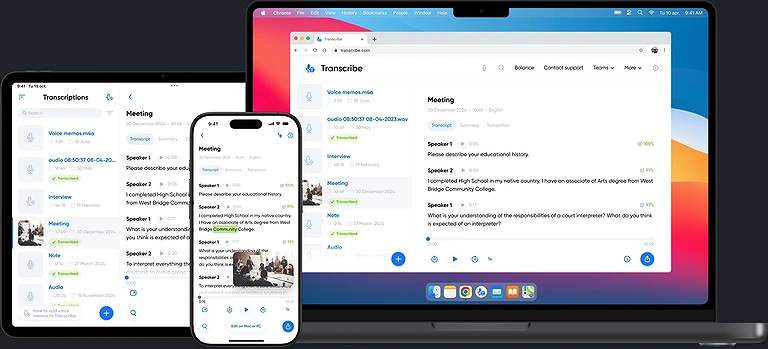
Transcribe official source images
Key Features
• Convert audio and video to text automatically with minimal effort.
• Instant transcript with timestamps and speaker separation for clearer interview
records.
• Upload or record within the app or online editor and edit directly.
• Support for multiple formats and enhanced transcription efficiency in newsroom
workflows.
How to Use Transcribe
- Upload audio or video files for automatic transcription.
- Edit and refine generated text for accuracy.
- Export transcripts in multiple formats for publishing.
- Identify speakers in interviews or discussions.
- Use timestamps to navigate long recordings.
Pros
• Saves huge amounts of time compared with manual typing.
• Built in editor lets you edit text, mark key quotes, and prep your first draft
efficiently.
• Works with audio to text and video files across multiple platforms and devices.
Cons
• Free plans can have limits on storage and file retention.
• Accuracy still requires proofreading, especially with background noise or
accents.
• Some features like extended audio storage and export options are tied to paid
tiers.
Pricing Plans
• Free — Basic access with automatic transcription and text export, ideal for light
usage.
• Pro — Around $99.99/year with additional transcription hours, cloud storage for
up to 500 files, online editor, and priority support.
• Team/Business — Around $399.99/year with extended hours (30 hours/month),
larger audio storage, collaboration, and team features.
Best For
Reporters, podcasters, and news teams who regularly record interviews or field audio and need a fast, reliable audio to text solution that turns spoken words into editable text with structural detail like timestamps and speaker distinction.
Similar tools
Otter.ai, Rev, Sonix
4. Murf.AI
Murf’s AI voice technology transformed how I present content by turning written stories into natural-sounding audio. With 200+ voices across multiple languages, it helps create engaging audio articles and multimedia storytelling. Features like pitch and pronunciation control improve quality, though balancing cost and occasional voice limitations requires planning compared to other tools.
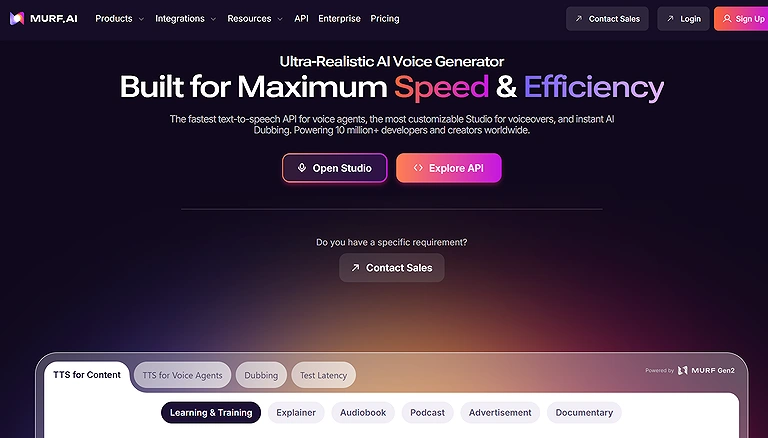
Murf.AI Official Website — Source Verification Screenshot
Key Features
- Wide library of 200+ AI voices in 20+ languages for truly global reach.
- Voice over technology that produces studio quality voiceovers quickly and efficiently.
- Customization tools to adjust pitch, speed, and pronunciation for fine tuned delivery.
- The ability to sync realistic images, video content, and presentations within one
workflow.
- Commercial rights and export features on paid plans for professional use.
Murf.AI provides the professional narration needed to turn a written story into a
viral news package, much like the tools found in our video creation AI guide.
How to Use Murf.AI
- Choose a voice and input your script for narration.
- Adjust tone, pitch, and speed for news or reports.
- Generate voiceovers for journalism or media content.
- Edit audio timing and pronunciation where needed.
- Export high-quality audio for broadcasting or videos.
Pros
- Voiceovers sound natural and clear, shortening production time dramatically.
- Support for many languages and accents helps localize stories worldwide.
- User friendly interface that doesn’t demand deep technical knowledge.
- Cost effective compared to hiring traditional voice talent for routine content.
- Built in audio storytelling features support multimedia journalism outputs.
Cons
- Some voices may lack emotional nuance, especially for expressive narratives.
- Free tier is limited (short generation time and no downloads).
- High subscription costs for business or enterprise use.
- Processing complex, lengthy scripts can be slower than alternatives.
- Custom voice cloning or advanced API features usually require higher tier or
- enterprise plans.
Pricing Plans
- Free Plan — $0/month with limited voice generation (about 10 min), access to
voices but no commercial rights.
- Creator — Around $19–$29/month with commercial rights, unlimited downloads, and hours of voice generation.
- Business — Roughly $66–$99/month with more projects, additional editors/viewers, and integrations like Google Slides.
- Enterprise — Custom pricing with unlimited voice generation, advanced access
control, and security options.
Best For
Journalists, media teams, and news producers who want to turn
written news and trending news stories into engaging audio articles or
multimedia pieces with professional voiceovers that expand audience reach
across languages and formats.
Similar tools
ElevenLabs, Play.ht, Descript
5. Vetted
Vetted simplifies sourcing expert voices by offering a verified directory used by major media outlets. Journalists can quickly find professionals by expertise, connect securely, and avoid cold outreach. Its performance-based model means experts pay only when published, improving source quality, expanding networks, and making research faster, more reliable, and efficient.
Key Features
• Verified expert directory enabling journalists to find specific experts quickly by
niche and experience.
• Inbound interview requests (journalists search and contact experts directly).
• Pay only when quoted placement model eliminates subscription fees for
experts.
How to Use Vetted
- Enter topics to analyze news credibility and sources.
- Compare multiple reports for reliability checks.
- Track misinformation or bias in articles.
- Review supporting evidence behind claims.
- Use insights to validate journalism content.
Pros
• Trusted by top news outlets like The Washington Post, Bloomberg, and The
Economist.
• Journalists can search for sources without pitching manually.
• The secure messages and direct contact reduce communication lag.
• Verified experts reduce the risk of misinformation or unqualified sources.
• Experts only pay when they’re actually quoted, lowering financial risk.
• Saves time in sourcing credible commentary, enhancing reporting speed.
Cons
• Experts must pay a one time verification fee to join the platform.
• Placement fees (e.g., regional, national) can be relatively high for individual
experts.
• No subscription model means ongoing or high frequency use can become
costly.
• Quality depends on expert profiles submitted, so poor profiles may get fewer
inquiries.
• Not focused on journalists’ direct media workflow tools (e.g., research or
editing).
Pricing Plans
• Verification Fee: $79 one time to join the expert directory.
• Placement Fees: Depending on outlet reach — U.S. Regional ~$350, Industry
~$400, U.S. National ~$500, International ~$600 per article quoted.
Best For
Journalists and newsrooms seeking verified sources quickly; experts and professionals looking to get quoted in high profile media without traditional pitching, as well as PR pros who want performance based media placements without recurring subscriptions.
Similar tools
NewsGuard, Factiva, Media Bias/Fact Check
6. Connexun
Connexun proved valuable for tracking breaking news by aggregating real-time, multilingual content from thousands of trusted sources.these tools offer a form of 'media intelligence' that mirrors the capabilities of trending AI tools for data analysis. Its AI summarizes and extracts key insights, helping journalists monitor updates, discover important stories, and streamline research. With continuous news monitoring and smart summarization, it acts like an always-on assistant for faster, more efficient reporting workflows.
Key Features
• Real time news tracking from thousands of global sources.
• Multilingual headlines and full articles with language filtering.
• Dynamic summaries using advanced NLP models.
• News topic ranking and filtering by user types or keywords.
• Automatically aggregated news via news API integration.
How to Use Connexun
- Monitor global news feeds in real time.
- Filter news by topic, language, or region.
- Detect emerging trends using AI analytics.
- Track breaking news updates automatically.
- Analyze sentiment across news articles.
Pros
• Keeps journalists updated with real time, global coverage.
• Supports multiple languages for international reporting.
• Summarization saves time over reading full articles.
• API access allows integration into custom newsroom tools.
• Ideal for data driven media intelligence and news monitoring workflows.
Cons
• Requires API key and technical setup for full access.
• Free plans can have limited request quotas.
• Summarization quality depends on source consistency. inferred
• No direct in platform editor for journalists (API centric). inferred
• May require developer support to fully leverage API features.
Pricing Plans
• Basic Plan – Around $9.99/month with basic API requests and real time
summaries.
• Developer Plan – Approximately $19.99/month with larger request quotas.
• Pro Plan – Around $29.99/month with higher request volume and expanded
features.
• Custom Plans – For tailored datasets or enterprise needs by contacting
Connexun.
Best For
Newsrooms, data journalists, and media researchers who need up to the minute coverage and multilingual summarization delivered via an API that can be plugged into newsroom dashboards, alerts, or analytics systems to streamline news aggregation and reporting across global and topic specific streams.
Similar tools
Feedly, Google News, NewsWhip
7. QuillBot
QuillBot became a key tool in my workflow for refining rough drafts and improving clarity. It helps rephrase sentences, simplify complex text, and polish content without losing meaning. For handling long-form investigative reports, QuillBot’s integrated features make it a top-tier AI PDF to Word converter, allowing you to turn static filings into editable scripts. From restructuring paragraphs to summarizing large blocks, it boosts writing efficiency and turns raw notes into clean, editor-ready copy while preserving tone and context.
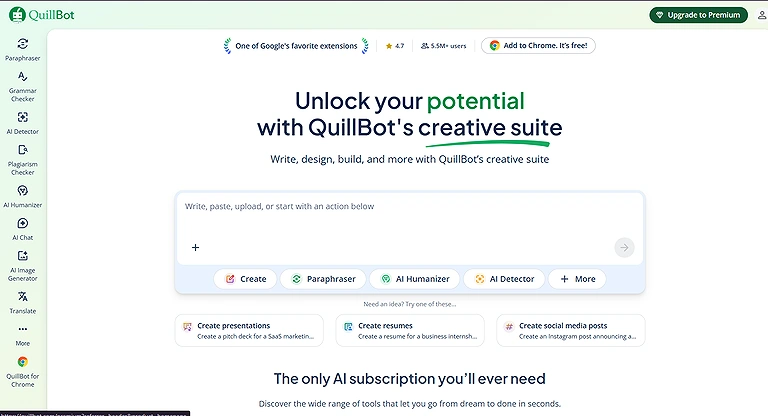
QuillBot Platform Interface — Official Data Provider Reference
Key Features
• Rephrasing to clean up awkward sentences and improve readability.
• Summarizing tools that convert long sections into concise points quickly.
• Sentence restructuring to improve flow and readability for complex paragraphs.
• Content refinement that aids writing clarity and text improvement.
• Editing and editor like suggestions to strengthen drafts and notes.
How to Use QuillBot
- Paste text for paraphrasing or rewriting.
- Use grammar checker to improve readability.
- Summarize long news articles quickly.
- Adjust tone for formal journalism writing.
- Translate or refine multilingual content.
Pros
• Speeds up the drafting process by offering instant rewording options.
• Helps simplify complex or dense text for broader audience understanding.
• Reduces repetitive phrasing and improves overall clarity.
• Assists in story preparation by generating polished content faster.
• Works well with other editorial tools for a smoother media editing process.
Cons
• AI rewording can sometimes miss nuanced context that a human writer
intends.
• Overuse can make writing feel too generic if not carefully reviewed.
• Some advanced features require a paid plan for full effectiveness.
• Doesn’t replace the need for deep subject matter knowledge in reports.
• Occasional awkward phrasing if not manually edited after suggestions.
Pricing Plans
• Free Plan — Access to basic rephrasing and limited modes with daily character
limits.
• Premium Plan — Around $8.95/month (billed annually) with expanded modes,
faster processing, and higher character limits.
• Team/Business Plans — Custom pricing with collaborative features and admin
controls for newsroom teams.
Best For
Reporters, editors, and content creators who want to enhance writing, streamline editing, and improve draft clarity without sacrificing quality — especially when polishing stories under tight deadlines.
Similar tools
Grammarly, Wordtune, Jasper
8. Narrativa
Narrativa shows how AI can automate news creation by generating content from structured data. Used by major outlets, it produces drafts, headlines, and updates quickly, letting journalists focus more on storytelling and analysis. With advanced NLP and data processing, it handles repetitive reporting tasks efficiently, providing a strong base that editors can refine with context and insight.Narrativa excels at turning complex datasets into readable news, a process similar to how AI helps chemists summarize lab findings into actionable reports
Key Features
• Automate news content creation from structured data using AI.
• Generate long tail content, headlines, and subject lines automatically.
• Built in NLP and natural language generation for coherent narratives.
• Knowledge Graph integration for data interpretation and context.
• Real time Insights and Query tools to analyze data sets and extract relevant
information.
How to Use Narrativa
- Input structured data or reports for automated writing.
- Generate news articles from datasets or analytics.
- Customize tone for journalism or business reporting.
- Automate repetitive content creation tasks.
- Export AI-generated reports for publishing.
Pros
• Speeds up content creation, freeing time for deeper reporting.
• Produces consistent, high volume content across topics.
• Reduces manual workload on routine reporting tasks.
• Supports media intelligence with structured data narratives.
• Scales across multiple industries including news.
Cons
• Pricing isn’t publicly listed — you must contact the team for details, which can
be a barrier.
• AI generated drafts still require human editorial refinement.
• Complexity of setup may need technical support.
• Enterprise grade features may be costly for small newsrooms. inferred from
enterprise positioning
• Overreliance on data driven generation can reduce creative nuance when not
carefully guided. inferred based on AI generation limitations
Pricing Plans
Narrativa typically offers custom pricing tailored to organizational needs rather than fixed public plans, meaning newsrooms and companies contact the Narrativa team for quotes based on required data volumes and automation features.
Best For
Large news organizations and data intensive journalism teams that want to automate news generation, turn structured data into narratives, and integrate content automation into editorial workflows without sacrificing depth — especially in sectors like financial reporting where real time analysis and consistency matter most.
Similar tools
Wordsmith, Arria NLG, Jasper
9. Reality Defender
Reality Defender helps journalists verify content by detecting deepfakes, manipulated images, audio, and documents. By scanning files or URLs, it quickly identifies tampering and supports fact-checking in fast-moving news environments. This strengthens content verification, protects credibility, and helps prevent the spread of misinformation in modern journalism workflows.In an era of misinformation, Reality Defender is as essential for reporters as it is for those using AI tools for law students to verify the authenticity of digital evidence.
Key Features
• Deepfake detection across video, audio, images, and text formats.
• Real time scanning that flags manipulated media as it’s received.
• Multimodal threat detection using advanced AI models to catch synthetic
content.
• API integration for embedding detection into newsroom tools or workflows.
• Probabilistic risk scoring that shows likelihood of manipulation.
How to Use Reality Defender
- Upload media to detect deepfakes and manipulation.
- Scan videos and audio for synthetic content.
- Analyze authenticity of digital journalism content.
- Receive AI-based fraud detection reports.
- Validate media before publishing news.
Pros
• Detects a broad array of AI generated content including deepfakes across
media types.
• Useful fact checking aid when distinguishing legitimate content from fakes.
• Helps protect credibility and media integrity in newsroom output.
• API and SDK options allow seamless workflow integration.
• Supports initial screening with a free tier of scans per month.
Cons
• Accuracy isn’t perfect — probabilistic results mean occasional false flags.
• Free tier limits (e.g., 50 detections/month) may be insufficient for heavy use.
• No public enterprise pricing — larger plans often require custom quotes.
• Advanced technical features like custom model training may require expertise.
• Doesn’t replace the need for human editorial judgment and review.
Pricing Plans
• Free Tier – Includes 50 scans/month for basic audio or image deepfake
checking, ideal for occasional verification or small newsroom needs.
• Paid / Enterprise – Reality Defender offers scalable plans via custom pricing
for high volume or enterprise grade deepfake detection integrated into
commercial or large newsroom tools (specific pricing typically requires
contacting the vendor).
Best For
Newsrooms, fact checking teams, digital media platforms, and individual journalists who need robust AI detection and content verification to safeguard reporting standards, ensure authenticity, and quickly screen suspicious content across formats without diverting core editorial workflows.
Similar tools
Sensity AI, Deepware Scanner, Hive Moderation
10. NewsWhip
NewsWhip helps journalists identify emerging stories by tracking real-time social and news engagement data. It highlights topics gaining traction before they go mainstream, enabling faster and smarter reporting decisions. With predictive insights and performance metrics, it supports data-driven journalism by showing where audience interest is growing and helping prioritize coverage effectively.
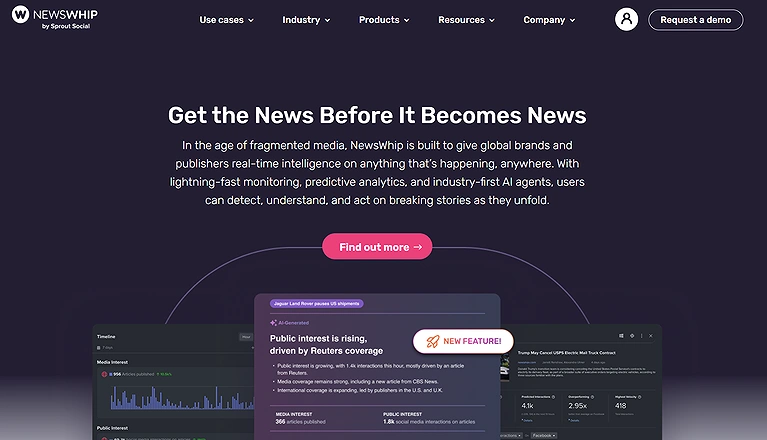
Verified Screenshot: NewsWhip Official Portal
Key Features
• Real time tracking of news and social engagement from global sources.
• Predictive analytics that estimate future engagement trends.
• Custom alerts and dashboards for monitoring topical shifts.
• Comprehensive data coverage including historical engagement and social
platforms.
How to Use NewsWhip
- Track real-time trending news stories globally.
- Monitor social media engagement around news topics.
- Identify viral content early for journalism coverage.
- Analyze audience reaction and sentiment.
- Set alerts for breaking news in specific categories.
Pros
• Helps journalists stay ahead of the trending curve with fast data.
• Supports data driven editorial planning and news analysis.
• Audience insights from social engagement improve story decisions.
• Media monitoring across platforms reduces manual tracking.
Cons
• Pricing is typically enterprise level and not publicly listed, making it costly for
smaller teams.
• There can be a steep learning curve for new or advanced features.
• Focused on engagement trends rather than detailed sentiment analysis.
• Lower tier customization can feel limited without higher plans.
Pricing Plans
NewsWhip typically offers custom enterprise pricing tailored to newsroom or organizational needs, often starting well into premium tiers and requiring contact with Sales rather than self serve plans online due to its data driven offerings.
Best For
Large newsrooms, media intelligence teams, and communication professionals who need real time tracking, trend forecasting, and comprehensive content performance insights to inform editorial strategy, audience engagement, and competitive coverage decisions.
Similar tools
BuzzSumo, Meltwater, Talkwalker
11. JECT.AI
JECT.AI helped me overcome writer’s block by improving how I discover and explore news ideas. Its AI-powered archive uses NLP techniques like entity recognition and sentiment analysis to structure content and surface relevant articles quickly. With smart search and a creativity engine, it suggests angles, themes, and related stories, making research more efficient and idea generation more strategic.
Key Features
• Entity Recognition and Sentiment Analysis to enrich archive content and
surface mood and tone.
• Advanced search algorithms to quickly locate news articles within archives.
• Creativity engine that suggests related articles, topics, and themes to spark
new ideas.
• Exploration of multiple angles and perspectives on topics or events.
• Broad AI powered News Archive for deep content discovery during reporting.
How to Use JECT.AI
- Generate AI-assisted news drafts and summaries.
- Analyze topics for journalism insights.
- Rewrite or refine news content for clarity.
- Extract key points from long articles.
- Optimize content for publishing workflows.
Pros
• Helps uncover fresh ideas and creative angles for stories quickly.
• Supports efficient content discovery across large archived news datasets.
• NLP enrichment improves relevance and context of search results.
• Good for breaking out of topic filter bubbles with diverse perspectives.
• Can be integrated into existing tools via plug ins (e.g., content management).
Cons
• Pricing isn’t publicly listed — you generally must get in touch for plans.
• Not designed to fully write articles — still requires journalist input.
• Feature richness may require training or onboarding.
• May overwhelm users with too many suggestions or angles.
• Limited language support compared to some global news tools.
Pricing Plans
• Contact for Pricing — JECT.AI typically offers custom pricing plans tailored to
newsroom needs and volume of usage rather than fixed public tiers.
Best For
Journalists, editors, and content teams who need an AI driven tool to uncover creative angles, discover related stories, and enhance news analysis workflows — especially when exploring broad archives for ideas and insight.
Similar tools
ChatGPT, Jasper, Copy.ai
12. Wordsmith
Wordsmith by Automated Insights turns raw data into readable news stories, automatically generating narratives from earnings, sports stats, elections, and surveys. It helps journalists create first drafts using templates tailored to tone and style, making high-volume reporting faster and more efficient. This AI-driven approach streamlines data journalism and supports scalable, consistent content creation.
Key Features
• Natural language generation from structured datasets to produce narrative text.
• Production of clear narratives for reports, articles, and summaries at scale.
• Templates that match specific tone and style for consistent output.
• Automates first draft creation to save time and reduce manual effort.
• Supports integration with business intelligence tools like Tableau or Power BI to
embed narratives with dashboards.
How to Use Wordsmith
- Connect datasets to generate automated reports.
- Create structured news articles from data inputs.
- Customize templates for journalism needs.
- Automate recurring news or business reports.
- Export AI-generated stories for publishing.
Pros
• Dramatically increases reporting efficiency by automating narrative generation.
• Helps journalists focus more on analysis and less on drafting repetitive content.
• Consistent quality and style via customizable templates.
• Ideal for high volume stories such as quarterly financial reports or sports
recaps.
• Reduces human errors in manual report writing through automated logic.
Cons
• Requires technical setup and integration for newsroom workflows.
• May feel restrictive in creativity compared with free form writing.
• Meaningful customization often needs development support.
• Pricing is typically tailored and can be costly for smaller teams.
• Outputs may still need editorial refinement for nuance or context.
Pricing Plans
Custom Enterprise Pricing — Wordsmith’s pricing is not publicly listed;
organizations typically book a demo to discuss tailored plans based on data
volume and use cases rather than choose from fixed published tiers.
Best For
Newsrooms, data journalism teams, and media organizations that deal with structured datasets regularly (e.g., finance, elections, sports) and want to embed automated reporting and data storytelling into their production systems without sacrificing editorial quality
Similar tools
Narrativa, Arria NLG, Jasper
Frequently Asked Questions (FAQs)
1. What is the role of AI in modern journalism?
AI helps journalists by automating reporting, personalizing content for readers, fact-checking, translating languages, transcribing interviews, and analyzing large volumes of data to improve efficiency and accuracy.
2. How does personalization in AI journalism work?
AI uses machine learning algorithms to track readers’ interests, browsing history, and engagement patterns to deliver tailored news updates, enhancing user experience and fostering a loyal readership.
3. Which AI tools are best for transcribing interviews?
Tools like Transcribe and speech recognition features in platforms like Murf.AI efficiently convert audio and video into text, with timestamps, speaker separation, and high transcription efficiency.
4. How does AI help with fact-checking in journalism?
AI tools like Perplexity AI and Reality Defender analyze data, detect false or misleading information, verify claims, and identify manipulated or AI-generated content, improving reporting accuracy.
5. Can AI tools assist with multilingual news reporting?
Yes, AI tools with machine translation can automatically translate articles, interviews, and social media posts, helping journalists overcome language barriers and reach a global audience.
6. Which AI tools help journalists find reliable sources?
Platforms like Vetted allow journalists to search for experts, verify sources, send secure messages, and access professional contacts, improving media research and source validation.
7. How do AI-powered writing tools support journalists?
Tools like QuillBot, Narrativa, and Wordsmith assist with content refinement, text improvement, story drafting, and natural language generation, helping journalists produce polished, bias-free articles faster.
8. What are the benefits of using AI for news monitoring and trends?
Tools like NewsWhip and Connexun track trending stories, social media engagement, and global news, providing real-time insights for smarter editorial and data-driven reporting decisions.
9. How do AI tools support investigative journalism?
AI can scan large document archives, emails, FOI requests, court transcripts, and detect patterns or connections in data, making research workflow more efficient and uncovering stories that may be missed manually.
10. Are AI tools cost-effective for newsrooms?
While enterprise-level AI tools can be expensive, many offer customized pricing plans, automation efficiency, and time-saving benefits that reduce long-term costs in high-volume news production.
Conclusion
AI is reshaping journalism by enabling faster reporting, accurate fact-checking, personalized content delivery, multilingual translation, and data-driven storytelling. From transcription to investigative research, these tools not only enhance newsroom productivity but also improve the trustworthiness and reach of journalism, allowing reporters to focus on creativity, analysis, and audience engagement. With AI, modern journalists can handle complex workflows more efficiently while maintaining high editorial standards in a rapidly evolving media landscape.Reporting the truth is a service that will always be in demand. If you're ready to take these communication skills and build your own independent media brand, see our guide on how to earn money on mobile using AI tools to start your journey.