.webp)
From Beginner to Pro: Using AI Tools for Smarter Keyword Research
AI tools for keyword research have revolutionized how marketers, SEO professionals, and content creators approach AI-driven SEO by combining machine learning, large language models, and real-time analytics to deliver actionable keyword insights. Platforms like Keyword.com, SEO PowerSuite, Rankability, Nightwatch, AccuRanker, and others offer a spectrum of solutionsfrom enterprise SEO analytics and multi-platform tracking to hyper-local visibility, gamified performance metrics, and content optimization recommendations.
These tools streamline keyword targeting, ranking monitoring, trend analysis, and AI-generated suggestions, enabling teams of all sizes, from startups to agencies, to plan content strategy, improve search visibility, and drive measurable organic traffic growth efficiently and accurately.

 Updated: April 26, 2026 | 36 min read
 | Best For | Pricing | Ease | |
| Keyword.com | Rank tracking & SERP monitoring | Paid | Beginner |
| SEO PowerSuite | SEO audits & keyword tracking | Free + Paid | Intermediate |
| Rankability | AI SEO optimization & keyword planning | Paid | Intermediate |
| Nightwatch | Rank tracking & analytics | Paid | Beginner |
| AccuRanker | High-precision keyword rank tracking | Paid | Intermediate |
| Wincher | Simple keyword rank tracking | Free + Paid | Beginner |
| Semrush | All-in-one SEO & keyword research | Paid | Beginner |
| Surfer SEO | Content optimization & keyword clustering | Paid | Beginner |
| Ahrefs | Advanced keyword & backlink research | Paid | Intermediate |
| Moz Pro | SEO analytics & keyword tracking | Free + Paid | Beginner |
| eesel AI Blog Writer | AI content & keyword-assisted writing | Paid | Beginner |
| LowFruits | Low-competition keyword research | Paid | Beginner |
| SE Ranking | SEO & keyword tracking platform | Paid | Beginner |
| Nozzle | SERP analytics & keyword tracking | Paid | Advanced |
| Serpstat | SEO & keyword analysis suite | Free + Paid | Beginner |
| BrightLocal | Local SEO & keyword tracking | Paid | Beginner |
| Advanced Web Ranking | Enterprise rank tracking | Paid | Advanced |
| Morningscore | Gamified SEO & keyword tracking | Free + Paid | Beginner |
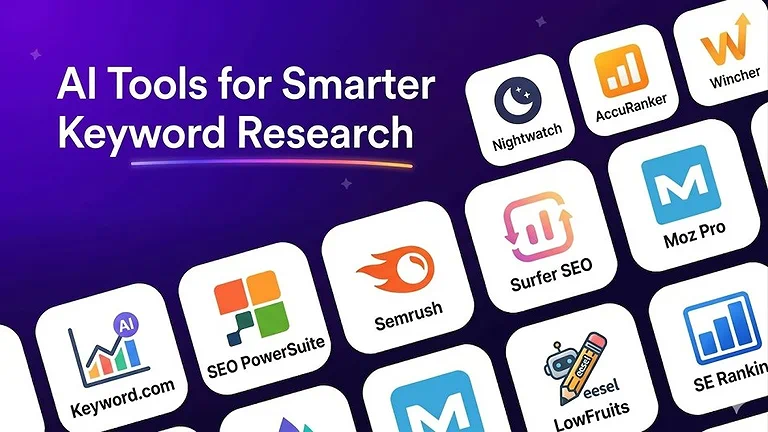
Cover Photo: Keyword Research Tools mentioned in the image which discussed below
What is an AI Keyword Research Tool?
AI keyword research tools use machine learning and large language models to simplify keyword planning and SEO strategy. They analyze search trends, intent, and performance data to provide volume, difficulty, and long-tail keyword insights. Tools like SEMrush and Ahrefs help generate keyword ideas, optimize content, and improve targeting for more effective, AI-driven SEO results.
1. Keyword.com (AI Tracker)
Keyword.com is a reliable rank tracking tool that combines SEO analytics with AI-driven visibility insights across search engines and LLMs. It helps agencies and SEO teams track keyword rankings, brand visibility, and performance metrics with accuracy. Supporting platforms like Google, ChatGPT, Perplexity, and Gemini, it provides clear, data-driven insights for modern SEO and AI search optimization.For deeper knowledge discovery and AI-based content understanding, tools like Semantic Scholar and Elicit from scientific research workflows provide strong data extraction and semantic analysis capabilities.
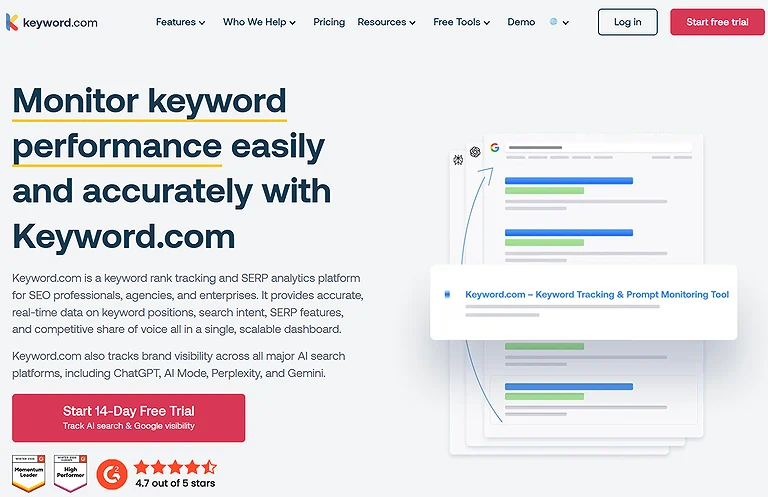
Keyword.com Image
Key Features:
• AI visibility data tracking across chatbots and generative engines;
• Citation monitoring and brand mention detection in AI answers;
• Real time keyword tracking with on demand updates;
• Analytics dashboards with integrations to Looker Studio, GSC, GA, etc.;
• Ranking metrics and share of voice reports to benchmark visibility
How to Use Keyword.com ?
- Sign up for Keyword.com’s free 14-day trial without adding a credit card.
- Enter your website domain or target keywords you want to track.
- Set up keyword tracking for both traditional SEO rankings and AI visibility monitoring.
- Choose your preferred update frequency such as daily or weekly tracking.
- Connect integrations like Google Analytics and Looker Studio for deeper reporting insights.
- Monitor citation tracking and brand sentiment to analyze how AI models and competitors reference your content.
- Use on-demand ranking updates when launching SEO campaigns or investigating ranking changes.
Pros:
• Excellent data validation and verified analytics tailored for SEO teams;
• Flexible pricing plans and a generous trial without a credit card;
• Scales from small setups to enterprise reporting tools;
• API integration and analytics automation for custom workflows;
Cons:
• Not a full all in one SEO suite focused on tracking rather than full content or
backlink tools;
• Credit based AI Visibility charges can add up with heavy use;
• Slight learning curve due to detailed dashboards and integrations.
Pricing plans
• Business Plan: starts around $3/month for 50 keywords with weekly or daily
rank tracking;
• AI Visibility Add On: from $24.50/month for AI engine credits;
• API Only Plan: ~$46/month for large scale access;
• Enterprise: custom pricing for extensive tracking needs.
Use Cases of Keyword.com
Keyword.com is useful for tracking keyword rankings, monitoring AI search visibility, and analyzing brand performance across search engines and AI-powered platforms. It also helps marketers and SEO professionals identify ranking fluctuations and improve content strategy decisions.
Best Alternatives
Semrush, Ahrefs, AccuRanker
2. SEO PowerSuite
SEO PowerSuite is a desktop SEO platform that offers full control over keyword research and rank tracking without SaaS limitations. Its Rank Tracker module enables unlimited keyword tracking across Google, Bing, Yahoo, YouTube, and regional search engines. Running locally, it avoids API restrictions, making it ideal for detailed, scalable SEO analysis and reporting flexibility workflows.Since technical SEO audits generate massive reports, you may need a reliable AI PDF to Word converter to turn these data exports into client-ready presentations.
Key Features:
- Unlimited keyword tracking across multiple engines;
- Deep content tracking and SERP analytics;
- Backlink analysis and link tracking via SEO SpyGlass;
- Comprehensive website auditing with WebSite Auditor;
- And white label reporting with customizable dashboards and software monitoring.
How to Use SEO PowerSuite ?
- Download and install the SEO PowerSuite toolkit on your desktop device.
- Use Rank Tracker to discover keyword opportunities and monitor rankings across multiple search engines and locations.
- Analyze your website with WebSite Auditor to identify technical SEO issues and content optimization opportunities.
- Audit backlink profiles and competitor links using SEO SpyGlass.
- Manage backlink outreach campaigns with LinkAssistant.
- Schedule automated SEO audits, ranking checks, and performance reports to save time and maintain consistent monitoring.
Pros:
- It offers truly unlimited keywords and projects without usage caps,
- Provides exceptional value with a flat annual license, Pncludes robust desktop Based software tools in one suite,
- And produces professional visual SERP history and white label reports ideal for Agencies and consultants.
Cons:
- Being a desktop app means no cloud sync or real time multi device access,
- The UX can feel outdated compared with modern tools,
- And there’s a steeper learning curve for newcomers to SEO.
Pricing plans
SEO PowerSuite’s pricing is flat annual licensing rather than per keyword charges: the Free Forever plan lets you explore basic crawling and tracking for $0, the Professional license is around $299–$349/year for unlimited keyword tracking and project saving, the Enterprise version is about $499–$599/year with white label reporting and automation, and in some regions a Max tier (~$899/year) adds extended support and exports.
Use Cases of SEO PowerSuite
SEO PowerSuite helps businesses, bloggers, and SEO professionals improve search engine rankings through keyword tracking, technical SEO analysis, backlink monitoring, and competitor research. It is also useful for automating regular SEO audits and reporting workflows.
Best Alternatives
SE Ranking, Serpstat, Moz Pro
3. Rankability
Rankability combines traditional SEO with generative engine optimization (GEO) to align with modern AI-driven search systems. It focuses on how AI models interpret site structure, context, and entity relationships rather than just keywords. This makes it strong for content optimization, improving keyword tracking accuracy, and strengthening brand association by connecting topics, concepts, and search intent more effectively.
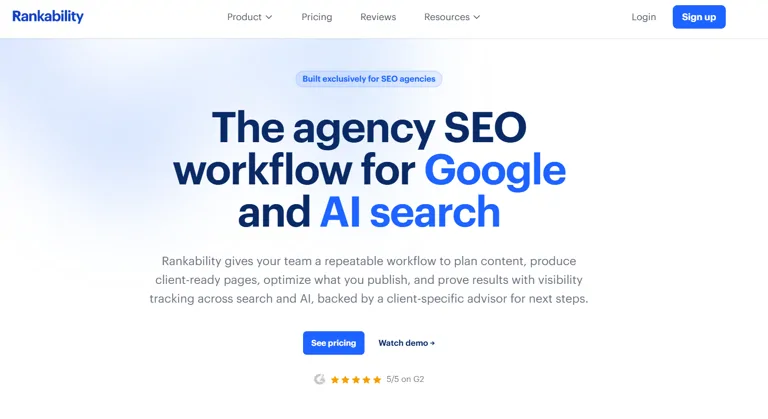
Verified Screenshot: Rankability Official Data Provider Portal
Key Features:
- The llms.txt Generator that creates a sitemap for robots as a markdown file tailored
for AI crawlers,
- Entity first tracking of semantics over terms,
- Visibility engineer style analytics that tie structural modeling to performance,
- AI driven content insights that guide how content is ingested by machines,
- Zero click citation detection that spots opportunities where your brand can show up
without clicks,
- And content ingestion verification to make sure your product content (e.g., Sustainable denim or durable luggage) is being properly indexed.
- Role in digital marketing and Google Ads optimization
How to Use Rankability
- Sign up and add your website domain or specific content URLs into Rankability.
- Generate the llms.txt file to help structure your content for AI crawler understanding.
- Access the “entity-first tracking” dashboard to evaluate how search engines and AI systems interpret your content.
- Identify content gaps and structural weaknesses using AI-driven SEO insights.
- Optimize your content step-by-step based on suggestions for better rankings and visibility.
- Monitor changes in AI visibility and zero-click citation opportunities after each update.
Pos:
- It bridges the gap between classic SEO and AI perception
- Surfaces deep entity metrics beyond keyword volume
- Proactively shapes brand visibility rather than reacting to rankings,
and simplifies complex search optimization logic into actionable recommendations.
Cons:
- Rankability’s focus on advanced entity analysis can feel overwhelming for beginners,
- And its pricing is higher compared to entry level reporting tools. (Pricing & feature details sourced from Rankability’s official site and latest reviews.)
Pricing plans
Rankability typically offers subscription tiers such as a Standard plan covering core SEO and entity analysis for smaller sites, a Professional tier with expanded GEO features and API access, and Enterprise plans with custom AI agents tracking and priority support pricing often starts around the low hundreds per month for professional use and scales with query volume and feature access. (Pricing verified from Rankability’s pricing page and market comparisons.)
Use Cases of Rankability
Rankability is used for AI-focused SEO optimization, especially for improving content visibility in AI search results and zero-click environments. It helps content creators and SEO professionals enhance topical authority, structure content for AI understanding, and track how their pages perform in modern AI-driven search ecosystems.
Best Alternatives
Surfer SEO, Clearscope, Frase
4. Nightwatch
Nightwatch provides multi-engine rank tracking across Google, Bing, YouTube, and privacy-focused engines like DuckDuckGo, offering a broader SEO visibility view. It combines traditional keyword tracking with AI-driven search visibility insights, including SGE and local rank monitoring down to precise locations. This makes it useful for tracking performance shifts across platforms and understanding how AI search systems affect rankings and discoverability.
Keyfeatures:
- Cross platform SEO tracking
- Daily updates for accurate SEO monitoring
- Visibility tracking across privacy engines and performance tracking for e commerce specialists
How to Use Nightwatch
- Create an account and sign in to the Nightwatch platform.
- Add your website domain and connect the search engines you want to track.
- Configure keyword tracking by selecting target keywords for monitoring.
- Set up location-based tracking (country, city, or zip code) for accurate local SEO results.
- Choose how often you want rank updates (daily or weekly).
- Use the dashboard to analyze keyword performance, ranking changes, and visibility trends.
Pos:
- Broad engine coverage,
- Deep local insights,
- Reliable daily refreshes and strong catalog optimization support;
Cons:
- Pricing can be steep for small teams,
- Learning curve for granular settings and limited advanced keyword suggestion tools compared to big suites. (Data from Nightwatch official site and user reviews.)
Pricing plans
Nightwatch offers tiered plans starting with a Starter tier, moving to Pro and Agency levels with increased keywords and engines; exact pricing varies by keyword volume and update frequency as listed on their site. (Pricing from Nightwatch pricing page.)
Use Cases of Nightwatch
Nightwatch is used for tracking keyword rankings across different search engines with high local accuracy. It helps SEO professionals monitor performance changes, detect ranking drops or improvements quickly, and manage location-based SEO campaigns effectively.
Best Alternatives
AccuRanker, Wincher, Nozzle
5. AccuRanker
AccuRanker is a high-performance keyword tracking tool designed for enterprise and e-commerce sites handling large-scale SEO data. It delivers real-time rank updates and supports fast decision-making across thousands of pages and products. With features like pixel tracking and AI overview insights, it helps monitor ranking changes, visibility shifts, and SERP behavior with precise, actionable analytics for better optimization.
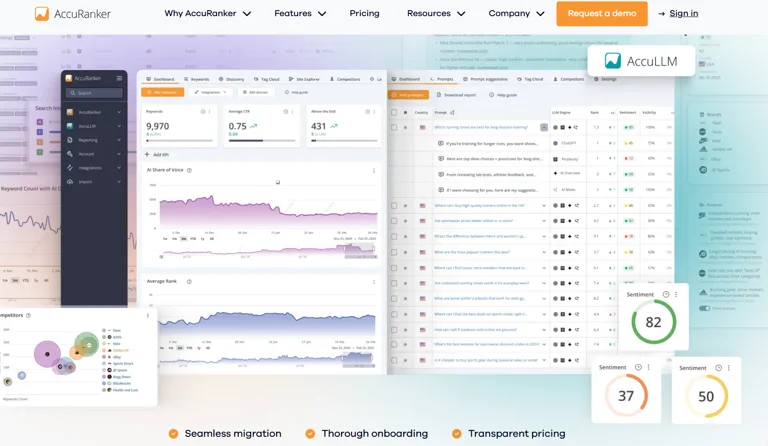
AccuRanker Cover Photo
Keyfeatures:
- Real time updates for immediate SERP changes,
- Dynamic CTR modeling that adjusts traffic estimates around Rank 1 results,
- On demand updates for instant data refresh,
- Intuitive dashboard visualization with AI driven e commerce tracking insights, and granular product visibility metrics tied to campaign changes;
How to Use AccuRanker
- Connect your website domain and integrate it with supported search engines in AccuRanker.
- Create and organize keyword lists, including grouping keywords by pages, products, or SKUs.
- Set your preferred ranking update frequency (real-time or scheduled updates).
- Enable advanced tracking features such as CTR modeling and SERP pixel tracking.
- Monitor keyword performance through the dashboard to identify ranking shifts and opportunities.
- Adjust SEO strategy based on live ranking data and performance insights.
Pos:
- Exceptional speed and accuracy,
- Robust ranking monitoring,
- Highly useful for price change tracking and product launch tracking, and strong support for enterprise SEO workflows;
Cons:
- Higher pricing for smaller teams,
- Limited traditional keyword research tools compared to full suites,
- Steep learning curve for beginners and advanced analytics interfaces can feel overwhelming for casual users. (Features and pros/cons from AccuRanker official pricing and product pages.)
Pricing plans
AccuRanker pricing typically starts with a Starter tier for smaller sites at moderate cost, scales to Business tiers with more credits and keywords, and includes custom Enterprise options for high volume tracking exact rates vary by keyword volume and update frequency listed on their pricing page. (Pricing from AccuRanker official site.)
Use Cases of AccuRanker
AccuRanker is used for high-speed keyword rank tracking, SEO performance monitoring, and SERP analysis. It is especially useful for agencies and SEO professionals who need real-time ranking data and precise insights to optimize campaigns quickly.
Best Alternatives
Nightwatch, SE Ranking, Wincher
6. Wincher
Wincher is a simple, budget-friendly keyword tracking tool designed for lean SEO teams. It focuses on essential features like daily rank updates, competitor monitoring, and alerts for high-value keywords without unnecessary complexity. Its streamlined interface and transparent pricing make it ideal for users who want reliable keyword tracking and performance insights while maintaining cost efficiency and ease of use.
Keyfeatures:
- Daily SERP previews to see ranking context,
- No lock data that prevents data rationing avoidance,
- Real time competitor tracking and competition monitoring,
- Intuitive dashboard monitoring for SEO analytics and rapid alerts enabling rapid tactical responses;
How to Use Wincher
- Sign up and create your Wincher account.
- Add your website domain to start tracking SEO performance.
- Enter and organize your target keywords for monitoring.
- Set up alerts for important or high-priority keywords.
- Track daily ranking updates and SERP previews for each keyword.
- Analyze performance changes to optimize content and SEO strategy.
Pos:
- Easy to use SEO tools for growth teams and startups,
- Accessible pricing,
- Reliable daily updates,
- And excellent keyword monitoring;
Cons:
- Limited advanced features compared to bigger suites,
- Basic competitor analysis,
- And fewer integrations with other marketing platforms. (Features & pricing from Wincher official site.)
Pricing plans
Wincher pricing starts with affordable monthly plans that include daily tracking and alerts, scaling up for additional keywords or enhanced reporting features. (Pricing sourced from Wincher pricing page.)
Use Cases of Wincher
Wincher is used for tracking keyword rankings and monitoring SEO performance in real time. It helps bloggers, marketers, and SEO professionals quickly detect ranking changes and adjust content strategies to improve search visibility.
Best Alternatives
AccuRanker, Nightwatch, Morningscore
7. Semrush
Semrush is a comprehensive SEO platform that combines deep keyword research with AI-driven insights. Its tools like Keyword Overview and Keyword Magic Tool help identify high-value keywords, analyze difficulty, and uncover ranking opportunities. It goes beyond basic lists by offering semantic keyword insights, real-time data, and traffic trends, making it valuable for building data-driven keyword strategies and content planning.Industry giants like Semrush and Ahrefs do more than track rankings; they help you manage your business smarter by revealing exactly where your competitors are making money
Keyfeatures:
- Domain analysis with competitor benchmarking,
- AI analytics for industry and target audience insights,
- AI powered link building,
- Integrated content creation via ContentShake,
- Traffic analytics tied to SERP behavior,
- And AI search tracking with geo targeting features;
How to Use Semrush
- Enter your website domain into Semrush’s Keyword Overview tool.
- Use the Keyword Magic Tool to discover related keywords and search variations.
- Analyze keyword difficulty, search volume, and intent using built-in SEO metrics.
- Identify long-tail and semantic keyword opportunities using AI-powered suggestions.
- Optimize content using ContentShake or on-page SEO recommendations.
- Track keyword rankings and performance over time with position tracking tools.
- Study competitor websites to refine SEO and content strategies.
Pos:
- Broad marketing suite coverage from SEO to Google Ads campaigns,
- Personal Keyword Difficulty (PKD%) that weighs site authority,
- Robust brand mentions and visibility monitoring,
- Seamless workflow optimization,
- And unmatched depth in traffic insights and campaign tracking;
Cons:
- Higher pricing for small teams,
- Advanced features locked behind premium tiers,
- Complexity for beginners,
- Extra costs for Looker Studio integration and content marketing toolkit add ons,
- And occasional overwhelming data for casual users. (Pricing and features verified from Semrush official site.)
Pricing plans
Semrush subscription plans range from the Starter tier ideal for freelancers and small businesses, through Pro and Guru for expanding teams, up to Business and Enterprise levels with full access to AI powered features, with pricing increasing based on features and limits. (Pricing sourced from Semrush pricing page.)
Use Cases of Semrush
Semrush is used for comprehensive SEO and digital marketing analysis, including keyword research, competitor analysis, content optimization, and rank tracking. It helps marketers and businesses improve search visibility and build data-driven SEO strategies.
Best Alternatives
Ahrefs, Moz Pro, Serpstat
8. Surfer SEO
Surfer SEO is an AI-powered content optimization tool designed for real-time SEO guidance while writing. It provides instant keyword suggestions, live content scoring, and continuous updates inside the Content Editor, helping identify relevant keywords and topic clusters without switching tools. This streamlines content planning, improves on-page optimization, and saves significant time in SEO-driven writing workflows.Surfer SEO ensures your keywords are placed naturally, acting as a perfect companion to the top free AI writing platforms to ensure your content actually ranks.
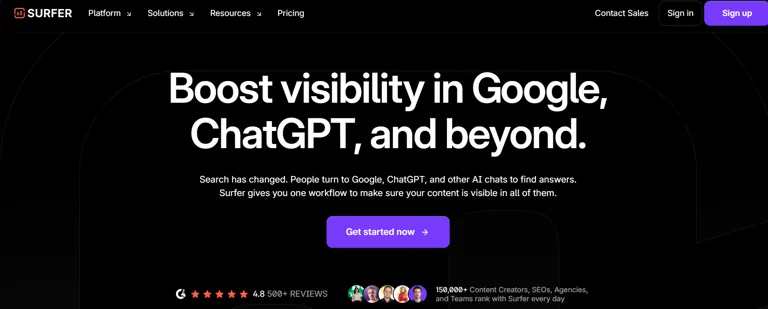
Verified Source: Surfer SEO
Keyfeatures:
- Seamless keyword tools integration inside the writing interface,
- Automatic keyword addition as you draft,
- Automatic backlink addition suggestions,
- Semantic terms and related terms recommendations and real time optimization feedback driven by natural language processing (NLP) and web signals;
How to Use Surfer SEO
- Log in to Surfer SEO and enter your target keyword in the main dashboard.
- Open the Content Editor to start optimizing or creating new content.
- Follow real-time SEO scoring recommendations while writing your article.
- Adjust keyword usage based on semantic suggestions and NLP-related terms.
- Improve structure, headings, and content length using on-page guidelines.
- Monitor your content score and make iterative improvements during writing.
- Publish optimized content once it reaches a strong SEO score.
Pos:
- Tremendous convenience and ease of use,
- Strong content engagement guidance, |
- AI Tracker visibility into how terms perform in AI chats like ChatGPT and Perplexity, and a workflow that boosts energy efficiency;
Cons:
- Not as deep for central keyword research compared to dedicated tools like Ahrefs or Semrush,
- Limited advanced SEO analysis functions, and some features locked behind higher tiers. (Feature and pricing data from Surfer SEO’s official site.)
Pricing plans
Surfer SEO pricing includes plans starting with the Essential tier, plus higher plans like Advanced and Business, all offering a free trial with a 7 day money back guarantee; exact costs vary by feature access and usage limits. (Pricing from Surfer SEO pricing page.)
Use Cases of Surfer SEO
Surfer SEO is used for real-time content optimization, keyword targeting, and on-page SEO improvement. It helps writers, bloggers, and SEO professionals create highly optimized content that aligns with search engine ranking factors and semantic relevance.
Best Alternatives
Rankability, Frase, Clearscope
9. Ahrefs: Best for Insights Across Search Engines
Ahrefs is a powerful SEO and keyword research platform that combines a large keyword database with AI-driven search intent insights. It helps uncover long-tail, multilingual, and platform-specific keywords across Google, YouTube, Amazon, and Bing. With tools like Keyword Explorer, it turns raw data and trends into actionable strategies for competitor analysis, content planning, and campaign optimization.
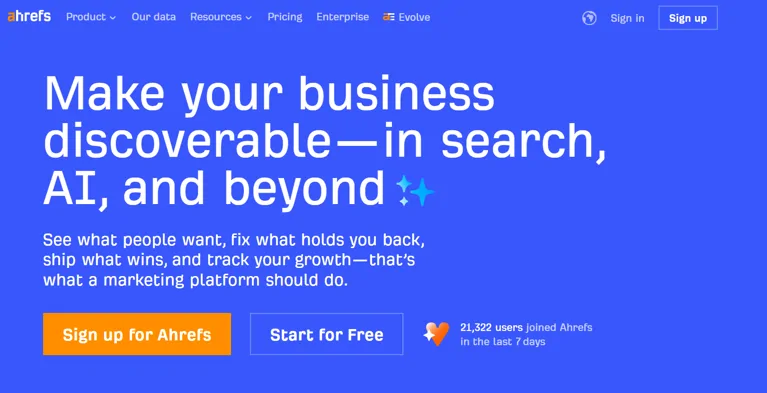
Ahrefs: Best for Insights Across Search Engines
Keyfeatures:
- Expansive keyword database (over 28.7 billion),
- Search intent data analysis,
- Brand Radar for brand mentions tracking across AI chatbots,
- AI assisted keyword analysis, technical SEO audits, and AI content creation support;
How to Use Ahrefs
- Sign in to Ahrefs and access the Keywords Explorer tool.
- Enter your domain or target keyword to generate keyword ideas.
- Analyze keyword metrics such as search volume, difficulty, and click potential.
- Review search intent data to understand user behavior and content direction.
- Use Content Explorer or Brand Radar to track mentions and content opportunities.
- Run Site Audit to identify technical SEO issues on your website.
- Refine your SEO strategy using backlink, keyword, and competitor insights.
Pos:
- Unmatched competitor intelligence,
- Deep AI-driven SEO insights,
- Seamless content optimization, excellent tools for content campaign planning, Integration with free Ahrefs Webmaster Tools for website owners, and granular Keyword updates that boost discovery;
Cons:
- Higher pricing for full feature access,
- No true free trial on main plans,
- A credit-based system on some paid plans like the Lite plan that limits searches, And a steeper learning curve for newcomers. (All features and pricing details cross checked with Ahrefs official site.)
Pricing plans
Ahrefs pricing ranges from the Lite plan with limited credits to Standard, Advanced, and Enterprise tiers, with each step adding more credits, data depth, and feature access exact rates are listed on Ahrefs’ pricing page. (Verified from Ahrefs official pricing.)
Use Cases of Ahrefs
Ahrefs is used for advanced keyword research, backlink analysis, competitor tracking, and technical SEO auditing. It helps SEO professionals and marketers improve search rankings and discover content opportunities across multiple search engines.
Best Alternatives
Semrush, Moz Pro, SE Ranking
10. Moz-Pro
Moz Pro is an AI-enhanced SEO platform that combines keyword research with practical, user-friendly insights. Its Keyword Explorer helps uncover domain-specific, intent-based, and high-value keywords without complexity. With recent Moz AI improvements, it delivers clearer keyword insights and search intent analysis, making it a strong choice for small to mid-sized businesses and SEO professionals who need balanced, accessible optimization tools.
Keyfeatures:
- Keyword Explorer with rich intent metrics,
- Domain snapshots giving AI powered domain insights,
- Dual modeling with ML classification model and rules based model for nuanced intent scoring,
- Tools to uncover keyword opportunities and keyword topics, and strategic guidance for pillar content strategies and content buckets;
How to Use Moz Pro
- Sign in to Moz Pro and access the Keyword Explorer tool.
- Enter your website domain or target keywords to generate insights.
- Analyze keyword metrics such as difficulty, opportunity, and search intent.
- Review domain-level snapshots to understand competitor performance.
- Identify high-priority keyword opportunities for content planning.
- Build a structured content roadmap using suggested topics and keyword clusters.
- Refine SEO strategy based on ongoing ranking and visibility insights.
Pos:
- A user friendly interface,
- Strong keyword intelligence for content strategy planning,
- Excellent domain search themes analysis, and solid SEO analytics without steep complexity;
Cons:
- Its pricing can feel high compared to entry tools,
- Advanced SEO features are limited versus larger suites,
- And some AI insights lack the depth of niche enterprise tools. (Features & pricing verified from Moz official site.)
Pricing plans
Moz Pro offers tiered plans that typically begin with a Standard level and scale up to Medium, Large, and Premium options, with a 30 day free trial available so you can test the full suite before committing. (Pricing from Moz pricing page.)
Use Cases of Moz Pro
Moz Pro is used for keyword research, competitor analysis, and content planning in SEO campaigns. It helps marketers and SEO professionals identify valuable ranking opportunities and build structured content strategies based on search intent and domain authority insights.
Best Alternatives
Ahrefs, Semrush, SEO PowerSuite
11. eesel AI blog writer
eesel AI Blog Writer is an AI content creation tool that transforms a single keyword into a full, SEO-optimized article. It uses context-aware generation to structure blog posts with relevant details like specs, comparisons, and reviews. While not a traditional keyword research tool, it supports content planning and organic traffic growth by quickly producing publish-ready, search-friendly blog content.For those looking to earn money on mobile with AI, eesel AI automates the entire blog production line from keyword discovery to publishing.
Keyfeatures:
- Seamless keyword targeting integration into content creation,
- AI generated images for visual appeal,
- Inclusion of relevant YouTube videos and Reddit quotes for content authenticity, Built in AEO optimization for AI answer engines, and real time blog performance tracking;
How to Use eesel AI Blog Writer
- Enter your target keyword or topic into the eesel AI blog writer.
- Select the content type such as how-to guides, reviews, or comparison articles.
- Generate an AI-powered draft with built-in SEO structure and media suggestions.
- Review the generated content for accuracy, tone, and relevance.
- Add or verify supporting elements like quotes, references, or embedded media.
- Adjust writing style and formatting based on your audience needs.
- Publish or export the final optimized blog directly from the platform.
Pos:
- Excellent content optimization without juggling tools,
- Significant hours saved,
- Improvements in publishing efficiency,
- And strong SEO content creation workflows;
Cons:
- it’s not ideal for discovering new keywords from scratch,
- The credit based pricing model can be limiting,
- And generated content may need human editing for brand voice polish. (Features and pricing were verified from the official eesel AI pricing and feature pages.)
Pricing plans
Eesel AI typically offers a credit system such as a 50 blogs package with credit based pricing, and often includes a free trial or sample content creation so you can evaluate article quality before buying more credits. (Pricing from eesel AI official site.)
Use Cases of eesel AI Blog Writer
eesel AI Blog Writer is used for generating SEO-optimized blog content quickly, especially for affiliate articles, reviews, and informational posts. It helps content creators and marketers produce structured, publish-ready articles with minimal manual writing effort.
Best Alternatives
Jasper, Copy.ai, Writesonic
12. Moz Pro
Moz Pro is an AI-enhanced SEO platform that goes beyond basic keyword data by helping users understand topical authority and Domain Authority (DA). It supports smarter content planning and competitive analysis by translating SEO metrics into actionable insights. This makes it a reliable tool for building long-term search visibility and improving overall keyword strategy and content performance.
Keyfeatures:
- Domain Search Themes that cluster related topics for deeper insights,
- AI powered search intent analysis to uncover what users actually mean,
- A robust keyword database paired with a backlink database,
- Intuitive UI for authority building through content hubs, and helpful SEO insights geared toward both technical and creative workflows;
How to Use Moz Pro
- Sign in to Moz Pro and enter your website domain in the dashboard.
- Generate domain-level insights to understand your site’s authority and keyword performance.
- Explore Domain Search Themes to identify relevant topic clusters for content planning.
- Use Keyword Explorer to analyze search intent and refine target keywords.
- Review SEO metrics such as difficulty, opportunity, and ranking potential.
- Track keyword rankings and visibility changes over time.
- Apply insights to build and improve your overall content strategy and SEO structure.
Pos:
- A user friendly interface that’s ideal for beginner SEO practitioners,
- Excellent SEO education with resources like The Beginner’s Guide to SEO,
- AI analysis that complements manual audit work,
- And accessible pricing with a starter plan around $49 per month;
Cons:
- Moz’s data depth can lag behind giants like Semrush comparison and Ahrefs comparison,
- Its niche opportunities may be fewer,
- And advanced features sometimes feel less comprehensive than competitors. (Feature & pricing details sourced from Moz official site.)
Pricing plans
Moz Pro’s pricing includes a Starter plan at roughly $49 per month, with higher tiers offering expanded query limits, enhanced SEO features, and broader reporting capabilities. (Pricing information verified from Moz pricing page.)
Use Cases of Moz Pro
Moz Pro is used for keyword research, domain authority analysis, and content strategy planning. It helps SEO professionals and marketers identify ranking opportunities, understand search intent, and build strong topic clusters for long-term organic growth.
Best Alternatives
Ahrefs, Semrush, SEO PowerSuite
13. LowFruits
LowFruits is a keyword research tool focused on finding low-competition “low hanging fruit” opportunities. It uses SERP analysis and keyword difficulty signals to identify keywords where weaker sites like forums or low Domain Authority pages rank. This helps new websites discover easier ranking opportunities, especially long-tail and niche topics, making it useful for early-stage SEO growth and content strategy.
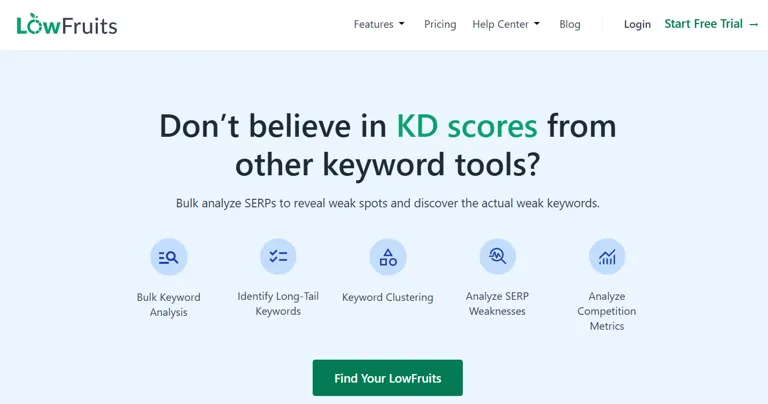
LowFruits
Keyfeatures:
- Detailed keyword targeting,
- Deep competitive keyword analysis,
- Strong SERP scanning to exploit weaknesses,
- Visibility into niche keyword opportunities and tools that link keyword strategy to content planning;
How to Use LowFruits
- Sign in to LowFruits and enter your target topic or domain.
- Run keyword research to generate low-competition keyword opportunities.
- Analyze SERP data to identify weak competitors ranking for your niche.
- Focus on “low-hanging fruit” keywords with easy ranking potential.
- Group keywords into content ideas and topic clusters.
- Prioritize keywords that align with your site’s authority and goals.
- Use insights to plan and optimize SEO content for faster ranking gains.
Pos:
- SEO optimization that pinpoints easy wins,
- Affordability with a standard plan at around $29.90 per month,
- Flexible pay as you go credits and a clear path to SEO growth and improved search visibility;
Cons:
- Lower overall database size compared to major platforms,
- Fewer advanced analytics and less integration with broader SEO ecosystems. (Pricing and features verified from LowFruits official site and reviews.)
Pricing plans
LowFruits typically offers an affordable standard plan at around $29.90 per month with options for pay as you go credits, making it budget friendly for smaller sites or niche keyword discovery. (Pricing based on official LowFruits pricing page.)
Use Cases of LowFruits
LowFruits is used for finding low-competition keywords that are easier to rank for in search engines. It helps bloggers, niche site owners, and SEO professionals quickly identify content opportunities and build traffic with minimal competition.
Best Alternatives
Keyword Chef, Ubersuggest, AnswerThePublic
14. SE Ranking
SE Ranking is a cost-effective SEO and keyword tracking platform that delivers high-frequency rank monitoring with strong accuracy. It’s especially useful for teams managing large-scale SEO tasks like tracking thousands of SKUs or adjusting campaigns during promotions. Its balance of affordability and reliable data makes it a practical choice for agencies and businesses that need scalable keyword tracking without enterprise-level costs.
Keyfeatures:
- The AI Overviews Tracker for deep presence analysis and source analysis (including sites like Reddit and Quora)
- Real time updates with on demand ranking checks, and a 100% data accuracy oriented infrastructure with data verification and stability guarantee;
- Advanced keyword research tools like SE Ranking also overlap with AI data analysis systems used in analytics and trend forecasting workflows.
How to Use SE Ranking
- Sign up for SE Ranking and add your website domain to the dashboard.
- Enter and organize your target keywords for tracking performance.
- Enable AI Overviews Tracker to monitor AI-driven search visibility.
- Configure real-time or scheduled updates for keyword ranking data.
- Connect SEO projects to monitor multiple websites or campaigns.
- Analyze dashboards to track rankings, traffic, and competitor performance.
- Adjust SEO strategy based on insights from live performance data.
- Pos:
- Excellent SEO analytics for both agency tracking and e commerce tracking,
- And powerful performance monitoring across campaigns;
Cons:
- Fewer advanced marketing suite features compared with larger tools, and limited flash sales/holiday alert automation. (Features/pricing from SE Ranking official site.)
Pricing plans
SE Ranking pricing includes tiered plans (e.g., Essential, Pro, Business) that scale with keywords and checks per day, often starting at a modest monthly rate. (Pricing from SE Ranking pricing page.)
Use Cases of SE Ranking
SE Ranking is used for keyword rank tracking, SEO performance monitoring, and competitor analysis. It helps marketers and SEO professionals optimize campaigns using real-time data and AI-powered search visibility insights.
Best Alternatives
Serpstat, SEO PowerSuite, AccuRanker
15. Nozzle
In the realm of AI tools for keyword research, Nozzle quickly became my go to for data heavy analysis because it doesn’t just scrape the top links but performs thorough search result scraping to reveal your Share of SERP including ads tracking, video carousels, and People Also Ask elements giving you granular visibility into what’s really happening across the full SERP spectrum and how that impacts brand visibility in organic link analysis and Knowledge Panel placements.
Keyfeatures:
- Share of Voice metrics refined for pixel precision,
- Pixel level tracking of visibility shifts,
- HTML SERP storage enabling time travel analysis of past results,
- BigQuery integration for raw data export and merging with inventory data or sales data and predictive modeling tools that feed custom dashboards;
How to Use Nozzle
- Define your target keywords or tracked search terms inside the Nozzle platform.
- Set up a competitor list to compare your SEO performance against other websites.
- Configure the system to capture full SERP elements such as ads, snippets, and features.
- Connect Nozzle with analytics tools like Google BigQuery for advanced data processing.
- Export SERP and ranking data into your analytics or data warehouse system.
- Build custom dashboards to visualize keyword trends and SEO performance metrics.
- Monitor ongoing changes to identify ranking shifts and search behavior patterns.
Pos:
- Superb SEO data insights for performance benchmarking,
- Customizable competitor tracking,
- Powerful tools for proprietary attribution models, and seamless raw data handling for advanced teams;
Cons:
- Higher cost compared to basic keyword trackers,
- Complexity for beginners without analytics experience, and less emphasis on keyword discovery than core SEO suites. (Feature/pricing details verified via Nozzle official site and SEO tools review pages.)
Pricing plans
Nozzle pricing typically scales with query volume and data retention, offering plans for smaller teams up to enterprise users needing extensive SERP history and analytics support. (Pricing based on Nozzle pricing page.)
Use Cases of Nozzle
Nozzle is used for advanced SERP tracking, SEO data analysis, and competitor monitoring at scale. It is especially useful for enterprises and SEO teams that need deep search engine insights, trend forecasting, and custom SEO reporting dashboards.
Best Alternatives
Nightwatch, AccuRanker, Advanced Web Ranking
16. Serpstat
Serpstat is a versatile SEO platform that combines keyword research, competitive analysis, and technical SEO insights. It helps with site audits, keyword tracking, and identifying technical issues efficiently. Its programmatic SEO capabilities support AI-driven landing page ideas and indexing insights, making it useful for scaling content strategies, improving visibility, and finding quick SEO wins across complex websites.
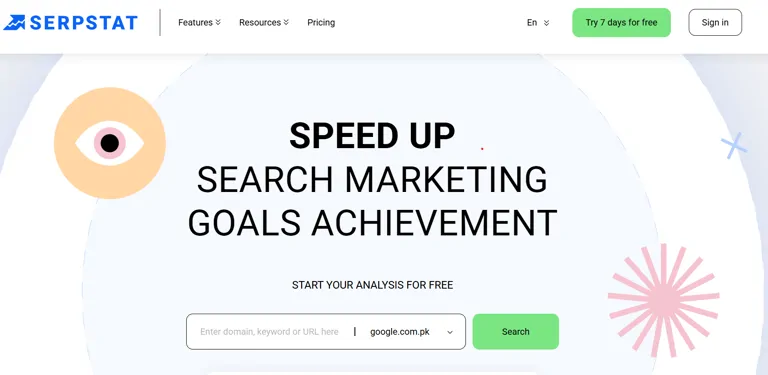
Serpstat Official Source Image
Keyfeatures:
- URL in SERP reports that highlight cannibalization detection and keyword overlap,
- SERP feature tracking for rich snippets,
- Featured snippet and image pack, and comprehensive content optimization tools that surface high visibility features;
How to Use Serpstat
- Sign up and add your website domain to the Serpstat dashboard.
- Run a full site audit to detect technical SEO issues and performance gaps.
- Analyze your URLs using SERP feature tools to identify keyword overlaps.
- Explore keyword research reports to find ranking opportunities.
- Track SERP features like snippets, maps, and rich results for visibility insights.
- Monitor competitor domains to compare SEO performance.
- Use audit insights to optimize on-page and technical SEO improvements.
Pos:
- Excellent for competitive gap tracking,
- Extremely cost effective alternative to larger suites, and useful for technical marketers handling scaled SEO;
Cons:
- UI can feel dense for beginners and fewer specialty tools for local focus or non technical team workflows compared to niche competitors. (Features & pricing verified from Serpstat official site.)
Pricing plans
Serpstat pricing includes tiered plans such as Lite, Standard, and Advanced, scaling with keyword queries and audit limits, and offers cost effective plans for both small businesses and enterprise SEO teams. (Pricing from Serpstat pricing page.)
Use Cases of Serpstat
Serpstat is used for SEO auditing, keyword research, and competitor analysis. It helps marketers and SEO professionals improve search visibility by identifying technical issues, tracking SERP features, and optimizing content for better rankings.
Best Alternatives
Semrush, SE Ranking, Moz Pro
17. BrightLocal
BrightLocal is a local SEO tool focused on improving visibility in “near me” and location-based searches. It tracks rankings at neighborhood level and helps optimize local presence across search engines. Its Agent Readiness insights evaluate whether key elements like booking systems and business data are structured for AI-driven search, making it useful for improving local discoverability in an AI-first search environment. If you are a local business owner, BrightLocal helps you dominate local search a key strategy for smarter talent acquisition in specific geographic areas.
Keyfeatures:
- Local Rank Checker for city-level tracking,
- Grid Tracking that maps street-by-street visibility,
- Review integration tying Star Rating to Map Pack Ranking,
- Reputation management tools that quantify ROI measurement, and dashboards that highlight visibility drops and recovery.
How to Use BrightLocal
- Create an account and set up your business location(s) in the dashboard.
- Add your business details such as name, address, and service areas.
- Enable Grid Tracking to visualize your local rankings across different map locations.
- Connect review platforms to monitor and manage customer reviews in one place.
- Use the Local Rank Checker to track keyword performance in specific geographic areas.
- Analyze ranking heatmaps to identify strong and weak visibility zones.
- Optimize your local SEO strategy based on ranking and review insights.
Pos:
- Truly specialized for local SEO and local business tracking,
- Excellent for multi-location brands and service businesses,
- Intuitive visibility metrics that link reviews to search impact, and tools that help dominate hyper-local SEO landscapes;
Cons:
- Limited for broader keyword discovery compared with general suites,
- Less robust for global campaigns,
- And some features feel niche for enterprise use. (Feature & pricing details verified from BrightLocal official site.)
Pricing plans
BrightLocal pricing typically includes tiered plans such as Single Business and Multi Business options with monthly or annual billing, with higher tiers unlocking additional tracking zones, review analytics, and reporting capabilities. (Pricing from BrightLocal pricing page.)
Use Cases of BrightLocal
BrightLocal is used for local SEO tracking, Google Maps ranking analysis, and online reputation management. It helps local businesses and marketers improve visibility in specific geographic areas and strengthen customer trust through review monitoring.
Best Alternatives
Whitespark, Moz Local, Yext
18. Advanced Web Ranking (AWR)
Advanced Web Ranking (AWR) is an SEO rank tracking tool focused on accurate historical data and transparent reporting. It helps agencies monitor keyword performance changes across algorithm updates with detailed SERP tracking, including snapshots and layout analysis. Features like pixel-level tracking and SERP archiving make it useful for identifying ranking shifts, ads changes, and UX impacts on search visibility.
Keyfeatures:
- Market Share tracking for broader industry visibility and sector analysis,
- Time travel analysis using SERP archiving to study ranking history, and unlimited competitor tracking (up to 50 competitors) for strategic benchmarking;
How to Use Advanced Web Ranking (AWR)
- Create an account and set up your project in Advanced Web Ranking.
- Add your target keyword sets for tracking across search engines.
- Define and add competitor domains to compare ranking performance.
- Enable Market Share tracking to measure overall visibility in your niche.
- Activate HTML snapshot capturing for important SERP results.
- Review live ranking data alongside historical (archived) performance trends.
- Analyze visibility changes to understand ranking fluctuations and SEO impact.
Pos:
- Ideal for C-suite reporting with clear evidence,
- A professional standard fit for in-house teams and agencies,
- Comprehensive SEO analytics that support performance verification, and rich visibility metrics that codify trends rather than guess them;
Cons:
- Not as intuitive for beginners,
- Less focused on creative keyword discovery compared with other suites, and a steeper learning curve for setup and interpretation. (Features & pricing verified from AWR official site and user reviews.)
Pricing plans
Advanced Web Ranking’s pricing includes tiered plans scaling from Starter levels for smaller sites through Pro and Enterprise options with increased competitor limits, APIs, and reporting exports exact rates are published on their pricing page. (Pricing from Advanced Web Ranking official site.)
Use Cases of Advanced Web Ranking (AWR)
Advanced Web Ranking is used for detailed SEO tracking, SERP history analysis, and competitor visibility monitoring. It helps SEO professionals and agencies understand long-term ranking trends and measure market share performance across search engines.
Best Alternatives
Nozzle, AccuRanker, Nightwatch
19. Morningscore
In my long term use of AI tools for keyword research, Morningscore stands out by turning dry SEO data into an engaging experience through gamification that brings team alignment even among non experts like junior marketers or developers, making it easier for C suite executives to understand progress.
Keyfeatures:
- AI Missions that convert technical SEO audits into actionable quests,
- A Health Score with XP points for tracking progress,
- The SEO Revenue Metric that translates rank to currency translation for organic traffic valuation,
- Refresh Keywords for on demand keyword updates, and instant data refresh for real time adjustments;
How to Use Morningscore
- Create an account and add your website domain to the Morningscore dashboard.
- Review AI Missions to get a prioritized list of SEO tasks and improvements.
- Monitor your site’s Health Score to understand overall SEO performance.
- Track SEO Revenue metrics to estimate the value of organic traffic.
- Use Refresh Keywords to keep keyword data updated and accurate.
- Complete suggested SEO tasks to improve visibility and rankings.
- Track progress using score milestones to measure overall SEO growth.
Pos:
- Democratized data that improves data accessibility,
- Motivates teams with SEO motivation,
- Useful for specialized teams and startups,
- Bridges knowledge gaps for technical SEO, and boosts stakeholder engagement;
Cons:
- Can feel too playful for seasoned analysts,
- Less depth for traditional keyword suggestions,
- A learning curve for interpreting gamified scores, and some features seem less critical for large enterprise workflows. (Features & pricing sourced from Morningscore official documentation.)
Pricing plans
Morningscore pricing typically includes tiered plans starting with options for smaller sites or startups and scaling up for agencies with larger tracking needs. (Pricing verified from Morningscore pricing page.)
Use Cases of Morningscore
Morningscore is used for SEO performance tracking, gamified SEO task management, and keyword monitoring. It helps marketers and website owners prioritize SEO improvements and understand the business impact of organic search traffic.
Best Alternatives
Wincher, Ubersuggest, SE Ranking
Frequently Asked Questions (FAQs)
1 What are AI keyword research tools and why should I use them?
AI keyword research tools leverage AI analytics, large language models, and machine learning to generate relevant keywords, analyze competition, and provide insights into search intent, helping marketers and SEO specialists make data-driven decisions efficiently.
2. Which AI tools are best for enterprise-level keyword tracking?
Tools like AccuRanker, Nightwatch, and Keyword.com (AI Tracker) are ideal for enterprise SEO, offering high-performance tracking, multi-platform monitoring, reporting accuracy, and AI-driven visibility metrics.
3. How do AI tools like SEMrush and Surfer SEO improve content optimization?
They provide AI-powered features such as semantic keyword suggestions, Content Editor, Content Score, topical maps, and real-time optimization feedback to guide content creation and ensure higher search engine visibility.
4. Can AI tools help with local SEO tracking?
Yes, BrightLocal and SE Ranking specialize in local visibility, neighborhood-level tracking, street-by-street ranking, and hyper-local optimization, enabling service businesses and multi-location brands to monitor near me searches and local foot traffic effectively.
5. Are AI tools useful for small teams or startups with limited budgets?
Absolutely. Tools like Wincher, LowFruits, and eesel AI blog writer focus on budget efficiency, lean SEO tracking, simplified dashboards, and pay-as-you-go credits, making them accessible for small teams and startups.
6. Do AI tools provide insights into competitors’ strategies?
Yes, platforms such as Ahrefs, Serpstat, Nozzle, and Moz Pro offer competitive intelligence, SERP analysis, backlink tracking, and keyword overlap detection to help businesses uncover competitor strategies and identify niche opportunities.
7. How often do AI keyword research tools update data?
Many tools, including AccuRanker, SE Ranking, and Morningscore, offer real-time updates, daily keyword refresh, or on-demand tracking, ensuring the data reflects current search trends and algorithm changes.
8. Can AI tools track multi-platform and alternative search engines?
Yes. Tools like Nightwatch and SEO PowerSuite provide cross-platform tracking, covering Google, Bing, DuckDuckGo, YouTube, and other alternative search engines, while monitoring SEO visibility and ranking performance.
9. Are these AI tools suitable for content creators and bloggers?
Definitely. eesel AI blog writer, Surfer SEO, and Semrush help bloggers and content creators generate SEO-optimized posts, suggest high-value keywords, and enhance article structure, NLP-based content, and topic relevance.
10. How do I choose the right AI keyword research tool?
Consider your budget, team size, SEO objectives, and platform compatibility. Enterprise brands may prefer AccuRanker or Keyword.com, local businesses can benefit from BrightLocal, and small teams may favor Wincher or LowFruits for cost-effective, actionable keyword insights.
Conclusion
AI tools for keyword research have transformed how businesses, marketers, and content creators approach SEO. From real-time ranking updates and AI-driven content optimization to competitive intelligence and local SEO insights, these platforms provide actionable, data-driven insights that save time, enhance visibility, and empower teams of all sizes. By strategically choosing the right tool based on budget, scope, and SEO goals, organizations can maximize organic search performance, improve keyword targeting, and maintain a competitive edge in 2026 and beyond.Finding the right keywords is only half the battle; managing your time to execute the strategy is the other. Check out our guide on the best AI tools for time management to ensure your SEO workflow stays on track.