.webp)
How these AI Tools can maximize productity for Modern Accounting
In today’s accounting landscape, AI tools are transforming how firms manage financial tasks like invoice processing, expense tracking, workflow automation, and client communication. By combining automation, real-time reporting, and intelligent data extraction, these platforms reduce manual work, improve accuracy, and increase efficiency. Tools such as BILL, Kick, Pilot, Puzzle, Glasscubes, and Vic.ai help streamline bookkeeping, accounts payable, and client collaboration. As a result, accountants can focus more on strategic decision-making, strengthen client relationships, and deliver faster, more reliable financial services in a secure and modern digital environment.

 Updated: April 23, 2026 | 25 min read
 | Best For | Pricing | Ease | |
| Glasscubes | workflow management for accounting teams | Paid (demo available) | Intermediate |
| Gridlex | CRM + accounting workflows | Free + Paid | Intermediate |
| FloQast (workflow enhancement) | Financial close automation | Paid | Intermediate |
| Botkeeper | Automated bookkeeping | Paid | Beginner |
| Truewind | AI bookkeeping & reporting | Paid | Beginner |
| Vic.ai | Invoice processing automation | Paid | Intermediate |
| Xero | Cloud accounting | Paid (trial available) | Beginner |
| Docyt | Real-time accounting automation | Paid | Beginner |
| Scribe | Process documentation | Free + Paid | Beginner |
| Dext | Receipt & expense management | Paid | Beginner |
| Microsoft 365 / Google Workspace | Productivity & collaboration | Subscription | Beginner |
| BILL (accounts payable automation) | AP/AR automation | Paid | Intermediate |
| AI Bookkeeping (general tools) | End-to-end automation | Varies | Beginner |
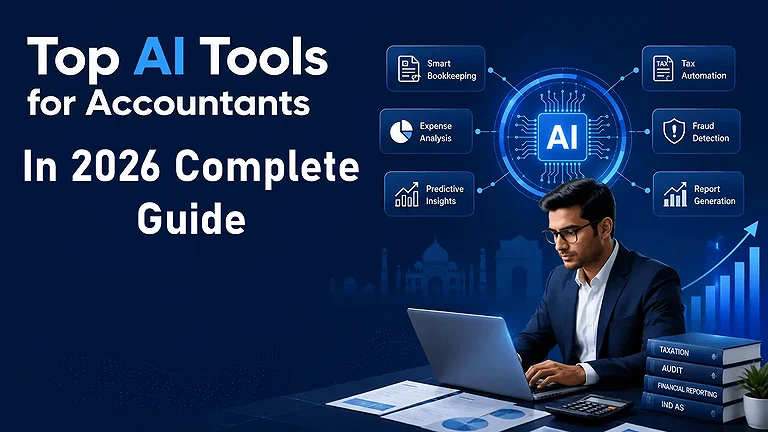
Cover Image: The tools listed in the image above are outlined and comprehensively explained in the sections below.
1. Glasscubes
Glasscubes improves customer interaction and workflow automation by centralizing document sharing, client communication, and task management in one secure platform meeting the same rigorous compliance standards required by AI tools for law students handling confidential case files. It automates reminders, reduces manual follow-ups, and enhances response accuracy through real-time reporting dashboards. With secure client portals, GDPR-compliant encrypted storage, and streamlined collaboration, Glasscubes helps accountants save time, improve productivity, strengthen client relationships, and manage sensitive financial data more efficiently.
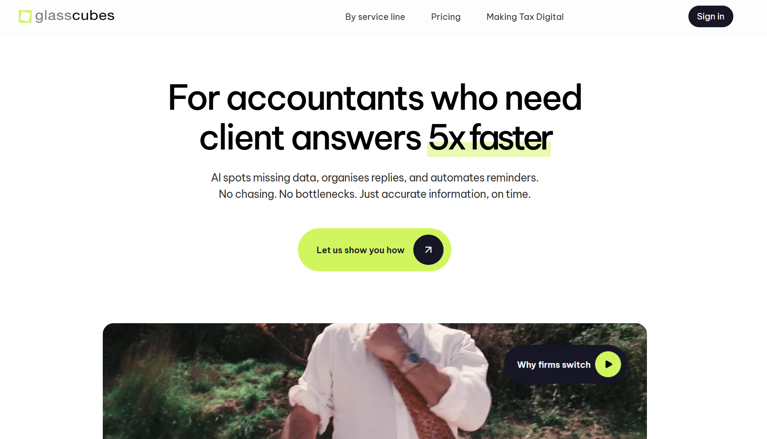
Glasscubes : Image of official site where people easily access this tool including me.
Key Features
- Secure document sharing and collaboration
- Client communication workspace
- Workflow and task management tools
- File organization for accounting teams
How to Use Glasscubes
• Start with the free trial to understand which subscription (Team, Workgroup,
Enterprise) meets your firm’s needs — especially storage and workflow volume.
• Customize workspace permissions and branding early to make client portals feel
familiar to your users.
• Invest time in setting up automated reminders and real time reporting so clients
respond promptly and your team avoids manual follow ups.
• Use the reporting dashboard actively to track progress and maintain data
accuracy across requests.
Pros:
1. Enhances efficiency by automating follow ups and client info requests,
saving time and reducing back and forth communication.
2. Secure platform with encrypted file sharing and workspace permissions
supports compliance requirements including GDPR compliant settings.
3. Intuitive user portal and reporting dashboard improve visibility and streamline
information sharing across teams and clients.
4. Reduces reliance on email for project tracking and client updates, improving
operational efficiency.
5. Scalable pricing options with free trials and tiered subscriptions let firms test
before committing (e.g., Team, Workgroup, Enterprise).
Cons:
1. Some users report a learning curve in navigating advanced features and
workspace layout.
2. Occasional issues with reminders or notifications being sent when not needed.
3. Online editing and versioning can be less intuitive compared to standalone
document tools.
4. Limited aesthetics and workspace navigation can feel basic or challenging on
smaller screens.
5. Pricing may feel restrictive for very small firms unless the right tier is chosen.
Pricing:
Plans start from around $35/month for basic packages, with higher tiers like
Workgroup (~$70/month) and Enterprise (~$140/month) depending on storage,
workspace needs, and form submissions.
Use Cases
Glasscubes helps accounting firms collaborate securely with clients and manage financial documents more efficiently. It is useful for streamlining communication and workflow management within accounting teams.
Similar Accounting Platforms
SmartVault, SuiteDash, Karbon
2. Gridlex
Gridlex stands out as a comprehensive platform that combines accounting, ERP, CRM, and financial management into one system for accounting firms and growing businesses. Its AI-driven automation streamlines tasks like invoicing, payroll, and reporting while improving operational efficiency and decision-making through real-time analytics. Gridlex also enhances customer engagement with secure file sharing, automated communication, and client portals. With strong data security, workflow automation, and productivity tools, it helps accounting professionals scale operations, improve customer satisfaction, and manage financial processes more effectively.
Gridlex Official Source Image
Key Features
- CRM and accounting workflow integration
- Business automation tools
- Invoice and customer management
- Centralized business operations dashboard
How to Use Gridlex
• Start with the lower tier Start plan to familiarize your team with the platform and
gradually expand features as workflows mature.
• Leverage the AI driven insights by connecting your financial data sources early —
this improves real time reporting and trend analytics.
• Use integrated CRM and communication tools to enhance customer engagement
and streamline client interactions.
• Invest in initial training to ensure your accountants use automation capabilities
rather than defaulting to manual processes.
Pros:
1. All in one accounting workspace with AI tools that handle accounting, CRM,
payroll, and ERP in one unified system — reduces the need for multiple
subscriptions.
2. AI driven insights help optimize profitability and reduce costs through actionable
financial analytics.
3. Cloud based platform allows secure access anywhere, boosting business
productivity and collaboration.
4. Custom modules adapt to diverse business needs including multi entity setups.
5. Scalable pricing starting at $10/user/month, with higher plans offering more
advanced features (Start, Grow, and Scale options).
Cons:
1. Broad feature set can be complex to implement without proper planning or
support, especially for smaller firms.
2. Advanced modules and true ERP integration may require custom pricing on the
Scale plan.
3. Full utilization may need training or professional assistance to extract maximum
value.
4. Smaller businesses with simple accounting may find some features
overwhelming or unnecessary.
5. Some AI insights require good quality data input to be reliable (like real time
analytics).
Use Cases
Gridlex is useful for managing customer relationships, accounting operations, and invoicing from one platform. Small businesses can use it to improve operational efficiency and workflow automation.
Comparable Accounting Platforms
Zoho Books, FreshBooks, Odoo
3. FloQast
FloQast streamlines month-end accounting by combining workflow management, automated accounting, and financial controls into one platform. It automates reconciliations, journal entries, and accrual workflows, improving accounting efficiency, operational productivity, and collaboration while reducing manual close tasks and helping teams focus on strategic work.
Key Features
- Financial close automation
- Accounting workflow tracking
- Team collaboration tools
- Compliance and audit readiness support
How to Use FloQast’s :
• Engage with FloQast’s onboarding and training (often included or via FloQademy)
to shorten the learning curve and ensure your team fully adopts automated
accounting features.
• Connect your ERP early in the process to maximize the value of real time
workflow management and reduce manual reconciliation burdens.
• Use checklists and task assignments consistently to ensure accountability and
visibility across the close cycle.
• Leverage integrated variance analysis and reconciliations to improve accuracy
and shorten audit prep time.
• Negotiate pricing based on your company’s size and modules required to avoid
paying for unused functionality.
Pros:
1. The platform dramatically simplifies complex close cycles and standardizes
month end procedures through its built in workflow automation and centralized
checklist features, reducing close cycle time.
2. Excellent at boosting professional productivity with task streamlining and real
time visibility into progress, which helps teams meet deadlines with less stress.
3. Strong integration with ERPs and collaboration tools centralizes your financial
processes and improves accuracy by minimizing manual steps.
4. Automation of reconciliation and variance analysis provides deeper financial
oversight and improves reporting consistency.
5. Cloud based and built for accounting teams means it’s accessible and relatively
straightforward to adopt with proper onboarding.
Cons:
1. Pricing isn’t transparently published and typically requires custom quotes, which
can make budgeting difficult, especially for smaller firms.
2. The solution’s rich features can create a steep learning curve for teams that
have relied on spreadsheets.
3. Some reviewers note that advanced customization and integration may require
additional support or professional services.
4. Annual contracts and implementation fees can be expensive for small practices
without negotiation.
5. Because it’s designed primarily for close and reconciliation workflows, firms
seeking a full service accounting suite might need supplementary systems.
Pricing:
FloQast doesn’t list fixed pricing publicly but based the experience this is typically sold via custom quotes with indicative costs ranging from approximately $250/month for basic annual subscriptions to $30,000+/year depending on modules and company size, and enterprise implementations can cost more with professional services included; a rough estimate for small teams is around $999/month or about $12,000/year for core capabilities.
Use Cases
FloQast helps finance teams accelerate month-end closing processes and improve accounting accuracy. It is widely used for compliance-focused financial operations.
Comparable Accounting Platforms
BlackLine, Numeric, Trintech
4. Botkeeper
I adopted Botkeeper knowing its robust tools and automated workflows help accounting firms handle VAT collection, payroll collection, and task management while clients enjoy secure file sharing and real time reporting through smoother digital collaboration.
Key Features
- AI-powered bookkeeping automation
- Real-time financial reporting
- Transaction categorization
- Automated reconciliations
How to use Botkeeper ?
Connect Botkeeper to your accounting software, define scheduled requests, assign task management, and let its automation reduce repetitive work while you focus on strategy.
Pros
• Automated reminders speed up client communication
• Streamlined information gathering reduces manual errors
• Customer interaction logs aid professional services
• Efficient collaboration across teams
• Smarter work, faster processes enhance service delivery
Cons
• Higher platform investment for small firms
• Occasional delays in approvals
• Learning curve for workflow management
• Limited customization versus niche tools
• Requires training for full operations integration
Pricing plans
• Offers flexible pricing structure with monthly billing
• Discounts available for annual billing
• Tiered options scaling with firm size
Use Cases
Botkeeper automates bookkeeping tasks and reduces manual accounting workload for businesses. It is particularly useful for firms handling large volumes of financial transactions.
Comparable Accounting Platforms
Bench, Pilot, Booke AI
5. Truewind
Truewind helps accounting firms streamline information gathering, workflow management, and real-time reporting through automated reminders, task automation, and secure document sharing. It improves collaboration, client communication, and operational efficiency while reducing repetitive follow-ups for payroll, VAT, and approvals. With flexible billing support, digital collaboration tools, and customer success assistance, Truewind enables firms to deliver faster, more efficient accounting services and improve overall client satisfaction.
Key Features
- AI accounting and bookkeeping support
- Financial reporting automation
- Startup-focused accounting tools
- Cash flow visibility features
How to Use Truewind :
• Start with a small pilot group to test workflow automation and refine your system
before rolling out firm wide.
• Use automated reminders early in client cycles to change behavior and improve
response rates.
• Ensure secure collaboration by training teams on secure file sharing best
practices.
• Monitor real time reporting dashboards daily to catch discrepancies early.
• Negotiate billing terms (monthly vs. annual) based on your firm’s cash flow and
expected usage.
Pros:
1. Workflow automation speeds up standard accounting cycles like VAT and
payroll tasks, reducing turnaround times for routine processes.
2. Real time reporting allows teams to monitor progress instantly and make
proactive decisions instead of waiting for period end reports.
3. Secure file sharing and document sharing help maintain compliance and protect
sensitive data during client exchanges.
4. Automated reminders and scheduled requests cut down manual follow ups,
improving client responsiveness.
5. Flexible pricing options including monthly billing and annual billing plans make it
accessible to small practices as well as larger firms (pricing varies by usage —
contact sales for specific tiers).
6. Mastering autonomous accounting tools like Truewind is a key way to boost
your job search efficiency if you are applying for high-level Controller or CFO
roles.
Cons:
1. Initial setup and onboarding can be complex for teams unfamiliar with
automation tools, requiring training.
2. Some advanced customization may require professional services or support
packages.
3. Smaller firms may initially find feature depth overwhelming without dedicated
admin support.
4. Pricing transparency is limited without speaking to sales, making budgeting less
predictable.
5. Integration with legacy systems sometimes requires IT support to ensure
smooth data flow.
Pricing:
Truewind doesn’t list a public price catalog; most firms report custom quotes based on user count and modules, with entry level tiers typically beginning in the low hundreds per month and scaling up based on advanced needs and support packages.
Use Cases
Truewind helps startups simplify accounting workflows and maintain accurate financial records. It is useful for businesses looking for AI-assisted bookkeeping support.
Comparable Accounting Platforms
Pilot, Botkeeper, Zeni
6. Vic.ai
Vic.ai transforms invoice processing through AI-driven automation, real-time data extraction, and intelligent approval workflows. It reduces manual effort, improves accuracy, and speeds up invoice management, helping businesses strengthen cash flow and financial reporting. By automating repetitive accounting tasks and minimizing errors, Vic.ai enables finance teams to improve operational efficiency and focus more on strategic financial decision-making.Vic.ai also functioning much like the trending AI tools for data analysis used to spot anomalies in large datasets.
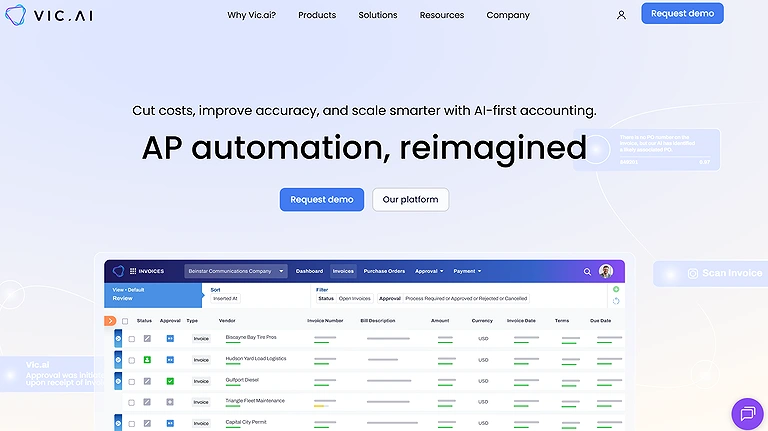
Vice.Ai
Key Features
- AI invoice processing automation
- Accounts payable workflow optimization
- Intelligent document recognition
- Real-time financial insights
How to Use Vic.ai?
• Begin with a pilot on a subset of invoices to measure baseline performance.
• Train teams on exception handling alongside automation capabilities.
• Ensure ERP or accounting platform integration for seamless data flow.
• Monitor dashboards for processing speeds and error rates to refine rules.
• Adjust approval workflows based on team feedback to optimize efficiency.
Pros
1. Efficiency gains in invoice handling dramatically reduce turnaround times
compared to manual workflows, boosting productivity.
2. Accuracy improves with real time data extraction, minimizing human error in
accounts payable processes.
3. Autonomous invoice approval and structured workflows help standardize
processing across teams.
4. Enhances cash flow management by accelerating invoice cycles and improving
visibility.
5. Scalable for growing firms and supports broader AI adoption in accounting
departments.
Cons
1. Implementation requires initial staff training and adjustment to automated
workflows.
2. Some smaller firms may find cost a barrier without clear pricing transparency.
3. Over automation risk can lead to overlooking exceptional cases without human
oversight.
4. Integration with legacy systems can require technical support.
5. Reliance on high quality input data; poor data can limit automation
effectiveness.
Pricing
While Vic.ai does not publicly list detailed pricing, estimates from industry sources indicate licensing typically runs on a subscription model with costs varying by organization size and usage, often negotiated case by case — prospective users should contact Vic.ai for a tailored quote.
Use Cases
Vic.ai streamlines invoice approvals and accounts payable processes using AI automation. Businesses use it to reduce manual data entry and improve payment workflows.
Comparable Accounting Platforms
BILL, Stampli, Tipalti
7. Xero
Xero improves accounting operations through workflow automation, real-time reporting, and streamlined client communication. It reduces manual follow-ups, supports document management, and enhances collaboration with intuitive onboarding and digital accounting tools. With strong data security standards, process automation, and integrated workflows, Xero helps firms optimize operations, improve efficiency, and deliver better client engagement across everyday accounting processes.Integrating Xero with your bank feeds allows you to manage your business smarter by providing a real-time view of your cash flow and automated tax preparation.
Key Features
- Cloud-based accounting platform
- Automated bank reconciliation
- Invoice and expense tracking
- Financial reporting dashboards
How to Use Xero ?
• Start with basic plans and add modules (e.g., payroll, expense capture) as your
team’s maturity grows.
• Set up bank feeds and automated bank reconciliation early to save hours weekly.
• Use built in collaboration features to share reports and financials with clients
securely.
• Leverage add ons for document capture and approvals to strengthen document
management workflows.
• Train your team on reporting tools to extract maximum value from real time
reporting.
Pros:
1. Real time reporting gives accountants up to the minute visibility into finances
and cash flow — essential for accurate forecasting.
2. Strong workflow efficiency with automated bank reconciliation and invoicing cuts
down manual data entry.
3. Excellent ecosystem of digital accounting solutions and add ons (like Hubdoc,
payroll integrations), expanding capabilities without heavy IT overhead.
4. User friendly onboarding and intuitive interface reduce training time for new
team members.
5. Cloud based access lets teams collaborate remotely and share documents
securely with clients.
Cons:
1. Advanced automation features may require paid add ons, increasing overall cost
for small practices.
2. Learning curve exists for accountants transitioning from desktop tools.
3. Some users find reporting customization limited without third party apps.
4. Xero’s automated reminders and workflows may not match the depth of
dedicated workflow platforms.
5. Pricing tiers can be confusing without understanding usage needs.
Pricing:
Xero pricing (as of 2026) typically starts around $13–$39/month for core plans in many markets, with higher tiers or add ons (like payroll or advanced reporting) increasing costs; it’s best to check Xero’s regional pricing page for exact figures.
Use Cases
Xero helps businesses manage accounting, invoicing, and financial reporting online. It is widely used by small businesses and accountants for daily bookkeeping operations.
Comparable Accounting Platforms
QuickBooks, FreshBooks, Zoho Books
8. Docyt
Docyt simplifies bookkeeping and document management by automating data extraction, financial workflows, and repetitive accounting tasks. It improves accuracy, reduces manual entry errors, and enhances financial reporting through workflow optimization and automation. With real-time collaboration, secure document sharing, and efficient financial data management, Docyt helps accounting teams increase productivity and modernize everyday accounting operations.
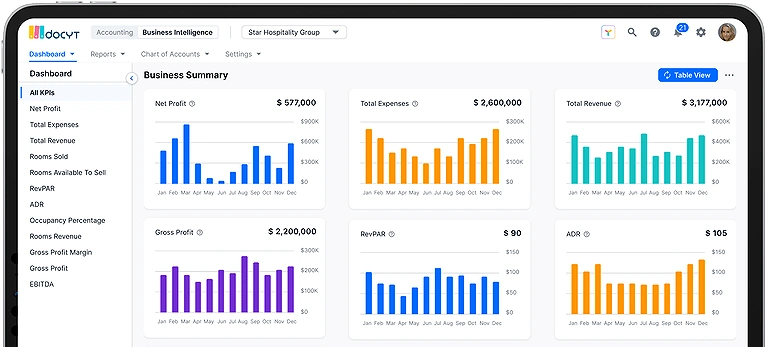
Docyt tool image
Key Features
- Automated bookkeeping workflows
- Real-time accounting insights
- Multi-entity financial management
- AI-driven expense tracking
How to Use Them Docyt ?
• Start by linking all key financial document sources (email, drives) to Docyt for
automatic ingestion.
• Train your team on exception handling so they trust the automation and catch
anomalies early.
• Use collaboration features to assign tasks and monitor progress in real time.
• Establish naming and tagging conventions to make document access smoother.
• Review extracted data periodically to refine rules and improve consistency.
Pros:
1. Automatic data extraction significantly cuts down time spent entering data
manually, improving accuracy and reducing errors.
2. Centralized document management makes retrieval and sharing easy for
accounting teams.
3. Workflow optimisation boosts overall efficiency and reduces redundant
bookkeeping tasks.
4. Strong support for team collaboration helps multiple users work seamlessly in
real time.
5. Improves productivity by freeing accountants from repetitive chores and allowing
focus on higher value work.
Cons:
1. Learning curve for teams unfamiliar with automated document workflows.
2. Some features may require additional setup or configuration by an administrator.
3. Not all integrations with legacy systems are plug and play and may need
support.
4. Mobile app experiences can vary depending on device and OS.
5. Pricing isn’t always transparent without speaking to sales.
Pricing:
Docyt pricing often varies based on business size and feature tiers; most vendors quote custom plans upon request, reflecting user numbers and volume needs — it’s best to contact Docyt directly for a tailored quote.
Use Cases
Docyt helps automate bookkeeping and financial reporting processes for businesses. It is especially useful for companies managing multiple accounts or locations.
Comparable Accounting Platforms
Botkeeper, Truewind, Vic.ai
9. Scribe
Scribe streamlines documentation and record-keeping by automatically converting workflows into step-by-step guides. It reduces manual documentation, improves accuracy, and supports compliance with legal and regulatory standards. By simplifying reporting and workflow documentation, Scribe helps accounting firms save time, improve efficiency, and focus more on strategic accounting tasks.
Key Features
- Automatic process documentation
- Workflow guide generation
- Step-by-step task recording
- Team knowledge sharing tools
How to Use Them Scribe ?
• Start by documenting one repetitive process to see immediate time savings.
• Use Scribe’s step by step guides to onboard new team members faster.
• Review generated documentation for accuracy before sharing externally.
• Pair Scribe with your automated reporting tools for compliance checks.
• Update documentation regularly as workflows evolve.
Pros:
1. Documentation automation significantly reduces time spent on manual
processes.
2. Generates clear step by step guides that improve training and workflow
consistency.
3. Improves accuracy and precise record keeping across accounting workflows.
4. Helps meet compliance and regulatory standards with timely documentation.
5. Enhances team efficiency by capturing and sharing processes quickly.
Cons:
1. Some users may face a learning curve when adopting workflow capture
features.
2. Over automation can miss context that a human expert would catch.
3. Not always intuitive for complex multitask scenarios without customization.
4. Integration with certain legacy systems may require additional setup.
5. Pricing details are often not fully transparent without contacting sales.
Pricing:
Scribe pricing typically ranges based on plan and team size, with basic tiers starting around $29/user/month and premium or enterprise plans available upon request; exact figures vary by region and licensing model.
Use Cases
Scribe helps accounting teams document workflows and create training guides automatically. It is useful for improving onboarding and standardizing accounting procedures.
Comparable Accounting Platforms
Notion AI, Tango, Trainual
10. Dext
Dext transforms bookkeeping by automating receipt management, expense tracking, and data extraction from invoices and receipts. Its mobile app simplifies expense submissions while reducing manual entry errors and administrative work. With seamless accounting integrations, workflow automation, and accurate expense categorization, Dext helps businesses improve financial management, save time, and streamline modern accounting workflows.
Key Features
- Receipt and invoice capture automation
- Expense management tools
- Data extraction from financial documents
- Accounting software integrations
How to Use Dext ?
• Link your email inbox and cloud storage to Dext for automatic ingest of receipts
and invoices.
• Train staff on best practices for photographing receipts to improve OCR extraction
quality.
• Sync Dext with your accounting software to ensure a unified financial
management system.
• Review automated categorisations regularly to refine rules and enhance accuracy.
• Use mobile app workflows to enable employees to enter and submit expenses
promptly.
Pros:
- Automating data extraction removes the need for manual entry and drastically
reduces human errors.
- The intuitive mobile app makes receipt management and claim submission fast
and convenient for employees on the go.
- Seamless integration with major accounting applications creates a unified view
of financial activity.
- Workflow automation boosts productivity by handling repetitive tasks in the
expense cycle.
- Helps firms improve compliance and accuracy in expense management
practices by reducing expense report errors.
Cons:
1. Some users find initial setup and integration with existing systems a bit
technical.
2. Advanced features may require higher tier plans or add ons.
3. Occasional issues with OCR accuracy if receipts are poorly scanned or
photographed.
4. Not all global tax variations are perfectly handled out of the box.
5. Pricing transparency is limited without contacting sales.
Pricing:
Dext typically offers tiered plans based on usage, starting around $24–$39/month per user depending on region and features, with additional pricing available for teams and enterprise use — exact figures vary so check Dext’s official pricing page for current rates.
Use Cases
Dext simplifies expense tracking and financial document management for accountants and businesses. It helps reduce manual receipt entry and bookkeeping errors.
Comparable Accounting Platforms
Hubdoc, Expensify, AutoEntry
11. Microsoft 365/Google Workspace
Microsoft 365 and Google Workspace now integrate AI features that enhance everyday office tasks like spreadsheets, presentations, document creation, and data analysis. These tools improve workflow automation, file management, and team productivity by delivering faster insights and reducing manual effort. With proper training and AI adoption, they help organizations boost efficiency, support smarter data handling, and strengthen overall business operations through seamless digital collaboration.
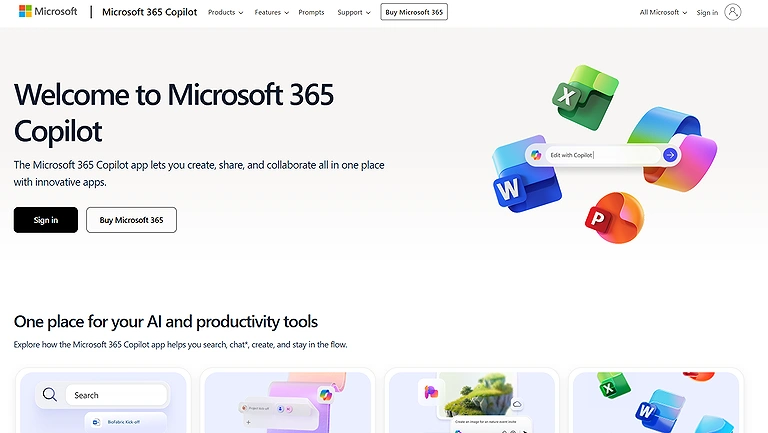
Microsoft 365/Google Workspace
Key Features
- Cloud-based collaboration tools
- Spreadsheet and document management
- Real-time team communication
- Secure file storage and sharing
How to Use Microsoft 365?
• Start with tailored training sessions to boost AI familiarity across your accounting
team.
• Engage consultants (Microsoft or Google) to optimize setup for your specific
accounting workflow needs.
• Leverage built in templates and AI assisted insights to streamline documents and
analyses.
• Integrate cloud storage for consistent file management and secure access.
• Monitor adoption and feedback to fine tune how automation supports daily tasks.
Pros
1. AI capabilities in both platforms dramatically reduce time spent on repetitive
tasks like data extraction and formatting.
2. Built in workflow automation features improve collaboration and task handoffs
across teams.
3. Accessible productivity tools make complex functions like spreadsheet analysis
and proposal writing easier for accountants without specialized software.
4. Seamless data management within cloud ecosystems enhances accessibility
and security.
5. Both platforms support third party integrations that extend functionality for
accounting workflows.
Cons:
1. Some features require additional licensing (e.g., Microsoft’s Copilot add on or
Google’s AI Workspace upgrades).
2. Teams may face a learning curve without structured employee training.
3. Overlapping features between suites can confuse users choosing between
Microsoft 365 and Google Workspace.
4. Advanced AI tools may not be fully available in all regional pricing tiers.
5. Heavy reliance on internet connectivity can disrupt work in low bandwidth
environments.
Pricing:
Microsoft 365 plans typically start around $6.99–$22.00/user/month for business tiers, with AI add ons like Copilot costing extra, while Google Workspace ranges from $6–$18/user/month, with some AI features rolling out in higher tiers — exact pricing can vary by region and feature set.
Use Cases
Microsoft 365 and Google Workspace support accounting teams with collaboration, reporting, and financial documentation. They are commonly used for spreadsheets, communication, and workflow coordination.
Comparable Accounting Platforms
Zoho Workplace, Dropbox Business, Notion
12. BILL accounts payable automation
BILL streamlines invoice processing by combining OCR, AI-driven data extraction, and workflow automation. It reduces manual invoice entry, speeds up approvals, and integrates directly with accounting systems for smoother payment processing. By automating accounts payable tasks and improving accuracy, BILL enhances operational efficiency, reduces repetitive work, and allows accounting teams to focus more on advisory services and client support.
Key Features
- Automated invoice and bill payments
- Accounts payable workflow management
- Approval process automation
- Vendor payment tracking
How to Use BILL ?
• Start with mapping your current AP workflows to understand where automation
will yield the biggest gains.
• Connect BILL to your existing accounting platforms to avoid double entry and
ensure real time data sync.
• Train your accounts payable staff on verifying OCR outputs to maintain accuracy.
• Use built in automation to enforce approval hierarchies and compliance rules.
• Review reporting dashboards regularly to catch exceptions early and refine
processes.
Pros:
1. OCR and accounting data extraction dramatically reduce time spent on manual
invoice entry.
2. Seamless workflow automation accelerates invoice processing and invoice
approval cycles.
3. Integrates with major accounting platforms for unified financial operations.
4. Payment automation improves cash flow and timeliness of vendor payments.
5. Reduces repetitive tasks, allowing accounts payable staff to focus on higher
value work.
Cons:
1. Implementation may require configuration or support from IT or vendor teams.
2. Some integrations with niche or legacy systems can be more complex.
3. OCR accuracy depends on source document quality.
4. Smaller firms may find pricing less transparent without contacting sales.
5. Users may need training to optimize rules for intelligent decision making.
Pricing:
BILL’s pricing varies by feature set and business size; it typically operates on a subscription model with customized quotes based on the volume of invoices and level of automation needed — contacting BILL directly is recommended for the most accurate pricing.
Use Cases
BILL helps businesses automate bill payments and accounts payable processes. It improves payment accuracy and reduces manual financial administration tasks.
Comparable Accounting Platforms
Tipalti, Melio, Vic.ai
13. AI bookkeeping
Kick, Pilot, and Puzzle streamline bookkeeping by automating transaction posting, journal entries, and financial data processing with minimal manual effort. These tools transform repetitive data entry into automated workflows, improving accuracy, operational efficiency, and productivity. By simplifying client data handling and financial management, they help accounting teams focus more on strategy, advisory work, and overall business growth.
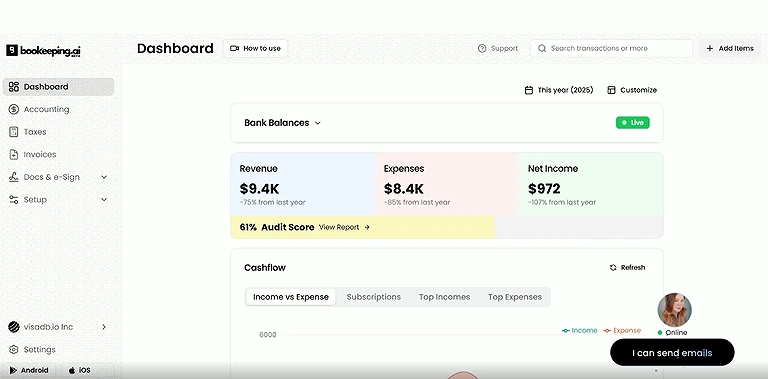
Ai Bookkeeping
Key Features
- Automated transaction categorization
- Real-time bookkeeping assistance
- AI-driven financial analysis
- Reduced manual accounting work
How to Use AI bookkeeping?
• Start by syncing your existing accounting software with the AI bookkeeping tool
for real time data flow.
• Define rules and validation checks to ensure entries are accurate and compliant.
• Train your team on the system’s dashboard and exception reporting.
• Regularly review automated entries to catch outliers or anomalies.
• Use insights to shift your team’s focus toward analysis and client advisory.
Pros:
1. Automated bookkeeping eliminates repetitive tasks and speeds up the close
cycle.
2. AI automation increases accuracy in entries like journal entries and
reconciliations.
3. Reduces need for manual oversight with human intervention free processes.
4. Data integration across platforms makes financial data accessible and
consistent.
5. Improves professional productivity by freeing accountants for advisory roles.
Cons:
1. Initial setup and training can be daunting for firms new to automation tools.
2. Some tools may struggle with unconventional or messy data formats.
3. Pricing varies widely and often requires custom quotes, making budgeting
harder.
4. Reliance on automation may mask errors if not periodically audited.
5. Not all accounting applications offer the same level of integration with legacy
systems.
Pricing:
Pricing for platforms like Kick, Pilot, and Puzzle varies; for example, Pilot typically charges based on service level and volume, while Kick and Puzzle often use subscription models — contacting each provider directly will give the most accurate, tailored pricing.
Use Cases
AI bookkeeping solutions help businesses automate repetitive accounting tasks and improve financial accuracy. They are useful for companies seeking faster and more scalable bookkeeping operations.
Comparable Accounting Platforms
Botkeeper, Truewind, Docyt
FAQs – AI Tools for Accountants
1. What are the key benefits of using AI tools for accountants?
AI tools streamline workflow automation, reduce manual data entry errors, enhance financial reporting accuracy, save time on repetitive tasks like invoice processing and expense management, and allow accountants to focus on strategic advisory services rather than administrative tasks.
2. Which AI tools are best for different accounting tasks?
• Glasscubes – customer interaction, document requests, and workflow
automation.
• Vic.ai – invoice processing and accounts payable automation.
• Dext – receipt and expense management with mobile app automation.
• FloQast – workflow simplification, journal entries, and reconciliations.
• BILL – accounts payable, OCR-based invoice extraction, and payment
automation.
• Kick/Pilot/Puzzle – AI bookkeeping and automated journal entries.
3. Are these AI tools compliant and secure?
Most platforms adhere to ISO27001 standards and GDPR compliance, ensuring data security, privacy protection, and sensitive information management, while reducing the risk of errors in financial workflows.
4. How can AI tools improve client satisfaction and business efficiency?
By automating routine tasks and enabling real-time reporting, AI tools enhance customer engagement, improve response times, and provide smarter insights, allowing accounting firms to optimize operations, strengthen client relationships, and increase service delivery efficiency.
5. What should accounting firms consider before adopting AI tools?
Firms should evaluate integration capabilities with existing accounting applications, training requirements, automation coverage, pricing models, and the level of workflow customisation. Testing on smaller workflows first ensures smooth adoption and maximizes operational efficiency.
Conclusion
AI tools are transforming the accounting landscape by combining automation, accuracy, and operational efficiency. From expense management with Dext to accounts payable automation with BILL, and from client interaction platforms like Glasscubes to AI bookkeeping tools like Kick, Pilot, and Puzzle, these solutions empower accountants to streamline workflows, reduce manual errors, and focus on higher-value tasks. Many of these accounting workflows also rely heavily on calculations, forecasting, and data analysis, making them naturally connected with advanced platforms featured in our AI tools for mathematicians guide. By leveraging these technologies, accounting firms can enhance financial processes, strengthen client relationships, and deliver superior, timely services while staying compliant and secure in a rapidly evolving digital workspace.