.webp)
Top AI Tools Every Law Student Needs for Faster Research & Better Grades
Law students today are entering a profession where artificial intelligence is rapidly transforming legal research, case analysis, drafting, and academic study. From summarising lengthy judgements to organising citations and improving writing quality, the right AI tools can save time and help students achieve better grades. As technology becomes an essential part of modern education, learning how to use these platforms effectively can give aspiring lawyers a strong academic and professional advantage.
Beyond legal-specific platforms, many students also rely on broader AI tools for universities to manage research, streamline assignments, improve productivity, and simplify project collaboration. When used responsibly, these tools help law students study smarter, stay organized, and prepare for the evolving demands of the legal profession.

 Updated: April 28, 2026 | 16 min read
 | Tool Name | Best For | Pricing | Ease |
| Law School AI | Legal study assistance & research | Paid | Beginner |
| Lexis+ AI | Legal research & case law analysis | Paid | Advanced |
| Westlaw Precision | Legal research & citations | Paid | Advanced |
| Legal Robot | Legal document analysis | Free + Paid | Beginner |
| Casetext CoCounsel | AI legal assistant & case research | Paid | Intermediate |
| Spellbook | Contract drafting & review | Paid | Intermediate |
| BriefCatch | Legal writing improvement | Paid | Beginner |
| Jurisage | AI legal research assistant | Paid | Intermediate |
| Notion AI | Note-taking & study organization | Free + Paid | Beginner |
| BlackBoiler | Contract review & automation | Paid | Advanced |
| SciSpace | Research paper analysis | Free + Paid | Beginner |
Cover Photo Top AI Tools Every Law Student Needs for Faster Research & Better Grades
Why Law students should use AI tools?
AI tools are becoming essential for law students, helping them write faster, learn efficiently, and stay ahead+*. They streamline research, simplify complex materials, and improve organization, saving valuable time. Used wisely, these tools enhance class performance, support moot preparation, and make studying more strategic, turning the demanding pace of law school into a more manageable and productive experience.
1 Law School AI
Law School AI is a study companion that helps students create flashcards, practice questions, and tailored learning tools. It streamlines studying, simplifies complex material, and saves time on moot prep and exam revision, enabling smarter learning, better organisation, and improved academic performance with less stress.
Core Features
- Creates flashcards and structured study materials automatically
- Generates practice questions for exam and moot preparation
- Simplifies complex legal topics into easy-to-understand notes
- Provides personalized learning support for law students
How to Use Law School AI?
- Sign up on the platform and upload legal notes, case summaries, or study material.
- Use the AI tools to generate flashcards, quizzes, and personalised practice questions.
- Organize revision schedules and prepare for exams or moot court sessions using tailored study assistance.
Pros
- Helps students study more efficiently with automated learning tools.
- Simplifies complex legal concepts into manageable study material.
- Improves productivity and reduces time spent on manual note preparation.
Cons
- AI-generated content may sometimes miss deeper legal nuances.
- Requires stable internet access for smooth functionality.
- Advanced study features may only be available in premium plans.
Limitations
- Cannot replace professional legal education or instructor feedback.
- May not fully support jurisdiction-specific legal systems and regulations.
- Effectiveness depends on the quality and accuracy of the uploaded study material.
Pricing Plan
- Free Plan: Includes access to basic flashcards, study tools, and limited AI assistance.
- Paid Plan: Provides advanced personification, expanded practice resources, and premium learning features.
Practical Substitute
Quizlet, Anki, Notion AI, Brainscape
Law School AI Officela source image
2 Lexis+ AI
Lexis+ AI is a trusted legal research tool integrated with LexisNexis, providing accurate, citable results backed by real cases. It offers case summaries, conversational search, and brief analysis, helping law students research efficiently. Its verified data ensures reliability, making it a strong choice for precise, professional legal research.
Core Features
- Provides AI-powered legal research with verified case law
- Generates case summaries and brief legal analysis
- Supports conversational search for faster query resolution
- Delivers citable and reliable legal information from trusted databases
How to Use Lexis+ AI?
- Enter legal questions or keywords into the conversational search interface.
- Review AI-generated case summaries, statutes, and legal citations from verified sources.
- Use brief analysis and research tools to prepare assignments, legal memos, and case studies more efficiently.
Pros
- Provides accurate and stable legal research backed by real case law.
- Conversational AI search makes complex legal research faster and easier.
- Integrates with LexisNexis databases for trusted and professional legal resources.
Cons
- Premium subscriptions can be expensive for some students.
- Advanced features may require training to use effectively.
- Limited usefulness without internet connectivity and database access.
Limitations
- Cannot replace professional legal interpretation or attorney judgment.
- Research results may vary depending on jurisdiction and database coverage.
- AI-generated summaries still require manual verification for academic or legal accuracy.
Pricing Plan
- Free Plan: Limited trial access or restricted institutional access to selected legal research features.
- Paid Plan: Full subscription provides advanced AI research tools, comprehensive case databases, and professional legal analytics.
Practical Substitute
Westlaw Edge AI, Casetext CoCounsel, Harvey AI, ROSS Intelligence
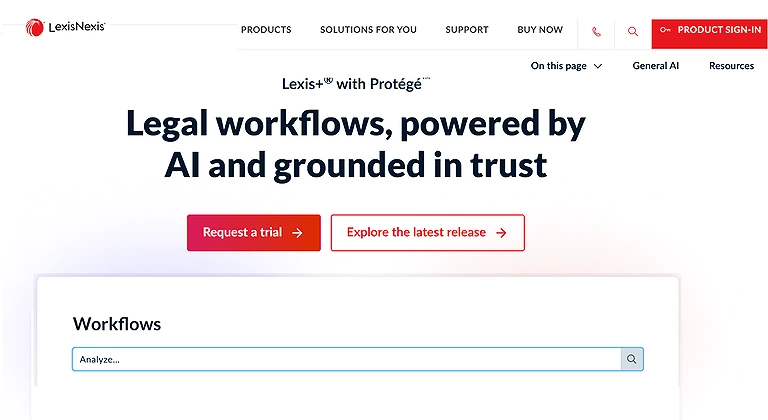
Lexis+ AI Officela Home page
3 Westlaw Precision
Westlaw Precision is an AI-powered legal research platform offering accurate case search, Key Cite verification, judge analysis, and docket insights. Its intuitive interface and advanced litigation trend analysis help law students and legal professionals conduct faster, more precise legal research.
Core Features
- AI-powered legal research with precise case law search
- Key Cite verification for ensuring legal authority accuracy
- Provides judge analytics and litigation insights
- Offers docket tracking and legal trend analysis
How to Use Westlaw Precision?
- Enter legal queries, case names, or statutes into the smart search system.
- Use Key Cite verification to confirm the validity and legal status of cited cases.
- Explore judge analytics, docket insights, and litigation trends to improve research and case preparation.
Pros
- Provides precise and reliable legal research backed by verified legal databases.
- KeyCite helps users quickly validate case authority and citation status.
- Advanced analytics and intuitive tools improve research speed and efficiency.
Cons
- Premium access can be costly for students and independent researchers.
- Beginners may face a learning curve with advanced legal analytics tools.
- Full functionality depends heavily on subscription tier and database access.
Limitations
- Cannot replace professional legal judgement or attorney expertise.
- AI-generated insights may still require manual fact-checking and legal review.
- Coverage may vary depending on jurisdiction, court records, and subscribed resources.
Pricing Plan
- Free Plan: Limited trial access or university-provided institutional access may be available.
- Paid Plan: Subscription plans unlock full legal databases, AI-powered analytics, and advanced litigation research features.
Practical Substitute
Lexis+ AI, Casetext CoCounsel, Harvey AI, ROSS Intelligence
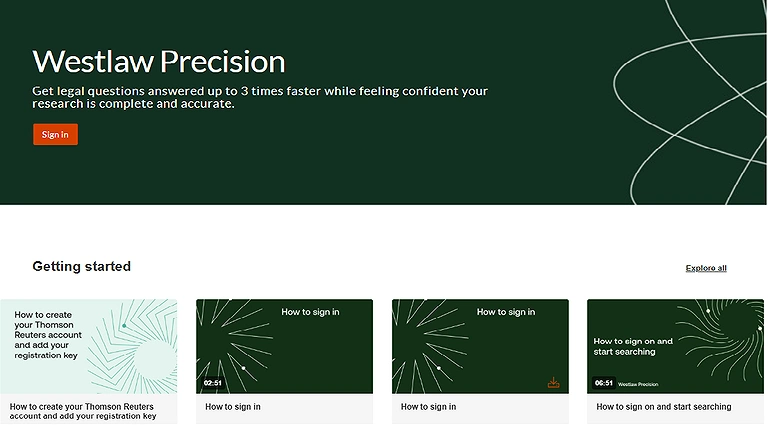
Westlaw Precision Official source image
4 Legal Robot
Legal Robot simplifies contract review by analysing readability, ambiguous clauses, and risky terms in legal documents. It helps law students and interns strengthen drafting skills, identify potential issues quickly, and gain practical experience in professional contract analysis.
Core Features
- Analyses contracts for unclear or ambiguous legal language
- Detects risky clauses and potential legal issues
- Improves the readability and structure of legal documents
- Helps users learn practical contract drafting and review skills
How to Use Legal Robot?
- Upload contracts, agreements, or legal documents to the platform for AI analysis.
- Review feedback on readability, risky clauses, unclear wording, and legal structure.
- Use the suggestions to improve contract drafting skills and identify potential legal issues during internships or study practice.
Pros
- Helps users understand complex contracts in a simpler and more practical way.
- Detects ambiguous language and potentially risky contract terms quickly.
- Supports professional growth by improving legal drafting and review skills.
Cons
- AI analysis may occasionally overlook highly specialised legal nuances.
- Accuracy depends on the quality and complexity of uploaded documents.
- Some advanced document review features may require a premium subscription.
Limitations
- Cannot replace professional legal counsel for high-stakes agreements.
- May not fully support all jurisdiction-specific legal standards and terminology.
- AI-generated suggestions still require human judgement and legal verification.
Pricing Plan
- Free Plan: Offers limited document analysis and basic contract review features.
- Paid Plan: Premium subscriptions provide advanced analytics, deeper contract insights, and expanded document processing tools.
Practical Substitute
LawGeex, Kira Systems, Luminance AI, Evisort
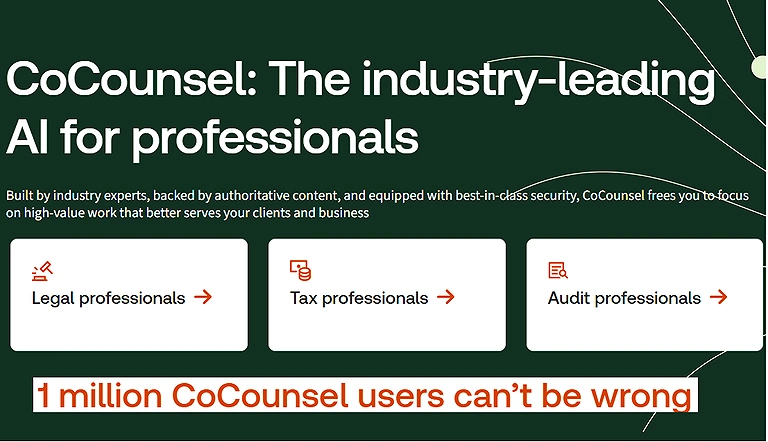
5 Casetext CoCounsel
Casetext’s CoCounsel is an AI legal assistant that helps draft, review, and summarise documents like memos, contracts, and depositions. Trained on real legal workflows, it supports research, contract analysis, and outline creation, acting like a virtual associate to make legal work faster and more efficient than general AI tools.
Core Features
- Drafts and summaries legal documents such as memos and contracts
- Assists with legal research and case analysis workflows
- Reviews documents for key insights and structured outlines
- Acts as an AI legal assistant trained on real legal workflows
How to Use CoCounsel?
- Upload legal documents such as contracts, memos, depositions, or case files to the platform.
- Use AI-powered tools to summarise documents, draft legal content, and analyse contracts efficiently.
- Generate research outlines, review legal arguments, and streamline workflows for faster legal preparation.
Pros
- Automates time-consuming legal drafting and document review tasks.
- Trained on legal workflows, making outputs more relevant than general AI tools.
- Helps law students and professionals improve productivity and research efficiency.
Cons
- Premium access may be expensive for independent users or students.
- AI-generated drafts may still require careful legal editing and verification.
- Performance can vary with highly technical or jurisdiction-specific legal matters.
Limitations
- Cannot replace licensed legal professionals or formal legal advice.
- Sensitive legal documents may raise privacy and confidentiality concerns.
- AI summaries and contract analysis still require human oversight for accuracy.
Pricing Plan
- Free Plan: Limited trial access or demo features may be available for basic exploration.
- Paid Plan: Subscription plans provide advanced drafting, research, document review, and workflow automation tools.
Practical Substitute
Harvey AI, Lexis+ AI, Westlaw Edge AI, Luminance AI
Casetext CoCounsel Official source image
7 Spellbook
Spellbook is an advanced AI tool that helps with reviewing and editing contracts right inside Microsoft Word, powered by large language models like GPT 4 that let you reline, compare clauses, and catch risky language with precision. It’s built for transactional work, making it especially useful during law school clinic work, internships, or summer associate projects, and thousands of legal teams use it to streamline contract drafting and risk analysis.
Core Features
- Reviews and edits contracts directly inside Microsoft Word
- Uses AI to redline, compare clauses, and detect risky language
- Enhances transactional legal drafting and contract workflows
- Supports faster contract analysis for legal professionals and students
How to Use Spellbook?
- Install the Spellbook add-in inside Microsoft Word and upload or open a legal contract.
- Use AI-powered tools to review clauses, reline agreements, compare contract language, and identify risky terms.
- Edit and refine contracts directly within Word to streamline drafting, negotiations, and legal review workflows.
Pros
- Integrates directly with Microsoft Word for a smooth legal drafting experience.
- Helps detect risky language and inconsistencies in contracts quickly.
- Saves time during contract review, redlining, and transactional legal work.
Cons
- Requires Microsoft Word compatibility for full functionality.
- AI-generated suggestions may still need manual legal verification.
- Advanced features and enterprise capabilities may involve costly subscriptions.
Limitations
- Cannot replace experienced legal professionals in high-risk negotiations.
- Performance may vary with highly specialised or jurisdiction-specific contracts.
- Sensitive legal documents require careful handling due to confidentiality concerns.
Pricing Plan
- Free Plan: Limited trial access or demo functionality may be available for new users.
- Paid Plan: Premium subscriptions unlock advanced contract review, drafting assistance, collaboration, and risk analysis tools.
8 BriefCatch
BriefCatch is a legal writing assistant that improves clarity, tone, and persuasiveness in documents. Integrated with Microsoft Word, it provides context-aware edits based on legal writing standards. It helps refine arguments, remove unnecessary wording, and enhance flow, making it ideal for memos, papers, and moot court briefs.
How to Use BriefCatch?
- Install BriefCatch inside Microsoft Word and open your legal document (memos, briefs, or papers).
- Run the AI editing tool to get suggestions on clarity, tone, grammar, and legal writing style.
- Apply recommended edits to improve argument flow, remove redundancy, and strengthen persuasiveness.
Pros
- Enhances clarity and professionalism in legal writing using structured feedback.
- Improves argument strength by refining tone and removing unnecessary wording.
- Works directly in Microsoft Word for seamless editing workflow.
Cons
- Focused mainly on writing quality, not legal research or case analysis.
- Some suggestions may feel subjective and require human judgement.
- Requires familiarity with legal writing to fully benefit from recommendations.
Limitations
- Cannot evaluate legal accuracy or replace legal expertise.
- Limited usefulness outside document editing and writing improvement tasks.
- May not fully adapt to all jurisdiction-specific legal writing styles.
Pricing Plan
- Free Plan: Limited trial or basic editing features may be available.
- Paid Plan: Full subscription unlocks advanced writing analytics, tone enhancement, and detailed legal writing feedback tools.
Practical Substitute
Harvey AI, Luminance AI, Kira Systems, LawGeex
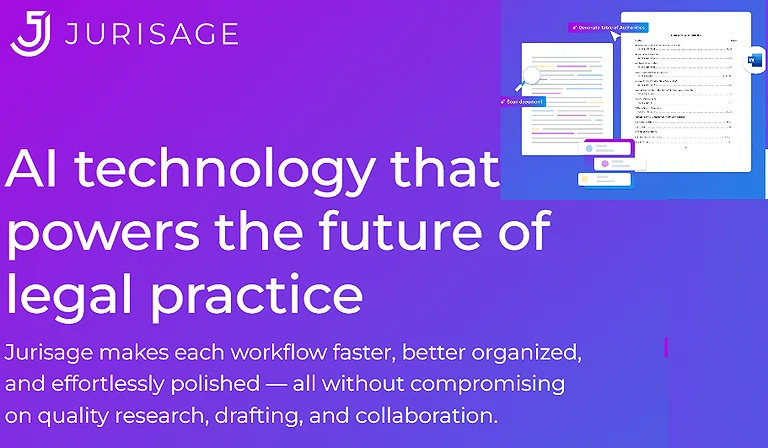
9 Jurisage
Jurisage is a Canadian AI tool that summaries case law and extracts key legal insights, turning lengthy judgements into clear, structured summaries. It highlights facts, issues, and holdings, while features like MyJr enable users to ask questions about cases, making legal research faster and more efficient.
Core Features
- Summaries lengthy case law into clear, structured outputs
- Extracts key legal insights including facts, issues, and holdings
- Enables conversational Q&A about legal judgements (MyJr feature)
- Speeds up legal research and case understanding
How to Use Jurisage?
- Upload or search a judgement or case law document within the platform.
- Use AI summation to extract facts, legal issues, reasoning, and final holdings.
- Ask case-based questions through tools like MyJr to clarify legal concepts and interpretations.
Pros
- Converts lengthy judgement into structured, easy-to-read summaries.
- Helps quickly identify key legal elements like facts, issues, and holdings.
- Interactive Q&A features improve understanding of complex case law.
Cons
- Summaries may miss nuanced legal reasoning in complex judgements.
- Performance depends on the quality and availability of case data.
- Not a substitute for full manual legal reading in high-stakes research.
Limitations
- Cannot replace professional legal interpretation or courtroom analysis.
- Coverage may be limited to supported jurisdictions or databases.
- AI outputs still require verification for academic or professional accuracy.
Pricing Plan
- Free Plan: Basic case summarization and limited Q&A access may be available.
- Paid Plan: Premium access unlocks advanced summarization tools, expanded case coverage, and interactive legal research features.
Practical Substitute
Lexis+ AI, Westlaw Edge AI, Casetext CoCounsel, Harvey AI
10 Notion AI
Notion AI is an all-in-one workspace that helps law students organise notes, case briefs, outlines, schedules, and study plans. It supports summation, templates, and task management, making coursework more structured and searchable. Integrated writing support tools like Grammar help refine clarity, tone, and grammar, making legal notes, memos, and applications more polished and professional.
Core Features
- Organises case briefs, notes, outlines, and study plans in one workspace
- Provides AI-powered summation and writing assistance
- Offers customizable templates for structured legal studying
- Improves clarity and structure of legal notes and documents
How to Use Notion AI?
- Create a workspace in Notion and organise law school content like case briefs, notes, and outlines.
- Use AI features to summarise judgements, generate study plans, and create structured templates for coursework.
- Apply writing assistance to refine clarity, improve tone, and make legal notes or memos more professional.
Pros
- Centralizes all study materials, making legal notes and case briefs easy to organize and search.
- AI summarization saves time when reviewing long cases or academic content.
- Improves writing quality through clarity, tone, and grammar enhancements.
Cons
- Requires consistent manual setup to fully organize workflows effectively.
- Advanced AI features may feel limited compared to dedicated legal research tools.
- Performance depends on how well users structure their workspace.
- Limitations
- Not a specialized legal research platform, so case law accuracy is not guaranteed.
- AI-generated summaries may oversimplify complex legal arguments.
- Heavy reliance on user input structure for best results.
Pricing Plan
- Free Plan: Basic Notion workspace access with limited AI features and note-taking tools.
- Paid Plan: Premium subscription unlocks full Notion AI capabilities, advanced automation, and enhanced writing and summation features.
Practical Substitute
Evernote AI, Obsidian AI, Microsoft OneNote AI, Coda AI
11 BlackBoiler
BlackBoiler is an AI-powered contract review platform that automates redlining based on firm playbooks. It helps legal teams quickly suggest edits, flag risks, and speed up contract review and negotiation. For law students and interns, it simplifies learning transactional tasks. Mastering legal research is only half the battle; protecting your research and client confidentiality is the other, so be sure to check out these AI tools transforming cybersecurity to stay ahead of modern digital threats in the legal field
Core Features
- Automates contract redlining using firm-specific playbooks
- Flags legal risks and suggests precise clause-level edits
- Speeds up contract review and negotiation workflows
- Standardizes contract language for consistency across teams
How to Use BlackBoiler?
- Upload contracts into the platform and apply firm-specific playbooks for review.
- Use AI-generated suggestions to automatically redline, flag risky clauses, and propose edits.
- Review suggested changes to streamline negotiation and improve contract consistency.
- Pros
- Automates contract redlining based on predefined legal playbooks.
- Speeds up contract review and reduces manual editing workload.
- Helps students and interns understand real-world transactional legal workflows.
Cons
- Requires well-defined playbooks for best performance.
- May not fully capture complex legal intent in nuanced contracts.
- Primarily focused on contract review, not broader legal research tasks.
Limitations
- Cannot replace experienced legal professionals in high-stakes negotiations.
- Effectiveness depends heavily on the quality of firm playbooks and templates.
- Limited value outside contract drafting and review workflows.
Pricing Plan
- Free Plan: Typically limited demo or trial access for basic contract review features.
- Paid Plan: Full subscription unlocks advanced automation, playbook customisation, and enterprise-level contract review tools.
Practical Substitute
Ironclad, DocuSign CLM, ContractPodAi, SpotDraft
12 SciSpace (formerly Researcher.AI)
SciSpace is an AI tool that helps law students analyze long judgments, articles, and research papers. It explains highlighted text in simple terms and answers questions on summaries, definitions, and reasoning. This makes it easier to understand complex rulings quickly, supporting exam prep, internships, and legal writing efficiently. To supplement your case law searches, you can use top free AI writing platforms like SciSpace to break down complex academic papers and secondary sources into digestible summaries
Core Features
- Breaks down complex judgments, papers, and legal articles into simple explanations
- Provides instant answers to highlighted text and legal concepts
- Generates summaries, definitions, and reasoning support for study material
- Assists in faster understanding for exams, internships, and legal writing
How to Use SciSpace?
- Upload or paste legal judgments, research papers, or articles into SciSpace for analysis.
- Highlight complex text to get instant simplified explanations and definitions.
- Ask follow-up questions to understand reasoning, summaries, and legal concepts for exam or internship prep.
Pros
- Simplifies complex judgments and academic papers into easy-to-understand explanations.
- Saves time by providing instant summaries and contextual answers.
- Useful for legal writing, exam preparation, and research-based assignments.
Cons
- Explanations may oversimplify detailed legal reasoning in complex cases.
- Accuracy depends on the quality and structure of uploaded documents.
- Not specifically designed for jurisdiction-based legal analysis.
Limitations
- Cannot replace full legal research or professional case interpretation.
- May miss nuanced arguments in highly technical judgments.
- Requires internet access and proper document formatting for best results.
Pricing Plan
- Free Plan: Provides basic document reading, limited AI explanations, and question-answer features.
- Paid Plan: Unlocks advanced AI features, deeper paper analysis, and enhanced research support tools.
Practical Substitute
Explainpaper, Humata AI, Elicit, Consensus
FAQ
1. What are the best AI tools for law students to improve research efficiency?
Tools like Lexis+ AI, Westlaw Precision, and SciSpace help students perform reliable legal research, summarize judgments, and extract case law efficiently.
2. Can AI tools help with contract review and drafting during internships?
Yes, platforms such as Legal Robot, BlackBoiler, and Spellbook assist in reviewing, redlining, and drafting contracts, allowing students to gain practical skills for transactional law.
3. How do AI tools support academic writing and study prep?
Tools like ChatGPT, QuillBot, Notion AI, and BriefCatch aid in summarizing, paraphrasing, organizing notes, and improving clarity, tone, and structure in papers and memos.
4. Are there AI tools for lecture transcription and note-taking?
Yes, Otter.ai and Fireflies.ai provide real-time transcription, searchable notes, and meeting summaries for lectures, group discussions, or interviews.
5. Are these AI tools free or paid?
Many tools offer free plans with basic features, while premium subscriptions unlock advanced capabilities. Examples include Otter.ai Free, QuillBot Free, and paid versions like Lexis+ AI, Westlaw Precision, and Casetext CoCounsel.
Conclusion
AI tools are transforming how law students study, research, and prepare for legal careers. Platforms like Lexis+ AI, Westlaw Precision, ChatGPT, and Notion AI improve legal research, drafting, note-taking, and productivity. By using these tools wisely, students can save time, reduce errors, strengthen practical skills, and gain a competitive advantage in academics and internships. Mastering these legal research tools is only half the battle; to truly excel in law school, you should also integrate the best AI tools for time management to handle your grueling study schedule effectively.