.webp)
Boost Your Job Search Efficiency with these Best AI Tools in 2026
In today’s fast-paced job market, simply sending resumes is not enough. AI tools are transforming job search by helping candidates optimize applications, match roles, and prepare effectively. From analyzing skills and tailoring resumes to offering personalized insights, these tools bring precision and speed to every step.
They save time while increasing the chances of landing the right opportunities.
Beyond applications, AI also supports interview practice, networking, and career planning with features like mock interviews, resume scoring, and job matching. Acting as a 24/7 virtual coach, it helps job seekers stay confident, competitive, and fully prepared for every opportunity.

 Updated: April 26, 2026 | 30 min read
 | Best For | Pricing | Ease | |
| Autojob | Automated job applications & tracking | Freemium | Easy |
| Networking + job discovery | Free / Premium | Medium | |
| Jamie AI | Resume + job search assistance | Freemium | Easy |
| Joblab | AI job matching & applications | Freemium | Easy |
| Kick Resume | Resume building & optimization | Free / Paid | Easy |
| Skillroads | Resume improvement & career coaching | Paid | Medium |
| Teal | Job tracking + resume tailoring | Freemium | Easy |
| Prentus | Job application automation | Paid | Medium |
| Talentprise | AI talent matching (hidden jobs) | Freemium | Medium |
| Jobscan | Resume optimization for ATS | Freemium / Paid | Medium |
| Yoodli | Interview communication practice | Freemium | Easy |
| InterviewPrep AI | Mock interviews & prep questions | Freemium | Easy |
| Carbonmade | Portfolio building for creatives | Paid | Easy |
| Trello | Job search organization & tracking | Free / Paid | Easy |
| Apt AI | Skill assessment & job matching | Freemium | Medium |
| Negobrain | Salary negotiation assistance | Paid | Medium |
| FinalRound AI | Mock interviews & final round prep | Paid | Easy |
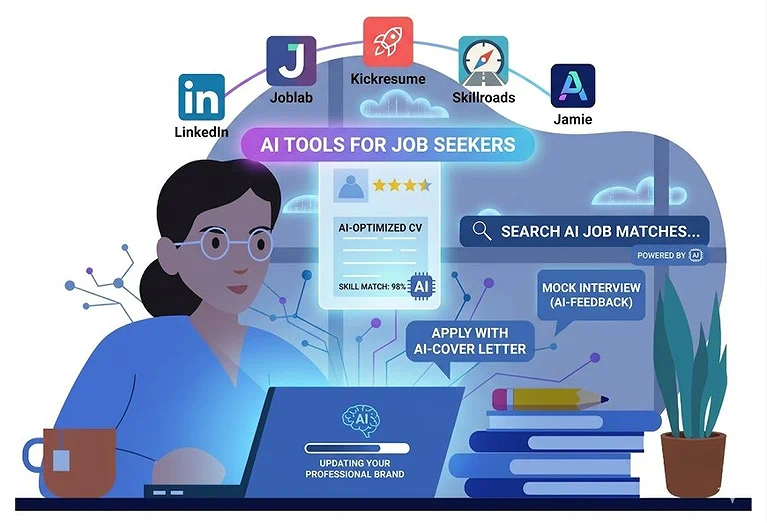
Cover Photo Of Job Search tools which discussed below
Top Benefits of Using AI in Your Job Search
Using AI in your job search transforms how you find opportunities. These tools go beyond automation they analyze your skills, profile, and goals to suggest roles that truly fit. From optimizing resumes and cover letters to offering 24/7 interview coaching, AI makes the process faster, smarter, and more strategic, helping you target the right opportunities with confidence.
Personalized Guidance
AI tools match your profile with suitable careers and job openings, acting like a career advisor that understands your next move.
Time Savings & Efficiency
They automate repetitive tasks like resume tailoring, applications, and follow-ups, saving hours and increasing productivity.
Optimized Application Materials
AI ensures resumes and cover letters are ATS-friendly, keyword-optimized, and aligned with hiring systems to improve visibility.
24/7 Coaching & Feedback
AI platforms provide instant interview practice, feedback, and career guidance anytime you need it.
Confidence Boost
They help catch mistakes, refine responses, and improve preparation, making you more confident in interviews and networking.
1. Autojob
Autojob helped simplify my job search when I was overwhelmed with applications and repetitive tasks. It auto-applies to relevant jobs based on preferences, saving time and effort. Features like job filtering, company exclusion, dynamic emails, and CV tips improve targeting and quality. While it doesn’t guarantee interviews, it significantly reduces workload and lets you focus more on preparation.
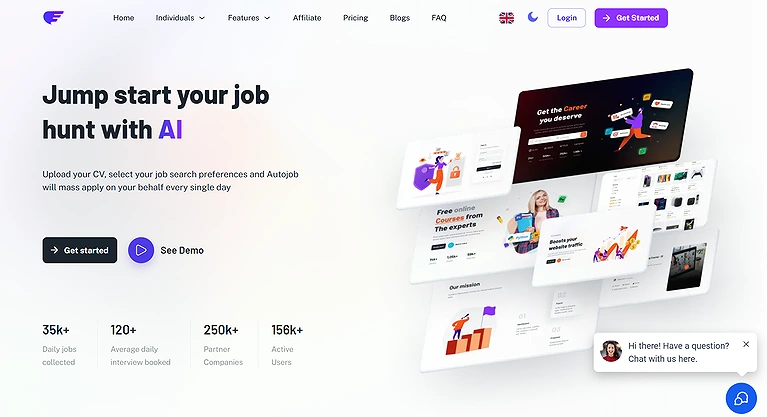
Auto Job Official Source Image
Key features
- AI-powered job auto-application system
- Smart job matching based on profile
- Application tracking dashboard
- Filter-based job discovery system
How to Use It ?
1. Create an Autojob account and upload your CV.
2. Set your job preferences such as location, industry, and keywords.
3. Let the platform auto-apply daily to matched roles.
4. Monitor progress via the dashboard and refine your CV with tips it provides.
Pros
• Saves significant time automates applications across boards.
• Filters job listings using keywords and Exclude Companies rules.
• Sends customized and automated emails to employers.
• Weekly consultation calls help refine strategy.
• Dashboard keeps applications organized.
Cons
• Bulk auto-applying can lead to generic submissions with fewer real callbacks
(common with auto-apply tools).
• Some users reported mixed reviews and trust concerns about the platform.
• Free plan limits number of applications significantly.
• Not a substitute for tailored, human-crafted applications.
• May apply to some roles that aren’t ideal matches if preferences aren’t set
carefully.
Pricing Plans
Free Trial – includes up to 100 job applications, 5 job titles, and 1 weekly consultation call plus automatic emails.
Base Plan: €20/month – jumps to 1000 job applications, 10 job titles, CV improvements, and weekly coaching.
Pro Plan: €50/month – unlocks unlimited job applications and unlimited job titles, retains weekly consultation and automatic emails.
Best For
Job seekers overwhelmed by manual applications who want an AI-assisted way to streamline job search tasks and focus more on prepping for interviews.
Related tools
LinkedIn, Teal, Joblab.ai
2. LinkedIn
Using LinkedIn during my job search showed how its AI goes beyond automation by suggesting jobs, connections, and skill-building courses. It turns passive searching into proactive networking, helping you find roles while growing professionally. With tools like advanced filters, job insights, and LinkedIn Learning, it saves time, reduces stress, and improves your chances of landing the right opportunity.Optimizing your LinkedIn profile today requires a content strategy similar to what you'll find in our guide for social media management AI tools.
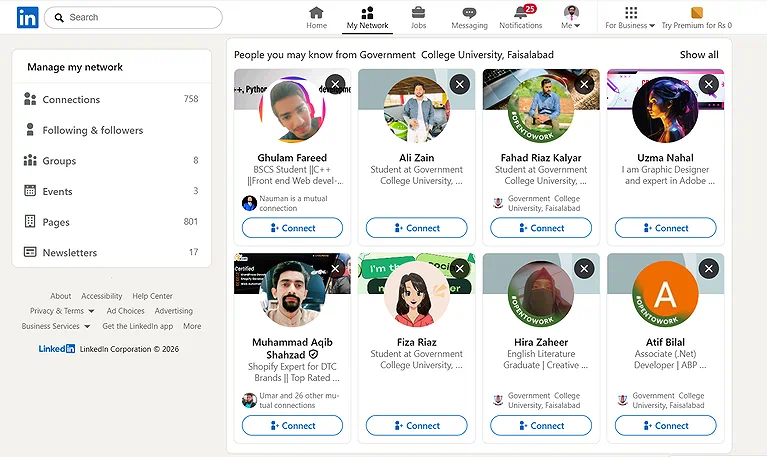
LinkedIn Official Account Image
Key features
- Professional networking and recruiter access
- AI-based job recommendations
- Direct job applications (Easy Apply)
- Profile-based visibility for employers
How to Use LinkedIn ?
1. Create your LinkedIn profile with a strong headline and key skills.
2. Use Premium Career to unlock advanced search filters and view applicant
insights.
3. Leverage AI driven job suggestions and courses to refine your career path.
4. Send InMails to hiring managers and engage with connections you discover
through suggestions.
Pros
• Suggest jobs that align with your profile and career goals.
• Suggest connections with industry professionals to expand your network.
• Suggest courses via LinkedIn Learning to boost relevant skills.
• Enhances career prospects through insights and advanced filters.
Cons
• Premium plans can be relatively expensive for casual job seekers.
• Some advanced AI features are behind subscription tiers.
• Free account limitations can make deep networking and outreach harder
without upgrading.
Pricing Plans
• Free LinkedIn Account – $0, basic networking, job search and connections.
• Premium Career – approx. $29.99/month or roughly $19.99/month billed
annually, best for job seekers with InMail, applicant insights and LinkedIn
Learning.
• Premium Business – approx. $59.99/month with broader networking and
analytics tools.
• Sales Navigator Core – approx. $99.99/month, focused on advanced search
and outreach features.
Best For
Professionals who want a blend of job searching with powerful networking and skill growth tools, particularly those actively looking to find roles and engage with recruiters.
Related tools
Talentprise, Prentus, Job Scan
3. Jamie
Using Jamie during my job hunt transformed how I handled interviews and meetings. It transcribes and summarizes conversations, capturing key insights while I stay focused. With accurate notes online or offline, distraction-free use, and cross-platform support, it feels seamless. Features like instant AI assistance and calendar sync help with follow-ups, organization, and staying fully prepared for upcoming interviews.
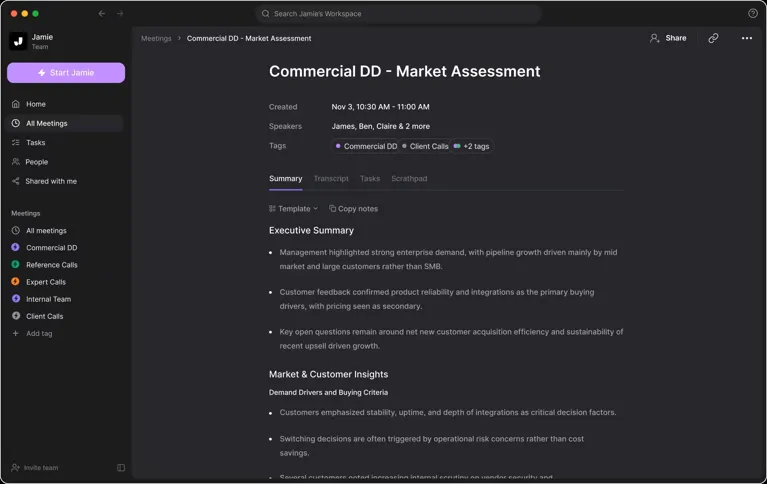
Jamie Offical Image
Key features
- AI meeting and interview note-taking
- Automatic transcription and summaries
- Action item extraction from conversations
- Productivity assistant for professionals
How to Use Jamie ?
1. Install Jamie and sign in on your MacOS or Windows device.
2. Start a meeting or interview Jamie will transcribe and summarise every
part.
3. Use the Sidebar to draft follow up emails or get instant answers.
4. Sync with Google Calendar or Outlook to keep your schedule aligned.
Pros
• Accurate Notes ensure you never miss decisions or key points.
• Transcription for All Situations (online, offline, live interviews).
• Distraction Free Conversations without bots or interruptions.
• Instant AI Support to help with emails and real time guidance.
• Works with All Platforms and integrates with calendars.
Cons
• Free tier can be limited compared to paid plans.
• Heavy features might be overwhelming for casual users.
• Reliance on clean audio for best transcriptions.
• Some advanced tools locked behind higher pricing tiers.
• Best value requires regular use to justify cost.
Pricing Plans
• Free Plan – Basic transcription features at no cost (ideal to try core
functionality).
• Standard Monthly – Mid tier plan with extended transcription and support.
• Pro Monthly – More advanced AI notes, priority support, and integrations.
• Executive Monthly – Top tier with full features for heavy users.
Best For
Job seekers who want a seamless way to record, organize, and act on insights from interviews or important meetings without losing focus on real conversations.
Related tools
Otter.ai, Fireflies.ai, Notion AI
4. Joblab.ai
Joblab stood out as a next-gen platform combining AI with modern concepts to connect job seekers globally. It aggregates listings from multiple sources and matches resumes with roles based on skills and fit, making searches faster and more targeted. Instead of endless applications, it delivers tailored opportunities and hints at future trends like Web3-style freelance marketplaces where candidates can be discovered.
Key features
- AI-driven job matching system
- Resume and cover letter generation
- Career recommendation engine
- Application tracking tools
How to Use Joblab
1. Create a profile and complete your resume upload so the AI matching can
analyze it against job descriptions.
2. Explore suggestions based on your skills, technical and soft, and track matches
that align with your career goals.
3. Use any available marketplace or freelance features to find flexible
opportunities if relevant.
Pros
• Powerful AI job aggregation across many sources.
• Matches resumes to jobs using multiple skill dimensions.
• Includes resume upload for personalized matches.
• Offers candidate friendly pricing including a free tier.
• Supports works in a global context for job opportunities.
Cons
• Employer plan pricing is steep for hiring teams.
• Candidate pricing details outside basic tiers can be unclear.
• The platform’s blockchain/Web3 elements may still be emerging.
• Not as widely known or reviewed as more established boards.
• Beta or evolving features may lack polish.
Pricing Plans
For candidates, the Just Browsing Plan: Free lets you explore opportunities and basic matching, while the Hire ME Plan: $9/month adds deeper AI matching and visibility; for employers, there’s Startup Plan: Free, Growing Plan: $499/month, and Enterprise Plan: $899/month focused on access to talent.
Best For
Job seekers who want intelligent AI job matching and a streamlined way to find roles that truly fit both skills and preferences.
Related tools
Autojob, Talentprise, LinkedIn
5. Kick Resume
Kickresume stood out as an all-in-one AI tool for creating resumes, cover letters, and personal websites. Its AI writers, career insights, and templates make it easy to build ATS-friendly, professional documents. Features like resume checking, LinkedIn import, and GPT-powered suggestions improve content quality, while its freemium model offers flexibility for users aiming to stand out.
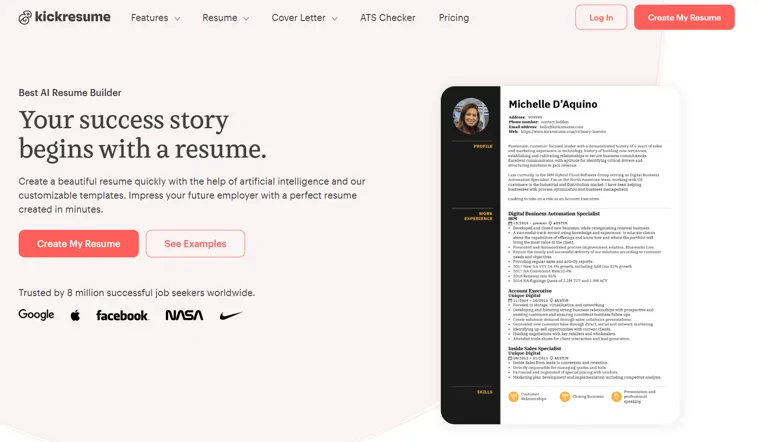
Kick Resume Offocial source
Key features
- ATS-friendly resume builder
- AI-powered writing suggestions
- Professional templates
- Multi-format resume export
How to Use Kickresume ?
1. Sign up and pick a customizable template for your resume or cover letter.
2. Use the AI Resume Writer and AI Cover Letter Writer to generate content
tailored to each job.
3. Review suggestions like achievement oriented bullet points and adjust wording
to fit voice.
4. Export your resume, or use the Website Builder to turn your document into a
personal website.
Pros
• AI tools generate and refine content quickly.
• Templates and designs help with both presentation and ATS compliance.
• Career Map helps clarify pathway and gaps.
• Resume Checker gives actionable improvements.
• Easy import of LinkedIn data streamlines setup.
Cons
• Some advanced AI features require a premium plan.
• Limited templates in the free tier.
• Full website builder customization may be overwhelming for new users.
• AI suggestions still need human judgment.
• Can feel feature heavy for simpler needs.
Pricing Plans
• Free Plan – Basic access to create and download simple resumes.
• Yearly Plan – Lower annual cost with extensive templates and AI tools.
• Quarterly Plan – Flexible quarterly access to premium features.
• Monthly Plan – Month to month premium access for AI writing and design tools.
Best For
Early career professionals, creatives, and anyone who wants AI assisted writing, formatting, and visual presentation that helps their application materials stand out.
Related tools
Skillroads, Teal, Job Scan
6. Skillroads
Skillroads impressed me as an AI tool that goes beyond resume creation by also improving cover letters and LinkedIn profiles. It generates tailored resumes from simple inputs, reviews them for errors and keywords, and builds matching cover letters. With job matching, profile optimization, and easy-to-use builders, it helps create polished, targeted applications that boost visibility and opportunities.
Key features
- AI resume scoring and evaluation
- Job matching recommendations
- Resume optimization suggestions
- Career guidance support
How to Use Skillroads ?
1. Visit Skillroads and start with the Online Resume Builder or upload an existing
CV.
2. Use the AI Resume Generator to draft your professional resume and follow
that with the AI Cover Letter Generator.
3. Run the Smart Resume Review to check ATS compatibility, keywords, and
formatting.
4. Apply edits to your LinkedIn Profile Editing for better recruiter visibility and
explore job suggestions like Fortune 500 Jobs Search.
Pros
• Comprehensive AI powered tool for resume, cover letter, and LinkedIn
optimization.
• Smart Resume Review helps fix formatting and keyword gaps.
• LinkedIn Profile Editing increases visibility and connection opportunities.
• Resume Samples and templates from various industries provide guidance.
• Offers paid plans with professional writing and career coaching support.
• Cloud based interface makes documents accessible anywhere.
Cons
• Some advanced features locked behind higher pricing tiers.
• Professional services can be costly compared with DIY tools.
• Occasional limitations in free plan features.
• Mixed options for real time interview prep.
• In some cases, algorithm suggestions might still need heavy manual tweaks.
Pricing Plans
Free Plan $0: Basic resume builder access, limited career tips, standard templates, and basic LinkedIn guidance.
Professional Resume Service $150 300: Includes certified expert resume writing, cover letter creation, LinkedIn profile optimization, and priority support.
Premium Career Package $400 600: All Professional features plus advanced job matching, interview prep, salary negotiation guidance, and ongoing career development support.
Best For
Anyone who wants AI assisted resume and cover letter creation with optional professional support and personalized services to boost visibility and applications.
Related tools
Kick Resume, Teal, Job Scan
7. Teal -- AI Resume Builder & Job Application Tracker
Teal stood out during my job hunt as an AI resume builder and job search organizer. It helps tailor resumes using keyword optimization, job-specific scoring, and ATS-friendly suggestions while tracking applications in one dashboard. With tools for resume editing, cover letters, LinkedIn review, and job tracking, it acts like a personal assistant to keep your entire job search structured and efficient.while Teal manages your pipeline, its builder uses similar logic to the top free AI writing platforms to ensure your bullet points are impact-driven and SEO-friendly.
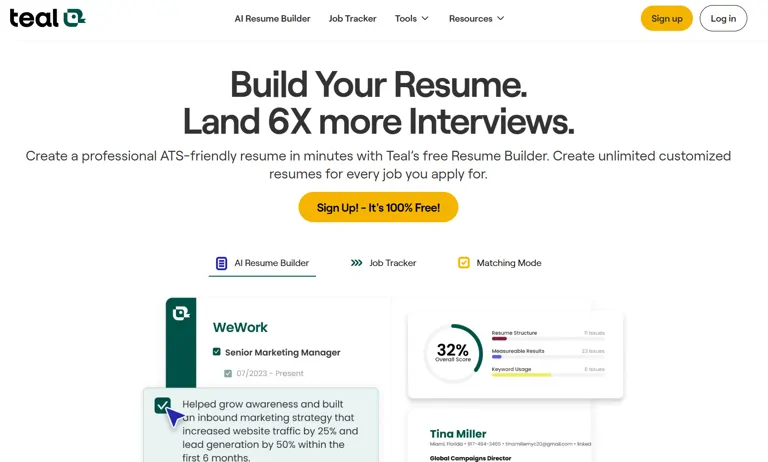
Official Source Image: Teal -- AI Resume Builder & Job Application Tracker
Key features
- Resume building with AI templates
- Job application tracking system
- Career organization dashboard
- Resume optimization suggestions
How to Use Teal ?
1. Sign up for Teal and start with the AI assisted resume builder.
2. Use the AI editor and scoring tool to refine wording and format.
3. Install the browser extension to save job listings automatically.
4. Track applications, store deadlines, and pair with the cover letter generator and
LinkedIn review for maximum impact.
Pros
• Keyword optimization improves ATS compatibility.
• Job specific scoring helps tailor each submission.
• Dashboard gives a clear view of applications.
• Job Application Tracker organizes tracking like a personal CRM.
• Free for job seekers with generous basic features.
Cons
• Premium pricing can be confusing to new users.
• Some advanced scoring insights are behind paywalls.
• Browser extension setup requires permissions some may avoid.
• Heavy feature set may overwhelm beginners.
• Not all industries have equally strong templates.
Pricing Plans
• Free Plan – Core resume, tracker, and basic AI features at no cost for job
seekers.
• Premium Plans – Starting around $15 $25/month with enhanced scoring,
insights, and premium templates (varies by region).
Best For
Job seekers who want an integrated AI resume builder and application tracker that simplifies and strengthens the entire application process.
Related tools
Prentus, Autojob, LinkedIn
8. Prentus
Prentus helped streamline my job hunt with AI tools designed to speed up applications and simplify tracking, especially for early-career roles. Its job tracker organizes applications automatically, while LinkedIn analysis improves profile visibility. With entry-level job filtering, one-click application filling, and AI-generated cover letters, interview questions, and follow-up emails, it makes the entire job search faster, easier, and more targeted.
Key features
- AI-based job recommendations
- Career tracking system
- Resume analysis and feedback
- Job market insights
How to Use Prentus ?
1. Sign up and install the Chrome extension.
2. Populate your profile and connect your LinkedIn for AI Linked analysis.
3. Use Job Tracker to automatically capture listings and track applications.
4. Fill applications with Application Auto Fill and generate docs with AI Generated
Job Docs.
Pros
• AI powered resume optimization improves application strength.
• Job Tracker and Chrome extension save time on tracking.
• AI Linked increases LinkedIn visibility with detailed analysis.
• Application Auto Fill speeds up filling forms with one click.
• Junior Job Board focuses on entry level tech opportunities.
Cons
• Weekly pricing (Plus/Pro AI) can add up compared to monthly tools.
• Focus on early career roles may limit usefulness for senior professionals.
• AI suggestions sometimes need editing for tone.
• Chrome extension requires permission that some users hesitate to grant.
• Not all industries are represented equally on the Junior Job Board.
Pricing Plans
• Free Plan: No cost, basic job tracking and auto fill features.
• Plus Plan: Mid tier access with enhanced resume optimization and junior board
filters (approx. $15–$20/week).
• Pro AI Plan: Full AI tools including in depth LinkedIn analysis and advanced
document generation (approx. $25/week). (Prices from Prentus official pricing
page.)
Best For
Job seekers who want an all in one AI platform that handles tracking, resume/cover generation, and application filling with minimal manual work.
Related tools
Talentprise, Joblab.ai, Autojob
9. Talentprise
Talentprise felt like a smarter AI-driven job platform that matches candidates with roles based on real skills and career goals, not just keywords. It improves visibility by connecting users to global opportunities and notifying them when employers engage with their profile. With confidential job search options and skill assessments, it helps job seekers understand strengths and apply more strategically and efficiently.
Key features
- AI talent-job matching system
- Recruiter connection platform
- Profile strength analysis
- Job opportunity recommendations
How to Use Talentprise ?
1. Sign up on Talentprise and complete your profile, including skills and
experience.
2. Enable AI matching to receive tailored job alerts and insights.
3. Review notifications for employers who view or download your resume.
4. Use career insights and skills tests to refine your job search strategy.
Pros
• Uses AI Matching that understands skills and intent, not just keywords.
• Helps connect job seekers with Global Jobs across industries.
• Notifications keep you informed about relevant jobs and profile views.
• Confidential Job Search gives control over profile visibility.
• Built in Skills Test and career insights improve self assessment for applicants.
Cons
• Detailed pricing for job seekers beyond basic access is not always upfront.
• Premium features may require payment to unlock full insights.
• Not as widely known or reviewed as top traditional boards.
• Focus on semantic AI may still require manual tailoring of applications.
• Some advanced tools still more geared toward recruiters than job seekers.
Pricing Plans
• Free Plan: Create profile, basic job search and AI matching at no cost to job
seekers.
• Premium Plan: Offers advanced features, detailed career insights, and
enhanced visibility for a fee (details by request on Talentprise).
Best For
Job seekers who want precision job matching with AI-powered insights and opportunities from around the world without endless manual search.
Related tools
LinkedIn, Prentus, Joblab.ai
10. Job Scan
Jobscan helped me improve cover letters during a competitive job hunt by analyzing them against specific job descriptions. Instead of guessing, it checks ATS compatibility, gives instant scoring, and shows how well your cover letter matches the role. It also provides personalized feedback and actionable tips, making it easier to refine applications and increase chances of passing recruiter and ATS filters.
Key features
- ATS resume optimization tool
- Keyword matching with job descriptions
- Resume scoring system
- Career improvement insights
How to Use Jobscan?
1. Upload your resume and paste a job description into Jobscan’s dashboard.
2. Run the scan to get a Match Rate and feedback on keyword alignment.
3. Use the Cover Letter Generator to craft tailored text that fits the role.
4. Review Personalized Feedback and adjust content for better ATS
performance.
Pros
• Delivers Personalized Feedback tailored to each job posting.
• Quick Score and detailed Match Rate help you understand strengths and gaps.
• Tools include cover letter optimization and job tracking.
• Premium plans provide unlimited scans and deeper insights.
• Helps refine materials to better appeal to ATS and recruiters.
Cons
• Free tier is very limited (few scans).
• The Monthly Plan price can be high for users on a budget.
• Match score can be misinterpreted and lead to over optimization.
• Some users report generic AI suggestions that need heavy editing.
Pricing Plans
• Free Plan: $0 with limited scans per month (up to 5 resume scans and basic
match insights).
• Quarterly Plan: $29.98/month (billed as $89.95/3 months) with unlimited match
reports and features including AI cover letter tools.
• Monthly Plan: $49.95 per month with full access to all Jobscan premium
features.
Best For
Job seekers who want data driven optimization for cover letters and resumes, especially those applying to many roles where beating ATS filters and aligning with job descriptions matters.
Related tools
Kick Resume, Skillroads, Teal
11. Yoodli
Yoodli became my go-to AI interview coach when preparing for tough interviews. It lets you practice with realistic roleplays and gives real-time feedback on pace, clarity, and filler words, which greatly improved my confidence. Its adaptive simulations ask follow-up questions based on your answers, helping you refine responses in a private, stress-free environment before real interviews.
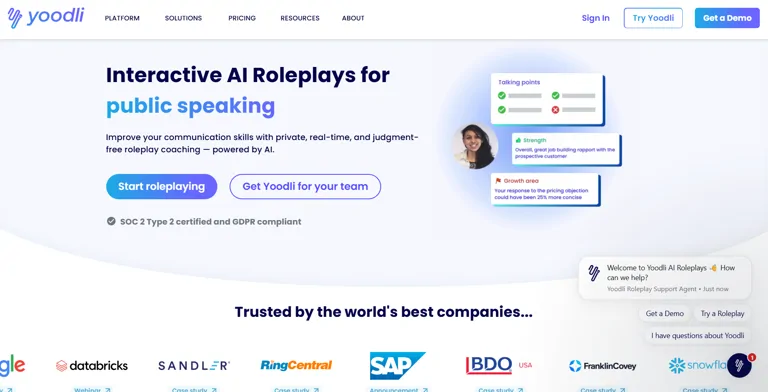
Yoodli Official Source Image
Key features
- AI speech and interview coaching
- Real-time communication feedback
- Confidence and tone analysis
- Interview simulation practice
How to Use Yoodli?
1. Sign up on Yoodli and grant microphone (and optional camera) access.
2. Choose interview practice mode and enter role details (junior to top executive).
3. Practice answering questions; Yoodli then gives AI feedback on pacing, clarity,
and fluency.
4. Review analytics and repeat with Contextual Follow Up Questions to simulate
realistic scenarios.
Pros
• Provides AI feedback instantly on speech elements like pacing and clarity.
• Simulates interview practice with dynamic follow up questions.
• Training occurs in a private environment, reducing stress.
• Helps refine interview skills with actionable insights.
• Roleplay features scale from junior to top executive practice scenarios.
Cons
• Free tier restricts roleplays to a small number.
• Some deeper analytics require paid plans.
• Focus is on delivery (speech) more than content strategy.
• Requires microphone access, which not all users prefer.
• Not all interview question relevance is guaranteed (varies by input).
Pricing Plans
• Free Plan: $0 with up to ~5 roleplays and basic real time AI feedback.
• Pro Monthly Plan: Starts around ~$8/month (billed annually) for up to ~10
roleplays/week and early access features.
• Advanced Plan: ~$20/month (billed annually) with unlimited roleplays and
privacy enhanced options.
Use Cases
Job seekers who want to land dream job outcomes by improving conversational confidence and delivery through repeated practice sessions before real interviews.
Related tools
InterviewPrep AI, FinalRound AI, Apt AI
12. InterviewPrep AI
When preparing for interviews, InterviewPrep AI helped me practice through realistic simulations that refine answers for real scenarios. By uploading a CV and adding a job description, I could generate tailored interview sessions with unlimited practice and instant feedback on improvement areas. It also ensures privacy by not storing session data, making the practice environment secure and focused on performance improvement.
Key features
- AI-generated interview questions
- Mock interview practice system
- Feedback on answers and performance
- Role-specific preparation tools
How to Use InterviewPrep
1. Sign up on InterviewPrep AI’s site and upload or paste your CV.
2. Pick your job description and select interview type to shape your practice
session.
3. Run through mock interviews and get instant AI feedback on performance.
4. Repeat unlimited practice sessions to refine responses and build confidence.
Pros
• Simulates real interviews with detailed scenarios and tailored questions.
• Offers instant AI feedback that highlights strengths and weaknesses.
• You can customize practice interviews based on job role and type.
• Free tier allows entry level practice with credits that never expire.
• Plenty of credit based flexibility across Growth and Pro plans.
Cons
• Free plan is limited in the number of full simulations you can run.
• Credit systems can be confusing at first for users new to practice platforms.
• Some users report that advanced feedback feels generic without deeper
analytics.
• Not all interview types may be equally well supported (e.g., niche technical
interviews).
• Requires thoughtful setup (CV details and job description) to get optimal
practice.
Pricing Plans
• Free Plan: €0 gives you limited interview credits (you can run at least 1
simulation and answer multiple questions without cost).
• Growth Plan: Around €10–€19.2 adds extra interview credits on top of free ones
for more simulations.
• Pro Plan: Includes a larger set of credits to run many interview simulations and
practice different interview structures.
Use Cases
Job seekers who want personalized, realistic interview practice and actionable feedback without the fear of exposing their personal data.
Related tools
Yoodli, FinalRound AI, Apt AI
13. Carbonmade
Carbonmade quickly became my go-to portfolio builder when showcasing design work for job applications. It helps creatives present projects beautifully without technical skills, using responsive layouts, drag-and-drop blocks, and modern design options. With support for images, videos, analytics, custom domains, and hosting, it turns a simple portfolio into a professional, memorable showcase that stands out to recruiters.
Key features
- Online portfolio builder
- Customizable design templates
- Visual showcase for work/projects
- Easy sharing with recruiters
How to Use Carbonmade ?
1. Sign up for Carbonmade and choose a base professionally designed layout.
2. Drag and drop your unlimited images and unlimited video uploads into the
canvas.
3. Add 4K video support and customize with tons of fonts, gradients, and
galleries/slideshows.
4. Publish with domain and hosting options to share your portfolio link with
employers.
Pros
• Easy, simple to use without tech skills.
• Fully responsive design so work looks great on all devices.
• Supports 4K video and custom video player.
• Unlimited images/video uploads allow full creative expression.
• Includes insights and analytics on how visitors view your portfolio.
Cons
• Paid plans may be expensive for early job seekers.
• Not focused on traditional resume text or ATS compatibility.
• Feature set geared toward visual creatives less useful for non creative
fields.
• Some advanced customizations are locked behind higher tiers.
• Free trial is limited in time.
Pricing Plans
• Free Trial: Available with no credit card required, giving full access to core
builder tools. (Carbonmade official pricing)
• Paid Plans: Tiered subscriptions with additional customization, storage, and
advanced features (exact pricing varies by region and plan on Carbonmade’s
site).
Use Cases
Creative professionals including designers, photographers, and artists who want a stunning visual showcase of their work without needing coding or design experience.
Related tools
LinkedIn, Teal, Talentprise
14. Trello
Trello helped me stay organized during a long job hunt by turning everything into a visual workflow and also allows you to manage your business smarter even before you’re hired. Using Kanban boards, I could track applications, interviews, and networking in one place. Features like timeline, calendar, and dashboard made deadlines clear, while templates and automation simplified setup and reminders. Integrations with tools like Slack and Outlook made managing the entire job search more efficient and structured.
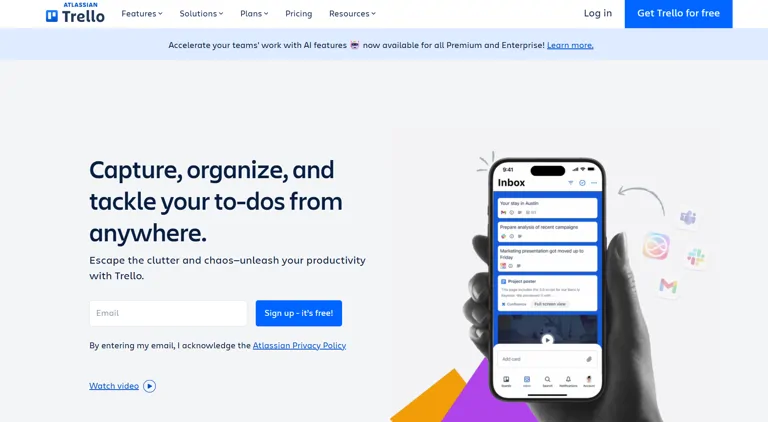
Trello official source image
Key features
- Visual task and workflow management
- Job application tracking boards
- Deadline and reminder system
- Collaboration features
How to Use Trello?
1. Create boards for applications, interviews, and networking.
2. Add cards for each opportunity with deadlines and checklists.
3. Use Calendar and Timeline view to plan and sync dates.
4. Set up Automation (Butler) rules to remind you about next steps.
5. Connect your other tools with Integrations for a smoother workflow.
Pros
• Visual approach makes complex job hunts easier to track.
• Automation cuts repetitive tasks and frees up time.
• Integrations expand your workflow with tools you already use.
Cons
• Can feel overwhelming initially with too many boards/cards.
• Some advanced features require paid plans.
Pricing Plans
• Free Plan: Core Trello features with unlimited boards and basic automation.
• Standard Plan: Adds advanced features like larger attachments and more
automation.
• Premium Plan: Enhanced views, dashboards, and priority support.
• Enterprise Plan: Organization wide management and security features.
Use Cases
Job seekers who want a flexible, visual system to keep every application, follow up, deadline, and networking task in clear view.
Related tools
Teal, Autojob, Prentus
15. Apt AI -- Personalized Career Test & All-in-One Mentor
Apt AI acted like a career co-pilot during my transition, starting with a quick AI test that analyzes personality, interests, and strengths to suggest suitable career paths. It then builds a personalized development plan using data-driven matching. With features like an AI mentor, job finder, resume generator, LinkedIn optimizer, salary guidance, and interview prep, it offers an all-in-one platform for exploring careers and preparing for opportunities.Apt AI is the perfect bridge for those finishing their degree, working alongside the best AI tools for university students to help them transition from academia to a professional career.
Key features
- AI career assessment system
- Personalized job recommendations
- Skill gap analysis
- Career roadmap guidance
How to Use Apt AI
1. Start with the free AI career test to gauge your strengths and interests.
2. Explore the career paths and customize your development plan.
3. Use the AI mentor chatbot for daily guidance and strategy.
4. Run the resume generator and LinkedIn optimizer to refresh your materials.
5. Search and apply using the job finder, and prep for interviews with the built in
tools.
Pros
• Comprehensive career co pilot experience from assessment to interview prep.
• Fast, structured AI career test with deep machine learning.
• AI mentor chatbot provides continuous support.
• Resume generator and LinkedIn optimizer modernize your professional
materials.
• Personalized job matching helps you discover opportunities you might miss.
• Strong user satisfaction with a high rating and real success stories.
Cons
• Full access requires paid plans for premium features.
• Some highly personalized mentorship elements may still feel generic.
• Not all industries have equally deep role suggestions.
Pricing Plans
• AI Career Test – Free: Basic career assessment at no cost.
• Premium Mentorship & Advanced Features (Paid Plans): Subscription tiers that
unlock deeper guidance, advanced tools, and priority support, making it
cheaper than traditional career coaching.
Use Cases
Professionals at any stage looking for a comprehensive, AI driven career strategy that combines assessment, job discovery, and professional profile optimization.
Related tools
Talentprise, Joblab.ai, LinkedIn
16. Negobrain
Negobrain helped me during offer stages by acting like an AI negotiation coach for salary and job discussions and using the same analytical mindset required to succeed with AI in Google Ads by maximizing your return on investment. You simply describe your situation and get real-time strategic advice for better outcomes. It supports salary, sales, and other negotiations, making stressful conversations more structured and less uncertain by guiding you with clear, actionable recommendations instead of guesswork.
Key features
- AI salary negotiation simulator
- Interview offer negotiation training
- Market salary insights
- Communication skill improvement
How to Use Negobrain
1. Sign up and choose your pricing tier (Standard for individuals, Company for
teams).
2. Input your negotiation context (e.g., salary offer scenario or contract terms).
3. Let the AI give you strategic recommendations tailored to your situation.
4. Practice or adjust your approach based on suggestions before the real
conversation.
Pros
• Provides instant strategic recommendations tailored to your scenario.
• Helps you feel less unprepared and less stressed entering negotiation
scenarios.
• Acts like an AI negotiation coach you can consult anytime.
• Supports a range of negotiation contexts, including salary, sales, and crisis
situations.
• Offers an organizational plan for teams needing consistent negotiation tools.
Cons
• Focused largely on advice rather than full simulation or practice scenarios.
• No clear data on advanced analytics or real time role play functionality.
• Pricing for Company Plan can be high for smaller organizations.
• May require clear input to generate useful strategies (AI depends on prompt
quality).
Pricing Plans
• Standard Plan: €19.99 per month per user individual negotiation support.
• Company Plan: Custom pricing for organizations with 20+ licenses, aimed at
team or enterprise use.
Use Cases
Professionals and job seekers who expect to face negotiation conversations (salary, offers, terms) and want AI guidance without needing deep negotiation training.
Related tools
FinalRound AI, InterviewPrep AI, Yoodli
17. FinalRound AI -- Virtual Interview Practice Coach
FinalRound AI helped me refine interview preparation through realistic AI-generated mock interviews tailored to specific roles and industries. It creates both common and challenging questions based on your resume or job description, simulating real HR conversations. After each session, it provides feedback on answer structure, clarity, and key points, helping reduce anxiety and improve confidence through repeated, targeted practice.Practicing with FinalRound AI helps you master the camera presence needed for high-stakes interviews, a skill that also translates well to using advanced AI tools for video creation.
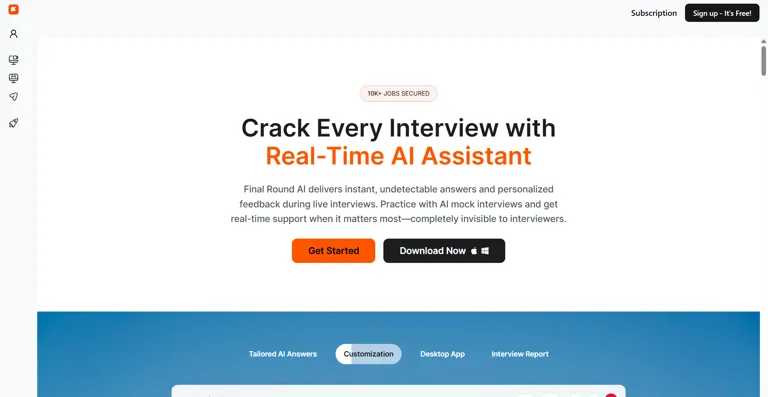
FinalRound AI -- Virtual Interview Practice Coach Official Source Image
Key features
- AI mock interview platform
- Real-time performance feedback
- Technical and behavioral practice
- Interview readiness scoring
How to Use FinalRound
1. Sign up for FinalRound AI and upload your resume plus details about the job
you’re targeting.
2. Customize interview parameters like industry, role type, and experience level.
3. Begin a mock interview and either speak answers or type answers as
prompted.
4. Review the real time feedback and suggestions to improve after your practice
session so you can adjust how you respond next time.
Pros
• Offers realistic mock interview practice tailored to roles and industries.
• Generates AI powered feedback that helps improve answer quality and
confidence.
• Adapts questions based on your resume and job description context.
• Accessible 24/7 with mock interviews available anytime.
• Helps users prepare for both technical and behavioral interview scenarios.
Cons
• Pricing can be expensive compared to simpler interview prep tools.
• Some users report software bugs or instability during live usage.
• Feedback quality can occasionally feel generic rather than nuanced.
• Reports of mixed real world reliability and customer support issues exist.
• The free tier or trial limits access, making it hard to test fully before paying.
Pricing Plans
Pricing for FinalRound AI varies significantly depending on how much access you want: there’s a Free tier with limited mock interview practice and basic tools, while paid subscriptions (often around $96/month for a Pro plan or up to $148/month and above for more advanced access with more sessions and features) unlock expanded mock interviews, live copilot support, and priority tools some sources also list semi annual or annual tier plans that offer better value.
Use Cases
Job seekers who want immersive interview preparation with realistic AI generated questions and structured feedback, particularly if you’re gearing up for technical interviews, behavioral rounds, or looking to boost confidence ahead of important hiring conversations.
Related tools
InterviewPrep AI, Yoodli, Apt AI
Frequently Asked Questions (FAQ)
1. What are AI tools for job seekers and how can they help?
AI tools for job seekers use machine learning and natural language processing to assist with tasks like resume writing, interview preparation, job matching, networking, portfolio building, and even negotiation support, making the job search more efficient and tailored to individual goals.
2. Can AI tools really improve my chances of landing a job?
Yes by optimizing your application materials (resumes, cover letters), suggesting relevant job matches, improving interview skills, and automating repetitive tasks, AI tools can increase your visibility to employers and potentially improve your chances of getting interviews and offers.
3. Are AI resume builders better than traditional resume templates?
AI resume builders like Kickresume, Skillroads, and Enhancv go beyond static templates by generating content, targeting job specific keywords, and ensuring ATS friendly formatting meaning they adapt your materials to specific roles rather than providing a one size fits all layout.
4. Do AI interview tools like Yoodli and FinalRound AI work for real interview preparation?
Absolutely these tools simulate real interview scenarios, give real time feedback on answers, delivery, and structure, and help build confidence by letting you practice repeatedly before the actual interview.
5. Do AI job matching tools actually understand my skills and goals?
Many tools such as Apt AI, Joblab, and Talentprise use advanced algorithms to analyze your skills, preferences, and experience and match you with opportunities that fit your profile and career direction, rather than just listing generic job openings.
6. Are these tools free or do they require payment?
Most AI job seeker tools offer free plans with basic features and paid tiers for advanced capabilities. For example, InterviewPrep AI and Teal have free options, while tools like FinalRound AI and Negobrain offer premium plans for deeper features.
7. Can AI help with LinkedIn profiles too?
Yes tools like Skillroads and LinkedIn’s built in AI features can analyze and optimize your LinkedIn profile text and visibility, helping you make stronger connections, attract recruiters, and highlight your achievements.
8. How do AI tools handle interview preparation differently from humans?
AI tools provide on demand practice, unbiased feedback, and consistent simulation of industry specific questions. While they lack human intuition, they help reduce anxiety and improve consistency in preparation through structured practice.
9. Are there tools that help beyond resumes and interviews?
Yes platforms like Carbonmade help you build portfolios, Trello helps with job search organization, and Negobrain supports negotiation skills like salary discussions, making the job hunt more strategic and less stressful.
10. How should I choose the right AI tool for my job search?
Identify your biggest pain point whether it’s resume optimization, interview confidence, job matching, portfolio display, or negotiation and choose the tool that excels in that area. Combining tools often yields the best results (e.g., resume builder + interview coach + job tracker).
Conclusion
AI tools for job seekers are transforming how candidates approach the job market by automating time consuming tasks, improving application quality, and offering intelligent feedback tailored to individual needs. From generating polished, ATS friendly resumes and custom cover letters to simulating realistic interview scenarios and refining negotiation tactics, these solutions empower job seekers at every stage. When used strategically, AI tools not only save time but also provide insights and confidence that can make a meaningful difference in securing job offers in today’s competitive landscape.Landing your dream job in 2026 is about working smarter, not harder. Once you've secured your role, check out our guide on how to earn money on mobile using AI tools to build a secondary income stream and future-proof your finances.