.webp)
How to Use AI Tools for University in 2026 to Transform Learning & Research
In 2026, AI tools are reshaping higher education, enhancing learning, research, and administration for students, professors, and academic institutions. From AI-driven study assistance to automated grading, research analysis, and course management, these platforms streamline workflows and foster smarter, more efficient education systems.
AI university tools like ChatGPT, Elicit, and Perusall help with essay writing, literature review automation, and collaborative learning, while platforms like Gradescope, Scribe, and Notion AI optimize grading, note-taking, and organization. By integrating AI across academic workflows, universities improve student engagement, faculty productivity, and research innovation, making AI an essential component of modern higher education.

 Updated: April 28, 2026 | 17 min read
 | Tool Name | Best For | Pricing | Ease |
| Perlego | Academic textbooks & learning resources | Subscription | Beginner |
| Elicit | Research assistance & paper analysis | Free + Paid | Beginner |
| Perusall | Collaborative reading & annotations | Free + Paid | Beginner |
| Gradescope | Assignment grading & feedback | Free + Paid | Beginner |
| Notion AI | Note-taking & productivity | Free + Paid | Beginner |
| Scribe | Process documentation & guides | Free + Paid | Beginner |
| Quizlet AI | Study sets & flashcards | Free + Paid | Beginner |
| Scholarcy | Research paper summarization | Free + Paid | Beginner |
| Writefull | Academic writing assistance | Free + Paid | Beginner |
| ChatGPT | General study & research support | Free + Paid | Beginner |
| Kami | PDF annotation & collaboration | Free + Paid | Beginner |
| Gradescope + Turnitin Integration | Plagiarism check & grading | Paid | Intermediate |
| Notability AI | Note-taking & transcription | Free + Paid | Beginner |
| Humata AI | PDF analysis & Q&A | Free + Paid | Beginner |
| Research Rabbit | Literature discovery & research mapping | Free | Beginner |
Cover Phote For University in 2026 to Transform Learning & Research Using AI Tools
1. Perlego
Perlego is an AI-powered digital library and study platform that provides access to academic textbooks, reference materials, and summaries. Its AI recommendations guide students to relevant content, enhancing research and learning efficiency in university coursework.

Perlego Official Source Image
Key Features
- AI-powered recommendations for textbooks, journals, and academic resources
- Access to a large digital library covering multiple university subjects
- Built-in highlighting, annotation, and note-taking tools
- Smart search functionality for quickly finding relevant study material
- Exportable notes and study references for assignments and exam preparation
How to use Perlego ?
1. Sign up for Perlego.
2. Search for textbooks or course materials.
3. Use AI recommendations to discover related content.
4. Access summaries or full texts.
5. Highlight and annotate directly in the platform.
6. Export notes for research or exam preparation.
Pros
- Affordable alternative to purchasing expensive university textbooks
- Easy-to-use interface suitable for students and researchers
- AI recommendations help discover related academic content faster
- Supports online learning, revision, and research workflows efficiently
- Cloud-based access allows studying from multiple devices
Cons
- Requires an active subscription for full access
- Some niche or region-specific textbooks may be unavailable
- Internet connection is needed for most features
- Not all books include advanced interactive study tools
Best for
Students and researchers seeking accessible, AI-curated academic resources.
Pricing & Free Plan
Subscription-based platform; plans start at $12.99/month.
Small Alternatives
Chegg, Scribd, JSTOR, Google Scholar
2. Perusall
Perusall is an AI-assisted collaborative learning platform that enhances reading and engagement by automatically analyzing student annotations, participation, and comprehension. Its AI evaluates discussion quality and highlights key passages for better collective learning and class insights.Many university students in psychology programs also rely on specialized AI tools for psychology students to simplify research papers, notes, and collaborative learning.
Key Features
- Collaborative annotation system for interactive class discussions
- AI-powered analysis of student participation and comprehension
- Supports uploading textbooks, PDFs, and reading materials
- Automated engagement tracking and performance insights for instructors
- Exportable reports for grading, feedback, and classroom analytics
How to use Perusall ?
1. Sign up and create a course or class.
2. Upload reading materials or textbooks.
3. Students annotate and discuss content.
4. AI analyzes participation and comprehension levels.
5. Professors receive performance insights and highlights.
6. Export class engagement reports for grading or feedback.
Pros
- Encourages active learning and collaborative discussion among students
- AI insights help instructors identify struggling learners quickly
- Easy integration into university coursework and reading assignments
- Reduces manual effort for monitoring participation and engagement
- Free access available for many educators and students
Cons
- Advanced analytics require institutional subscriptions
- New users may need time to adapt to collaborative workflows
- Heavy annotation activity can become overwhelming in large classes
- Depends on consistent student participation for accurate AI insights
Best for
University instructors and students seeking AI-enhanced collaborative reading and learning.
Pricing & Free Plan
Free access for individual educators; institutional subscriptions provide advanced analytics and integration.
Small Alternatives
Hypothesis, Kami, Moodle
3. Gradescope
Gradescope uses AI to streamline grading and assessment for universities. It supports automated evaluation of assignments, exams, and coding projects, reducing manual workload while providing faster, more consistent feedback for students and faculty across large classes.
Key Features
- AI-assisted grading for assignments, quizzes, and exams
- Automated feedback generation to speed up evaluation
- Supports handwritten, digital, and scanned submissions
- Detailed analytics for tracking student performance trends
- Integration with popular learning management systems for grade export
How to use Gradescope ?
1. Create a Gradescope account.
2. Upload assignments or exam sheets.
3. AI assists in automated grading and scoring.
4. Review AI-generated feedback for accuracy.
5. Provide students with instant results and feedback.
6. Export grades and analytics to learning management systems.
Pros
- Saves significant grading time for large university classes
- Provides faster feedback and results to students
- Helps maintain grading consistency across multiple instructors or TAs
- Easy handling of both online and paper-based assessments
- Useful analytics improve course evaluation and teaching decisions
Cons
- Advanced institutional features can be expensive
- AI-generated grading may still require manual verification
- Initial setup for assignments and rubrics can take time
- Some integrations may depend on university system compatibility
Best for
Professors, teaching assistants, and large-scale university courses needing efficient grading.
Pricing & Free Plan
Free limited plan available; institutional subscriptions start at $1,500/year for full features.
Small Alternatives
Turnitin, Canvas, Moodle, Blackboard
4. Notion AI
Notion AI enhances note-taking, organization, and productivity for students and faculty. It generates summaries, outlines, task automation, and study plans while supporting collaborative document creation, research management, and course planning, centralizing academic workflows in one AI-powered platform.
Key Features
- AI-powered note summarization and study guide generation
- Collaborative workspaces for group research and class notes
- AI-generated outlines, templates, and writing assistance
- Cross-device syncing with organized academic knowledge management
- Works well alongside AI productivity and time management tools for organizing lectures, deadlines, and research tasks.
How to use Notion AI ?
1. Sign up for Notion and enable AI.
2. Use AI to summarize notes, create study guides, or draft papers.
3. Automate task tracking and deadlines.
4. Collaborate on shared research projects or group notes.
5. Generate outlines or templates for assignments.
6. Export notes and insights for academic reference.
Pros
- Combines productivity, note-taking, and AI tools in one platform
- Excellent for organizing university coursework and research projects
- Collaboration features work well for group assignments
- AI tools help save time on summaries and content structuring
- Flexible customization for different study and workflow styles
Cons
- Advanced AI features require a paid subscription
- Can feel overwhelming for beginners due to extensive customization
- AI-generated content may still need manual editing and verification
- Offline functionality is more limited compared to some competitors
Best for
Students, researchers, and professors seeking AI-assisted organization and productivity tools.
Pricing & Free Plan
Free plan with basic AI tools; paid plans start at $10/month for advanced AI features.
Small Alternatives
Evernote, Obsidian, Microsoft OneNote, ClickUp
5. Scribe
Scribe uses AI to automatically document workflows and processes, making it ideal for labs, projects, and administrative tasks in universities. Students and staff can capture step-by-step procedures with AI-generated guides, reducing manual documentation while enhancing knowledge sharing.Scribe is also useful among AI tools for accounting productivity and process documentation.
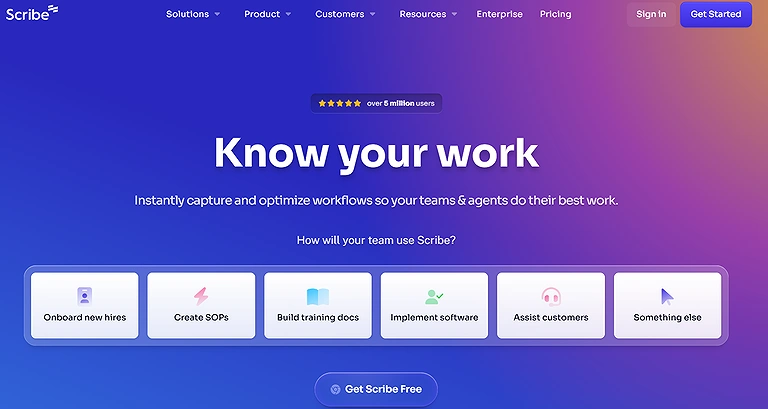
Scribe Official Source Image
Key Features
- AI-powered workflow recording and automatic guide creation
- Step-by-step documentation generation with screenshots and annotations
- Easy sharing options for teams, classrooms, and research groups
- Editing and customization tools for refining generated instructions
- Export support for training materials, lab procedures, and project documentation
How to use Scribe ?
1. Sign up for Scribe.
2. Record or describe your workflow.
3. AI converts steps into instructional guides.
4. Share guides with teams or students.
5. Refine and annotate AI-generated documentation.
6. Export guides for labs, projects, or administrative use.
Pros
- Saves time by automatically creating detailed process guides
- Useful for university labs, technical projects, and research workflows
- Simple interface with minimal learning curve
- Improves collaboration and onboarding for teams or students
- Helps standardize documentation and procedural instructions
Cons
- Advanced collaboration features require paid plans
- AI-generated guides may need manual corrections for accuracy
- Limited customization options in the free version
- Complex workflows can sometimes produce overly detailed documentation
Best for
University labs, research teams, and students managing complex procedures.
Pricing & Free Plan
Free basic plan; premium subscriptions offer unlimited documentation and team collaboration.
Small Alternatives
Loom, Tango, Trainual, Confluence
6. Quizlet AI
Quizlet AI leverages machine learning to generate personalized study sets, flashcards, and quizzes for university courses. Its AI adapts to learning progress, tracks retention, and recommends optimized study paths, improving exam preparation and knowledge retention for students.Students using Quizlet AI for revision can also explore these AI tools for generating MCQs to create practice tests and improve exam preparation.
Key Features
- AI-generated flashcards, quizzes, and personalized study sets
- Smart learning recommendations based on performance and retention
- Interactive study modes for revision and exam preparation
- Progress tracking and analytics for monitoring learning improvement
- Easy sharing and collaboration for group study sessions
How to use Quizlet AI ?
1. Sign up for Quizlet AI.
2. Input course topics or materials.
3. AI generates flashcards, quizzes, and study sets.
4. Track performance and retention metrics.
5. Adapt study sessions based on AI recommendations.
6. Export or share study sets for collaborative learning.
Pros
- Makes exam preparation faster and more organized
- AI personalization helps improve memory retention and weak areas
- User-friendly interface suitable for students of all levels
- Large library of community-created study materials
- Accessible across mobile and desktop devices
Cons
- Some advanced AI study tools require a paid subscription
- AI-generated answers may occasionally contain inaccuracies
- Community-created content quality can vary significantly
- Heavy reliance on flashcards may not suit all learning styles
Best for
Students preparing for exams and reviewing course material efficiently.
Pricing & Free Plan
Free tier available; paid plans start at $7/month for AI-enhanced study tools.
Small Alternatives
Anki, Brainscape, Kahoot!, Memrise
7. Scholarcy
Scholarcy is an AI-powered summarization tool that reads academic papers, extracts key points, and generates structured summaries, allowing students and researchers to quickly digest complex materials, saving time and enhancing comprehension for research and study tasks.Legal researchers can also use AI tools for law students to simplify lengthy documents and case analysis.
Key Features
- AI-powered summarization of research papers and academic PDFs
- Extraction of key concepts, highlights, and important findings
- Automatic generation of structured notes and reference lists
- Smart organization tools for literature reviews and study workflows
- Export support for research management and note-taking platforms
How to use Scholarcy ?
1. Sign up for Scholarcy.
2. Upload PDFs or research articles.
3. AI extracts key concepts, highlights, and summaries.
4. Generate reference lists and structured notes.
5. Review AI summaries for accuracy.
6. Export summaries to research workflows or study platforms.
Pros
- Saves significant time when reviewing lengthy research papers
- Helps students quickly understand complex academic material
- Useful for organizing literature reviews and study notes
- Simple interface with easy PDF upload functionality
- Improves research efficiency and information retention
Cons
- AI summaries may occasionally miss nuanced academic details
- Premium subscription required for advanced features and heavy usage
- Works best with well-structured PDFs and digital documents
- Manual verification is still necessary for critical research work
Best for
Students and researchers aiming to save time in literature review and reading.
Pricing & Free Plan
Free trial available; premium plans start at $9.99/month.
Small Alternatives
Elicit, ResearchRabbit, Connected Papers, Semantic Scholar
8. Writefull
Writefull uses AI to enhance academic writing by suggesting grammar improvements, style refinements, and sentence rephrasing. It provides field-specific language corrections, enabling students and researchers to produce high-quality papers, theses, and reports more efficiently.
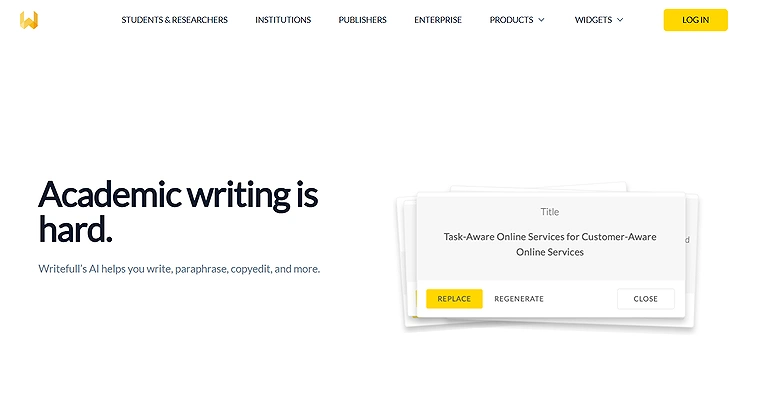
Writefull
Key Features
- AI-powered grammar, spelling, and academic writing corrections
- Advanced suggestions for academic tone, phrasing, and clarity
- Integration with popular writing and research tools
- Language enhancement support for research papers and publications
- Writing analytics and progress tracking for continuous improvement
How to use Writefull ?
1. Install Writefull and connect to your writing software.
2. Input text for AI suggestions.
3. Review grammar, phrasing, and academic style improvements.
4. Accept AI corrections or refine manually.
5. Export or integrate text into academic papers.
6. Track writing progress and improvements over time.
Pros
- Improves the quality and professionalism of academic writing
- Especially useful for research papers, theses, and journal submissions
- Easy integration with existing writing workflows
- Helps non-native English speakers refine academic language
- Saves time during proofreading and editing processes
Cons
- Advanced writing features require a paid subscription
- AI suggestions may sometimes alter intended writing style or meaning
- Requires manual review for technical or highly specialized content
- Limited free plan compared to some competing writing assistants
Top Use Cases:
Students, graduate researchers, and faculty enhancing writing quality for academic publications.
Pricing & Free Plan
Free plan with basic writing checks; paid plans start at $10/month.
Small Alternatives
Grammarly, QuillBot, ProWritingAid, LanguageTool
9. ChatGPT
ChatGPT is an advanced AI language model that assists students and professors with research, essay drafting, problem-solving, and brainstorming. Its natural language understanding supports writing guidance, academic explanations, coding help, and study summaries, improving productivity and learning efficiency for university workflows.
Key Features
- AI-powered assistance for research, writing, coding, and problem-solving
- Generates summaries, explanations, study guides, and academic content
- Supports conversational learning and personalized tutoring experiences
- Helps with brainstorming, presentations, and project development
- Multi-purpose AI tool with support for text, coding, and analysis tasks
How to use
1. Sign up on OpenAI’s ChatGPT platform.
2. Input research questions, essay prompts, or coding problems.
3. Receive AI-generated summaries, suggestions, or solutions.
4. Refine output for academic use.
5. Use as a study assistant or tutor for coursework.
6. Integrate AI output into projects, presentations, or research.
Pros
- Versatile platform suitable for students, researchers, and faculty
- Speeds up learning, writing, and research workflows significantly
- Useful for coding help, academic explanations, and idea generation
- Easy-to-use conversational interface with broad subject coverage
- Free version provides access to powerful AI capabilities
Cons
- AI-generated information may sometimes contain inaccuracies or outdated details
- Requires fact-checking before academic or professional submission
- Advanced features and better models require a paid subscription
- Overreliance on AI can reduce independent critical thinking skills
Top Use Cases
Students, faculty, and researchers seeking AI-assisted learning, writing, and problem-solving.
Pricing & Free Plan
Free tier available with limited usage; ChatGPT Plus costs $20/month for enhanced access and features.
Small Alternatives
Google Gemini, Claude, Microsoft Copilot, Perplexity AI
10. Kami
Kami is an AI-assisted PDF and document annotation tool designed for universities. It enables collaborative note-taking, highlighting, and markup, while AI suggestions streamline study and feedback for students and professors on digital documents and assignments.Kami’s annotation features are also valuable for students using AI transcription and document collaboration tools.
Key Features
- AI-powered PDF annotation, highlighting, and document editing tools
- Real-time collaboration for students and instructors
- Supports uploading and working with PDFs, assignments, and course materials
- Built-in commenting and feedback system for academic discussions
- Easy export of annotated documents for submissions or study use
How to use
1. Sign up on Kami.
2. Upload PDFs, assignments, or course materials.
3. Use AI to annotate, highlight, and suggest edits.
4. Collaborate with classmates or instructors.
5. Review AI recommendations and feedback.
6. Export annotated documents for academic use.
Pros
- Strong collaboration features for group learning and teaching
- Simplifies document-based assignments and feedback workflows
- User-friendly interface suitable for classroom use
- Works well with PDFs and digital study materials
- Helps improve engagement in remote and hybrid learning
Cons
- Advanced AI features require a paid subscription
- Performance may slow with large or complex documents
- Limited offline functionality
- Some features depend on stable internet connection
Top Use Cases
Students and faculty needing AI-supported digital document collaboration.
Pricing & Free Plan
Free basic plan; premium subscription starts at $9/month for advanced features.
Small Alternatives
Hypothesis, Lumin PDF, DocHub, Adobe Acrobat
11. Gradescope + Turnitin Integration
This integration combines AI-assisted grading with plagiarism detection. AI evaluates student submissions, flags potential plagiarism, and provides analytics on class performance, saving faculty time while maintaining academic integrity across university assignments and exams.Students using Turnitin should also explore AI writing platforms for improving originality, grammar, and writing quality responsibly.
Key Features
- AI-powered grading combined with plagiarism detection
- Integrated submission analysis for academic integrity checks
- Automated feedback generation for student assignments
- Supports large-scale grading workflows for universities
- Detailed reporting and export tools for institutional records
How to use
1. Access Gradescope with Turnitin integration.
2. Upload assignments or exam submissions.
3. AI analyzes submissions for grading and plagiarism.
4. Review flagged content and AI suggestions.
5. Provide feedback to students.
6. Export reports for institutional records.
Pros
- Combines grading efficiency with plagiarism detection in one system
- Helps maintain strong academic integrity standards
- Saves significant time for professors handling large classes
- Provides structured feedback for students quickly
- Integrates smoothly into institutional LMS workflows
Cons
- Requires institutional licensing (not available for individual users)
- False positives in plagiarism detection may require manual review
- Setup and configuration can be complex for institutions
- High cost compared to standalone tools
Top Use Cases
Professors managing large classes with grading and academic integrity needs.
Pricing & Free Plan
Institutional licensing required; AI features included in enterprise plans.
Small Alternatives
Turnitin, Copyscape, Unicheck, Grammarly
12. Notability AI
Notability AI uses machine learning to automate note-taking and lecture transcription. Students can record lectures, generate summarized notes, and highlight key points automatically, improving study efficiency and knowledge retention across university courses.
Key Features
- AI-powered lecture transcription and automatic note summarization
- Audio recording with synced notes for better revision
- Digital annotation tools for organizing and highlighting content
- Smart highlights to extract key points from lectures
- Easy export and sharing of structured study notes
How to use
1. Install Notability and enable AI features.
2. Record lectures or upload audio.
3. AI generates summarized notes and key highlights.
4. Annotate and organize notes digitally.
5. Review AI-generated summaries for accuracy.
6. Export for study or sharing.
Pros
- Great for capturing and revising lecture content efficiently
- Saves time by converting audio into structured notes
- Improves revision quality with AI-generated summaries
- User-friendly interface for students and educators
- Works well for both live lectures and recorded sessions
Cons
- Advanced AI features require a paid subscription
- Transcription accuracy may vary with accents or noisy environments
- Limited functionality without audio input
- Requires device storage and battery for long recordings
Top Use Cases
Students seeking AI-powered lecture transcription and note-taking tools.
Pricing & Free Plan
Free version available; paid version starts at $9.99 for advanced AI note-taking.
Small Alternatives
GoodNotes, Evernote, Microsoft OneNote, Otter.ai
13. Humata AI
Humata AI is an AI academic assistant that helps students and researchers query documents and textbooks directly. It answers questions, extracts insights, and supports research workflows with natural language processing, enhancing understanding and study efficiency.
Key Features
- AI-powered document Q&A for textbooks and research papers
- Instant summaries and explanations from uploaded PDFs
- Natural language querying for fast information retrieval
- Highlighting and annotation of key insights within documents
- Exportable answers and summaries for academic use
How to use
1. Sign up for Humata AI.
2. Upload textbooks or academic documents.
3. Ask questions or extract information in natural language.
4. Receive AI-generated answers and summaries.
5. Annotate or highlight key findings.
6. Export insights for academic projects or research.
Pros
- Makes dense academic documents easier to understand quickly
- Saves time during research and literature review
- Simple chat-like interface for interacting with PDFs
- Useful for students, researchers, and educators
- Helps extract key insights without reading entire documents
Cons
- Free plan has strict limits on queries and usage
- Accuracy depends on document quality and structure
- Not ideal for highly complex or technical reasoning tasks
- Requires internet connection for processing documents
Top Use Cases
Students and faculty needing interactive AI document assistance.
Pricing & Free Plan
Free plan with limited queries; premium subscriptions available for extended access.
14. Research Rabbit
Research Rabbit uses AI to visualize and explore academic literature connections. It generates research maps, citation networks, and trend analysis, assisting students and researchers in discovering related works and accelerating literature comprehension.
Key Features
- AI-powered research discovery with citation network visualization
- Interactive mapping of related papers and academic works
- Smart recommendation system for emerging research trends
- Ability to track and organize literature collections
- Exportable research maps for academic papers and presentations
How to use
1. Sign up for Research Rabbit.
2. Input research topics or papers.
3. AI generates citation networks and research maps.
4. Explore related works and trends visually.
5. Annotate and track insights.
6. Export research visualizations for papers or presentations.
Pros
- Makes literature review faster and more structured
- Helps discover hidden connections between research papers
- Excellent for PhD students and academic researchers
- Visual approach improves understanding of research fields
- Free plan provides strong core research discovery features
Cons
- Advanced analytics and features require premium access
- Coverage may vary depending on academic discipline
- Can feel overwhelming for beginners in research
- Requires internet access for real-time data mapping
Top Use Cases
Scientific research for the researchers, graduate students, and faculty exploring literature and citation trends.
Pricing & Free Plan
Free plan available with basic visualization; premium plans unlock full research analytics.
Small Alternatives
Connected Papers, Elicit, Semantic Scholar, Scite
FAQS
1. How do AI tools improve university workflows?
They automate grading, note-taking, research analysis, and study planning while providing intelligent recommendations and insights.
2. Are AI tools suitable for students?
Yes, platforms like ChatGPT, Quizlet AI, and Notability enhance learning, research, and study efficiency.
3. Can professors benefit from AI tools?
Absolutely, AI platforms like Gradescope, Turnitin, and Perusall streamline grading, feedback, and collaborative teaching.
4. Do AI tools require technical expertise?
Many tools, such as Notion AI and Scholarcy, are user-friendly and require minimal technical skills.
5. Can AI tools improve research productivity?
Yes, tools like Elicit, Research Rabbit, and Humata AI accelerate literature review, citation analysis, and academic insight generation.
Conclusion
In 2026, AI tools are revolutionizing university education, research, and administration. Platforms like ChatGPT, Elicit, and Perusall enhance learning, writing, and research workflows, while Gradescope, Turnitin, and Notion AI optimize grading, collaboration, and organization. Tools such as Scholarcy, Writefull, and Research Rabbit streamline literature analysis and note-taking, enabling faster knowledge acquisition and improved academic outcomes. Students in STEM fields can also explore AI tools for physics students to simplify simulations, calculations, and complex scientific concepts. By automating repetitive tasks, offering intelligent insights, and supporting interactive learning, AI-powered university platforms empower students, faculty, and researchers, making AI an indispensable cornerstone of modern higher education.