.webp)
Top AI Tools for Scientific Research for Faster Analysis and Better Results
AI tools are transforming scientific research by streamlining literature reviews, data analysis, manuscript preparation, and protein structure prediction. Using machine learning, natural language processing, and semantic analysis, these tools summarize papers, uncover key findings, and identify patterns in complex datasets. By reducing manual work, improving organization, and increasing accuracy, AI-powered research tools boost productivity, efficiency, and overall scientific research impact.
Modern researchers are no longer limited to manual data sorting; they are now leveraging sophisticated platforms to accelerate their breakthroughs. For instance, many academics are finding that the AI tools for universities provide a vital foundation for organizing complex research papers and streamlining the initial literature review process. By integrating these specialized tools, scientists can move from hypothesis to data analysis with unprecedented speed.

 Updated: May 10, 2026 | 16 min read
 | Name of Tool | Use Case | Price | Level of Ease |
| AlphaFold | Predicts protein structures for computational biology and drug discovery | Free | Advanced |
| Open Research Knowledge Graph (ORKG) | Organizes and compares scientific research knowledge | Free | Moderate |
| Zotero | Citation management and research organization | Free | Easy |
| Paperguide | Literature review, paper summarization, and research assistance | Freemium | Easy |
| SciSpace | Explains research papers and simplifies academic reading | Freemium | Easy |
| NotebookLM | AI-powered note-taking, summarization, and study support | Free/Freemium | Easy |
| Scite | Smart citation analysis and evidence verification | Freemium | Moderate |
| Consensus | Finds evidence-based answers from research papers | Freemium | Easy |
| Elicit | Automates systematic reviews and research workflows | Freemium | Moderate |
| Semantic Scholar | AI-enhanced academic literature search and discovery | Free | Easy |
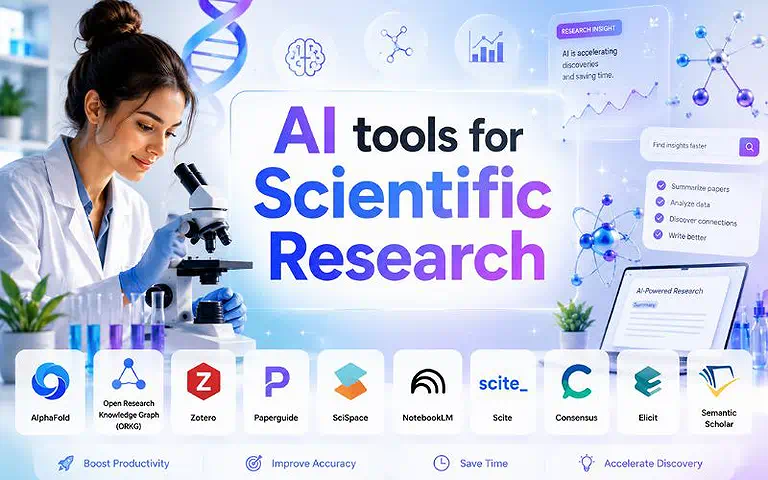
Cover Photo Top AI Tools for Scientific Research for Faster Analysis and Better Results
1 Semantic Scholar
Semantic Scholar is an AI-driven scholarly search engine developed by the Allen Institute for AI that helps researchers discover scientific papers, summarize studies, identify key findings, and explore citation networks efficiently. Its NLP-powered features simplify literature reviews and uncover valuable academic connections across multiple disciplines.
Key Highlights
- Semantic Scholar is an AI-powered academic search engine developed by the Allen Institute for AI.
- It helps users find, summarize, and understand scientific research papers.
- It highlights key findings and important insights from studies.
- It maps citation networks to show research connections.
How to Use Semantic Scholar
- Visit the platform and enter a research topic, keyword, author name, or paper title in the search bar.
- Use AI-powered filters to narrow results by relevance, publication year, field, or citation count.
- Read paper summaries, influential citations, and topic clusters to quickly identify key findings.
- Save relevant studies to your library and explore connected papers for deeper literature discovery.
- Use citation context and related research suggestions to uncover insights across multiple scientific disciplines.
Pros
- Speeds up literature discovery for researchers
- Makes filtering relevant papers efficient and intuitive
- Enhances reading and comprehension with AI-powered summaries
Cons
- Coverage may vary across certain disciplines
- Not all full-text papers are available for reading
- Occasional irrelevant search results due to automated algorithms
Best Use Case
- Academics conducting systematic reviews or literature research
- Researchers needing citation context and influence metrics
- Professionals wanting to uncover connections in complex literature
Limitation
- Does not always index the very latest research immediately
- Full-text access depends on publisher permissions, so some papers may be restricted
- No built-in AI writing or advanced generative tools like some competitors
- No credit system is used, so usage tracking is not available (free access only, but feature access can still be limited by publishers)
Pricing
Completely free to use for all users without any subscription plans or paid tiers
Alternate Options
Google Scholar, PubMed Elicit
2 Elicit
Elicit is an AI-powered research assistant that streamlines literature reviews, evidence synthesis, and systematic research workflows. It helps researchers extract data from academic papers, generate structured summaries, organize findings, and answer research questions with traceable citations, making evidence-based research faster, scalable, and more efficient across multiple disciplines.
Key Highlights
- Elicit is an AI-powered research assistant designed to streamline literature reviews and systematic research workflows.
- It helps extract key data from academic papers and generate structured summaries.
- It organizes research findings for better understanding and analysis.
- It provides answers to research questions with traceable citations.
How to Use Elicit
- Open the platform and enter a research question, topic, or hypothesis in the search field.
- Review AI-generated paper recommendations, summaries, and extracted key insights from academic sources.
- Use filters to refine studies by methodology, publication date, or relevance for systematic reviews.
- Organize findings into structured tables for evidence synthesis and data comparison.
- Export citations, save research collections, and use traceable references to support evidence-based research workflows.
Pros
- Saves significant time for researchers across disciplines
- Provides organized insights from multiple sources
- Enables answering complex research questions efficiently
Cons
- Requires familiarity with AI-driven tools for optimal use
- Less effective for highly niche or unpublished research
- Dependent on available indexed academic papers
Best Use Case
- Clinical researchers conducting evidence-based studies
- Social scientists synthesizing multiple studies
- Teams needing scalable and rigorous research workflows
Limitation
- The free version has limited monthly usage (credits/queries are restricted), so heavy research requires upgrading
- Some advanced features, like large-scale extraction and workflow automation, are locked behind paid plans
- Performance depends on the availability of full-text papers; paywalled articles may limit extraction accuracy
- May occasionally miss nuanced context compared to manual deep reading
- Best suited for structured research questions rather than open-ended brainstorming
Pricing
- Offers a free plan with limited credits for basic research tasks
- Paid plans are available for users needing higher usage limits and advanced features
Alternate Options
Google Scholar, ResearchGate, Scopus
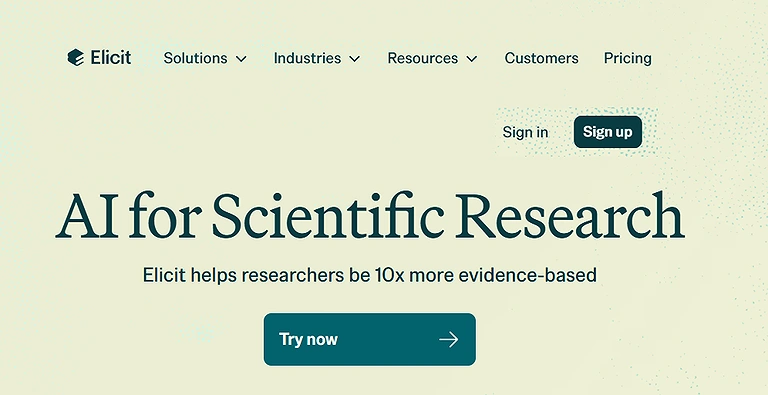
Elicit Official source image
3 Consensus
Consensus is an AI-powered scientific search engine that answers research questions using evidence from peer-reviewed literature. It delivers concise, citation-backed summaries, helping researchers analyze topics, assess studies quickly, and access reliable, ad-free insights that improve research efficiency and support evidence-based decision-making.
Key Highlights
- Consensus is an AI-powered scientific search engine that answers research questions using peer-reviewed literature.
- It provides concise, citation-backed summaries of academic findings.
- It helps researchers quickly analyze topics and assess studies.
- It supports evidence-based decision-making with reliable, ad-free insights.
How to Use Consensus
- Enter a scientific question, research topic, or keyword into the search bar.
- Review AI-generated evidence summaries sourced from peer-reviewed research papers.
- Explore supporting citations and linked studies to verify findings and analyze literature quality.
- Use filters to narrow results by study type, year, or research field.
- Save relevant papers and leverage evidence-based insights for academic writing, systematic reviews, or research analysis.
Pros
- Helps researchers quickly understand key findings
- Streamlines topic analysis without sifting through multiple links
- Ensures focused, evidence-based answers
Cons
- Limited advanced filtering options
- Summaries may be too broad for highly specialized queries
- Relies on indexed literature for accuracy
Best Use Case
- Academics seeking quick evidence synthesis
- Professionals need reliable outcomes from the literature
- Users who prefer ad-free research efficiency
Limitation
- Free version offers limited monthly searches/credits, which can restrict heavy academic use
- Coverage depends on available peer-reviewed literature, so some niche topics may have fewer results
- Advanced filtering and deeper analysis features are reserved for paid plans
Pricing
- Provides a free plan with limited credits for basic research queries
- Paid subscription unlocks higher usage limits and advanced AI features
Alternate Options
Google Scholar, PubMed, Semantic Scholar
4 Scite
Scite is an AI-powered citation analysis platform that classifies citations as supporting, disputing, or mentioning. It helps researchers evaluate evidence strength, track scholarly debates, and conduct literature reviews using citation graphs, smart dashboards, and research collections that transform complex citation data into clear, actionable insights.
Key Highlights
- Scite is an AI-powered citation analysis platform that classifies citations as supporting, disputing, or mentioning.
- It helps researchers evaluate the strength of scientific evidence.
- It tracks scholarly debates across academic literature.
- It uses citation graphs and smart dashboards for clearer research insights.
How to Use Scite
- Search for a research paper, author, DOI, or scientific topic in the platform.
- Review Smart Citations to see whether studies support, dispute, or mention a publication.
- Analyze citation context, dashboards, and graphs to evaluate research impact and evidence strength.
- Save relevant papers into collections for literature reviews and ongoing projects.
- Use citation insights to identify influential studies, research trends, and debates across scientific fields.
Pros
- Helps researchers evaluate strength of evidence quickly
- Simplifies understanding of debates across fields
- Enhances literature reviews with organized citation context
Cons
- Some journals may not be fully indexed
- Complexity may require time to master dashboards
- Limited free access for advanced analytics
Best Use Case
- Academics conducting literature reviews
- Researchers tracking research impact
- Teams seeking to identify relevant studies efficiently
Limitation
- The free version has limited monthly searches/credits, restricting heavy research and citation tracking
- Coverage may vary depending on journal indexing, so some newer or niche papers may be missing
- Advanced analytics, like deep citation mapping and enhanced dashboards, are available only in paid plans
Pricing
- Offers a free plan with limited credits for basic citation analysis
- Paid plans unlock higher usage limits and advanced research tools
Alternate Options
PubMed, Semantic Scholar, Elicit, Consensus
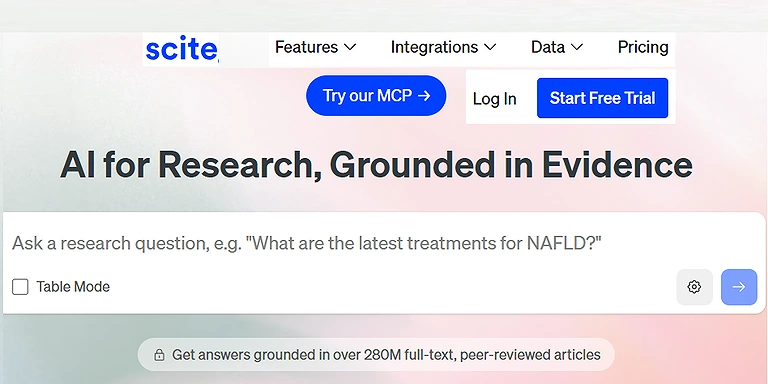
Scite Official soure Image
5 Google NotebookLM
Google NotebookLM is an AI-powered tool that lets users upload PDFs and other documents for analysis, summaries, and question answering. It combines document understanding with web research and can transform content into structured notes, presentations, or audio-style outputs, making complex research easier to organise and comprehend.
Key Highlights
- Google NotebookLM is an AI-powered tool for analyzing uploaded documents like PDFs.
- It provides summaries and answers questions based on user documents.
- It combines document understanding with web research capabilities.
- It converts content into structured notes, presentations, or audio-style outputs.
How to Use NotebookLM
- Open NotebookLM and create a new notebook for your research topic.
- Upload documents like PDFs, notes, or research papers for analysis.
- Ask questions directly based on uploaded content to get AI-generated summaries and explanations.
- Use insights to organize key ideas, citations, and structured research notes.
- Export or transform outputs into study guides, summaries, slides, or podcast-style formats.
Pros
- Facilitates deep research by summarizing complex documents
- Answers questions directly from uploaded content
- Converts research into slide decks, podcasts, and presentations
Cons
- Privacy concerns with sensitive document uploads
- Requires internet connection for full functionality
- Occasionally inaccurate interpretations depending on content quality
Best Use Case
- Researchers needing organized interactive research notebooks
- Academics preparing presentations or slide decks
- Teams working on deep research and content synthesis
Limitations
- Limited offline access – NotebookLM requires an active internet connection for processing.
- Input-dependent accuracy – results depend heavily on the quality and structure of uploaded documents.
- No fixed credit system – Google does not define any specific free credit quota; usage is governed by general platform limits.
Pricing Plan
- Free Plan – NotebookLM offers core features like document upload, AI Q&A, and summarization.
- Google Workspace (Paid/Enterprise) – Advanced collaboration features and higher usage limits may be available depending on organizational plans.
Alternate Options
Google Scholar, ResearchGate, Scopus,
6 SciSpace
SciSpace is an AI research copilot that simplifies reading dense scientific papers, explaining complex terminology, extracting key findings, and answering questions using advanced language models. It turns PDFs into clear insights, helping researchers quickly understand literature and apply evidence across multiple academic disciplines.
Key Highlights
- SciSpace is an AI research copilot that helps simplify complex scientific papers.
- It explains difficult terminology and concepts in research articles.
- It extracts key findings from academic papers for quick understanding.
- It answers questions and turns PDFs into clear, usable insights.
How to Use SciSpace
- Open SciSpace and upload or search a scientific paper.
- Highlight any complex text or section to get instant AI-powered explanations.
- Ask questions about the paper to understand methods, findings, or terminology.
- Use the AI copilot to extract key insights and summaries from dense research.
- Save, organize, or cite important explanations for research and academic writing.
Pros
- Makes dense PDFs accessible and easier to digest
- Helps researchers tackle unfamiliar fields efficiently
- Simplifies interpretation of scientific literature
Cons
- Simplification can occasionally omit nuance
- Best Use Case reading support rather than data generation
- Performance depends on quality of input documents
Best Use Case
- Researchers needing quick comprehension of scientific papers
- Academics exploring unfamiliar fields
- Teams interpreting complex scientific literature
Limitations
- Internet dependency – SciSpace requires a stable internet connection for real-time AI responses.
- Limited deep customization – advanced research workflows may feel restricted compared to full-scale analysis tools.
- No fixed credit system – SciSpace does not publicly define exact free credit limits, as usage is based on general free-tier access and platform restrictions.
Pricing Plan
- Free Plan – SciSpace offers basic paper reading, AI explanations, and limited research assistance.
- Pro Plan (Paid) – unlocks higher usage limits, faster AI responses, and advanced research tools for heavy academic work.
Alternate Options
Google Scholar, ResearchGate, Scopus,
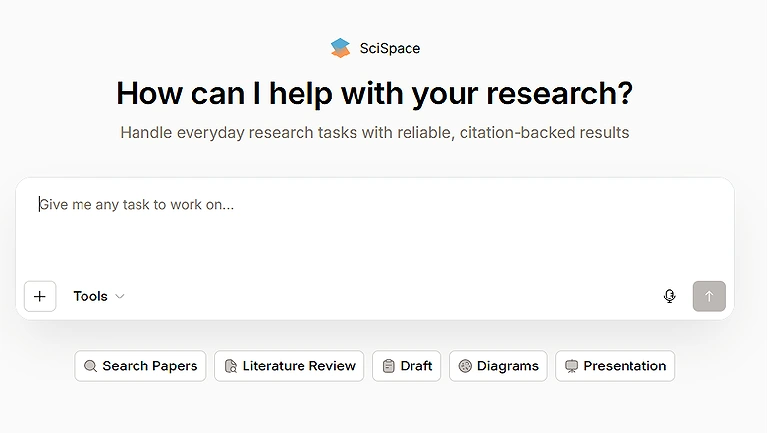
SciSpace Official source page
7 Paperguide
Paperguide is an all-in-one AI research assistant that streamlines literature search, reference management, report generation, and manuscript writing. It automates the research workflow from discovering studies to synthesizing summaries, improving productivity, and supporting systematic reviews across fields like medicine, engineering, and social sciences.
Key Highlights
- Paperguide is an all-in-one AI research assistant for literature search and academic writing.
- It manages references and helps generate research reports efficiently.
- It automates literature review and study summarisation processes.
- It supports systematic reviews across multiple academic disciplines.
How to Use Paperguide
- Open Paperguide and start a new research project or workspace.
- Search and collect relevant academic papers using its literature discovery feature.
- Organize references automatically for citation management and systematic reviews.
- Use AI tools to summarise studies and extract key findings from multiple sources.
- Draft structured research reports or manuscripts directly within the platform.
Pros
- Streamlines workflows and reduces repetitive tasks
- Enhances research productivity across disciplines
- Provides a centralised unified platform for organising research
Cons
- Learning curve for full feature utilisation
- Premium features may require a subscription
- Formatting may need manual adjustments
Best Use Case
- Researchers managing large projects in medicine, engineering, or social sciences
- Teams performing systematic reviews
- Academics seeking to automate research workflows
Limitations
- Performance depends on input quality – Paperguide works best when high-quality papers and sources are provided.
- Learning curve for advanced features – full research automation tools may take time to master for new users.
- No publicly fixed credit system – Paperguide does not disclose exact free credit limits, with access typically governed by free-tier usage restrictions.
Pricing Plan
- Free Plan – Paperguide offers basic literature search, note-taking, and limited AI assistance.
- Premium Plan (Paid) – unlocks advanced research automation, full manuscript support, and enhanced collaboration features.
Alternate Options
Google Scholar, ResearchGate, Scopus, PubMed,
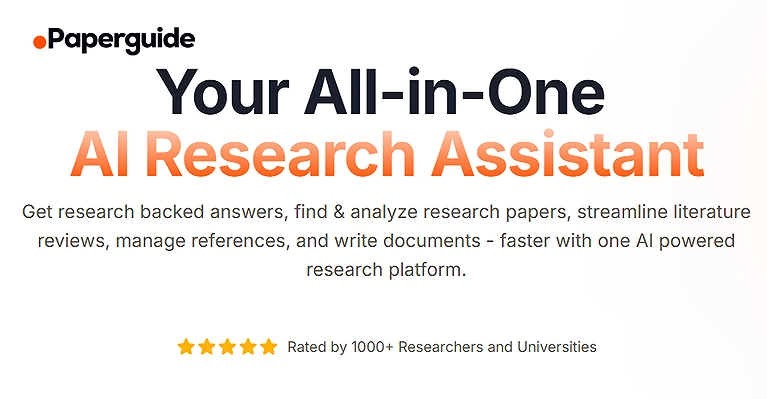
Paperguide Home Page
8 Zotero
Zotero is an AI-enhanced reference management tool that organizes research papers, notes, and bibliographies with automatic categorization and citation formatting. It supports styles like APA and Chicago, simplifies library management, and enables collaboration, making it essential for academic research and team-based projects.
Key Highlights
- Zotero is an AI-enhanced reference management tool for organizing research papers and notes.
- It automatically categorizes sources and formats citations in styles like APA and Chicago.
- It simplifies personal research library management.
- It supports collaboration for academic and team-based projects.
How to Use Zotero
- Install Zotero and create a personal research library.
- Save academic papers, web pages, and PDFs directly into your library using the browser connector.
- Organize sources into folders and apply tags for easy categorization.
- Use the built-in citation tool to generate APA, Chicago, MLA, and other citation styles.
- Sync your library across devices and collaborate with co-authors on shared collections.
Pros
- Generates accurate citations in APA style and Chicago style
- Supports AI-assisted organization for large research libraries
- Enables seamless collaboration with co-authors
Cons
- Requires familiarity with citation styles for optimal use
- Limited AI capabilities compared to full research assistants
- May need manual adjustments for complex bibliographies
Best Use Case
- Academics managing research libraries
- Teams working on shared literature collections
- Researchers needing reliable citation formatting
Limitations
- Limited built-in AI depth – Zotero focuses more on organization than advanced AI-driven analysis.
- Storage constraints – free cloud storage is limited, requiring upgrades for large research libraries.
- No fixed credit system – Zotero does not use or define any credit-based usage limits for its free version.
Pricing Plan
- Free Plan – Zotero includes core reference management, citation generation, and limited cloud storage.
- Paid Storage Plans – offer expanded cloud storage and syncing options for large-scale research libraries and team collaboration.
Alternate Options
Google Scholar, ResearchGate, Scopus,
9 Open Research Knowledge Graph (ORKG)
Open Research Knowledge Graph is a semantic research platform that structures scholarly work as linked data instead of static papers. It enables semantic search, comparison tables, and AI-powered insights, supporting FAIR principles to make research findable, accessible, interoperable, and reusable for advanced scientific discovery.
How to Use Open Research Knowledge Graph (ORKG)
- Open Open Research Knowledge Graph (ORKG) and explore research topics using semantic search.
- Enter a research question or concept to find structured scientific knowledge instead of plain documents.
- Compare studies using automatically generated comparison tables and structured insights.
- Use AI-supported question answering to extract relationships between research contributions.
- Integrate findings into literature reviews while following FAIR principles for reusable research data.
Pros
- Helps researchers uncover relationships and patterns in scholarly work
- Goes beyond traditional keyword search for more meaningful insights
- Facilitates organized and accessible scholarly work
Cons
- Requires familiarity with graph-based research tools
- Learning curve for complex semantic search queries
- Limited adoption across some research disciplines
Best Use Case
- Academics needing structured representation of research contributions
- Teams performing comparative analysis using comparison tables
- Researchers seeking knowledge integration across multiple studies
Limitations
- Limited mainstream coverage – Open Research Knowledge Graph (ORKG) does not yet index all global research papers compared to traditional databases.
- Steeper learning curve – structured knowledge graphs can be difficult for beginners to interpret.
- No fixed credit system – ORKG does not operate on a credit-based model, and free usage limits are not defined as credits.
Pricing Plan
- Free Access – Open Research Knowledge Graph (ORKG) provides open access to core semantic search and knowledge graph features.
10 AlphaFold
AlphaFold is a deep learning system developed by DeepMind that predicts 3D protein structures from amino acid sequences. It accelerates research in biology and drug discovery by enabling fast, accurate in-silico modeling, reducing reliance on time-consuming laboratory-based structural experiments.
Key Highlights
- AlphaFold is a deep learning system developed by DeepMind that predicts 3D protein structures from amino acid sequences.
- It enables fast and highly accurate in-silico protein structure modeling.
- It significantly accelerates research in biology and drug discovery.
- It reduces reliance on time-consuming laboratory-based structural experiments.
How to Use AlphaFold
- Access AlphaFold through supported platforms or databases like AlphaFold Protein Structure Database.
- Enter a protein sequence in FASTA format to initiate structure prediction.
- View the predicted 3D protein structure generated by deep learning models.
- Analyze confidence scores to evaluate prediction reliability for different regions.
- Download results for use in bioinformatics, drug discovery, or computational biology research.
Pros
- Replaces slow and costly lab experiments
- Enables scientists to focus on interpretation and experimental planning
- Produces highly accurate 3D protein conformations
Cons
- Requires computational resources for large-scale predictions
- Limited to protein structure; not for general research tasks
- Interpretation of predictions still requires domain expertise
Best Use Case
- Computational biologists modeling protein structures
- Researchers in drug discovery and molecular biology
- Teams needing rapid in-silico predictions to guide experiments
Limitations
- Narrow specialization – AlphaFold is focused only on protein structure prediction, not general research tasks.
- No direct experimental validation – predictions still require laboratory verification for confirmation.
- No credit system – AlphaFold does not operate on a credit-based usage model, and access is generally free through its database or tools.
Pricing Plan
- Free Access – AlphaFold is freely available for academic and research use via public databases.
- Research Integration (Non-commercial use) – institutions can use it freely for scientific studies, with restrictions mainly on commercial deployment depending on licensing conditions.
Alternate Options
Scite, NotebookLM, SciSpace, Paperguide, Zotero
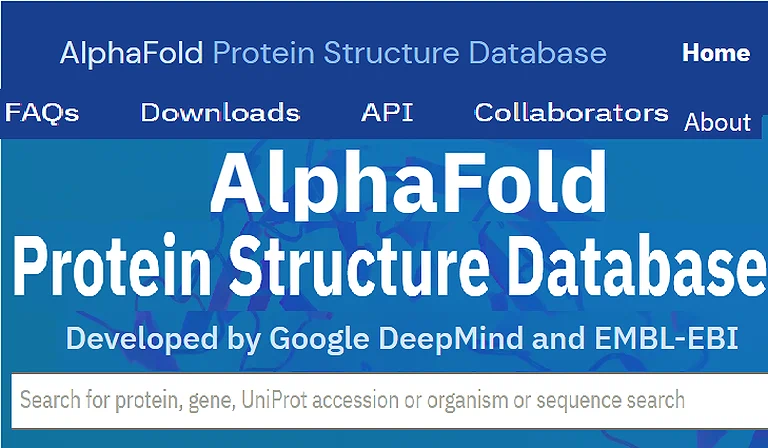
AlphaFold Official source image
Frequently Asked Questions
1. What are AI tools for scientific research?
AI tools use machine learning, NLP, and semantic analysis to help researchers analyze data, review literature, and summarize findings efficiently. They streamline workflows across multiple disciplines, reducing time spent on manual tasks.
2. How do AI tools improve research productivity?
They automate data collection, synthesize evidence, and uncover connections in complex datasets. This allows researchers to focus on hypothesis generation, experimental design, and critical interpretation.
3. Which AI tools are Best Use Case literature review?
Semantic Scholar, Elicit, and Consensus provide AI-driven search, summaries, and citation context for efficient literature assessment. These tools help researchers quickly identify relevant studies and key findings.
4. Can AI tools replace traditional experiments?
Some tools, such as AlphaFold, can predict protein structures and reduce certain lab experiments. However, AI mainly supplements research, guiding downstream experimentation and analysis.
5. Are AI tools suitable for all research disciplines?
AI tools are versatile and applicable in medicine, engineering, social sciences, and computational biology. Effectiveness depends on data availability and discipline-specific literature.
Final Thoughts
AI tools are reshaping scientific research by accelerating literature reviews, data analysis, evidence synthesis, and workflow automation. Platforms like Semantic Scholar, Elicit, Scite, and AlphaFold use machine learning, semantic search, and natural language processing to uncover insights with greater accuracy and efficiency. These technologies reduce manual workload, improve productivity, and speed up scientific discoveries across disciplines. To communicate findings effectively worldwide, researchers also benefit from AI tools for data analysis which simplify converting complex research into accessible, publication-ready content.