.webp)
Cinematic AI Video Generation: Top Tools for Filmmakers and VFX Artists
Professional filmmakers, directors, and VFX artists need more than attractive AI videos. Their projects require consistent characters, smooth camera movements, realistic motion, and stable scenes from start to finish. When AI creates flickering visuals, changing objects, or broken movement, editing becomes harder, deadlines are missed, and production costs increase because teams must spend extra time fixing errors.
The right AI video tools reduce these problems with better scene consistency, accurate camera controls, realistic motion, and reliable video generation. This guide compares the best cinematic AI video platforms that fit professional filmmaking workflows, helping studios, indie filmmakers, and VFX artists create high-quality videos faster while reducing editing work and keeping production costs under control.

 Updated: July 05, 2026 | 12 min read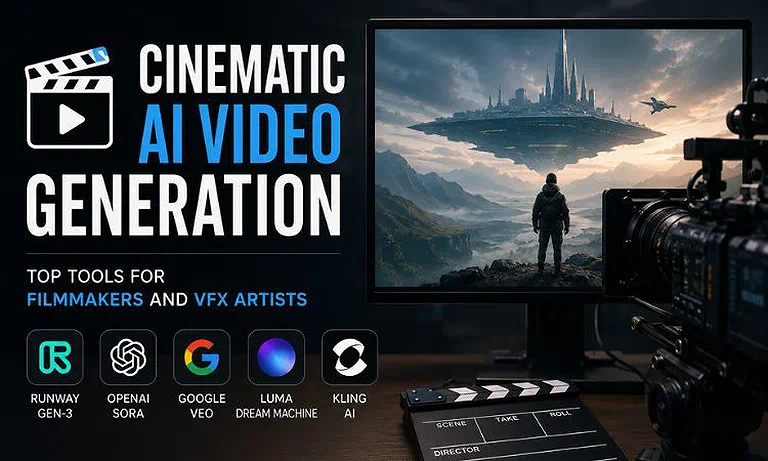
Cover Photo Cinematic AI Video Generation: Top Tools for Filmmakers and VFX Artists
Why This Use Case Matters
Cinematic AI video tools are built for professional filmmaking, where every scene must look realistic and remain consistent from start to finish. Unlike basic AI video generators, these platforms give creators better control over camera movements, lighting, environments, and visual effects, making them suitable for studio-quality productions. The following features explain why these tools are the preferred choice for filmmakers and VFX professionals.
Realistic Motion and Physics: Advanced AI models create natural movement for water, smoke, dust, cloth, and other elements. This makes action scenes and visual effects look more believable while reducing the time spent fixing mistakes during post-production.
Accurate Camera Control: Professional AI tools let you control camera movements such as pans, zooms, crane shots, and tracking shots. This gives filmmakers predictable results and greater creative control over every scene.
Consistent Characters and Scenes: The best AI video generators keep characters, clothing, backgrounds, and objects consistent throughout the video. This avoids unwanted changes between frames and reduces the need for extra editing. If you're still experiencing character morphing, frame flicker, unrealistic motion, or other visual inconsistencies, read our Why Your AI Videos Still Look Fake—Fix Character Morphing, Bad Physics & Frame Flicker for practical techniques to improve AI-generated video quality.
Fast VFX Background Creation: AI can quickly generate realistic environments and digital backgrounds for visual effects. This helps filmmakers avoid expensive location shoots while saving both production time and overall costs.
🎯 The Quick Verdict
| Tool | Quick Verdict |
| Runway Gen-3 | The best overall choice for professional filmmakers and VFX artists who need advanced camera controls, realistic visuals, and consistent cinematic results. |
| OpenAI Sora | The top option for creating long, story-driven cinematic videos with outstanding scene continuity and realistic motion throughout extended sequences. |
| Google Veo | A great choice for studios seeking high-quality cinematic visuals with native audio generation in a streamlined production workflow. |
| Luma Dream Machine | Best for filmmakers who need fast storyboarding, concept visualization, and pre-visualization during the early stages of production. |
| Kling AI | The best budget-friendly solution for indie filmmakers and small creative teams looking for affordable cinematic AI video generation. |
Who Should Read This Guide
Ideal For
Film Directors & Cinematographers: Building complex, motion-accurate mood reels and dynamic digital storyboards.
VFX Compositors & Technical Directors: Generating clean plate extensions, surreal atmospheric elements, or hyper-focused background plates.
Indie Production Houses: Executing high-concept sci-fi, fantasy, or historical set pieces without million-dollar practical budgets.
Not Ideal For
Standard Social Media Managers: High processing costs and deep prompting curves make these platforms inefficient for high-volume, casual talking-head clips.
Live-Action Script-Continuity Strictures: If a scene requires a specific real-world actor to display highly precise, script-exact micro-expressions across 40 continuous angles, traditional live capturing remains mandatory.
How We Tested Every Platform
To provide fair, practical, and unbiased recommendations, we tested every AI video platform using the same workflow and evaluation process. Rather than relying on vendor claims, I focused on real-world filmmaking tasks that directors, VFX artists, and production teams perform during pre-production and video creation.
Prompt Accuracy Test: Every tool received the same detailed cinematic prompt to measure how accurately it followed scene descriptions, camera angles, lighting, and visual style.
Camera Control Test: I evaluated each platform's ability to handle camera movements such as pan, tilt, zoom, dolly, and tracking shots using its built-in controls.
Scene Consistency Test: I generated multiple versions of the same scene to check whether characters, clothing, backgrounds, and lighting remained consistent across frames.
Performance and Cost Test: I compared rendering speed, credit usage, output quality, maximum export resolution, and overall workflow efficiency to understand each tool's real production value.
What We Found: Using the same testing process for every platform allowed us to compare results fairly. This approach highlighted the strengths and weaknesses of each tool in real filmmaking workflows, making our recommendations based on practical performance rather than marketing claims.
Evaluation Criteria
Each platform was scored using six key criteria that matter most in professional filmmaking and cinematic AI video production.
Scene Consistency: How well the tool keeps characters, objects, backgrounds, and lighting consistent throughout the generated video.
Realistic Motion and Physics: How naturally people, objects, water, smoke, cloth, and other moving elements behave in different scenes.
Camera Controls: The level of control available for camera movements, including pans, zooms, tracking shots, crane movements, and cinematic framing.
Prompt Accuracy: How closely the generated video matches detailed filmmaking instructions, camera directions, lighting styles, and visual descriptions.
Rendering Performance: The speed of video generation, export quality, supported resolutions, and overall reliability during production.
Workflow and Integration: Support for APIs, automation, collaboration, and other features that help studios and creative teams integrate AI into professional production workflows.
At-a-Glance Comparison Matrix
| Tool | Best For | Ideal Team Size | Entry Price | TCO Risk | Overall Score |
| Runway Gen-3 | Director-Driven Camera Layouts | 1–25+ users | $12.00/mo | Medium (High iteration burn) | 9.5 / 10 |
| OpenAI Sora | Extended Scene Continuity | 5–50+ users | Custom/Enterprise | High (Premium asset scaling) | 9.3 / 10 |
| Google Veo | Native Sound Design & VFX | 2–30+ users | $19.99/mo | Medium (Audio model multiplier) | 9.1 / 10 |
| Luma Dream Machine | Rapid Photorealistic Drafts | 1–10 users | $25.00/mo | High (Strict non-rollover limits) | 8.8 / 10 |
| Kling AI | Native Audio & Indie Budgeting | 1–5 users | $6.60/mo | Low (Affordable top-up tiers) | 8.7 / 10 |
Rating Source: Our overall scores combine hands-on testing with real user feedback, focusing on video quality, prompt accuracy, camera controls, rendering performance, pricing, and production value. On G2, Runway holds a 3.9/5 rating, while OpenAI Sora, Google Veo, Luma Dream Machine, and Kling AI currently have no standalone G2 ratings.
Deep Dive: Top Cinematic AI Generation Platforms
Runway Gen-3 for Cinematic Filmmaking
Why It Fits This Use Case: Runway Gen-3 is the strongest choice for filmmakers who need precise control over cinematic shots. Its advanced camera controls, realistic motion, and consistent scene generation make it well suited for directing complex sequences, VFX pre-visualization, and professional storytelling.
Strengths for This Use Case
Excellent camera movement controls for cinematic shots.
Strong character and scene consistency across frames.
High-quality lighting and realistic visual effects.
Limitations for This Use Case
Does not generate native audio.
Heavy rendering can consume credits quickly.
Use Case Verdict: The best overall option for directors, VFX artists, and production teams that need maximum creative control and studio-quality results.
Read the full review: Want a deeper breakdown? Explore our complete Runway Gen-3 review for detailed feature analysis, pricing, workflow testing, pros, cons, and real-world performance.
OpenAI Sora for Cinematic Filmmaking
Why It Fits This Use Case: OpenAI Sora excels at generating long cinematic scenes with impressive visual consistency. It maintains characters, environments, and object movement across extended sequences, making it ideal for narrative filmmaking and concept development.
Strengths for This Use Case
- Outstanding long-scene consistency.
- Realistic motion and environmental interactions.
- Excellent understanding of detailed cinematic prompts.
Limitations for This Use Case
- Limited public availability and enterprise-focused access.
- Strict safety filters may restrict some creative concepts.
Use Case Verdict: The best choice for studios and agencies producing story-driven cinematic videos with long, uninterrupted scenes.
Read the full review: Need a full evaluation? Read our in-depth OpenAI Sora review covering features, pricing, workflow integration, strengths, limitations, and overall value.
Google Veo for Cinematic Filmmaking
Why It Fits This Use Case: Google Veo combines cinematic video generation with native audio capabilities, making it a strong solution for creators who want to speed up production. It performs well in realistic motion, prompt understanding, and high-quality visual output.
Strengths for This Use Case
- Built-in audio generation.
- Strong cinematic prompt accuracy.
- High-quality visuals with realistic motion.
Limitations for This Use Case
- Some advanced features are still expanding.
- Best performance depends on Google's ecosystem.
Use Case Verdict: A great option for studios and creative teams looking for an efficient, all-in-one cinematic video generation workflow.
Read the full review: Looking beyond this use case? Check out our comprehensive Google Veo review for pricing, feature comparisons, workflow insights, and hands-on testing results.
Luma Dream Machine for Cinematic Filmmaking
Why It Fits This Use Case: Luma Dream Machine is designed for quickly creating realistic video concepts and cinematic previews. It is particularly useful during early production when filmmakers need to visualize ideas before committing to expensive shoots or VFX work.
Strengths for This Use Case
- Fast video generation.
- Realistic visuals for concept development.
- Easy to iterate on creative ideas.
Limitations for This Use Case
- Less control over advanced camera movements.
- Scene consistency may vary in longer videos.
Use Case Verdict: An excellent choice for storyboarding, pre-visualization, and rapid concept creation before full-scale production.
Read the full review: Interested in the complete picture? Visit our full Luma Dream Machine review to explore pricing, capabilities, workflow performance, and detailed feature testing.
Kling AI for Cinematic Filmmaking
Why It Fits This Use Case: Kling AI delivers impressive cinematic quality at an affordable price, making it a practical choice for indie filmmakers and small production teams. It offers good visual realism and reliable performance without the high operating costs of enterprise platforms.
Strengths for This Use Case
Affordable pricing.
Good cinematic visual quality.
Suitable for independent productions.
Limitations for This Use Case
Fewer professional camera controls than premium competitors.
Advanced production features are more limited.
Use Case Verdict: The best value for independent filmmakers, freelancers, and small creative teams seeking cinematic AI video generation on a budget.
Read the full review: Want to compare every feature? Read our detailed Kling AI review for pricing, workflow analysis, strengths, weaknesses, and long-term value assessment.
Buying Considerations for Film Studios
Check Data Security and Privacy: If your project involves confidential scripts, unreleased footage, or proprietary assets, choose a platform with strong data security, privacy controls, and enterprise-grade protection to keep production files secure.
Look for Customization Options: Studios working on long-term projects should consider platforms that support custom model training or consistent style controls. These features help maintain the same characters, environments, and visual style across multiple scenes.
Review Commercial Licensing: Before using AI-generated content in commercial projects, verify that the platform provides clear commercial usage rights for videos, images, audio, and other generated assets to avoid copyright or licensing issues after release. For a detailed breakdown of ownership, licensing, and legal best practices, read our Creating AI Videos? Don't Publish Until You Read This Legal Guide before publishing AI-generated content.
Understanding the Total Cost of Ownership
Consider Rendering and Iteration Costs: Creating the perfect cinematic shot often requires multiple test renders before the final version. Platforms with credit-based pricing can become more expensive if your team frequently revises scenes.
Check High-Resolution Export Costs: Some AI video tools charge extra credits or require higher-tier plans for exporting videos in Full HD or 4K. Review these costs before starting large production projects.
Evaluate Team Collaboration Costs: If multiple editors, directors, or VFX artists need access, check whether collaboration features, shared workspaces, and additional user seats are included or require a more expensive subscription plan.
FAQ
Why do AI cinematic engines struggle with small, complex human movements like eye blinks?
Most video models predict motion by tracking larger shifts across groups of pixels. Small, detailed facial movements require much tighter token processing and highly specialized training datasets focused on subtle human micro-expressions.
Do I lose my generation credits if a clip renders with broken physical geometry?
On most mainstream platforms, credits are spent the moment a render begins, regardless of how the final clip looks. This makes it smart to test and refine your ideas using loIr-cost draft modes first.
Can I export alpha channels or isolated green-screen layers directly from these tools?
Most models output flattened video files. To isolate specific characters or assets for composting, you still need to pass the clips through automated rotoscoping tools or traditional chroma-key systems in your editor.
How do camera focal length prompts alter the behavior of generation models?
Using technical terms like "wide-angle 18mm" or "85mm compression" tells the model to adjust how it scales backgrounds and handles depth-of-the-field blur, accurately mimicking real-world camera lenses.
Is it legal to sell independent films that use AI-generated background environments?
Paid subscription plans generally grant you full commercial usage rights for your outputs. HoIver, you must always double-check that your prompts don't inadvertently copy copyrighted designs or trademarked properties.
What causes a video clip to suddenly dissolve into strange, abstract shapes at the end?
As a video generation runs longer, the model can lose track of its initial visual reference points. This error accumulation can cause the physical structure of the scene to break down into abstract visual noise.
Conclusion
Choosing the best AI video generator depends on your production goals, creative workflow, and budget. Runway Gen-3 is our top overall recommendation because it offers the best combination of camera control, cinematic quality, and scene consistency for professional filmmaking and VFX projects. OpenAI Sora is ideal for long, story-driven productions, while Google Veo stands out with native audio generation. Luma Dream Machine is perfect for fast pre-visualization, and Kling AI delivers excellent value for indie filmmakers seeking affordable, high-quality cinematic video generation. As your production pipeline grows, remember that selecting the right tools is only part of the equation—maintaining consistent workflows and visual standards across projects is equally important. For practical strategies on achieving both, read our How to Fix the Disconnected Stack, Visual Inconsistency and Construct a Unified Production Process in 2026.