.webp)
Boost Your Career with the Best AI Tools for Engineers
Engineering teams often lose time on repetitive tasks like documentation, simulations, and data searches. AI tools help automate these processes, boost productivity, speed up analysis, and let engineers focus on innovation, design, and higher-value problem-solving while improving efficiency and project delivery.
This guide explores AI tools that improve engineering efficiency, reduce errors, and enhance productivity while integrating smoothly into existing workflows. While foundational knowledge is key, staying competitive in the field requires mastering how to use AI tools for university that bridge the gap between academic theory and complex professional engineering

 Updated: April 26, 2026 | 16 min read
 | Tool Name | Best For | Pricing | Ease |
| GitHub Copilot | AI code generation & assistance | Subscription | Beginner |
| ChatGPT | General AI problem-solving & coding help | Free + Paid | Beginner |
| MATLAB AI | Engineering simulations & analysis | Paid | Intermediate |
| TensorFlow | Machine learning model development | Free (open-source) | Advanced |
| ANSYS Twin Builder (AI) | Digital twin simulation & modeling | Paid | Advanced |
| SimScale | Cloud-based engineering simulations | Free + Paid | Intermediate |
| DataRobot | Automated machine learning | Paid | Intermediate |
| H2O.ai | AI & ML platform for engineers | Free + Paid | Advanced |
| DeepCode | AI code review & bug detection | Free + Paid | Beginner |

Cover Photo Boost Your Career with the Best AI Tools for Engineers
Why are engineers adopting AI tools?
Engineers are increasingly using AI tools like GitHub Copilot, Cursor, Neural Concept, Ansys Discovery, SimScale, and Perplexity to automate design, simulations, coding, and research. These tools reduce repetitive tasks, save time on documentation and modeling, and provide deeper insights, enabling engineers to focus on innovation and complex problem-solving.
1 GitHub Copilot
GitHub Copilot is an AI coding assistant developed by GitHub and OpenAI that helps engineers generate code, refactor functions, debug efficiently, and automate repetitive programming tasks. Integrated with popular IDEs, it improves development speed, coding consistency, and productivity across languages like Python, JavaScript, Go, and C++.
Key Features
- AI-powered code suggestions and auto-completion
- Supports multiple programming languages and frameworks
- Helps with debugging, refactoring, and documentation
- Seamless integration with popular IDEs
How to use GitHub Copilot?
- Install the GitHub Copilot extension in your IDE
- Log in using your GitHub account
- Write prompts, comments, or code snippets
- Accept, modify, or regenerate AI suggestions instantly
Pros
- Speeds up software development tasks
- Reduces repetitive coding work significantly
- Improves coding efficiency and workflow consistency
- Helpful for beginners and experienced engineers
How effective for Engineers?
GitHub Copilot greatly enhances engineering productivity by accelerating coding, debugging, automation, and repetitive software development workflows.
Limitations
- Cannot fully replace human problem-solving and code reviews
- May generate outdated or inefficient coding solutions
- Struggles with highly specialized or complex engineering logic
Pricing Plan
- GitHub Copilot offers free access for verified students and limited users with essential AI coding assistance.
- Paid plans include advanced AI features, business collaboration tools, stronger security, and enterprise-level development support.
Smart Alternative
Tabnine, Codeium, Cursor, Replit
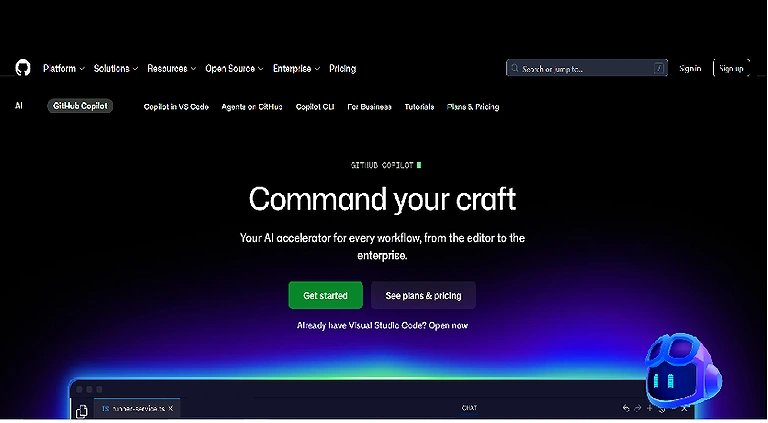
GitHub Copilot Official page
2 ChatGPT (with Code Interpreter / Plugins)
ChatGPT with Code Interpreter and plugins is an advanced AI assistant by OpenAI that helps engineers write code, debug errors, build prototypes, analyze data, and generate documentation. It enhances productivity by combining conversational reasoning with execution tools and plugin-based integrations for complex engineering workflows.
Key Features
- Advanced code generation and debugging support
- Data analysis with Code Interpreter execution
- Plugin-based integration with external tools and APIs
- Assists in documentation and technical explanations
How to use ChatGPT (with Code Interpreter / Plugins)?
- Open ChatGPT and select Code Interpreter or enabled plugins mode
- Enter coding tasks, prompts, or problem statements
- Upload files or datasets for analysis when needed
- Refine outputs through iterative conversational prompts
Pros
- Highly versatile for coding and data tasks
- Reduces debugging and development time significantly
- Supports real-time analysis and execution
- Useful for learning, prototyping, and documentation
Cons
- Requires careful prompt structuring for best results
- May produce incorrect logic in complex systems
- Plugin availability may vary by region or plan
- Performance depends on input clarity
How effective for Engineers?
ChatGPT with Code Interpreter significantly improves engineering workflows by combining coding, debugging, analysis, and prototyping into one intelligent assistant.
Limitations
- Not a full replacement for production-level software testing
- Occasional inaccuracies in complex algorithm design
- Plugin dependencies may limit functionality consistency
Pricing Plan
- The free version offers basic ChatGPT access with limited features and usage capacity.
- Paid plans unlock advanced tools, Code Interpreter, plugins, and faster performance with priority access.
Smart Alternative
Claude, Amazon Q Developer, Sourcegraph Cody, Phind
3 MATLAB AI / Deep Learning Toolbox
MATLAB integrates AI and deep learning with powerful toolboxes, enabling predictive modeling, visualization, GPU acceleration, and seamless deployment for engineering applications. For high-level computational tasks, many specialists rely on AI tools for mathematicians, which offer a robust deep learning toolbox for simulating physical systems.
Key Features
- Deep learning model development and training tools
- Advanced data visualization and analysis capabilities
- GPU acceleration for faster computation performance
- Supports predictive modeling and simulation workflows
How to use MATLAB AI / Deep Learning Toolbox?
- Install MATLAB and activate Deep Learning Toolbox
- Import datasets or engineering simulation data
- Build and train neural networks using built-in functions
- Deploy models for prediction, analysis, or simulation tasks
Pros
- Strong mathematical and engineering modeling capabilities
- Excellent visualization and simulation tools
- High performance with GPU acceleration support
- Widely used in academic and industrial research
Cons
- Expensive licensing compared to other tools
- Requires strong technical and mathematical knowledge
- Steep learning curve for beginners
- Heavy system resource requirements
How effective for Engineers?
MATLAB AI / Deep Learning Toolbox is highly effective for engineers, enabling advanced simulation, predictive modelling, and high-performance AI-driven engineering solutions.
Limitations
- Not beginner-friendly for non-technical users
- Requires costly licenses for full features
- Limited flexibility compared to open-source frameworks
Pricing Plan
- MATLAB offers paid licenses with different tiers for students, academics, and enterprises.
- Some trial and educational versions are available with limited features and duration.
Smart Alternative
Python TensorFlow, PyTorch, Keras, Google Colab
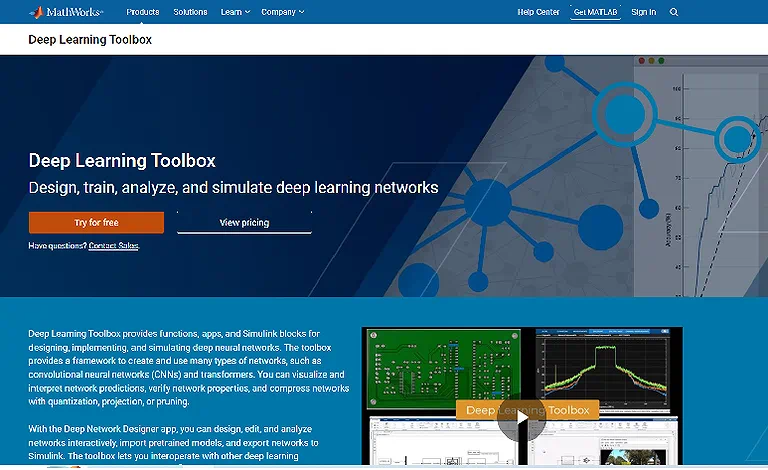
MATLAB AI / Deep Learning Toolbox Official page
4 TensorFlow
TensorFlow by Google is an open-source machine learning framework designed for building and deploying neural networks. It enables scalable AI training, rapid prototyping, and deployment across cloud, mobile, and edge devices for applications in robotics, automation, and advanced engineering systems.
Key Features
- Open-source framework for machine learning and deep learning
- Scalable training across CPUs, GPUs, and TPUs
- Supports mobile and edge device deployment
- Strong ecosystem for AI research and production
How to use TensorFlow?
- Install TensorFlow via pip or Anaconda environment
- Import datasets and preprocess data for training
- Build neural network models using Keras API
- Train, evaluate, and deploy models for real-world use
Pros
- Highly scalable and production-ready AI framework
- Strong community support and extensive documentation
- Works across multiple platforms and devices
- Flexible for both beginners and advanced users
Cons
- Complex setup for beginners
- Requires strong understanding of machine learning concepts
- Debugging can be challenging in large models
- Performance tuning may need advanced expertise
How effective for Engineers?
TensorFlow greatly empowers engineers by enabling scalable machine learning, automation, and intelligent system development efficiently.
Limitations
- Steep learning curve for new AI developers
- Requires significant computational resources for large models
- Debugging deep learning models can be time-consuming
Pricing Plan
- TensorFlow is completely free and open-source for individuals, researchers, and enterprises.
- However, cloud training services like Google Cloud AI may incur additional costs.
Smart Alternative
PyTorch, Keras, JAX, Apache MXNet
5 ANSYS Twin Builder with AI
ANSYS Twin Builder with AI by ANSYS combines digital twin technology, simulation, and artificial intelligence to model real-world engineering systems. It enables predictive maintenance, anomaly detection, performance optimization, and system-level insights to reduce downtime and improve industrial efficiency.
Key Features
- Digital twin creation for real-world system simulation
- AI-powered predictive maintenance and fault detection
- Performance optimisation across engineering systems
- Integration with IoT and industrial data sources
How to use ANSYS Twin Builder with AI?
- Install ANSYS Twin Builder and configure the simulation environment
- Import system models or create digital twins
- Connect real-time or historical operational data
- Run AI-based simulations for prediction and optimisation
Pros
- Highly accurate industrial system simulation
- Reduces downtime through predictive analytics
- Improves operational efficiency and safety
- Strong integration with engineering workflows
Cons
- High cost of software licensing
- Requires advanced engineering knowledge
- Complex setup and configuration process
- Resource-intensive for large-scale simulations
How effective for Engineers?
ANSYS Twin Builder with AI is extremely effective for engineers, enabling predictive modeling, system optimization, and industrial-grade digital twin solutions.
Limitations
- Not suitable for beginners or non-technical users
- Requires expensive computational and software resources
- Limited flexibility outside industrial engineering domains
Pricing Plan
- ANSYS offers enterprise-based paid licensing with customised pricing depending on usage and modules.
- No fully free version is available except for limited trials or academic access.
Smart Alternative
Siemens Simcenter, MATLAB Simulink, IBM Watson IoT, Autodesk Fusion 360

ANSYS Twin Builder with AI Official page
6 Autodesk Fusion 360 with Generative Design
Autodesk Fusion 360 with Generative Design by Autodesk uses AI-driven algorithms to generate optimized engineering designs based on constraints like performance, weight, and cost. It integrates CAD, CAM, and CAE tools to speed up prototyping, improve product development, and enhance engineering innovation workflows.
Key Features
- AI-powered generative design optimisation
- Integrated CAD, CAM, and CAE environment
- Cloud-based collaboration and design sharing
- Simulation-driven product development tools
How to use Autodesk Fusion 360 with Generative Design?
- Install Fusion 360 and enable the generative design workspace
- Define design goals, constraints, and material selection
- Run AI-driven generative design simulations
- Evaluate and refine generated design options
Pros
- Speeds up product design and prototyping
- Produces highly optimized engineering solutions
- Cloud-based collaboration improves teamwork
- Combines multiple engineering tools in one platform
Cons
- Requires a stable internet for cloud features
- Subscription costs may be high for individuals
- Learning curve for advanced design tools
- Limited offline functionality
How effective for Engineers?
Autodesk Fusion 360 with Generative Design significantly enhances engineering productivity by optimising designs, reducing material waste, and accelerating innovation workflows.
Limitations
- Heavy reliance on cloud processing and internet access
- Advanced features require paid subscription
- Not ideal for very simple design tasks
Pricing Plan
- Autodesk Fusion 360 offers free access for students and startups with limited features.
- Paid subscription unlocks full generative design, simulation, and professional CAD/CAM capabilities.
Smart Alternative
SolidWorks, Siemens NX, CATIA, PTC Creo
7 SimScale
SimScale is a cloud-based simulation platform that provides CFD, FEA, and thermal analysis for engineering applications. It uses AI-assisted workflows and cloud computing to help engineers optimize designs, run faster simulations, and collaborate efficiently through browser-based access and CAD integration.
Key Features
- Cloud-based CFD, FEA, and thermal simulations
- AI-assisted simulation workflows for faster analysis
- Browser-based access with no heavy installation
- CAD integration for seamless design testing
How to use SimScale?
- Create a SimScale account and log in via browser
- Upload or import CAD models for simulation
- Select simulation type (CFD, FEA, thermal)
- Run analysis and review results in dashboards
Pros
- No high-end hardware required due to cloud computing
- Easy browser-based access from anywhere
- Fast simulation setup and execution
- Strong collaboration features for teams
Cons
- Requires stable internet connection
- Limited offline capabilities
- Advanced features may require paid plans
- Large simulations can take longer in cloud queues
How effective for Engineers?
Sim Scale is highly effective for engineers, enabling fast cloud simulations, design optimisation, and collaborative engineering analysis workflows.
Limitations
- Depends heavily on internet connectivity
- Performance varies with cloud workload
- Limited customisation compared to desktop CAE tools
Pricing Plan
- Sim Scale offers a free community plan with limited public projects and features.
- Paid plans provide private projects, advanced simulations, and professional engineering support.
Smart Alternative
ANSYS Cloud, Autodesk CFD, SolidWorks Simulation, Siemens Simcenter
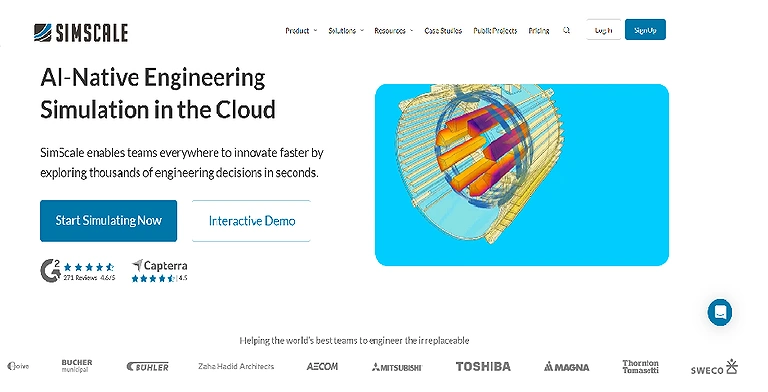
SimScale Official page
8 DataRobot
DataRobot is an automated machine learning platform by DataRobot that simplifies predictive analytics for engineering data. It enables rapid model training, deployment, and forecasting while supporting explainable AI, API integration, and decision-making to help engineers optimize systems and predict failures efficiently.
Key Features
- Automated machine learning model building and training
- Predictive analytics for engineering and operational data
- Explainable AI for transparent decision-making
- Easy API integration with enterprise systems
How to use DataRobot?
- Upload structured engineering or operational datasets
- Select the target variable for prediction or forecasting
- Let the platform auto-train and compare models
- Deploy best-performing model via API or dashboard
Pros
- Reduces time for building machine learning models
- No deep coding required for AI model development
- Strong predictive accuracy and automation
- Useful for enterprise-scale engineering analytics
Cons
- Expensive for small teams or individuals
- Limited customization compared to manual ML frameworks
- Requires high-quality structured data
- Less control over the underlying model architecture
How effective for Engineers?
DataRobot significantly improves engineering efficiency by enabling fast predictive modeling, automation, and data-driven operational decision-making.
Limitations
- Dependence on high-quality and structured datasets
- Limited flexibility for advanced custom ML models
- Subscription cost may be prohibitive for small users
Pricing Plan
- DataRobot offers enterprise-based paid plans with customized pricing depending on usage and organization size.
- No full free version is available, only limited demos or trials.
Smart Alternative
H2O.ai, Amazon SageMaker, Azure Machine Learning, Google Vertex AI
9 H2O.ai
H2O.ai is an AutoML platform that helps engineers build predictive models, detect anomalies, forecast trends, and analyze large datasets efficiently using scalable, explainable AI. Engineers working with predictive modeling often integrate these systems with the top trending AI tools for data analysis to automate the machine learning life cycle and improve decision-making accuracy
Key Features
- Automated machine learning (AutoML) model building
- Predictive analytics and forecasting capabilities
- Anomaly detection in large-scale datasets
- Explainable AI for transparent decision-making
How to use H2O.ai?
- Upload structured datasets into the platform
- Select target variables for prediction tasks
- Run AutoML to train and compare models
- Deploy best model for real-time or batch predictions
Pros
- Fast and automated machine learning workflow
- No deep coding required for model development
- Strong scalability for large datasets
- Provides explainable AI outputs for better trust
Cons
- Requires high-quality structured data
- Limited customization compared to manual ML coding
- Enterprise features can be costly
- Performance depends on data preparation quality
How effective for Engineers?
H2O.ai greatly enhances engineering workflows by automating machine learning, improving predictive accuracy, and accelerating data-driven decision-making.
Limitations
- Depends heavily on clean and structured datasets
- Less flexibility for advanced custom model tuning
- Enterprise pricing may be expensive for small users
Pricing Plan
- H2O.ai offers open-source tools for basic use and experimentation.
- Enterprise versions provide advanced AutoML, support, and deployment features under paid plans.
Smart Alternative
DataRobot, Amazon SageMaker, Google Vertex AI, Azure Machine Learning

H2O.ai Official page
10 DeepCode (Snyk Code)
DeepCode (Snyk Code) by Snyk is an AI-powered code analysis tool that detects bugs, vulnerabilities, and bad coding practices in large codebases. It integrates with IDEs and CI/CD pipelines to provide automated code reviews, improving software security, quality, and maintainability.
Key Features
- AI-based static code analysis for bug detection
- Security vulnerability scanning across co debases
- Automated code review and fix suggestions
- Integration with IDEs and CI/CD pipelines
How to use DeepCode (Snyk Code)?
- Connect to the repository or upload the source code
- Integrate with IDE or CI/CD pipeline
- Run automated AI code analysis
- Review issues and apply suggested fixes
Pros
- Improves code security and quality
- Detects vulnerabilities early in development
- Works seamlessly in development pipelines
- Saves time on manual code reviews
Cons
- May generate false positives in some cases
- Limited effectiveness on very small projects
- Advanced features require paid plans
- Requires proper configuration for best results
How effective for Engineers?
DeepCode significantly improves engineering productivity by enhancing code security, reducing bugs, and automating code review processes efficiently.
Limitations
- False positives can require manual verification
- Best performance depends on proper integration setup
- Less useful for non-code or low-code environments
Pricing Plan
- DeepCode offers a free tier with basic code scanning and vulnerability detection.
Paid Snyk plans unlock advanced security features, enterprise support, and CI/CD integration.
Smart Alternative
SonarQube, CodeQL, GitHub Advanced Security, Checkmarx
FAQ
How is AI used in civil engineering?
AI helps civil engineers optimize structural designs, predict material performance, automate project planning, monitor construction sites, and assess safety risks. It also analyzes large datasets to improve infrastructure performance, reduce costs, and support better decision-making throughout the project lifecycle.
Will AI replace civil engineers?
No. AI is designed to assist rather than replace civil engineers. While it automates calculations, simulations, and data analysis, engineers remain responsible for design decisions, regulatory compliance, project management, and solving complex real-world engineering challenges.
What are the main benefits of AI tools for engineers?
AI tools increase productivity by automating repetitive tasks, improving design accuracy, accelerating simulations, reducing development time, and providing data-driven insights. This allows engineers to focus on innovation, optimization, and solving technically demanding problems.
Which engineering disciplines benefit the most from AI?
AI is widely used across civil, mechanical, electrical, aerospace, automotive, software, manufacturing, and industrial engineering. Engineers use AI for predictive maintenance, generative design, simulation, quality control, robotics, and process optimization.
Which AI tools are most popular among engineers?
Some of the most widely used AI tools include GitHub Copilot for coding assistance, TensorFlow for machine learning, MATLAB for simulation and analytics, Autodesk Fusion 360 for generative design, and ANSYS Twin Builder for digital twin modeling and engineering simulations.
How does AI improve engineering design and simulations?
AI analyzes thousands of design possibilities, predicts system performance, and automates simulation workflows. This enables engineers to identify optimal designs faster, minimize material waste, improve product reliability, and shorten development cycles.
Can AI help engineers write and review code?
Yes. AI-powered coding assistants such as GitHub Copilot and Snyk Code (formerly DeepCode) generate code suggestions, detect bugs, identify security vulnerabilities, and recommend best practices. This helps engineers develop software faster while improving code quality.
Is AI useful for engineering students and beginners?
Absolutely. AI tools can explain engineering concepts, solve mathematical problems, generate programming examples, assist with CAD modeling, and simplify research. They help students learn more efficiently while developing practical technical skills.
What skills should engineers develop alongside AI tools?
Engineers should strengthen their knowledge of programming, data analysis, machine learning fundamentals, CAD software, simulation techniques, cloud computing, and problem-solving. Combining technical expertise with AI proficiency makes engineers more competitive in today's job market.
What is the future of AI in engineering?
AI will continue transforming engineering through autonomous design optimization, digital twins, predictive maintenance, intelligent robotics, advanced simulations, and automated decision support. Engineers who embrace AI technologies will be better positioned to deliver innovative, efficient, and sustainable solutions across industries.
Conclusion
AI tools are transforming engineering by automating design, simulations, coding, and data analysis. Platforms like GitHub Copilot, TensorFlow, and H2O.ai reduce repetitive tasks, improve efficiency, accelerate innovation, and help engineers focus on complex problem-solving and high-impact project outcomes. By building a portfolio around these technical platforms, you can then leverage the best AI tools for job search efficiency to ensure your high-tech skills land you at the top of any recruiter's list.
As your engineering expertise grows, expanding your design capabilities can provide an additional competitive advantage. Explore our guide on AI architecture tools to discover how intelligent design platforms help professionals create, visualize, and optimize architectural projects in minutes instead of months.