.webp)
10 Powerful AI Tools to Manage Your Business Smarter & Drive Growth
Running a business in 2026 without AI isn't just harderit's a competitive disadvantage. Every extra manual task, every delayed decision, every disconnected tool is time your competitors are already saving. The businesses pulling ahead aren't necessarily working harder; they're working smarter, letting AI handle the repetitive stuff while their teams focus on what actually moves the needle.
That's exactly what AI-powered business management tools doautomate the busywork, optimize workflows in real time, surface predictive insights before problems happen, and bring projects, finances, customer relationships, and operations into one smarter system.
This guide covers the best AI business management tools for 2026, built to cut manual work, boost collaboration, and turn scattered data into real decisions. Whether you're a startup or an enterprise, pairing these platforms with the
best AI tools for time management to boost productivity
keeps nothing falling through the cracks.

 Updated: April 27, 2026 | 20 min read
 Quick Comparison Table
| Tool | Primary Purpose | Best For | Free Plan |
| Asana Intelligence | AI Project Management | Teams & Enterprises | Yes |
| Salesforce Einstein | AI CRM & Sales Intelligence | Sales & Customer Service | No |
| HubSpot AI Tools | Marketing, Sales & CRM | SMBs & Growing Businesses | Yes |
| Workday Adaptive Planning | Financial Planning & Forecasting | Finance Teams | No |
| QuickBooks Live with AI | AI Bookkeeping & Accounting | Small Businesses | No |
| Jasper AI for Business | AI Content & Marketing | Marketing Teams | Limited |
| Zoom AI Companion | AI Meeting Assistant | Remote & Hybrid Teams | Included in eligible plans |
| Notion AI | Knowledge Management & Productivity | Individuals & Teams | No |
| Microsoft Power BI with AI | Business Intelligence & Analytics | Data-Driven Organizations | Limited |
| NetSuite AI | ERP & Business Operations | Mid-size & Enterprise Businesses | No |
What Are AI Business Management Tools
From years of working with growing companies, I’ve seen AI business management tools transform operations. These solutions use AI, machine learning, and automation to streamline workflows, reduce manual tasks, and enable data-driven decisions. Unlike traditional software, they learn from data, adapt to changes, and deliver actionable insights helping optimize resources across CRM, HR, finance, and supply chain management.
Why AI Business Management Is Booming in 2026
Businesses today manage more projects, customers, and data than traditional software can handle without heavy manual oversight. AI-powered platforms fix this by automating routine work, delivering predictive insights, and enabling faster, data-driven decisions.
In 2026, companies are adopting AI to boost productivity, cut costs, and strengthen collaboration across departments. Rather than replacing employees, AI works alongside teams handling repetitive tasks, spotting trends, forecasting outcomes, and recommending actions in real time.
As digital transformation accelerates, AI has become a genuine competitive advantage for businesses aiming to grow smarter and faster.
Benefits of AI Business Management
- Automates repetitive administrative and operational tasks.
- Improves decision-making through predictive analytics and real-time insights.
- Increases team productivity by reducing manual workloads.
- Enhances collaboration across departments with AI-assisted workflows.
- Helps sales and marketing teams personalize customer engagement.
- Improves financial planning, budgeting, and forecasting accuracy.
- Provides actionable business intelligence from large datasets.
- Supports scalable operations as businesses grow.
- Reduces human error in reporting and workflow management.
- Enables business leaders to focus on strategic initiatives instead of routine tasks.
How We Selected These Tools
To identify the best AI business management tools, we evaluated each platform using consistent criteria that reflect real-world business requirements rather than marketing claims.
We choose these tools for following reasons:
- AI capabilities and practical business automation features.
- Ease of implementation and overall user experience.
- Support for project management, finance, CRM, analytics, or business operations.
- Workflow automation and productivity improvements.
- Integration with popular business software and third-party platforms.
- Scalability for startups, small businesses, and enterprise organizations.
- Security, compliance, and enterprise readiness.
- Reporting, analytics, and decision-support capabilities.
- Pricing transparency and overall value.
- Vendor reputation, product maturity, and continuous AI innovation.
Professional Workflow Stage
| Workflow Stage | Recommended Tools |
| Strategic Planning | Workday Adaptive Planning, NetSuite AI |
| Sales & Customer Management | Salesforce Einstein, HubSpot AI Tools |
| Project & Team Management | Asana Intelligence, Notion AI |
| Financial Management | QuickBooks Live with AI, NetSuite AI |
| Marketing & Content Creation | Jasper AI for Business, HubSpot AI Tools |
| Meetings & Communication | Zoom AI Companion |
| Business Intelligence | Microsoft Power BI with AI |
Platform Compatibility
| Tool | Web | Windows | macOS | Android | iOS | API & Integrations |
| Asana Intelligence | ✓ | ✓ | ✓ | ✓ | ✓ | ✓ |
| Salesforce Einstein | ✓ | ✓ | ✓ | ✓ | ✓ | ✓ |
| HubSpot AI Tools | ✓ | ✓ | ✓ | ✓ | ✓ | ✓ |
| Workday Adaptive Planning | ✓ | ✓ | ✓ | Limited | Limited | ✓ |
| QuickBooks Live with AI | ✓ | ✓ | ✓ | ✓ | ✓ | ✓ |
| Jasper AI for Business | ✓ | - | - | - | - | ✓ |
| Zoom AI Companion | ✓ | ✓ | ✓ | ✓ | ✓ | ✓ |
| Notion AI | ✓ | ✓ | ✓ | ✓ | ✓ | ✓ |
| Microsoft Power BI with AI | ✓ | ✓ | ✓ | ✓ | ✓ | ✓ |
| NetSuite AI | ✓ | ✓ | ✓ | Limited | Limited | ✓ |
1 Asana Intelligence
As businesses adapt to evolving workplace demands, Asana Intelligence improves productivity through predictive insights, automated updates, and workflow optimization. It helps teams identify bottlenecks, prioritize critical tasks, manage resources efficiently, and maintain project progress with reduced manual coordination and faster decision-making.
Key Features
- Predicts workflow bottlenecks before delays impact projects
- Automates task updates and project summaries
- Uses AI-powered smart goals for better planning
- Enhances team collaboration with intelligent prioritization
Best For
- Organizations needing AI-powered project management and workflow automation
- Remote, hybrid, and cross-functional teams managing complex projects
- Businesses looking to improve collaboration and task prioritization
How to Use Asana Intelligence?
- Create projects and assign tasks to team members
- Enable AI features for smart recommendations and updates
- Set goals, deadlines, and workflow automations
- Monitor insights and optimize team productivity regularly
Pros
- Improves project visibility and team coordination
- Reduces repetitive manual management tasks
- Supports scalable workflows for growing businesses
- User-friendly interface with strong automation tools
Cons
- Advanced AI features require premium plans
- May feel overwhelming for small teams initially
- Integrations can require setup customization
- Learning curve for complex workflow automations
Who Should Use Asana Intelligence?
Project managers, remote teams, startups, and enterprises needing streamlined collaboration, workflow automation, and productivity optimization tools.
Things to Consider
- Premium pricing may not suit very small businesses
- AI automation works best with organized workflows
- Team onboarding may require initial training sessions
Cost & Plans
Free plan supports basic task management, while paid plans unlock AI automation, reporting, integrations, and advanced workflow features.
Alternative Choice
ClickUp AI, Monday.com AI, Wrike AI, Trello with Butler AI
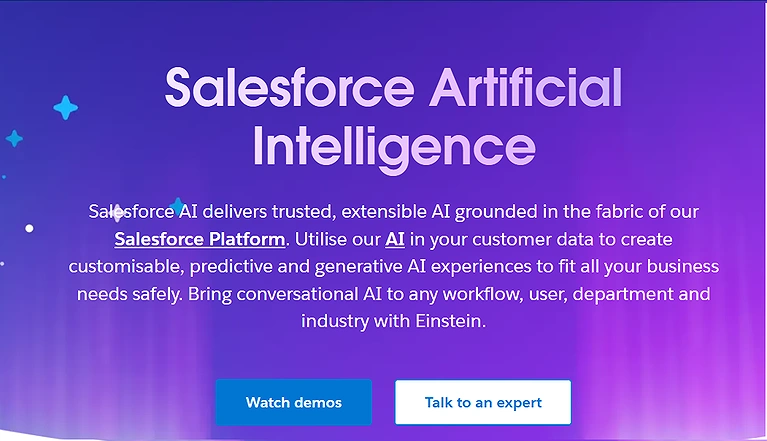
2 Salesforce Einstein
Salesforce Einstein integrates artificial intelligence into CRM workflows to improve sales efficiency and customer management. With predictive lead scoring, sales forecasting, automated emails, and AI coaching, businesses can anticipate trends, automate repetitive tasks, and make smarter data-driven decisions while enhancing overall team performance.
Key Features
- Provides predictive lead scoring for smarter sales targeting
- Automates CRM updates and customer activity tracking
- Delivers AI-powered sales forecasting and insights
- Offers personalized coaching to improve team performance
Best For
- Sales, marketing, and customer service teams using Salesforce CRM
- Enterprises requiring predictive analytics and AI-driven customer insights
- Organizations focused on improving lead conversion and customer engagement
How to Use Salesforce Einstein?
- Connect Salesforce CRM with business sales data
- Enable Einstein AI features from dashboard settings
- Use predictive analytics to prioritize leads and opportunities
- Track forecasts, customer interactions, and team performance regularly
Pros
- Enhances sales productivity through automation
- Improves customer relationship management accuracy
- Provides actionable predictive business insights
- Integrates smoothly with Salesforce ecosystem tools
Cons
- Premium features can be expensive for startups
- Requires proper CRM setup for best results
- Complex features may need technical onboarding
- Smaller teams may not use full platform potential
Who Should Use Salesforce Einstein?
Sales teams, enterprises, CRM managers, and growing businesses seeking AI-driven forecasting, automation, and customer relationship optimization.
- Things to Consider
- Works best within the Salesforce ecosystem
- Initial customisation may require technical expertise
- Advanced analytics depend on quality business data
Cost & Plans
Limited features are included in Salesforce plans, while advanced Einstein AI tools require premium enterprise subscriptions.
Alternative Choice
HubSpot AI, Zoho CRM AI, Pipedrive AI, Freshsales AI
3 HubSpot AI Tools
HubSpot AI Tools help businesses simplify marketing, sales, and customer management through intelligent automation. With AI-driven content creation, predictive lead scoring, chatbots, automated segmentation, and email workflows, teams can improve engagement, track performance in real time, and boost productivity without increasing operational complexity.
Key Features
- Combines AI marketing, CRM, and automation in one platform
- Offers predictive lead scoring for smarter targeting
- Automates email campaigns and customer segmentation
- Provides AI-powered chatbots and content assistance
Best For
- Small to mid-sized businesses managing marketing, sales, and customer support
- Teams seeking AI-powered CRM automation and content assistance
- Companies wanting an all-in-one growth platform
How to Use HubSpot AI Tools?
- Set up HubSpot CRM and connect customer data
- Create automated workflows and email sequences
- Enable AI features for lead scoring and chatbots
- Monitor analytics and optimize campaigns regularly
Pros
- Easy-to-use interface for marketing teams
- Strong automation and customer engagement features
- Integrates marketing, sales, and CRM efficiently
- Real-time analytics improve decision-making
Cons
- Advanced AI tools require higher-tier subscriptions
- Some automation features need setup experience
- Reporting customization can feel limited initially
- Large-scale businesses may require premium integrations
Who Should Use HubSpot AI Tools?
Marketers, startups, sales teams, and growing businesses seeking AI-powered CRM, automation, and customer engagement solutions.
Things to Consider
- Premium plans become costly as businesses scale
- AI features work best with organised customer data
- Initial workflow setup may take time for beginners
Cost & Plans
Free CRM tools are available, while premium plans unlock advanced AI automation, analytics, and marketing features.
Alternative Choice
ActiveCampaign AI, Keap AI, Marketo Engage, Mailchimp AI
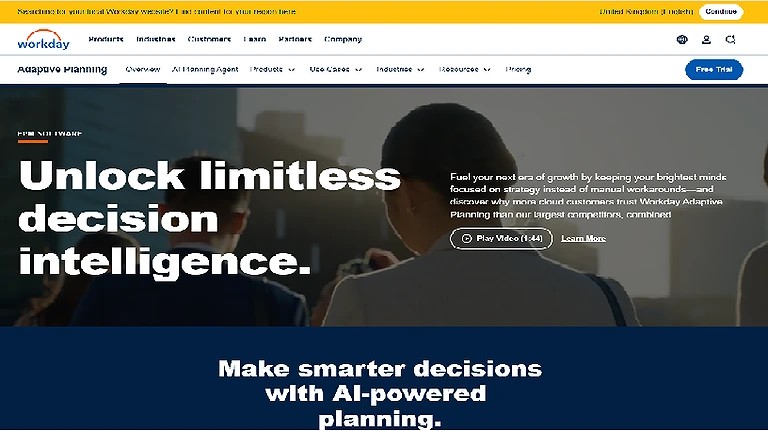
4 Workday Adaptive Planning
Workday Adaptive Planning uses AI-powered analytics to enhance HR and workforce management. It delivers predictive workforce insights, automated talent screening, and intelligent forecasting, helping organisations optimise resources, reduce costs, and make smarter, data-driven decisions for efficient talent planning and operational growth.
Key Features
- Provides predictive workforce and staffing insights
- Automates talent screening and candidate matching
- Delivers AI-driven financial and HR forecasting
- Enhances strategic planning with real-time analytics
Best For
- Finance departments managing budgeting and forecasting
- Enterprises requiring workforce and financial planning
- Organizations needing AI-assisted business performance analysis
How to Use Workday Adaptive Planning?
- Connect HR and workforce data to the platform
- Configure AI forecasting and planning models
- Use dashboards to track workforce trends and gaps
- Apply insights for hiring and resource allocation decisions
Pros
- Strong predictive analytics for workforce planning
- Improves HR efficiency and decision accuracy
- Reduces manual planning and administrative workload
- Scalable for large enterprise organizations
Cons
- High cost for small businesses
- Requires training for advanced features
- Setup can be complex for new users
- Best performance depends on clean data input
Who Should Use Workday Adaptive Planning?
HR leaders and enterprise organizations seeking AI-driven workforce forecasting and strategic talent management solutions.
Things to Consider
- Works best in large, structured organizations
- Requires quality data for accurate predictions
- Implementation may take time and expertise
Cost & Plans
Premium enterprise pricing with no standard free plan; cost varies based on organization size and selected AI planning features.
Alternative Choice
Anaplan, Oracle Fusion Cloud HCM, SAP SuccessFactors, BambooHR AI
5 QuickBooks Live with AI
QuickBooks Live with AI helps small and medium businesses simplify accounting through intelligent automation. It streamlines expense categorisation, transaction tracking, and cash flow forecasting. With AI-driven insights and reporting, businesses can reduce manual errors, improve financial transparency, and make faster, more accurate data-driven decisions.
Key Features
- Automates expense categorisation and bookkeeping tasks
- Provides real-time cash flow forecasting insights
- Enhances financial reporting with AI analytics
- Reduces manual accounting errors significantly
Best For
- Small businesses managing bookkeeping and accounting
- Business owners looking to automate financial tasks
- Teams needing AI-assisted expense tracking and reporting
How to Use QuickBooks Live with AI?
- Connect business bank accounts and financial data
- Enable AI tools for automated transaction tracking
- Generate reports for expenses, income, and cash flow
- Use insights to optimise budgeting and financial planning
Pros
- Simplifies accounting for small businesses
- Saves time through automation of financial tasks
- Improves accuracy in bookkeeping and reporting
- User-friendly interface for non-accountants
Cons
- Advanced features require paid subscriptions
- Limited customisation for complex accounting needs
- May still need human review for accuracy
- Internet dependency for real-time updates
Who Should Use QuickBooks Live with AI?
Small business owners, freelancers, and startups need simple, AI-assisted accounting and financial management tools.
Things to Consider
- Best suited for small to medium businesses
- Subscription costs increase with advanced features
- Requires consistent data input for accurate insights
Cost & Plans
Free trial available; paid plans unlock AI automation, advanced reporting, payroll features, and expert bookkeeping support.
Alternative Choice
Xero AI, FreshBooks AI, Zoho Books AI, Wave Accounting AI
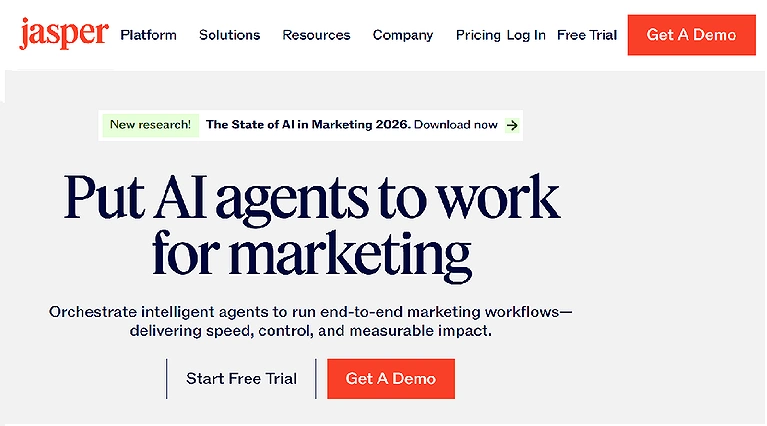
6 Jasper AI for Business
Jasper AI helps businesses scale marketing with AI-powered content creation, while visual and video AI tools improve design, storytelling, engagement, and overall digital marketing performance. Once you have stabilized your internal operations with these management tools, the next step in your growth journey should be exploring the best AI tools for email marketing to convert your leads into loyal customers.
Key Features
- Generates high-quality marketing content in seconds
- Supports brand voice consistency across campaigns
- Enhances ad copy, blogs, and social media content
- Integrates with marketing workflows for faster output
- Best For
- Marketing teams creating content at scale
- Agencies managing multiple client brands
- Enterprises requiring consistent AI-generated content with brand governance
- How to Use Jasper AI?
- Select content type like blog, ad, or email copy
- Input prompts, keywords, and brand guidelines
- Generate and refine AI-written content outputs
- Export or integrate content into marketing platforms
Pros
- Speeds up content creation significantly
- Maintains consistent brand messaging
- Reduces dependency on large content teams
- Offers multiple templates for marketing needs
Cons
- Premium plans can be expensive for beginners
- Requires human editing for best quality output
- Limited creativity without strong prompts
- Learning curve for advanced features
Who Should Use Jasper AI?
Marketing teams, content creators, agencies, and startups are seeking scalable AI-driven content and campaign automation solutions.
Things to Consider
- Output quality depends on prompt accuracy
- Best results require clear brand guidelines
- Subscription cost increases with advanced features
Cost & Plans
Free trial available; paid plans unlock advanced AI writing, brand voice, templates, and marketing automation features.
Alternative Choice
Copy.ai, Writesonic, Canva Magic Studio, Notion AI
Jasper AI for Business Official page
7 Zoom AI Companion
Zoom AI Companion improves virtual collaboration with AI-powered meeting summaries, action item extraction, and smart scheduling. It reduces administrative workload, enhances workflow integration, supports real-time translation, and helps teams stay organised, accountable, and efficient in remote and hybrid work environments.
Key Features
- Generates automatic meeting summaries and notes
- Extracts action items for better task tracking
- Supports smart scheduling and workflow automation
- Enables real-time translation for global teams
Best For
- Remote and hybrid organizations conducting frequent virtual meetings
- Teams wanting automated meeting summaries and action items
- Businesses aiming to improve meeting productivity and collaboration
How to Use Zoom AI Companion?
- Join meetings through the Zoom platform
- Enable AI Companion features in meeting settings
- Use summaries and action items after meetings
- Integrate outputs into project management tools
Pros
- Saves time with automated meeting documentation
- Improves team accountability and task tracking
- Enhances communication in remote teams
- Reduces manual note-taking effort
Cons
- Requires paid Zoom plans for full features
- Accuracy depends on the meeting audio quality
- Limited offline functionality
- Some features may not be available in all regions
Who Should Use Zoom AI Companion?
Remote teams, businesses, educators, and professionals need AI-assisted meeting productivity and collaboration tools.
- Things to Consider
- Works best with stable internet connections
- Premium subscription needed for advanced AI features
- Effectiveness depends on clear meeting audio
Cost & Plans
Included in select paid Zoom plans, with AI features varying based on subscription tier and organisation size.
Alternative Choice
Microsoft Copilot in Teams, Google Meet AI, Otter.ai, Fireflies.ai
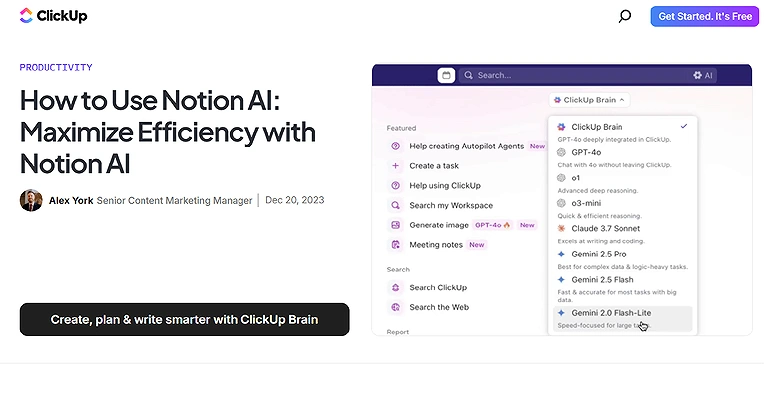
8 Notion AI
Notion AI boosts productivity by combining AI writing assistance, automated content generation, and intelligent database queries. It offers smart templates and workflow insights to streamline organisation, improve collaboration, and save time while maintaining clarity and consistency across projects.
Key Features
- Generates and refines written content instantly
- Automates database queries and information retrieval
- Provides smart templates for faster workflows
- Enhances team collaboration in shared workspace
Best For
- Knowledge workers managing documentation and research
- Product, engineering, and operations teams collaborating on projects
- Organizations building centralized knowledge bases with AI assistance
How to Use Notion AI?
- Open Notion workspace and enable AI features
- Use AI to write, summarise, or edit content
- Query databases for quick insights and answers
- Apply templates to organise projects efficiently
Pros
- All-in-one workspace for notes and projects
- Strong AI writing and summation tools
- Improves team collaboration and knowledge sharing
- Highly customizable workflows and templates
Cons
- Can feel complex for new users
- Advanced AI features require a paid plan
- Performance may slow with large databases
- Limited offline functionality
Who Should Use Notion AI?
Writers, students, teams, and professionals need AI-powered writing, organisation, and project management in one workspace.
Things to Consider
- Best suited for digital-first workflows
- Requires learning time for full productivity use
- Paid plans needed for advanced AI capabilities
Cost & Plans
Free plan available; paid tiers unlock AI writing, advanced collaboration, and enhanced database features.
Alternative Choice
Evernote AI, Coda AI, ClickUp AI, Obsidian AI
Notion AI official source image
9 Microsoft Power BI with AI
Microsoft Power BI with AI transforms data into insights using predictive analytics, natural language queries, and visualizations for faster, smarter decision-making. Integrating robust visualization software is a game-changer for entrepreneurs, particularly when using top trending AI tools for data analysis to turn raw business metrics into actionable insights.
Key Features
- Converts raw data into interactive visual dashboards
- Uses natural language queries for quick insights
- Provides predictive analytics for smarter forecasting
- Integrates easily with Microsoft ecosystem tools
- Best For
- Data-driven organizations analyzing large business datasets
- Business intelligence and analytics teams
- Enterprises requiring AI-powered dashboards and predictive insights
How to Use Microsoft Power BI with AI?
- Connect business data sources to Power BI
- Use AI features for automated insights and analysis
- Build dashboards and visual reports for teams
- Apply predictive models for forecasting trends
Pros
- Strong data visualisation and reporting capabilities
- Easy integration with Excel and Microsoft tools
- Enhances decision-making with real-time insights
- Scalable for small to enterprise-level businesses
Cons
- Requires learning for advanced analytics features
- Premium plans needed for full AI capabilities
- Can be complex for non-technical users
- Performance depends on data quality
Who Should Use Microsoft Power BI with AI?
Business analysts, entrepreneurs, and organisations need AI-driven data visualisation and smarter decision-making tools.
Things to Consider
- Works best with structured and clean datasets
- Advanced features require paid licensing
- Initial setup may need technical support
Cost & Plans
Free version available with limited features; paid Pro and Premium plans unlock advanced AI analytics, collaboration, and enterprise-grade reporting.
Alternative Choice
Tableau AI, Google Looker Studio, Qlik Sense, Sisense AI
Microsoft Power BI with AI Official source image
10 NetSuite AI
Oracle NetSuite AI enhances business operations through intelligent ERP capabilities such as demand forecasting, inventory optimisation, and financial automation. It delivers predictive insights, automated reporting, and real-time consolidation, helping organisations streamline workflows, improve accuracy, and make faster data-driven decisions while optimising resources efficiently.
Key Features
- Provides AI-driven demand forecasting and planning
- Automates financial reporting and consolidation processes
- Optimises inventory and supply chain management
- Delivers real-time predictive business insights
- Best For
- Mid-sized and enterprise organizations using ERP systems
- Finance, operations, and supply chain teams
- Businesses seeking AI-driven automation across core business processes
How to Use NetSuite AI?
- Integrate NetSuite ERP with business operations
- Enable AI modules for forecasting and analytics
- Monitor dashboards for financial and inventory insights
- Use automation tools for reporting and workflows
Pros
- Strong end-to-end ERP automation capabilities
- Improves financial accuracy and reporting speed
- Enhances supply chain and inventory efficiency
- Scalable for growing and global enterprises
Cons
- High cost for small and mid-sized businesses
- Complex implementation and onboarding process
- Requires trained staff for full utilisation
- Customisation may need technical expertise
Who Should Use NetSuite AI?
Large enterprises and growing businesses need AI-powered ERP, financial automation, and advanced operational optimisation.
Things to Consider
- Best suited for mid to large organisations
- Requires structured data for accurate forecasting
- Implementation time can be significant
Cost & Plans
Enterprise pricing model with no free plan; costs vary based on modules, users, and AI ERP features selected.
Alternative Choice
SAP S/4HANA AI, Microsoft Dynamics 365 AI, Odoo AI, Workday Adaptive Planning AI
Which Tool Should You Choose?
Choosing the right AI business management tool depends on your organization's size, existing software ecosystem, and the business processes you want to improve. Some platforms specialize in project management, while others focus on CRM, finance, analytics, or enterprise resource planning.
| If You Need... | Recommended Tool |
| AI-powered project management | Asana Intelligence |
| AI CRM and sales automation | Salesforce Einstein |
| Marketing and customer relationship management | HubSpot AI Tools |
| Financial planning and forecasting | Workday Adaptive Planning |
| AI bookkeeping and accounting | QuickBooks Live with AI |
| AI content creation for marketing | Jasper AI for Business |
| AI meeting assistance | Zoom AI Companion |
| Documentation and knowledge management | Notion AI |
| Business intelligence and analytics | Microsoft Power BI with AI |
| Enterprise resource planning (ERP) | NetSuite AI |
Our Recommendation
- Best Overall: Asana Intelligence
- Best for Sales & CRM: Salesforce Einstein
- Best for Marketing Teams: HubSpot AI Tools
- Best for Finance: Workday Adaptive Planning
- Best for Small Businesses: QuickBooks Live with AI
- Best for Content Teams: Jasper AI for Business
- Best for Remote Collaboration: Zoom AI Companion
- Best for Productivity: Notion AI
- Best for Business Analytics: Microsoft Power BI with AI
- Best Enterprise Solution: NetSuite AI
How to Choose the Right AI Business Management Tool?
Choosing the right AI business management tools streamlines operations, analytics, CRM, HR, finance, and supply chain, while automation and ML improve efficiency and scalability for 2026 business operations. As cloud adoption grows, AI tools for cybersecurity ensure a secure digital infrastructure, data protection, and reduced cyber risk exposure.
1 Assess AI Capabilities
Look for tools that offer predictive analytics, automated workflows, and intelligent task management to ensure robust performance.
2 Evaluate Data Integration
Check if the system can integrate data analytics across all departments for seamless data-driven decisions.
3 Examine Adaptability
Choose tools that continuously learn, adapt to changing conditions, and provide actionable insights that evolve with your business.
4 Focus on Automation
Prioritise automation for repetitive tasks, reducing errors and freeing teams to focus on strategic initiatives.
5 Consider Industry Fit
Select platforms that support financial planning, human resources, customer relationship management, and supply chain optimization tailored to your business type.Common Challenges
Common Challenges
While AI business management platforms can significantly improve productivity, organizations often face implementation challenges that should be addressed early in the adoption process.
Common challenges include:
- Integrating AI with existing business systems.
- Migrating historical business data accurately.
- Training employees to use new AI-powered workflows.
- Managing user adoption across multiple departments.
- Maintaining data quality for accurate AI recommendations.
- Understanding AI-generated insights and recommendations.
- Balancing automation with human oversight.
- Controlling subscription costs as organizations scale.
- Ensuring compliance with privacy and security regulations.
- Customizing workflows without increasing operational complexity.
Most businesses overcome these challenges through phased implementation, structured onboarding, and continuous process optimization.
Future of AI Business Management
AI business management is rapidly evolving from simple task automation to intelligent decision support. Future platforms will increasingly understand organizational context, predict business outcomes, and automate complex workflows across multiple departments with minimal manual intervention.
Emerging trends expected to shape AI business management include:
- AI agents capable of managing multi-step business workflows autonomously.
- More accurate predictive analytics for planning and forecasting.
- Deeper integration across CRM, ERP, HR, finance, and collaboration platforms.
- Real-time business recommendations based on live operational data.
- Natural language interfaces that simplify data analysis and reporting.
- Industry-specific AI models tailored to different business sectors.
- Stronger governance, compliance, and explainable AI capabilities.
- Greater personalization through role-based AI assistants.
- Expanded support for cross-functional collaboration using connected business data.
- Increased adoption of generative AI to accelerate decision-making, content creation, and operational efficiency.
As AI continues to mature, successful organizations will use these platforms not only to automate routine work but also to improve strategic planning, enhance collaboration, and make faster, more informed business decisions.
FAQ
How does AI improve business operations?
AI automates repetitive tasks, improves decision-making through data analysis, reduces manual errors, and helps teams work more efficiently across departments such as sales, marketing, finance, and operations.
What types of businesses benefit most from AI tools?
Businesses of all sizes can benefit from AI tools. Startups use AI to automate routine tasks, while small businesses, mid-sized companies, and enterprises leverage AI for customer management, financial planning, analytics, and workflow optimization.
Which AI business tool is best for small businesses?
The best tool depends on your business needs. QuickBooks Live with AI is ideal for accounting, HubSpot AI Tools work well for marketing and CRM, while Asana Intelligence is a strong choice for project management and team collaboration.
Can AI replace business managers?
No. AI supports business managers by automating repetitive work, analyzing data, and providing recommendations, but strategic planning, leadership, and complex decision-making still require human expertise.
How do I choose the right AI business management tool?
Start by identifying your business goals, evaluating your current workflows, checking integration compatibility, comparing automation features, considering your budget, and selecting a platform that can scale with your organization.
Is AI expensive for small businesses?
Not necessarily. Many AI platforms offer free plans or affordable entry-level subscriptions. Businesses can start with basic features and upgrade as their operational needs grow.
How long does it take to implement an AI business tool?
Implementation time varies depending on the platform and business size. Simple productivity tools can be deployed within a few hours, while enterprise solutions may require several weeks or months for full implementation.
Can AI integrate with my existing business software?
Yes. Most modern AI business platforms integrate with popular CRM systems, accounting software, collaboration tools, cloud storage services, and productivity applications through built-in connectors or APIs.
What are the security considerations for AI business tools?
Businesses should evaluate data encryption, user permissions, compliance certifications, secure integrations, access controls, and vendor privacy policies before adopting any AI platform.
What is the ROI of AI in business management?
Return on investment (ROI) comes from increased productivity, lower operational costs, faster decision-making, improved customer experiences, and reduced manual work over time.
Do I need technical expertise to use AI business tools?
No. Most AI business platforms are designed for non-technical users and provide intuitive interfaces, guided setup, automation templates, and extensive documentation to simplify adoption.
Can multiple AI business tools be used together?
Yes. Many organizations combine different AI solutions for project management, CRM, accounting, analytics, and communication. Integrating specialized tools often creates a more efficient and connected business workflow.
What challenges should businesses expect when adopting AI?
Common challenges include employee training, data migration, software integration, change management, maintaining data quality, and ensuring compliance with privacy and security regulations.
How does AI help businesses make better decisions?
AI analyzes large volumes of business data to identify trends, forecast outcomes, detect risks, and generate actionable insights, enabling leaders to make faster and more informed strategic decisions.
What should I consider before investing in an AI business management platform?
Evaluate your business objectives, required features, integration capabilities, ease of use, scalability, pricing, security standards, customer support, and long-term return on investment before making a decision.
CONCLUSION
AI business management tools are now strategic assets that shape how organizations operate, compete, and grow in 2026 and beyond. They streamline workflows, automate decision-making, and deliver data-driven insights across CRM, HR, finance, and ERP systems. By reducing costs and improving efficiency, they enhance agility and scalability. How these AI Tools can maximize productivity for Modern Accounting lies in their ability to automate processes and improve accuracy while continuously adapting to business needs.