.webp)
Stop Paying for Unused AI Tools: How to Build the Perfect AI Video Software Stack for Any Budget
AI video tools have an unusual talent: they reproduce faster than browser tabs. You subscribe to one platform for text-to-video, another for AI avatars, a third for captions, and keep your favorite editor "just in case." A few months later, your creative workflow looks like a software museum, your finance team is questioning every subscription, and unused AI credits quietly expire at the end of each billing cycle. More tools should mean better productivity—but for many creators, they simply mean bigger bills, duplicate features, and unnecessary complexity.
The real challenge isn't finding the best AI video tool—it's building the right AI video software stack. This guide shows you how to eliminate subscription bloat, identify overlapping capabilities, optimize AI credit usage, and choose the right combination of tools based on your content production volume and budget—not marketing hype. Whether you're a solo creator, agency, startup, or enterprise procurement team, you'll discover a practical framework for reducing software costs, simplifying your workflow, and maximizing ROI without compromising creative quality.

 July 16, 2026 | 11 min read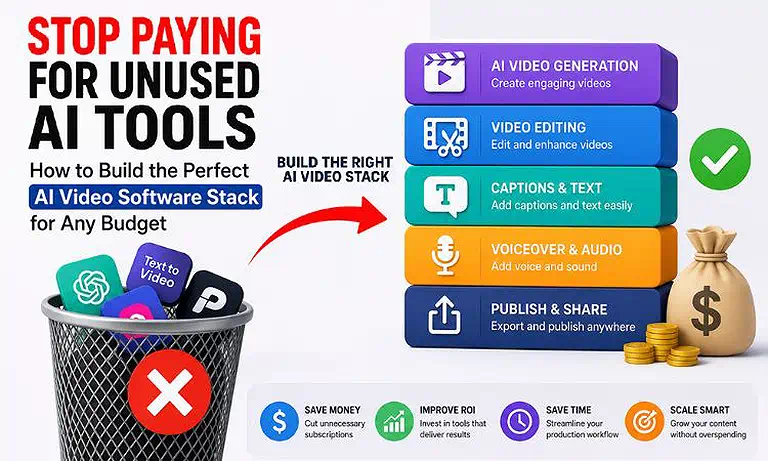
Cover Photo Stop Paying for Unused AI Tools: How to Build the Perfect AI Video Software Stack for Any Budget
AI Video Software Stack at a Glance
| Section | Details |
| AI Production Stack | 4 specialized AI tools, each selected for a unique production stage to reduce feature overlap, eliminate unnecessary subscriptions, and maximize software value. |
| Recommended Workflow | Pictory repurposes blogs and scripts into video content → Runway Gen-3 generates AI video scenes and creative visuals → Adobe Firefly Video Model produces commercially safe branded assets → CapCut edits, captions, and optimizes videos for publishing. |
| Content Quality Focus | Assigns one best-fit tool to each production task, ensuring consistent quality, reducing duplicate workflows, and improving overall software efficiency. |
| Production Speed | Reduces platform switching by giving each tool a dedicated role, enabling faster content production from planning to final export with fewer manual steps. |
| Key Benefit | Builds a lean AI video software stack that reduces subscription bloat, improves AI credit utilization, lowers software costs, and maximizes ROI without sacrificing production quality. |
Who Should Read This Guide?
Whether you're selecting AI video software for yourself or an entire creative team, this guide is designed to help you make smarter purchasing decisions based on your production goals, budget, and long-term scalability.
a) Startup Founders – If you're building a startup and need to create marketing, product, or social media videos without overspending on software subscriptions, this guide will help you choose the right AI video stack.
b) Agency Procurement Officers – If you're responsible for evaluating, purchasing, or managing AI video software for creative teams, you'll learn how to build a standardized and cost-effective software stack.
c) Solo Creators – If you're creating YouTube videos, online courses, or social media content on your own, this guide will help you invest in the right tools without paying for unnecessary features.
d) Marketing Teams – If you're managing ongoing content campaigns and multiple stakeholders, you'll discover how to select AI video software that supports collaboration and scalable production.
e) Small Business Owners – If you're looking to grow your business with AI-powered video content while keeping software costs under control, this guide will help you make informed technology investments.
The Root Causes of AI Video Software Overspending
AI video software overspending usually doesn't happen because one tool is expensive. It happens when creators and businesses keep adding new platforms to solve different tasks without reviewing their existing software stack. As a result, they end up paying for multiple subscriptions, duplicate features, and pricing plans that don't match their actual production needs.
The biggest causes of overspending are feature overlap, unused AI credits, and disconnected workflows. Many teams subscribe to several tools that perform similar tasks, lose prepaid credits at the end of each billing cycle, and waste time moving projects between different platforms. Over time, these small inefficiencies increase software costs and reduce the overall return on investment.
How to Choose the Right AI Video Software Stack
Choosing the right AI video software stack isn't about subscribing to every popular AI platform. It's about selecting the tools that best fit your production goals, content volume, and budget. A structured evaluation process helps you avoid unnecessary subscriptions, reduce AI credit waste, and invest only in software that delivers measurable value throughout your production workflow.
AI Video Software Selection Workflow
Feature Audit → Map Production Volume → Choose the Right Stack → Manage AI Credits
Step 1: Audit Feature Overlaps
Audit every AI video tool your team currently uses to identify overlapping capabilities such as AI video generation, voiceovers, captioning, background removal, and video editing. Compare each platform's core strengths, keep the tool that performs each task most effectively, and eliminate subscriptions that duplicate existing functionality.
Step 2: Map Your Production Volume
Estimate how much video content you create each month, including short-form videos, long-form content, advertisements, and marketing campaigns. Then choose subscription plans that match your actual production volume instead of paying for premium tiers with capacity you rarely use.
Step 3: Choose the Right Software Stack
Select an AI video software stack that aligns with your workflow, team size, and business requirements. Solo creators typically need a lean set of multifunction tools, while startups and agencies often benefit from specialized software that supports collaboration, higher production volumes, and commercial use.
Step 4: Manage AI Credits Effectively
Review how AI generation credits are used across your team and establish clear usage guidelines. Use lower-cost previews when testing prompts, reserve premium credits for final renders, and regularly monitor credit consumption to prevent unnecessary spending and improve software ROI.
What You'll Gain from This Workflow
By following this workflow, you'll clearly identify which AI tools you actually need and which ones are adding unnecessary costs. This makes it easier to eliminate redundant subscriptions, reduce AI credit waste, and build a software stack that fits both your production needs and budget.
Recommended AI Video Tools for a Cost-Effective Software Stack
A cost-effective AI video software stack isn't built by choosing the most powerful platform in every category. It's built by auditing the best ai tools for video creation to find platforms that specialize in different stages of the production workflow while minimizing feature overlap and unnecessary subscription costs. The following platforms complement each other, helping creators and businesses maximize software value without paying for duplicate capabilities.
Runway Gen-3 — Best Core AI Video Production Platform
If your budget allows only one premium AI video platform, Runway Gen-3 deserves serious consideration. It combines AI video generation, editing, camera controls, motion tools, and visual effects in one workspace, reducing the need for multiple standalone applications. This makes it an excellent foundation for creators and teams looking to simplify their production workflow while maximizing software ROI. Learn more about its features, pricing, and workflow capabilities in our detailed Runway Gen-3 Review.
Adobe Firefly Video Model — Best for Commercial-Safe Content
Organizations producing branded or client-facing content often require commercially safe AI-generated assets. Adobe Firefly Video Model is designed for this purpose, with licensed training data and seamless integration into Adobe Creative Cloud. For teams already using Premiere Pro or After Effects, it extends existing workflows instead of introducing another disconnected platform. Discover whether it's the right choice for your business in our complete Adobe Firefly Video Model Review.
CapCut — Best Value for Video Editing
Not every production workflow needs expensive editing software. CapCut combines video editing, automatic captions, templates, audio enhancement, and social media exports in a single affordable platform. By replacing several standalone editing utilities, it delivers exceptional value for creators and businesses focused on efficient post-production. See how it compares with other editors in our comprehensive CapCut Review.
Pictory — Best for Scaling Content Production
If your strategy includes turning blogs, articles, webinars, or scripts into videos, Pictory can significantly reduce manual production work. Its automated content repurposing workflow helps marketing teams produce more videos without increasing editing time, making it a practical addition to software stacks built around high-volume content creation. Explore its automation features, pricing, and best use cases in our in-depth Pictory Review.
Critical Budget Mistakes to Avoid When Choosing an AI Video Software Stack
Selecting the right AI video software stack isn't just about choosing the best tools. It's also about avoiding costly purchasing mistakes. Many businesses overspend because they buy unnecessary subscriptions, ignore flexible pricing, or pay for duplicate features. Avoid these common mistakes to keep your software budget under control.
1. Paying for Premium Plans You Don't Need
Premium plans often include features that many teams rarely use. Before upgrading, review your monthly production needs. Then compare them with the features offered in each pricing tier. Paying only for the capacity you need helps reduce recurring software costs.
2. Choosing Monthly Subscriptions Instead of Flexible Pricing
Monthly subscriptions aren't always the most cost-effective option. If you create videos only for campaigns or occasional projects, a recurring plan may leave you with unused AI credits. In these cases, pay-as-you-go pricing or flexible credit packs can be a smarter investment.
3. Overlooking Commercial Licensing
A lower price doesn't always mean better value. Before purchasing any AI video software, check its commercial licensing terms. Some platforms restrict how AI-generated content can be used. Choosing the wrong license can create unnecessary legal and business risks.
4. Paying for Multiple Tools with the Same Features
Many creators subscribe to new tools without reviewing their existing software stack. This often leads to duplicate features and higher monthly costs. Before adding another platform, make sure it provides a unique capability. If it doesn't, you're simply paying twice for the same job.
Best Practices for Building a Lean AI Video Production Workflow
Keeping software costs low isn't only about choosing the right tools. It's also about using those tools efficiently. Small changes in your production process can improve software utilization, reduce unnecessary spending, and help you get more value from every subscription.
1. Validate Before You Generate
Test your prompts, scene ideas, and creative direction before producing final videos. Making changes early reduces unnecessary AI generations and helps you avoid wasting premium credits on content that still needs revisions.
2. Standardize Your Production Workflow
Use the same workflow for every project whenever possible. A consistent process reduces confusion, speeds up production, and ensures every team member uses the software stack efficiently instead of switching between different tools for the same task.
3. Review Software Usage Regularly
Review your software usage at the end of each billing cycle. Check whether your team is fully using available features, seats, and AI credits. If a platform is consistently underused, consider downgrading the plan or replacing it with a more cost-effective alternative.
4. Scale Your Software Stack Gradually
Avoid purchasing new AI tools simply because they introduce new features. Expand your software stack only when your production volume or business requirements increase. This keeps your workflow simple and prevents unnecessary subscription growth.
FAQs
What is an AI video software stack?
An AI video software stack is a collection of AI tools that work together to handle different production stages, such as content creation, video generation, editing, and publishing. A well-planned stack reduces software overlap and improves workflow efficiency.
How do I choose the right AI video software stack?
Start by identifying your production goals, monthly content volume, and budget. Then select tools that perform different tasks instead of paying for multiple platforms with overlapping features or unnecessary capabilities.
What is the best AI video software stack for beginners?
Beginners should choose a simple stack with one AI generation tool, one editing platform, and one content repurposing tool. This approach keeps software costs low while covering every essential stage of video production.
How can I reduce AI video software costs?
Review your software stack regularly, remove duplicate subscriptions, choose plans that match your production volume, and use flexible pricing models whenever possible. Small purchasing decisions can significantly reduce long-term software expenses.
Is it better to use one AI video platform or multiple tools?
It depends on your workflow. One platform is ideal for simple projects, while specialized tools often deliver better results for growing teams. The key is avoiding feature overlap and choosing tools with clearly defined roles.
Which AI video tools provide the best value for money?
The best value comes from tools that replace multiple production tasks without increasing subscription costs. Platforms like Runway Gen-3, Adobe Firefly, CapCut, and Pictory offer strong value for different workflow stages.
How many AI video tools do I really need?
Most creators and businesses only need three to four specialized tools. One for content creation, one for AI video generation, one for editing, and one for content repurposing is usually enough for an efficient workflow.
Should I choose monthly subscriptions or pay-as-you-go AI credits?
Choose monthly subscriptions if you produce videos consistently every month. If your production is seasonal or project-based, pay-as-you-go credits often provide better value and help prevent paying for unused capacity.
Why do AI video software costs increase over time?
Costs usually increase because teams add new tools without reviewing existing subscriptions. Feature overlap, unused AI credits, and unnecessary premium plans gradually create an expensive software stack with lower overall value.
What should I consider before buying AI video software?
Evaluate your production workflow, monthly content volume, software integrations, commercial licensing, pricing model, and scalability. Choosing tools that match your actual business needs helps build a cost-effective AI video software stack with long-term ROI.
Conclusion
Choosing the right AI video software stack isn't about buying the most popular AI tools or the most expensive subscriptions. It's about selecting the right tools for the right production tasks while ensuring every software investment supports your content goals and budget. By evaluating your workflow, production volume, and software requirements before purchasing, you can build a lean, scalable stack that eliminates unnecessary costs without compromising quality.
The best procurement strategy is one that evolves with your business. Regularly review your software stack, replace tools that no longer add value, and adopt new platforms only when they solve a genuine production need. This approach helps you choose the right AI video software at every stage of growth, reduce subscription bloat, maximize AI credit utilization, and achieve a higher return on every software investment.