.webp)
Adobe Firefly Video Review: Is the Commercial Safety Worth the Drop in Realism?
The race for generative video dominance has split into two camps: platforms chasing cinematic photorealism through wild, unregulated datasets, and systems prioritizing legal compliance. The Adobe Firefly Video Model positions itself firmly as the enterprise standard for the latter. Trained exclusively on Adobe Stock and public domain content, it provides absolute protection against copyright infringement. However, this legal barrier limits its structural flexibility compared to raw physics engines. This comprehensive 2026 review examines whether Firefly’s commercial security justifies its stylistic compromises for modern marketing workflows.

 Updated: June 18, 2026 | 12 min read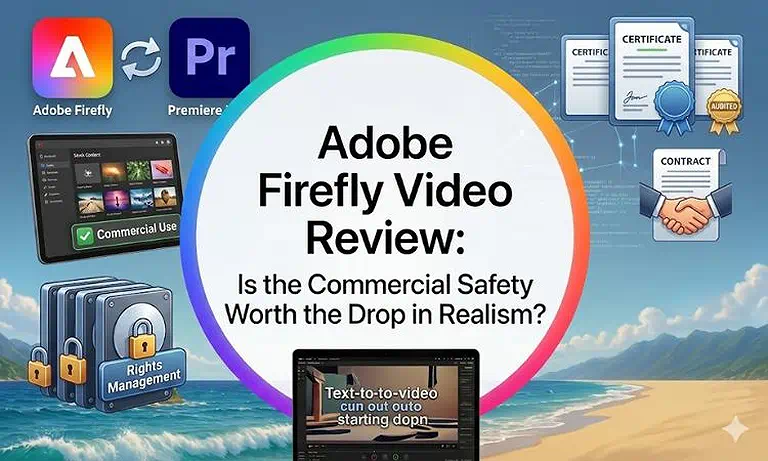
Cover Photo Adobe Firefly Video Review: Is the Commercial Safety Worth the Drop in Realism?
What Is Adobe Firefly Video?
Adobe Firefly Video is an enterprise-grade, cloud-based generative AI video platform embedded within Adobe’s Creative Cloud ecosystem and accessible via a dedicated web application. It acts as a brand-safe asset generation engine designed to fit directly into professional post-production pipelines.
The primary offerings of Adobe Firefly Video include:
Text-to-Video (T2V): Building high-resolution, copyright-safe video clips from natural language descriptions.
Image-to-Video (I2V): Transforming static illustrations, 3D renders, or brand product shots into animated sequences.
Generative Extend: Lengthening existing video clips natively within Adobe Premiere Pro to smooth over editing gaps.
Quick Cut AI Assembly: Automatically parsing raw generated or uploaded takes to construct an initial rough-cut timeline.
Strategic Position: Strategically, Firefly Video prioritizes brand compliance and editing control over experimental, unguided visual experiments. It is built to generate safe commercial b-roll, promotional assets, and marketing content.
Key Specifications
| Feature | Details |
| Company | Adobe Inc. |
| Founded | Firefly ecosystem launched 2023 (Video Model expanded 2024–2026) |
| Platform Type | Cloud-based SaaS integrated with Adobe Creative Cloud |
| Primary Function | Commercially safe AI video generation, text-to-video, and video extension tools |
| API Access | Available via Firefly Services for enterprise workflows and custom integrations |
| Free Plan | Yes, limited generative credits with restricted features and web-only access |
| Commercial Rights | Yes, included on paid plans with enterprise-grade IP protections |
| Best For | Enterprise marketing teams, agencies, and professional video production workflows |
Target Audience
Enterprise Marketing Teams: Corporate communication groups that require strict legal compliance and zero risk of copyright infringement.
Digital media agencies use scalable: AI video loops to efficiently produce high-volume, legally safe, and localized advertising campaigns.
Post-Production Editors: Commercial video editors utilizing Premiere Pro who need to extend clips or fill b-roll gaps on tight timelines.
Interface and Onboarding Experience
Seamless Adobe Creative Cloud Integration: Adobe Firefly adopts the familiar layout of Adobe’s creative ecosystem, making adoption effortless for existing Creative Cloud users. Creators can generate, manage, and refine video assets directly within the Firefly dashboard or inside Premiere Pro without switching between multiple external platforms.
Professional Camera Controls: Unlike many AI video generators that rely heavily on prompt experimentation, Firefly provides structured cinematography controls. Users can define focal lengths, shot composition, camera movement, and panning behavior through intuitive dropdown menus, enabling more predictable and professional visual outputs.
Fast Learning Curve for Teams: Most multimedia professionals can become comfortable with Firefly’s interface in less than fifteen minutes. The workflow is straightforward and highly organized, allowing teams to accelerate production, although advanced style-model training may require additional experimentation and practice.
Setup Requirements:
- A modern web browser or the latest desktop version of Adobe Premiere Pro.
- Creative Cloud account authentication with an active internet connection for cloud rendering.
- Minimal local GPU dependence; heavy rendering tasks are processed on Adobe's secure cloud infrastructure.
Core Features: Technical Breakdown
1. Generative Extend (Premiere Pro Native Integration)
Generative Extend: This timeline-based feature intelligently creates matching frames at the beginning or end of video and audio clips. It helps editors’ smooth transitions, conceal timing issues, and eliminate awkward cuts without requiring manual frame-by-frame adjustments.
Practical Workflow Example: A commercial editor needs an interview clip to run two seconds longer to match a voiceover track. Instead of slowing down the footage artificially, they apply Generative Extend right on the timeline, generating seamless matching frames with accurate ambient background noise.
2. Commercially Safe Image-to-Video (I2V)
Image-to-Video Animation: Firefly’s Image-to-Video (I2V) engine transforms static photographs, product renders, and branded visuals into dynamic video sequences. It adds realistic camera movement and depth effects while maintaining strong visual consistency and preserving the legal compliance of the original source assets.
[Licensed Product Shot] ──> [Apply Cinematic Camera Control] ──> [Commercially Safe Ad Asset]
Practical Workflow Example: An e-commerce brand uploads a static vector graphic of a new cosmetic product. Using specific camera sliders, they instantly animate a sweeping 1080p camera loop around the product, ready for a paid social campaign without risking copyright claims.
3. Custom Trained AI Style Models
Brand-Specific Style Training: Introduced in early 2026, this feature allows enterprises to train Firefly on their own proprietary brand imagery. This ensures every video generation strictly matches corporate illustration or design aesthetics.
Practical Workflow Example: A company design team uploads its brand characters into Firefly. The platform creates a private model that generates new video clips while keeping character appearance, visual style, and branding consistent across training content.
4. Professional Cinematic Parameter Controls
Advanced Cinematic Controls: Firefly gives creators detailed control over video settings beyond simple text prompts. Users can adjust aspect ratios, motion speed, and lighting preferences to create videos that better match their creative vision.
Practical Workflow Example: A multimedia director inputs a prompt for a tracking shot. Instead of typing complex text terms, they use explicit UI toggles to lock the camera angle to a wide tracking shot with soft studio lighting, cutting down on prompt iteration cycles.
5 Output Quality and Performance
a) Visual Quality & Accuracy: Exceptionally clean and clean of standard AI artifacts. Textures and skin tones appear balanced, though lighting looks more like a polished stock video than raw indie cinema.
b) Motion Consistency: Highly stable camera pans and dollys. The framework avoids chaotic warping, choosing predictable camera movements instead.
c) Character & Object Stability: Excellent consistency when using Style Kits or Custom Models. However, complex human hand movements can occasionally lose structural clarity.
d) Physics Simulation: Conservative but logically sound. Firefly prefers simple, realistic object movements and avoids complex physical interactions like explosions or heavy material deconstructions.
e) Typography & Logo Preservation: Strongest in the industry. It preserves brand fonts and fine logo details reliably during image-to-video transformations.
f) Processing Speed: Standard generations take roughly 45 to 90 seconds. Paid tiers receive predictable, priority high-speed rendering tracks.
6 Export Quality & Commercial Readiness
Free Plan: Generations are limited to low-resolution previews containing mandatory digital watermarks.
Standard & Pro Tiers: Delivers native 1080p high-definition outputs with options for upscaling.
Commercial Readiness: Industry-best standard. Assets carry automated Content Credentials showing legal origin, and qualifying corporate plans include full IP indemnification for commercial peace of mind.
Real-World Use Cases
Adobe Firefly Video is designed for businesses and marketing teams that need commercially safe AI-generated videos created with licensed training data. It offers a reliable solution for professional advertising and branded content. Learn why it is one of the best AI video editors for marketing teams.
Digital Agencies and Business Marketing: Teams quickly build tailored ad variations and localized promotional content while staying aligned with strict copyright regulations.
Corporate Training: HR and training groups transform dry text manuals into engaging localized training videos with consistent character styles.
E-Commerce Video Generation: Retail brands turn flat product photos into dynamic social media video ads, cutting production costs significantly.
Integrations and Ecosystem
Creative Cloud Integration: Firefly Video works seamlessly within Adobe Creative Cloud applications. Users can move projects between Premiere Pro, After Effects, and Adobe Express, creating a faster and more efficient video production workflow.
Enterprise API Access: Firefly Services provides a developer-friendly API that enables businesses to connect video generation tools directly with internal systems. This helps automate content creation and streamline large-scale production processes.
Scalable Content Production: Organizations can integrate Firefly with content management and marketing platforms to generate large volumes of video assets. This automation supports consistent branding while significantly reducing manual production workloads.
Security, Privacy & Compliance
Licensed Training Data: Adobe trains the Firefly Video Model only on licensed content. User files and company assets are not used for model training, helping organizations maintain stronger privacy and intellectual property protection.
Enterprise Security Controls: The platform includes native single sign-on (SSO) and role-based access controls (RBAC). These features help teams manage permissions securely while maintaining controlled access across departments and projects.
Content Credentials and Compliance: Every generated video includes Content Credentials that provide transparency about AI-created content. This creates a clear audit trail and helps organizations meet modern AI governance and compliance requirements.
Pricing & Plans
| Plan | Current Pricing | Best For |
| Free Plan | $0/mo | Testing Firefly features with limited generative credits and basic web access. |
| Firefly Standard | $9.99/mo | Individual creators needing ~2,000 monthly credits for light AI video and image generation. |
| Firefly Pro | $19.99/mo | Professional creators requiring ~4,000 monthly credits and consistent video generation workflows. |
| Firefly Premium | $199.99/mo | High-volume production teams needing ~50,000 credits for large-scale AI video production and automation. |
Cost Note: Subscription rates and credit allocations can change occasionally. For the most accurate, up-to-date budgeting information, check the official Adobe Firefly plans page to review current enterprise pricing and license options.
Hidden Limitations
Firefly uses a tiered credit system where video generation consumes monthly credits quickly, while basic features remain more flexible. API access requires enterprise-level plans, making low-volume testing expensive for small teams.
Value for Money
For commercial businesses, the Pro and Enterprise plans offer incredible value. The cost of a premium subscription is easily offset by avoiding potential copyright lawsuits and saving thousands of dollars on commercial stock video licensing.
Pros and Cons
Pros
- Absolute Commercial Safety: Zero copyright risk, backed by Adobe's robust IP indemnification policies.
- Native Creative Cloud Integration: Works directly inside Premiere Pro, eliminating awkward file export loops.
- Custom Brand Training: Easily train custom models on your own corporate assets for perfect brand alignment.
- Content Credentials Transparency: Automatically applies open-standard metadata showing asset origin.
Cons
- Lower Creative Realism: Visual outputs look more like clean stock media than high-fidelity indie cinema.
- Conservative Motion Physics: Struggles with chaotic, highly stylized special effects or complex physical simulations.
- High API Financial Minimums: The steep entry cost for Firefly Services limits API automation for smaller businesses.
- Short Generation Boundaries: Focuses on brief 5-second b-roll extensions rather than long narrative generations.
Customer Support & Learning Resources
Documentation: Extensive enterprise knowledge bases and deployment handbooks detailing secure setup steps.
Tutorials and Guides: Thousands of official walk-through videos and step-by-step guides directly within the Adobe Creative Cloud portal.
Community Ecosystem: Massive professional forums and dedicated Discord channels for asset sharing and pipeline optimization tips.
Support Quality: Enterprise clients receive dedicated account support managers, while Pro subscribers get expedited technical help ticketing.
Who Should Use Adobe Firefly Video?
| User Type | Recommendation |
| Beginners | Very Good — Simple interface, especially for users already familiar with Adobe Express or Photoshop workflows. |
| Professionals / Creators | Excellent — Ideal for fast, reliable generation of commercial b-roll and integrated editing workflows. |
| Agencies | Excellent — Strong choice for scalable, brand-safe marketing campaigns with consistent output quality. |
| Enterprises | Excellent — Best suited for organizations needing security, compliance, governance controls, and custom AI integrations. |
Best For: Corporate brand managers, legal-conscious digital agencies, and commercial editors who require guaranteed copyright compliance and tight Creative Cloud integration.
Good For: In-house corporate video teams looking to quickly build training videos or clean marketing b-roll.
Not Recommended For: Creative artists or independent filmmakers seeking raw photorealism, heavy physics simulations, or surreal special effects.
How Does Adobe Firefly Video Compare?
Choosing between Firefly and other models comes down to balancing legal security against creative flexibility. For commercial projects requiring copyright safety, Adobe shines, though creators often compare features across the best ai video tools for creation.
LTX Studio
Where Adobe Firefly Wins: Firefly offers unmatched commercial safety through licensed training data and enterprise protections. Its seamless integration with Premiere Pro and Creative Cloud streamlines professional video production workflows for businesses.
Where LTX Studio Wins: LTX Studio delivers superior multi-shot continuity, scene planning, and storyboard control for long-form narratives, making it ideal for structured storytelling and cinematic production workflows. See in detail Adobe Firefly vs LTX Studio comparison to under the features bitterly.
OpenAI Sora
Where Adobe Firefly Wins: Firefly uses licensed training data and enterprise-focused governance features. It provides stronger copyright protection, Content Credentials, and business-friendly compliance controls for commercial content production.
Where OpenAI Sora Wins: Sora delivers highly realistic video generation with advanced scene understanding, natural motion, and longer coherent sequences. It excels at cinematic storytelling and complex visual simulations.
Final Verdict: Should You Use Adobe Firefly Video?
Best For
Adobe Firefly Video is best for high-volume, brand-safe commercial marketing and advertising asset creation. It also supports native video extension workflows directly inside Premiere Pro timelines for faster professional editing.
Skip If
Skip Adobe Firefly Video if your project requires cinematic photorealism or advanced visual effects. It is also less suitable for independent creators working with limited budgets or minimal commercial compliance requirements.
Final Recommendation
Adobe Firefly Video is ideal for corporate ecosystems needing legal safety and consistency. It trades some creative realism for licensed training data and compliance, making it a reliable and secure investment for agencies.
Overall Score
8.3/10
Rating Source: This aggregate 8.3/10 rating is compiled from verified user feedback across G2 and Capterra, where Adobe maintains a 4.4/5 baseline. Minor deductions stem from strict credit limits and lack of hyper-photorealism.
FAQ
What is Adobe Firefly Video used for?
Adobe Firefly Video is primarily used to generate commercially safe b-roll, create quick marketing ads from text or images, and extend existing video timelines natively inside Adobe Premiere Pro.
Does Adobe Firefly Video allow commercial use?
Yes, commercial use is fully permitted. Because the model is trained exclusively on authorized Adobe Stock and public domain data, it provides an IP-friendly environment that is cleared for commercial projects.
Can I upload my own images and assets?
Yes, Firefly Video supports robust Image-to-Video workflows. Users can upload custom illustrations, photos, or branding graphics and use manual camera controls to safely animate them into video assets.
How long can generated videos be?
Native video generation sequences typically last 5 seconds. However, editors can easily use the Generative Extend feature within Premiere Pro to add smooth buffers to existing timeline clips.
Does Adobe Firefly Video offer API access?
Yes, automated API access is provided through Firefly Services. It is built for high-volume enterprise production pipelines, though it requires an enterprise service contract and a monthly minimum spending commitment.
Is Adobe Firefly Video suitable for beginners?
Yes, the web-based version is highly accessible for beginners. It features intuitive camera setting dropdowns and sliders that eliminate complex prompt writing, making it easy to create video content immediately.
What are the best alternatives to Adobe Firefly Video?
Best alternatives to Adobe Firefly Video include VEED.io for corporate and marketing content creation, and Runway Gen-3 for cinematic realism, advanced visual effects, and high-quality AI-driven video generation workflows.
What are the main benefits of Content Credentials in Firefly?
Content Credentials act as a digital nutrition label for your video. They automatically attach tamper-evident metadata to your files, proving the content was responsibly generated using Firefly's commercially safe AI models.
Conclusion
Adobe Firefly Video Model is widely recognized as one of the safest generative video platforms, prioritizing enterprise security, compliance, and responsible AI usage. Its licensed training approach limits raw cinematic realism but ensures strong intellectual property protection and reduced legal risks for commercial use. Deep integration with Adobe Creative Cloud tools enables smooth, efficient workflows for professional editors and marketing teams. For businesses aiming to scale video production safely and consistently, Firefly Video remains a reliable and future-ready solution in today’s competitive digital content landscape.