.webp)
Adobe Firefly vs LTX Studio: Commercial Asset Safety vs Full Storyboard Control
Choosing between Adobe Firefly and LTX Studio comes down to your creative needs. Adobe Firefly is the better choice for businesses that need commercially safe AI content, seamless Adobe Creative Cloud integration, and reliable workflows. LTX Studio is ideal for creators who want script-to-video generation, storyboard planning, and greater control over cinematic scenes. Picking the wrong tool can lead to wasted credits, inconsistent characters, and lower-quality results. Compare both platforms to find the best AI video generator for your workflow.

 June 27, 2026 | 10 min read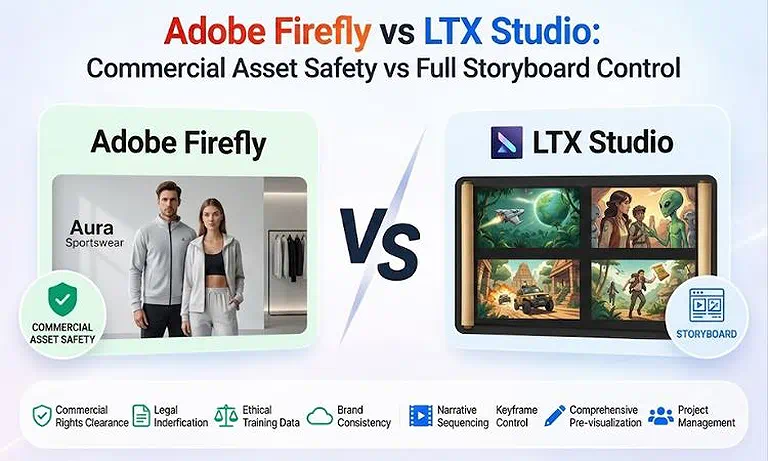
Cover Photo Adobe Firefly vs LTX Studio: Commercial Asset Safety vs Full Storyboard Control
Quick Comparison Table
| Feature | Adobe Firefly | LTX Studio |
| Core Modality | Text-to-Image, Text-to-Video, Image Editing, Generative Fill | Script-to-Video, Storyboarding, Text-to-Video, Multi-Shot Video Generation |
| Best Use Case | Commercial marketing content, branded assets, and Creative Cloud workflows | AI filmmaking, storyboard creation, narrative videos, and pre-production planning |
| Native Audio Generation | Yes (AI sound effects, ambient audio, and speech features) | Yes (AI voiceovers, sound effects, and synchronized audio generation) |
| Character Consistency | Style and reference image consistency | Strong character consistency across multiple scenes with casting controls |
| Max Resolution | Up to 4K video (plan dependent) | Up to native 4K video (Pro plans) |
| Commercial Usage Rights | Commercially safe with licensed training data and eligible paid plans | Commercial use included with paid plans |
| API Access | Yes (Adobe Firefly Services API) | Yes (REST API and Enterprise options) |
| Overall Value | 9.2/10 | 9.0/10 |
Rating Source: The Value Score is an editorial assessment based on publicly available user feedback from industry creators, official release logs, documentation, pricing architecture, API performance metrics, and real-world testing pipelines. These benchmarks reflect generalized workflow capabilities and can fluctuate based on specific design constraints or commercial criteria.
What is Adobe Firefly?
Adobe Firefly is an AI creative tool built into Adobe Creative Cloud. It helps users create images, videos, and other visual content from text prompts and reference images. Since it is trained on licensed and public domain content, it is designed for safe commercial use. Firefly is a great choice for businesses, marketing teams, designers, and agencies that need reliable AI content and smooth integration with Photoshop and Premiere Pro, making it a standout option as noted in thisAdobe Firefly review.
What is LTX Studio?
LTX Studio is an AI video creation platform by Lightricks that helps users turn scripts into complete videos. It automatically creates storyboards with multiple scenes, consistent characters, camera angles, and matching audio. Unlike tools that generate only short clips, LTX Studio is designed for full video planning and production. It is a great choice for filmmakers, content creators, and storytellers who want more control over every scene, as outlined in this LTX Studio review.
Feature-by-Feature Engineering Matchup
1. Cinematic Realism & Visual Fidelity
Adobe Firefly: Delivers clean, mathematically balanced global lighting, balanced skin tones, and impeccable textural clarity across vector layers and video frames. It avoids strange AI-generated hallucinations by relying heavily on clean, studio-curated training assets.
LTX Studio: Leverages advanced dual-stream Diffusion Transformers (DiT) and built-in upscalers to process high-dynamic-range (HDR) layouts with crisp structural backgrounds and sharp object edges.
Section Winner: Tie. Adobe Firefly leads for artifact-free cleanliness; LTX Studio wins for raw cinematic HDR scale and atmosphere.
2. Temporal Consistency & Motion Physics
Adobe Firefly: Excels at clean, programmatic b-roll and ambient environmental physics (such as smoke, water, or lens flares) that react realistically to basic timeline movements.
LTX Studio: Employs precise multi-frame context conditioning. If a designated character moves through a multi-shot sequence across a room, the system retains their exact clothing details and architectural layout boundaries from angle to angle.
Section Winner: LTX Studio due to its multi-shot sequence continuity tracking architecture.
3. Prompt Adherence & Creative Control
Adobe Firefly: Integrates prompt-enhancement models and composition reference fields directly into an infinite canvas workspace, matching strict style presets effortlessly.
LTX Studio: Uses a conversational dialogue model coupled with direct interface slider modifications. Creators can manually alter the focal length, camera pan speed, frame-specific lighting angles, or environmental styles without regenerating text prompts.
Section Winner: LTX Studio due to its granular, production-ready cinematic parameter control panels.
4. Image-to-Video (I2V) Performance
Adobe Firefly: Seamlessly interprets imported PSD and AI layers, maintaining geometric composition parameters and extending static frames cleanly while strictly respecting the source artwork's copyright.
LTX Studio: Transforms initial concept illustrations or design outlines into a sequence of dynamic keyframes. It allows users to paint over specific regions to dictate localized motion paths manually.
Section Winner: Adobe Firefly for seamless, layer-to-layer asset transfer safety.
5. Native Audio & Lip-Sync Capabilities
Adobe Firefly: Provides a complete audio suite that can generate specialized sound effects, environmental layers, speech translation loops, and background tracks directly matched to timeline properties.
LTX Studio: Utilizes a joint audio-video generation matrix where sound acts as a direct control layer. The platform automates realistic lip-sync configurations for designated virtual actors reading custom dialogue scripts.
Section Winner: Adobe Firefly for its more comprehensive standalone asset sound generation capabilities.
6. Production Workflow & Export Flexibility
Adobe Firefly: Native to the Creative Cloud environment. Generations move instantly into Premiere Pro timelines, After Effects compositions, or Photoshop layers for finishing treatments.
LTX Studio: Operates as a complete pre-production workspace. It features a built-in pitch presentation deck creator that auto-generates story summaries and character dossiers to present directly to executive stakeholders.
Section Winner: Adobe Firefly for post-production NLE handoffs; LTX Studio for pre-production script pitching workflows.
7. API Access & Enterprise Integration
Adobe Firefly: Backed by Firefly Services, offering deeply integrated enterprise automation, custom data-source security frameworks, and strict administrative permissions suited for global multi-national corporations.
LTX Studio: Offers robust managed REST API endpoints alongside open weights model licensing, enabling developers to host the underlying rendering engines directly on secure local servers.
Section Winner: Adobe Firefly for cloud corporate deployments; LTX Studio for decentralized open-source infrastructure scaling.
Operational Model Assessment
Assessment 1: Scene Continuity & Multi-Shot Generation
Adobe Firefly Architecture: Processes generations on an asset-by-asset basis, leveraging shared style reference tokens and structural seeds to match colors and tones across individual media drops.
LTX Studio Architecture: Operates on an overarching script timeline layer. The LTX Casting Agent coordinates actor properties across consecutive frames, mapping distinct character movements to multiple camera angles without fracturing facial identities.
Assessment Result: LTX Studio wins for long-form visual narrative structure and cohesive storyboard continuity.
Assessment 2: Commercial Asset Safety & Legal Indemnity
Adobe Firefly Mechanics: Restricts its machine learning datasets exclusively to licensed media and non-copyrighted source files. Adobe offers legal copyright indemnification to enterprise clients, eliminating commercial liability.
LTX Studio Mechanics: Leverages advanced, versatile foundation world models that scrape comprehensive structural data to maximize physics accuracy and creative variation. While commercial licenses are provided on paid tiers, it does not include corporate copyright indemnity.
Assessment Result: Adobe Firefly wins decisively for commercial, corporate, and regulated industry compliance.
Where Each Platform Dominates
Where Adobe Firefly Dominates the Workflow
Enterprise Branding: Ideal for major corporate campaigns requiring absolute legal clearance and zero risk of copyright claims.
Frictionless Adobe Integration: Perfect for editors who want to generate assets directly inside Photoshop or Premiere Pro panels without leaving their active timeline.
Localized Iterative Design: Unmatched at using tools like Generative Fill and Generative Remove to clean up existing video assets.
Where LTX Studio Dominates the Workflow
Script-to-Screen Storyboarding: The ultimate workspace for changing a multi-page raw text script into a fully framed, blocked, and audible visual storyboard instantly.
Director-Level Camera Control: Essential for physical cinematographers who need to adjust explicit angles, field of view metrics, and focal variations frame by frame.
Unified Character Casting: Best for complex narratives requiring specific virtual actors to perform different actions across distinct settings without altering their face geometry.
Pricing & Cost
| Platform | Pricing Model | Billing Method | Best For |
| Adobe Firefly | Free plan plus Generative AI subscription tiers (Standard $9.99/mo, Pro $19.99/mo, Premium $199.99/mo) or included with eligible Creative Cloud Pro plans | Monthly subscription (Creative Cloud plans may also be annual, billed monthly) | Businesses, designers, marketers, and Creative Cloud users needing commercially safe AI content |
| LTX Studio | Free plan plus credit-based subscription tiers (Lite $15/mo, Standard $35/mo, Pro $125/mo, Enterprise custom pricing) | Monthly or yearly billing (yearly saves 20%) | Filmmakers, agencies, video creators, and teams producing storyboard-driven AI videos |
The Hidden Usage Limits: Adobe Firefly offers unlimited standard image generation but uses monthly credits for premium video and audio features. Conversely, LTX Studio provides fixed monthly credit allowances and requires a Standard plan ($35/month) or higher for commercial projects.
Alternative Platforms Comparison
Every production pipeline carries specific stylistic and engineering demands. To identify how alternative architectures, match your project specifications, cross-reference their core properties using the evaluation table below:
| Alternative Platform | Core Modality | Performance Vector | When to Choose It |
| Runway Gen-3 | Text-to-Video / Image-to-Video / Video Editing | Professional video production, precise camera control, and consistent character generation | Choose this platform if you need advanced editing tools, reliable multi-shot workflows, and production-ready AI videos for commercial projects. |
| Google Veo | Text-to-Video / Image-to-Video | High-quality cinematic realism, natural physics, and enterprise-scale AI generation | Choose this platform if your priority is photorealistic video quality, realistic motion, and large-scale professional content creation within the Google ecosystem. |
If you are like me and still hunting for the perfect platform to match your specific production workflow, it helps to pause, evaluate your exact creative needs, and browse a comprehensive, curated list of top-tier AI tools for video creation.
Which AI Video Platform Is the Right Choice For You?
Choose Adobe Firefly If You Need:
Absolute Commercial Peace of Mind: You are building global brand assets where copyright transparency and corporate compliance are non-negotiable legal criteria.
Direct Creative Cloud Integration: Your primary production toolsets rely on Photoshop, Express, Premiere Pro, or Illustrator.
Localized Layer Editing: You need to swap specific elements inside an existing frame via conversational text strings rather than building a narrative scene from scratch.
Choose LTX Studio If You Need:
Comprehensive Narrative Orchestration: Your project begins with a multi-scene script or pitch deck that needs cohesive visual layout mapping across several shots.
Granular Camera and Character Control: You require strict command over actor selections, clothing stability, camera focal ranges, and precise environmental lighting variables.
On-Premise or Open Weights Deployment: You are a studio developer who wants to run the underlying video generation models locally on independent hardware setups.
FAQ
Does Adobe Firefly offer corporate legal protection for video outputs?
Yes. Because its algorithms train exclusively on licensed Adobe Stock files and public domain media, Adobe offers legal copyright indemnification protection for enterprise clients utilizing Firefly workflows commercially.
Can you change the camera focal variables dynamically inside LTX Studio?
Yes. LTX Studio features a physical camera control deck that lets users directly adjust pan orientations, lighting angles, frame properties, and hard camera zoom variables without writing text prompt scripts.
Can I run LTX Studio's rendering models on my own local enterprise servers?
Yes. LTX provides full model open weights (like LTX-2.3) and custom developer training tools for local, on-premise infrastructure deployments, eliminating external server dependencies.
Does Adobe Firefly support multi-shot script-to-video tracking?
No. Adobe Firefly operates on an asset-by-asset generation workflow. For coordinated multi-shot continuity sequences and storyboard tracking from a script, LTX Studio remains the dedicated choice.
Do I need a paid license to use LTX Studio video assets in a paid marketing campaign?
Yes. LTX Studio's Free and Lite plans are strictly limited to personal experimentation. Commercial clearance requires a subscription to the Standard plan ($35/mo) or higher.
What specific AI video models are integrated natively within the LTX Studio platform?
LTX Studio utilizes Lightricks' proprietary, open-source foundational models (including LTX-2 and LTX-2.3) while integrating premium partner models such as Google Veo 3.1 and Kling 3.0 Pro for higher subscription tiers.
Can Adobe Firefly generate high-resolution scalable vector graphics alongside video components?
Yes. Unlike video-only platforms, Adobe Firefly includes a dedicated vector generation model, enabling design teams to build fully scalable brand assets, icons, and logos within the same creative suite.
How does LTX Studio handle multi-user workflow collaboration for agency teams?
LTX Studio's Pro plan supports up to 3 active project collaborators simultaneously, while its custom Enterprise plan unlocks unlimited collaborative workspace permissions alongside priority rendering queues.
Does Adobe Firefly allow users to import custom style references to maintain brand cohesion?
Yes. Firefly includes explicit asset matching and style reference panels, allowing design teams to upload existing corporate imagery to lock colors, textures, and aesthetic rules across new generations.
What happens to my generation capacity if I consume all monthly credits on LTX Studio?
On premium tiers such as the Pro plan, users can purchase on-demand credit top-ups to maintain priority processing speeds, avoiding the standard rendering queues.
Conclusion
Choose Adobe Firefly if your priority is commercially safe content generation, strong copyright protection, seamless Adobe ecosystem integration, and enterprise-ready workflows for branding, marketing, and professional design projects. Choose LTX Studio if you need script-based video production, advanced storyboard management, multi-shot scene planning, and greater cinematic control for filmmakers, creative studios, and narrative-focused content. Both platforms excel in different areas, making the better choice depend entirely on your production goals and creative workflow.