.webp)
Best AI Avatar Generators for Corporate Training and E-Learning
Corporate training has changed a lot in recent years. Companies now need training videos that are quick to create, easy to update, and simple to share with employees around the world. AI avatar generators make this possible by turning text into professional training videos without expensive studios, actors, or advanced editing skills. This saves both time and money while making employee training more efficient.
The best AI avatar platform depends on your company's training goals, language needs, and budget. This guide compares the best AI avatar generators for corporate training and e-learning based on avatar quality, multilingual support, customization, pricing, and business features. Whether you're creating onboarding videos, compliance training, or customer education, these tools help you produce engaging learning content faster and more easily.

 Updated: July 07, 2026 | 11 min read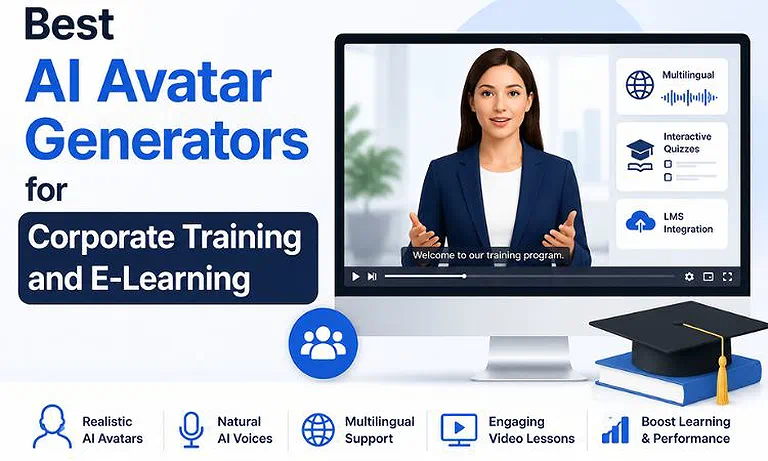
Cover Photo Best AI Avatar Generators for Corporate Training and E-Learning
Why This Use Case Matters
Enterprise training works best when it is easy to update and keeps employees engaged. Traditional video production is slow and expensive, especially when company policies change, software gets updated, or training must be translated into multiple languages. AI avatar platforms solve this problem by letting organizations quickly edit, update, and reuse training videos instead of creating new ones from scratch.
Photorealistic Digital Talking Heads: AI avatars look and speak like real people. Their lip movements, facial expressions, and body language match the script, making training videos more natural and engaging.
Automated Voice Cloning: AI can safely copy a person's voice, allowing businesses to create new training videos without recording fresh audio every time, saving both time and effort.
Deep Localized Multilingual Training: A single training video can be translated into over 140 languages with natural voices and matching lip movements, making global employee training faster and easier.
- Dynamic Content Maintenance: When company policies or software change, you only update the text. AI quickly creates a new video, keeping training materials accurate and up to date. If you're evaluating whether this approach offers a better long-term return than conventional production methods, read our AI vs. Traditional Video Creation: Critical Differences, Feature Comparisons, and Long-Term ROI Analysis for a detailed comparison of costs, scalability, workflow efficiency, and business ROI.
🎯 The Quick Verdict Table
| Tool | Quick Verdict |
| HeyGen | The ideal platform for organizations needing photorealistic AI avatars, multilingual video translation, and fast, studio-quality video production with minimal editing effort. |
| Synthesia | The leading enterprise solution for corporate training, offering interactive learning videos, LMS integration, compliance-ready workflows, and scalable content management for global organizations. |
Who Should Read This Guide
Ideal For
- Enterprise L&D Managers: Tasked with building and updating thousands of micro-learning compliance modules, product training paths, and global onboarding sequences.
- HR Specialists: Looking to scale localized, high-touch internal communications and uniform policy rollouts across distributed international offices.
- Instructional Designers & Educators: Creating structured scannable courses, converting text manuals into accessible visual narratives, and tracking employee comprehension.
Not Ideal For
- High-Action Cinematic Producers: These tools are engineered for professional presentation, instruction, and dialogue. They are not meant to replace high-motion storytelling or complex physical action choreography.
- No-Budget Casual Content Creators: While highly efficient for business use, the subscription structures and credit mechanics are scaled for corporate budgets looking for return on investment (ROI) over free hobbyist tools.
How We Tested Every Platform
To ensure an objective evaluation within a real-world enterprise pipeline, we put both platforms through a rigorous series of operational tests:
Document-to-Video Ingestion Test: I uploaded a detailed corporate compliance PDF with software screenshots, legal information, and step-by-step instructions. I tested how well each AI platform understood the content, organized it into clear video scenes, and automatically selected suitable backgrounds and layouts for the presentation.
Multilingual Lip-Sync & Dubbing Test: I translated an English training video into several languages, including Mandarin, European Spanish, and Brazilian Portuguese. Then I tested how well each platform matched lip movements with speech, how quickly it completed the translations, and how accurately it preserved the original voice and tone.
Timeline Interactivity Rigor Test: I created an interactive quiz inside the training video using built-in features. If a learner answered a question incorrectly, the video automatically took them back to the review section before allowing them to continue with the remaining lessons.
LMS Deployment & SCORM Packaging Test: I exported completed training courses and tested them for SCORM compatibility, proper video resizing, and accurate progress tracking. I also checked whether the courses worked correctly in Learning Management Systems (LMS) and recorded course completion without errors.
Evaluation Criteria
Our assessment relies on six metrics critical to professional corporate environments and curriculum architecture:
a) Visual Realism & Expression Depth: The natural fidelity of the avatar’s facial anatomy, micro-gestures, and fluid physical movement.
b) Voice Cloning & Prosody Control: The acoustic accuracy of the cloned voices, punctuation response, and emotional inflection mapping.
c) Multilingual Localization Capabilities: The speed, quality, and lip-sync accuracy of text-to-speech engine across regional accents and global languages.
d) Course Authoring & Interactive Video Elements: The ability to insert interactive links, quizzes, or branching logic directly inside the video player canvas.
e) Enterprise Security & Workspace Controls: Compliance metrics, including SOC 2 certifications, data isolation, single sign-on (SSO), and secure voice/identity protection guards.
f) TCO (Total Cost of Ownership) & Token Predictability: The transparency and baseline scalability of the seat-to-minute cost structure.
At-a-Glance Comparison Matrix
| Criteria | HeyGen | Synthesia |
| Best For | Studio-quality AI avatars, marketing videos, sales outreach, and rapid multilingual localization. | Corporate training, enterprise learning, compliance education, and interactive LMS-based content. |
| Available Stock Avatars | **1,100+** AI avatars with Avatar IV architecture and extensive customization. | **240+** professional AI avatars featuring natural facial expressions and micro-gestures. |
| Supported Languages | **175+** languages and dialects with voice cloning and video translation support. | **160+** languages and accents optimized for enterprise localization. |
| Interactive Quizzes & Branching | Available through the Interactive Avatar module for conversational experiences. | Native quiz creation and branching scenarios built directly into the editor. |
| SCORM Export | Available on **Business** plans and higher. | Available on **Enterprise** plans only. |
| B-Roll & Background Assets | Extensive stock media library with AI image generation and customizable backgrounds. | AI Playground with native AI-generated B-roll, backgrounds, and creative visual assets. |
| Maximum Export Resolution | Up to **4K** on Business plans and above. | Up to **1080p Full HD** across supported plans. |
| Security Standards | SOC 2 Type II, GDPR, and CCPA compliance. | SOC 2 Type II, SAML SSO, GDPR compliance, and enterprise security controls. |
| Starting Price | $29/month | $29/month |
| Pricing Model | Credit-based system using **GenCredits** for AI generation. | Fixed monthly allocation of video minutes by plan. |
| Overall Rating | 9.5 / 10 | 9.7 / 10 |
Rating Source: Our editorial ratings combine hands-on testing, AI avatar quality, enterprise features, workflow efficiency, pricing value, integrations, security, and scalability. Current G2 user ratings are 4.8/5 for HeyGen and 4.6/5 for Synthesia, though scores naturally fluctuate as new verified customer reviews and product updates are published.
In-Depth Reviews of the Top AI Pre-Production Tools
HeyGen for High-Quality Multilingual Training Videos
HeyGen is a popular AI avatar platform used by businesses, marketers, and training teams. It creates realistic AI presenters with natural lip movements, facial expressions, and body language. If you want training videos that look professional and support many languages, HeyGen is an excellent choice.
Strengths for This Use Case
- Large Avatar Library: Choose from more than 1,100 AI avatars with different ages, clothing styles, and backgrounds to match your company's training needs.
- Multilingual Support: Translate training videos into 175+ languages with natural voices and accurate lip synchronization, making global employee training much easier.
- SCORM Export: Business plan users can export SCORM-compatible courses that work with most Learning Management Systems (LMS).
- 4K Video Quality: Supports 4K video exports, making it ideal for presentations, training portals, and large display screens.
Limitations for This Use Case
- Uses a credit-based pricing system, making monthly costs harder to estimate for large teams.
- The video editor focuses on scene-by-scene editing and offers fewer advanced timeline editing controls.
Use Case Verdict: HeyGen is a great choice for organizations that want realistic AI avatars, high-quality videos, and fast multilingual training content.
Deep Review: Want a closer look before deciding? Read our HeyGen Review to explore its AI avatars, multilingual tools, pricing, video quality, strengths, limitations, and overall value for corporate training and e-learning.
Synthesia for Corporate Training and LMS Integration
Synthesia is built mainly for businesses and enterprise training. It offers professional AI avatars and works well with Learning Management Systems (LMS). Although it has fewer avatars than HeyGen, it stands out with interactive training features and an easy-to-use editing interface.
Strengths for This Use Case
- Interactive Training: Add quizzes, multiple-choice questions, and interactive learning paths directly inside training videos.
- AI Video Creation: Built-in AI tools help create extra video scenes without leaving the project, making content creation faster.
- Easy Editing: The slide-based editor works like PowerPoint, making it simple for HR teams and trainers to create videos.
- Simple Pricing: Uses video minutes instead of credits, making costs easier to understand and plan.
Limitations for This Use Case
- Automatic translation, SCORM export, and some advanced business features are available only with Enterprise plans.
- Video exports are limited to 1080p resolution, which may not suit teams needing 4K videos.
Use Case Verdict: Synthesia is the best option for large companies, HR teams, and learning departments that need interactive training, reliable LMS integration, and easy course management.
Deep Review: Explore our Synthesia Review for a detailed look at its interactive training features, AI avatars, LMS integration, pricing, ease of use, strengths, limitations, and whether it's the right choice for enterprise learning.
Scenario Winners
| Category | Winner |
| Best Overall | Synthesia |
| Best AI Avatars | HeyGen |
| Best Video Localization | HeyGen |
| Best Interactive Learning | Synthesia |
| Best Enterprise Security | Synthesia |
| Best Voice Cloning | HeyGen |
| Best AI B-Roll | Synthesia |
| Best Marketing Videos | HeyGen |
| Best Employee Training | Synthesia |
| Best Enterprise Value | Synthesia |
| Best Production Value | HeyGen |
Buying Considerations for L&D Procurement
Before signing multi-seat contracts with an AI video vendor, compliance and procurement leads should verify three critical parameters:
Strict Identity & Voice Isolation Controls: Ensure the platform has strict voice and identity protections. It must require explicit biometric validation and formal consent documentation before any custom corporate avatar or executive voice clone can be built or used in a workspace.
Data Minimization & Public Model Training Opt-Outs: Check that the service contract clearly states your sensitive internal training files, trade secrets, and software screen recordings are kept private and never used to train public AI models.
LMS Interoperability & Scalable API Performance: Confirm the platform integrates easily with your existing tech stack, whether you need simple video player links or programmatic content generation via enterprise API keys.
Understanding the Total Cost of Ownership
When budgeting for enterprise AI avatar implementation, the baseline monthly subscription is rarely the true operating cost. To establish an accurate, scaled return on investment (ROI), Learning & Development procurement leads must factor in structural resource variables:
Account for Script and Scene Testing Iterations: Developing an effective training video with complex layout changes, exact audio pauses, and proper terminology alignment often requires running multiple generation previews. Platforms that use transparent, predictable usage structures make it much easier to track and forecast your monthly operational expenses.
Evaluate Premium Feature Token Scales: When working with high-fidelity, advanced avatar configurations (such as HeyGen's Avatar IV architecture or custom studio-grade identity clones), remember that running these premium generation models inside your workspace uses up your credit balance or video minute allocation faster than standard base configurations.
Review Export Packaging and LMS Format Coverages: Check whether high-value enterprise deliverables—such as native SCORM format packages, automated multi-language subtitle tracks, or continuous API integration tools—are included in your baseline pricing plan or tied exclusively to higher, custom enterprise subscription contracts.
Step-by-Step Enterprise Training Production Workflow
| Step | Approx. Time | What to Do |
| Prepare Your Training Script | ~10 min | Paste your training content into the editor and organize it into concise 2–3 minute modules. Short lessons improve learner engagement, retention, and overall course completion rates. |
| Select an AI Avatar & Voice | ~10 min | Choose an avatar that aligns with your audience and training objectives. Customize the voice, pronunciation, speaking pace, and tone for a natural, professional presentation. |
| Enhance with Visuals & Interactivity | ~15 min | Add screenshots, diagrams, charts, screen recordings, and branded assets. In Synthesia, incorporate quizzes, branching scenarios, or knowledge checks to create a more engaging learning experience. |
| Review & Refine | ~5 min | Preview the video to verify timing, pronunciation, animations, transitions, and layout. Make any necessary edits before rendering the final version. |
| Render, Localize & Publish | ~15 min | Export the video in the highest available resolution, generate multilingual versions if required, and publish it to your Learning Management System (LMS) or internal training portal. |
FAQ
What makes AI avatar generators useful for corporate training?
AI avatar generators help businesses create professional training videos quickly. They reduce production costs, support multiple languages, simplify updates, and provide consistent learning experiences for employees across different locations. If your organization is looking to reduce production expenses while maintaining high-quality training content, read our How to Cut Corporate Video Production Costs by 80% Using AI Avatars Without a Studio for practical strategies and implementation tips.
Which AI avatar platform is better for employee onboarding?
Both platforms work well for onboarding. HeyGen offers realistic presenters and multilingual support, while Synthesia provides interactive quizzes and LMS integration for structured employee learning programs.
Can AI avatar videos be used with Learning Management Systems (LMS)?
Yes. Most enterprise AI avatar platforms support SCORM exports or LMS integration, allowing organizations to track learner progress, course completion, and training performance automatically.
How long does it take to create an AI training video?
Most training videos can be created within minutes after preparing the script. Updates, translations, and new versions are much faster than traditional video production methods.
Are AI avatar training videos suitable for global teams?
Yes. AI avatar platforms support dozens of languages with natural voices and synchronized lip movements, making it easy to deliver consistent training to employees worldwide.
Can I update training videos after company policies change?
Yes. You simply edit the affected text or scene instead of recreating the entire video. This keeps training content accurate while saving production time and costs.
What features should businesses look for in an AI avatar platform?
Look for realistic avatars, multilingual support, SCORM compatibility, LMS integration, interactive learning tools, strong security, customization options, and simple editing for long-term training management.
Is AI avatar training more affordable than traditional video production?
Yes. AI avatar platforms eliminate studio rentals, actors, and complex editing. Businesses can produce, update, and translate training videos faster while significantly reducing overall production
Conclusion
Choosing the right AI avatar generator depends on your organization's training needs. HeyGen is the best option if you want highly realistic AI avatars, fast multilingual localization, and professional 4K training videos. Synthesia is the stronger choice for large enterprises that need interactive quizzes, LMS integration, and advanced learning management features. Both platforms significantly reduce training production time and costs, making them excellent solutions for employee onboarding, compliance training, customer education, and global corporate learning.