.webp)
How to Cut Corporate Video Production Costs by 80% Using AI Avatars Without a Studio
What if your next corporate video never needed a camera crew, studio lights, or an executive repeating the same sentence for the fifteenth time? It might sound like a futuristic shortcut, but thousands of businesses are already replacing costly video shoots with a faster approach that's saving both time and surprisingly large chunks of their budgets.
The secret isn't hiring a bigger production team—it's using AI avatars that never forget a script, never ask for coffee breaks, and are always camera-ready. In this guide, you'll discover how companies cut corporate video production costs by up to 80%, create professional videos in hours instead of days, and leave expensive studios behind.

 Updated: July 13, 2026 | 13 min read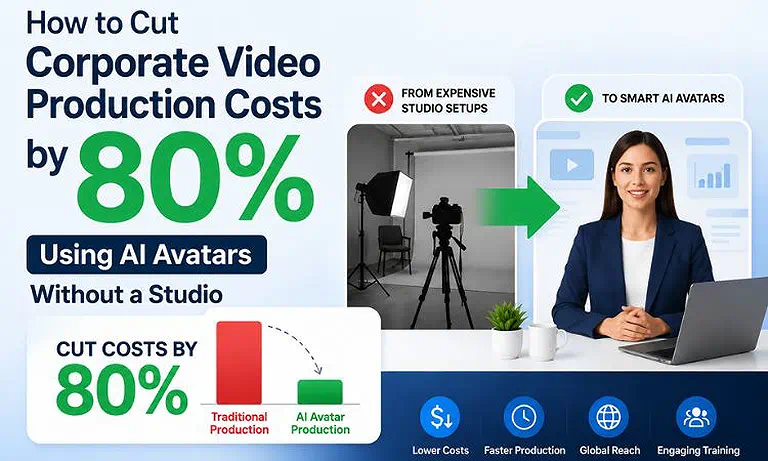
Cover Photo How to Cut Corporate Video Production Costs by 80% Using AI Avatars Without a Studio
AI Video Production Workflow at a Glance
| AI Video Production Workflow at a Glance | Details |
| AI Tools Required | 4 enterprise AI platforms for AI avatar generation, realistic voice cloning, interactive SCORM-based training, and presentation-to-video automation. |
| Recommended Workflow | Synthesia for enterprise-ready avatar videos and brand governance → HeyGen for multilingual localization and voice cloning → Colossyan for interactive branching learning experiences with SCORM export → DeepBrain AI for converting PowerPoint presentations into professional training videos. |
| Production Time | Reduces production from weeks to minutes by automating scripting, avatar rendering, voiceovers, localization, and video generation. |
| Biggest Advantage | Replaces expensive studios, camera crews, actors, and repeated filming with a scalable AI workflow that delivers consistent, high-quality training videos at a fraction of the time and cost. |
| Best For | Enterprise L&D departments, HR and compliance teams, corporate training organizations, multinational businesses, and companies producing training content at scale. |
Who Should Read This Guide?
If creating a simple corporate video feels more expensive than it should, this guide is for you. Whether you're producing employee training, onboarding, compliance updates, executive communications, or product presentations, you'll learn how AI avatars can replace costly studio workflows, reduce production expenses, and help you create professional videos at scale.
You'll benefit the most if you're a:
Enterprise L&D Manager looking to deliver consistent training videos across multiple departments, locations, or global teams.
HR or People Operations Professional responsible for creating multilingual onboarding, policy updates, and employee communications without repeatedly filming presenters.
Corporate Compliance Officer who needs to update training videos quickly whenever regulations, policies, or legal requirements change.
Instructional Designer or Training Team Member creating engaging, branded learning content while reducing production time and maintaining consistency.
Marketing or Internal Communications Professional producing executive messages, company announcements, product launches, or customer education videos with a limited budget.
Business Owner, Operations Manager, or Team Leader searching for a practical way to cut corporate video production costs by up to 80% without sacrificing quality or renting a physical studio.
The Biggest Causes of High Corporate Video Production Costs
Ever wonder why a simple five-minute corporate video can cost as much as a small marketing campaign? The answer isn't just expensive cameras or fancy lighting. Every production adds another bill—studio rentals, presenters, camera crews, makeup artists, editors, equipment, and countless retakes because someone blinked, stumbled over a sentence, or glanced at the wrong camera. Before the video is even published, the budget has already taken a serious hit.
The real surprise comes after the video goes live. A policy changes, a product gets updated, or your business expands into another country—and suddenly the entire production process starts all over again. More filming, more editing, more localization, and more money spent. That's where AI avatars change the game. Instead of rebuilding videos from scratch, businesses simply update the script, generate a new version in minutes, and publish professional content without booking a studio or calling the production crew back.
Why an AI-Powered Avatar Workflow Makes a Difference
| Without an AI Workflow | With an AI-Powered Workflow |
| Corporate training videos quickly become outdated because studio reshoots are expensive and time-consuming. | Videos are updated in minutes by editing the script, with AI automatically regenerating the final production. |
| Weeks are spent coordinating presenters, studio rentals, filming schedules, and production crews. | AI generates presenters, voiceovers, and polished video scenes automatically in minutes. |
| Every new language requires separate translation services, voice actors, and additional editing. | AI translates, localizes, and synchronizes videos across 100+ languages with minimal manual effort. |
| Training content is released slowly, delaying onboarding, compliance, and employee education. | A single master script is instantly adapted for multiple languages, regions, and audiences, enabling rapid global deployment. |
| Traditional presenter videos often struggle to maintain learner attention and visual consistency. | AI avatars deliver engaging, consistent presentations while maintaining enterprise branding across every video. |
| Production budgets are consumed by recurring costs such as actors, studios, travel, and reshoots. | Teams focus on instructional design, cont |
The Best AI Workflow to Cut Corporate Video Production Costs
Reducing corporate video production costs isn't about creating fewer videos—it's about eliminating the expensive steps that slow production down. Traditional workflows rely on studios, presenters, camera crews, and lengthy editing cycles, making every update feel like starting from scratch. An AI-powered workflow replaces those repetitive tasks with a streamlined process, allowing businesses to create, update, and publish professional videos faster while significantly reducing production costs.
AI Workflow at a Glance
Write Your Script → Create an AI Avatar → Apply Your Brand → Generate Localized Versions → Enhance the Video → Export & Publish
Step 1: Write a Clear, Video-Ready Script
Every successful corporate video begins with a well-structured script. Use training manuals, compliance documents, product guides, SOPs, or presentation slides as your foundation. Keep the language conversational, organize information into short sections, and focus on one objective at a time. A clear script helps AI avatars deliver natural presentations and minimizes revisions later.
Step 2: Create an AI Avatar That Represents Your Brand
Instead of hiring presenters or booking a studio, choose an AI avatar that reflects your audience and company image. Then customize the video with your brand colors, logo, fonts, backgrounds, and layouts. Once your branding is saved, every future video follows the same professional style without repeating the entire production process.
Step 3: Generate Localized Videos Without Refilming
Expanding your training or corporate communications to multiple regions no longer requires separate video shoots. Translate the script, select the target language, and generate localized versions with synchronized lip movements and natural-sounding voices. What once took weeks can now be completed in hours while maintaining consistent quality across every market.
Step 4: Enhance the Viewing Experience
An engaging corporate video is more than a talking presenter. Strengthen your message with screen recordings, product demonstrations, diagrams, captions, animations, slide transitions, and background music. These visual elements improve viewer engagement, simplify complex concepts, and increase knowledge retention without adding production complexity.
Step 5: Export, Publish, and Update in Minutes
Once the video is complete, export it as an MP4 or SCORM package and publish it to your Learning Management System (LMS), internal portal, or communication platform. When policies, procedures, or products change, simply update the script and regenerate the video. There's no need to rebook a studio, gather a production crew, or schedule another filming session, making future updates dramatically faster and more cost-effective.
Recommended AI Platforms to Cut Corporate Video Production Costs
No single AI avatar platform is perfect for every business. The best choice depends on whether you're creating employee training, multilingual communications, compliance courses, or converting existing presentations into videos. The platforms below solve different production challenges, but all help eliminate expensive studio shoots while dramatically reducing corporate video production costs. If you are looking for the best ai tool for video production to streamline this process, evaluating these distinct platforms is the best place to start.
Synthesia — Best for Enterprise Training & Onboarding
Choose Synthesia if your business regularly produces onboarding programs, compliance training, or internal learning content. Its professionally designed templates, centralized brand management, multilingual support, and extensive avatar library make it easy to create consistent, high-quality videos across departments and global teams. Instead of coordinating presenters and production crews, your team can update training videos simply by editing the script. Learn more in our Synthesia Review.
HeyGen — Best for Global Business Communication
If your company communicates with employees, customers, or partners across different countries, HeyGen is one of the strongest localization platforms available. It’s realistic AI avatars, voice cloning, natural lip-syncing, and support for more than 175 languages allow you to produce multilingual corporate videos without filming separate versions for every region. See how it performs in our HeyGen Review.
Colossyan — Best for Interactive Compliance & Learning
When employee engagement matters as much as the information itself, Colossyan stands out with interactive quizzes, branching scenarios, and built-in learning elements that transform passive training into an engaging learning experience. It's especially valuable for compliance programs where improving knowledge retention is just as important as delivering information. Discover its full capabilities in our Colossyan Review.
DeepBrain AI — Best for Document-to-Video Workflows
If your organization already has PowerPoint presentations, training manuals, or internal documentation, DeepBrain AI helps convert those assets into professional AI-presented videos instead of rebuilding every project from scratch. This makes it an excellent choice for businesses modernizing large training libraries while reducing production time and costs. Find out whether it's the right fit in our DeepBrain AI Review.
Common Mistakes That Increase Corporate Video Production Costs
AI avatars can dramatically reduce corporate video production costs, but only when they're used strategically. Simply replacing a camera crew with an AI presenter won't guarantee better results. Small mistakes in planning, scripting, or localization often lead to lower engagement, frequent revisions, and unnecessary rework—all of which reduce the time and cost savings AI is meant to deliver.
1. Starting With a Weak Opening
The first 15–30 seconds determine whether viewers stay engaged or mentally check out. Beginning with lengthy introductions, legal disclaimers, or company history can make employees lose interest before the real training even begins. Instead, start with a clear objective, an important question, or a real-world scenario that immediately explains why the video matters.
2. Creating Videos That Are Too Long
Long videos don't always deliver more value—they often create more drop-offs. Employees are more likely to complete short, focused learning modules than a single 30-minute presentation filled with repetitive explanations and corporate jargon. Breaking complex topics into bite-sized videos improves engagement, knowledge retention, and makes future updates much easier.
3. Ignoring Localization Beyond Translation
Translating words is only part of the process. Regional terminology, industry-specific acronyms, legal requirements, and workplace procedures often vary between countries. Publishing a direct translation without local validation can confuse employees or even create compliance issues. Always review localized content to ensure it sounds natural and accurately reflects local regulations.
4. Publishing AI Videos Without Human Review
AI speeds up production, but it shouldn't replace quality control. Occasionally, avatars may mispronounce technical terms, pause at unnatural moments, or display minor synchronization issues. Spending a few minutes reviewing the final video before publishing helps catch small errors that could otherwise reduce professionalism and require costly revisions later.
5. Treating One Video as the Final Product
Many businesses create one long training video and assume the job is finished. In reality, employees often need short reference videos for specific tasks, policy updates, or product changes. Repurposing a master video into multiple micro-learning modules improves accessibility, increases completion rates, and extends the value of every production without increasing costs.
Best Practices for Reducing Corporate Video Production Costs
Creating AI-powered corporate videos is only half the equation. The real return on investment comes from producing content that's easy to update, engaging to watch, and simple to scale across your organization. By following these best practices, you can reduce production costs, improve learning outcomes, and get more value from every video you create.
1. Build Scripts That Are Easy to Update
Write your scripts in short, independent sections instead of one long narrative. This modular approach allows you to update a single policy, process, or product feature without recreating the entire video. It saves time, reduces production costs, and keeps your training library current as your business evolves.
2. Focus on One Learning Objective Per Video
Trying to cover too much information in one video often overwhelms viewers. Instead, dedicate each video to a single topic, policy, or procedure. Short, focused modules are easier to understand, improve completion rates, and make it easier for employees to find the exact information they need later.
3. Keep Your Branding Consistent
Every corporate video should immediately feel like it belongs to your organization. Use the same logo placement, brand colors, fonts, backgrounds, and caption styles across all videos. Consistent branding strengthens your professional image and creates a familiar viewing experience for employees and customers alike.
4. Review Every Video Before Publishing
AI can generate professional videos in minutes, but a final human review is still essential. Check for spelling mistakes, pronunciation of technical terms, caption accuracy, visual timing, and overall flow before publishing. Spending a few extra minutes on quality control helps avoid costly corrections and protects your brand's credibility.
5. Measure Performance and Continuously Improve
Publishing a video isn't the finish line—it's the starting point for improvement. Monitor metrics such as completion rates, viewer engagement, quiz scores, and employee feedback to understand what works best. Use these insights to refine your scripts, improve video structure, and create more effective training content over time, ensuring every new video delivers a higher return on investment than the last.
FAQ
How do AI avatars reduce corporate video production costs?
AI avatars replace many of the most expensive parts of traditional video production, including studio rentals, presenters, camera crews, and repeated filming sessions. Businesses only need to update the script to generate new videos, significantly lowering production costs and turnaround time.
Are AI avatar videos suitable for employee training and onboarding?
Yes. AI avatar videos are widely used for onboarding, compliance training, product education, and internal communications. They deliver consistent messaging, support multiple languages, and make it easier to update training content without reshooting videos whenever information changes.
Can AI avatars create multilingual corporate videos without refilming?
Absolutely. Most AI avatar platforms translate scripts into multiple languages while generating synchronized lip movements and natural-sounding voiceovers. This eliminates the need to hire different presenters or record separate versions for each regional audience.
Do I need video editing experience to create AI avatar videos?
No. Most AI avatar platforms are designed for non-technical users. If you can write a script or prepare a presentation, you can create professional corporate videos using built-in templates, AI presenters, and simple drag-and-drop editing tools.
Which AI avatar platform is best for corporate video production?
The best platform depends on your needs. Synthesia excels in enterprise training, HeyGen is ideal for multilingual communication, Colossyan focuses on interactive learning, and DeepBrain AI simplifies converting presentations into professional AI-generated videos.
How often should businesses update AI-generated training videos?
Update your training videos whenever policies, compliance regulations, products, or internal procedures change. Since AI avatars only require script edits instead of new filming sessions, organizations can publish updated content quickly while keeping production costs low.
Can AI avatars completely replace traditional video studios?
For many corporate use cases, yes. AI avatars can replace studios for training, onboarding, compliance, product demonstrations, and internal communications. However, businesses may still prefer traditional filming for commercials, executive interviews, or highly cinematic marketing campaigns.
How can businesses maximize the ROI of AI avatar videos?
Create short, focused videos, maintain consistent branding, review every video before publishing, localize content accurately, and track engagement metrics. These best practices improve learning outcomes while helping businesses get the maximum value from every AI-generated video.
What types of corporate videos can AI avatars create?
AI avatars can produce onboarding videos, employee training, compliance modules, product tutorials, sales presentations, customer support guides, executive announcements, and internal communications. This versatility allows businesses to replace many traditional studio-based video production workflows.
Are AI avatar videos secure enough for enterprise organizations?
Yes. Leading enterprise AI video platforms offer features such as secure cloud infrastructure, role-based access controls, brand management, and compliance certifications. These capabilities help organizations protect sensitive training materials while maintaining governance across global teams.
Conclusion
Cutting corporate video production costs isn't about producing fewer videos—it's about producing them smarter. AI avatars eliminate the need for expensive studios, production crews, and repeated filming, allowing businesses to create professional training and communication videos faster while reducing costs by up to 80%.
The real advantage comes from combining the right workflow with the right AI platform. By creating modular content, maintaining consistent branding, and regularly updating videos, you can build a scalable, cost-effective training library that delivers long-term value without sacrificing quality.