.webp)
Colossyan Review: Is This the Smartest AI Tool for Employee Learning?
Colossyan has become one of the most popular AI video platforms for corporate training and employee learning. With realistic AI avatars, multilingual voiceovers, interactive quizzes, and easy PPT-to-video creation, it helps businesses produce professional training content in minutes. But is it good enough to replace traditional video production in 2026? In this review, we test Colossyan’s features, video quality, ease of use, speed, and pricing to see whether it delivers real value for HR teams, trainers, and enterprise organizations.

 Updated: June 25, 2026 | 12 min read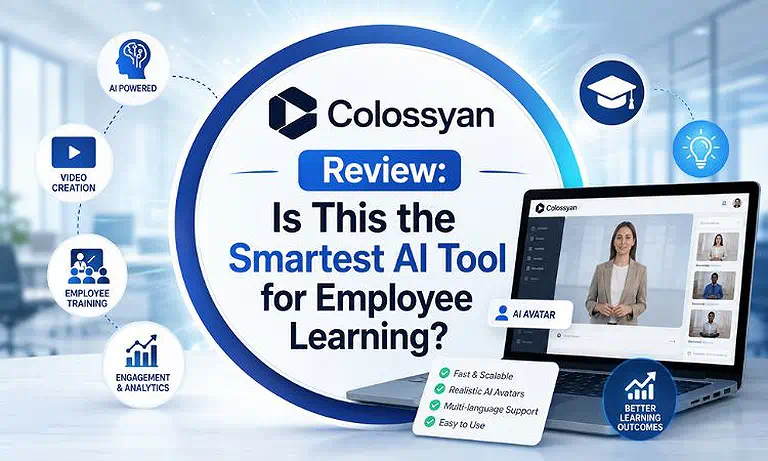
Cover Photo Colossyan Review: Is This the Smartest AI Tool for Employee Learning?
What Is Colossyan?
Colossyan is an AI-powered video creation platform designed for corporate training and e-learning. It transforms text, documents, and presentation slides into professional videos featuring realistic AI presenters. Businesses can create multilingual, interactive training content directly from a browser, reducing production costs, saving time, and simplifying employee education at scale.
Primary Offerings
Hyper-Realistic AI Avatars & Presenters: Choose from over 150 realistic AI avatars with natural lip-sync, facial expressions, and diverse appearances, helping training videos feel more engaging and human.
AI Video Generator & Document Ingestion: Turn text prompts, PDFs, SOPs, and slide decks into structured video presentations automatically, reducing manual scripting and speeding up content creation.
Interactive Video & LMS Integration: Add quizzes, branching scenarios, and clickable elements directly into videos, improving learner engagement while tracking training performance and completion rates.
SCORM-Compliant Exporting Hub: Export training videos in SCORM 1.2 and SCORM 2004 formats, enabling seamless deployment across enterprise learning management systems and training platforms.
Strategic Positioning: Colossyan is designed for corporate training, onboarding, compliance programs, and internal communications. It enables organizations to create scalable video content efficiently while supporting streamlined learning workflows and consistent employee education.
Key Specifications
| Feature | Details |
| Platform Type | Browser-based web application optimized for Chrome and Edge, featuring a comprehensive cloud-based video creation workspace. |
| Max Output Quality | Up to 1080p Full HD video exports with clear visuals and high-quality 48kHz AI-generated audio. |
| AI Capabilities | Prompt-to-video generation, AI script creation, text-to-speech, conversational multi-avatar scenes, voice cloning, and automated localization. |
| Language Ecosystem | Supports over 100 languages and regional accents with one-click translation and multilingual video localization. |
| LMS Integrations | Compatible with SCORM 1.2/2004 and integrates with Articulate, ClickLearn, 360Learning, Cornerstone, Docebo, and Moodle. |
| Best For | Instructional designers, L&D teams, corporate trainers, HR departments, sales enablement teams, and compliance training professionals. |
Interface, Onboarding, and Guest Experience
The Slide-Based Creation Canvas: Users build video projects via an intuitive slide-based workflow that mirrors PowerPoint or Canva. Content managers write or paste scripts into the text block below each scene, configure the layout, and instantly assign avatars or backgrounds without prior video editing expertise.
The Team Collaboration Dashboard: Workspace administrators can assign custom roles, store standardized brand guidelines, share active project templates, and invite team members to review or edit scripts simultaneously. This unified framework simplifies internal approval loops before hitting the render queue.
Setup & Technical Requirements
Browser Compatibility: Runs entirely on modern cloud-based web applications, delivering the most stable performance on Google Chrome and Microsoft Edge without requiring local software installations.
Hardware Dependencies: Because rendering takes place on cloud server architectures, local hardware requirements are minimal. However, maintaining a smooth workflow requires modern web browser tabs to utilize standard system RAM during script previews.
Bandwidth Thresholds: A standard, reliable internet connection (minimum 10 Mbps download) handles script editing, asset library loading, and final video generation smoothly.
Core Features: Technical Breakdown
1. Photorealistic AI Presenters & Multi-Avatar Conversations
How It Works: Users choose an AI avatar, add a script, select a voice, and generate a video within minutes. Multi-avatar scenes enable multiple presenters to appear together, creating realistic conversations, role-playing exercises, and engaging corporate training scenarios.
Practical Workflow Example: An instructional designer can create workplace training using two AI avatars in a split-screen scene, simulating manager-employee interactions without hiring actors, booking studios, or managing video production.
2. PowerPoint & Document-to-Video Ingestion
How It Works: Users can upload PowerPoint files, PDFs, or text documents. Colossyan automatically extracts key content, generates a structured script, organizes slides, and pairs the material with AI presenters to create professional training videos quickly.
Practical Workflow Example: An HR manager uploads a benefits-update PDF to Colossyan. The platform converts the document into a presenter-led video, transforming static slides into a more engaging, easy-to-understand training experience for employees.
3. Interactive In-Video Quizzes & Branching Scenarios
How It Works: Designers can add quizzes, choice-based interactions, and branching paths directly into videos. The content pauses at key moments, requiring learners to respond before continuing, creating a more engaging and measurable learning experience.
Practical Workflow Example: During a safety training video, employees answer a compliance question. Incorrect responses trigger additional guidance from an AI presenter, while correct answers allow learners to continue through the training module.
4. 1-Click Automated Translation & Voice Overrides
How It Works: Colossyan automatically translates videos, captions, and scripts into more than 100 languages. AI avatars adjust lip-sync and speech delivery to match translated content, helping organizations scale training globally.
Practical Workflow Example: A company can translate a workplace safety video into Spanish, German, and Vietnamese within minutes. Employees receive localized training content without requiring separate recordings, voice actors, or external translation services.
5 Output Quality and Performance Benchmarks
Visual Integrity & Bitrates: Colossyan generates sharp 1080p videos with smooth avatar animations. Facial expressions, blinking, and head movements appear natural, creating more professional and engaging training experiences.
Voice Realism & Phonetic Controls: AI voices deliver clear speech with natural pacing and tone. Phonetic controls help creators fine-tune pronunciations for technical terms, product names, and company acronyms.
SCORM Packaging Accuracy: Training modules export as SCORM-compliant packages with reliable tracking data, quiz results, and learner progress records, ensuring seamless integration with enterprise LMS platforms.
6 Export Quality
Free Plan / Trial Tier: The free trial allows users to test Colossyan’s core features by creating short videos with limited scenes, basic avatars, and watermarked exports before upgrading.
Paid Tiers: Paid plans unlock commercial usage, premium avatars, advanced editing tools, voice cloning, multi-scene projects, and interactive SCORM export capabilities for enterprise training.
Commercial Readiness: Videos created on paid plans are watermark-free and licensed for commercial use, making them suitable for employee training, customer education, and corporate communications.
Real-World Use Cases
Colossyan helps HR, L&D, and business teams create AI presenter videos for employee onboarding, compliance training, and workplace learning. Its customizable templates make updating training content simple and efficient. Discover why it is featured among the best AI avatars for employee onboarding.
Global Employee Onboarding: HR teams build automated onboarding paths that remain identical across worldwide regions. New hires receive high-quality, speaker-led instruction that maintains brand consistency, without requiring live trainers to repeat sessions.
Rapid Sales Enablement Updates: Product teams use the platform to push immediate software explainers to global sales forces. When features or pricing structures update, editors simply alter a few lines of text in the master project script and re-render the video in minutes.
Compliance & Workplace Safety Audits: Compliance departments embed tracking quizzes directly into safety modules. This lets them confirm employee comprehension and log mandatory certification details straight back to their internal LMS records.
Integrations and Ecosystem
LMS Authoring Pipelines: Direct integration linkages allow users to export video files straight into e-learning tools like Articulate Rise and Storyline, allowing teams to add AI elements to complex course layouts.
Automated Workflow Ecosystem: Using Zapier connectors, organizations can link video triggers to peripheral business software, automatically generating targeted explainer videos from customer records or freshly finalized document databases.
Video Hosting Destinations: Completed assets can be shared directly via secure cloud link embeds or pushed straight to private YouTube or internal intranet channels for simple deployment.
Security, Privacy & Compliance
Enterprise Security Framework: Built explicitly around high-level corporate data safety frameworks, Colossyan holds an active SOC 2 Type II certification, uses secure cloud hosting infrastructure, and includes SAML SSO authentication.
Data Protection & Content Ownership: Subscribed organizations maintain total ownership rights over intellectual properties, recorded scripts, and customized avatar templates. Uploaded files remain isolated within private corporate workspaces.
Responsible AI Guardrails: The platform enforces strict ethical safety rules. Users cannot upload third-party recordings to generate deepfakes or unverified voice clones; all digital avatars require verified identity permissions to prevent platform misuse.
Pricing & Plans
| Plan | Pricing (Billed Monthly) | Best For | Key Features |
| Starter Plan | $27/month | Solo instructional designers, trainers, and small content teams. | 15 minutes of video generation monthly, 70+ AI avatars, text-to-speech tools, and standard video exports. |
| Pro Plan | $88/month | Growing L&D departments, corporate training teams, and marketing groups. | Higher monthly generation limits, premium AI avatars, conversational multi-avatar scenes, automated translation, and enhanced collaboration features. |
| Enterprise Plan | Custom Pricing | Large enterprises, global organizations, agencies, and media networks. | Custom avatars, voice cloning, advanced security controls, SCORM support, SAML SSO, enterprise integrations, and scalable video production infrastructure. |
Cost Note: Colossyan measures plan consumption using a video-minute model. For instance, generating a 5-minute video with two avatars utilizes exactly 5 minutes of your subscription allocation, regardless of how many scenes or text translations you preview during production.
Hidden Limitations
Colossyan excels at corporate training, onboarding, and presenter-led videos, but it is not designed for advanced filmmaking. Projects requiring complex visual effects, cinematic editing, motion graphics, or detailed post-production still need dedicated video editing software.
Value for Money
Colossyan delivers strong value by combining AI presenters, script creation, multilingual translation, and interactive quizzes in one platform. This reduces production costs, simplifies workflows, and helps organizations create professional training content much faster.
Pros and Cons
Pros
- Substantial Cost Reductions: Lowers video production costs by up to 80% compared to traditional on-set studio filming budgets.
- LMS Interactive Design: Built-in branching scenarios and SCORM compatibility allow for seamless corporate training integration.
- Rapid Script Adjustments: Enables users to change a word or update text scripts to instantly refresh video assets without reshooting.
- Efficient Language Localization: Translates courses into over 100 languages with accurate lip synchronization in a single click.
Cons
- Esoteric Layout Assets: The built-in asset shape libraries are basic, forcing heavy PowerPoint users to rely on pre-built slide background designs.
- Time Allocation Risks: Heavy automated translation runs quickly consume monthly minute credits if not managed carefully by the team.
- Draft Preview Generation Delays: Rendering comprehensive video previews can exhibit occasional processing lag when compiling extensive slide timelines.
- Limited Creative Flexibility: The platform is optimized for training and presenter-led content, making it less suitable for highly creative marketing videos, cinematic storytelling, or advanced visual productions.
Customer Support & Learning Resources
Colossyan Academy Knowledge Base: Offers a rich repository of learning guides, onboarding webinars, and design blueprints to help users master avatar pacing and script structure.
Dedicated Enterprise Account Teams: Enterprise subscribers receive personalized implementation guidance, custom training sessions, and prioritized production support pipelines.
Tier-Based Help Desk Channels: Ticket support responses scale according to subscription tiers, ensuring corporate clients receive prompt technical assistance for live production deadlines.
Who Should Use Colossyan?
| User Type | Recommendation |
| Instructional Designers | Excellent– Great for creating SCORM-compliant training videos with realistic AI presenters. |
| Global HR Teams | Excellent – Makes multilingual onboarding and compliance training easy to scale. |
| B2B Product Teams | Excellent – Ideal for product demos, tutorials, and customer education videos. |
| Creative Filmmakers | Not Recommended – Lacks the creative freedom needed for cinematic storytelling and advanced video production. |
Best For
Corporate instructional designers, compliance trainers, and HR operations managers who need to replace text documents with engaging, presenter-led learning courses that link directly into an existing LMS framework.
Good For
Growing agencies, customer success teams, and sales divisions looking to quickly scale their training output, localize their content globally, and track user completion metrics without investing in expensive studio equipment.
Not Recommended For
Independent creative directors, film crews, or editors who require frame-by-frame timeline controls, multi-layer rotoscoping, or cinematic visual effects processing.
How Does Riverside Compare?
Colossyan focuses on automated, avatar-driven presenter videos that replace cameras entirely. This makes it a great pairing with top-tier AI audio and video platforms that streamline text-based editing, voice cloning, and post-production workflows.
DeepBrain AI
Where DeepBrain AI Wins: DeepBrain AI is the better choice for organizations that rely on PowerPoint or Google Slides for training. Its presentation-to-video workflow lets teams quickly convert existing slide decks into AI presenter videos, reducing content migration and production time. For a detailed feature-by-feature comparison, see our Colossyan vs DeepBrain AI guide.
Where Colossyan Wins: Colossyan is purpose-built for interactive corporate learning. It includes branching scenarios, in-video quizzes, role-play conversations, and native SCORM export, making it a stronger option for compliance training, employee onboarding, and LMS-based learning programs.
Synthesia
Where Synthesia Wins: Synthesia offers one of the largest libraries of AI avatars, extensive language support, and a polished text-to-video workflow. It is well suited for organizations producing multilingual training, customer education, and internal communication videos at scale.
Where Colossyan Wins: Colossyan focuses on learning outcomes rather than standard presenter videos. Its interactive training features, branching logic, knowledge checks, and seamless LMS integration make it a better fit for enterprise L&D teams that need engaging, trackable, and standards-compliant training content.
Final Verdict: Is Colossyan the Smartest Tool for Corporate Learning?
Best For
- Learning and Development departments that want to upgrade text-heavy manuals into interactive, presenter-led video lessons while maintaining a consistent corporate brand.
- International training organizations that need to translate courses into dozens of languages simultaneously while keeping human-looking presenters accurately synced to the new text.
Skip If
- Your production style relies on recording real-world human team events, live unscripted panel conversations, or physical product demonstrations.
- You need an advanced video editor with deep color grading pipelines, complex canvas layer tracking, or high-end motion graphics software.
Final Recommendation
Colossyan is one of the most effective AI tools for enterprise training and instructional design. Its combination of realistic AI presenters, automatic document conversion, branching scenarios, and native SCORM exporting makes it an excellent option for scaling corporate learning content quickly and efficiently.
Overall Score:
9.1/10
Rating Source: This 9.1/10 rating reflects Colossyan's specialized focus on corporate training and L&D, supported by strong user feedback across business software review platforms like G2 and TrustRadius. It is widely used by major global brands, including Paramount and Sonesta Hotels, due to its reliable interactive course design tools and demonstrable production ROI.
FAQ
Can Colossyan videos be uploaded directly into any LMS platform?
Yes. Colossyan exports courses as SCORM 1.2 and SCORM 2004 packages, allowing seamless uploads to popular LMS platforms while supporting learner progress, quiz tracking, and completion reporting.
How do in-video interactive quizzes track learner test results?
Quiz responses are stored within SCORM packages. After LMS upload, administrators can track scores, answer selections, learner progress, and course completion through standard reporting tools.
Can I create a custom AI avatar of an internal team executive?
Yes. Enterprise plans support custom avatar creation, allowing organizations to build private digital versions of executives, trainers, or company representatives for future video content.
What happens if the AI mispronounces an industry term or brand name?
Colossyan includes pronunciation controls that let users adjust phonetic spellings, ensuring technical terms, product names, and company acronyms are spoken correctly.
What is the primary difference between the Starter and Pro subscription tiers?
Starter covers basic video creation. Pro adds advanced features including premium voices, multilingual translation, multi-avatar conversations, and enhanced tools for corporate training projects.
Is customer training data used to train public language models?
No. Colossyan follows strict privacy standards, keeping uploaded content, training materials, and generated videos isolated within secure workspaces and separate from public AI training.
Conclusion
Colossyan remains one of the best AI video platforms for corporate training in 2026. Its realistic AI avatars, multilingual localization, interactive quizzes, and SCORM-ready exports help organizations create engaging learning content faster and at lower cost. For businesses looking to scale employee onboarding, compliance training, and e-learning programs without traditional video production, Colossyan offers excellent value and a strong return on investment.