.webp)
15 Powerful AI Tools Transforming Cybersecurity in 2026
Modern cybersecurity requires AI-driven protection as ransomware, phishing, and AI-based malware continue to grow across cloud environments. Traditional defenses often fail against evolving threats, while AI systems use machine learning and real-time analytics to detect suspicious activity quickly. These tools help businesses improve data security, reduce response time, and prevent advanced cyberattacks proactively.
Modern organizations use AI platforms like Darktrace and CrowdStrike for real-time threat detection and automated response. These tools streamline security by prioritizing risks and neutralizing ransomware attacks efficiently. To safeguard your data, explore these AI tools to manage your business effectively and build a unified defense against increasingly sophisticated and evolving cyberattacks across digital environments.

 Updated: May 11, 2026 | 18 min read
 | Name of Tool | Best Use Case | Price | Level of Ease |
| Darktrace | AI-driven autonomous threat detection and cyber defense | Enterprise (custom pricing) | Moderate |
| CrowdStrike | Endpoint protection and real-time threat intelligence | Subscription-based | Easy to Moderate |
| SentinelOne | Automated endpoint security and threat prevention | Paid plans | Moderate |
| Palo Alto Networks | Advanced firewall, cloud security, and threat prevention | Premium enterprise pricing | Moderate |
| IBM Security QRadar | Security information and event management (SIEM) | Enterprise pricing | Advanced |
| Fortinet | Network security and integrated cyber defense solutions | Paid (tier-based) | Moderate |
| Check Point Software Technologies | Network security and firewall protection | Paid enterprise plans | Moderate |
| Microsoft Defender for Endpoint | Endpoint security and integrated Microsoft ecosystem protection | Included in Microsoft 365 / paid tiers | Easy |
| Cisco Secure | Network security, threat detection, and cloud protection | Enterprise pricing | Moderate |
| Trend Micro | Cloud security and ransomware protection | Subscription-based | Easy |
| Sophos | Endpoint protection and managed threat response | Paid plans | Easy to Moderate |
| Vectra AI | AI-driven threat detection and network attack identification | Enterprise pricing | Moderate |
| Cylance | AI-based malware prevention and endpoint protection | Enterprise pricing | Moderate |
| Rapid7 | Vulnerability management and security analytics | Free trial + paid plans | Moderate |
| Splunk | Security analytics, log monitoring, and incident detection | Free trial + paid tiers | Moderate to Advanced |
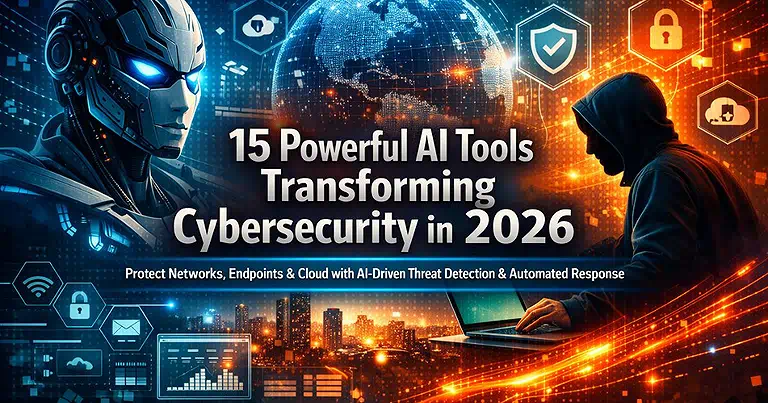
Cover Photo 15 Powerful AI Tools Transforming Cybersecurity in 2026
1 Darktrace
Darktrace uses Artificial Intelligence to detect and respond to cyber threats in real time. It monitors networks, cloud systems, and endpoints, learning normal behavior patterns to identify anomalies and protect organizations from advanced digital attacks.
How to Use Darktrace
- Install and integrate Darktrace into your organization’s IT infrastructure.
- Allow the system to learn normal behavior during its initial setup phase.
- Use the dashboard to monitor real-time alerts and security insights.
- Review AI-detected anomalies and risk notifications.
- Apply automated or manual actions to stop cyber threats.
Pros
- Detects unknown and advanced threats using self-learning AI.
- Provides real-time monitoring and automated response actions.
- Covers cloud, network, email, and endpoint security in one system.
Cons
- Expensive for small and medium-sized businesses.
- Requires technical expertise for setup and management.
- Some alerts may require manual verification.
Limitations
- More suitable for large enterprises than individual users.
- Needs continuous monitoring and proper configuration.
- Effectiveness depends on integration with existing IT systems.
Pricing Plan
- Free Services: Offers demos and trial access for evaluation.
- Paid Plan: Custom enterprise pricing based on organization size and needs.
2 CrowdStrike
CrowdStrike uses Artificial Intelligence to protect organizations from cyber threats in real time. It secures endpoints, cloud systems, and networks by analyzing behavioral patterns, detecting anomalies, and stopping ransomware, phishing, and malware attacks before they can cause damage.
How to Use CrowdStrike
- Install the CrowdStrike Falcon agent on all endpoints such as laptops, servers, and cloud devices.
- Connect endpoints to the CrowdStrike cloud platform for centralized monitoring.
- Allow the AI system to learn normal activity and detect unusual behavior.
- Monitor alerts and threat reports through the dashboard in real time.
- Take automated or manual action to isolate and remove security threats.
Pros
- Strong real-time protection against ransomware, phishing, and malware attacks.
- AI-based behavioral detection identifies unknown and advanced threats.
- Lightweight agent ensures minimal impact on system performance.
Cons
- Can be costly for small businesses and startups.
- Requires constant internet connectivity for full functionality.
- Advanced setup may need skilled cybersecurity professionals.
Limitations
- Mainly designed for enterprise-level organizations.
- Limited offline protection due to cloud dependency.
- Requires proper endpoint deployment for full effectiveness.
Pricing Plan
- Free Services: Offers demo and trial access for testing features.
- Paid Plan: Subscription-based pricing depending on organization size and security needs.
CrowdStrike Official source image
3 SentinelOne
SentinelOne uses Artificial Intelligence and machine learning to protect endpoints and cloud systems from cyber threats. It detects, prevents, and responds to attacks in real time, including ransomware and malware, while ensuring continuous monitoring and strong automated defense capabilities.
How to Use SentinelOne
- Deploy the SentinelOne agent on endpoints such as laptops, servers, and virtual machines.
- Connect all devices to the centralized cloud management console.
- Enable AI-based behavioral monitoring to establish normal activity patterns.
- Monitor real-time alerts, threat detections, and security insights through the dashboard.
- Use automated or manual actions like threat isolation or system rollback to neutralize attacks.
Pros
- Provides strong real-time protection against ransomware, malware, and zero-day attacks.
- Offers autonomous AI-driven detection, prevention, and response capabilities.
- Includes rollback feature to restore systems after ransomware infections.
Cons
- Can be expensive for small businesses or startups.
- Requires proper configuration for maximum effectiveness.
- Advanced features may require technical cybersecurity expertise.
Limitations
- Best suited for enterprise-level organizations.
- Performance depends on correct endpoint deployment.
- Cloud-based system requires stable internet connectivity for full features.
Pricing Plan
- Free Services: Offers demo and trial access for evaluation purposes.
- Paid Plan: Subscription-based pricing depending on organization size and security requirements.
4 Palo Alto Networks
Palo Alto Networks uses Artificial Intelligence to strengthen enterprise cybersecurity by integrating AI into firewalls, cloud security, and network protection. It proactively detects zero-day threats, identifies unknown malware, and provides real-time automated defense across complex digital environments.
How to Use Palo Alto Networks
- Deploy Palo Alto Networks solutions such as firewalls and cloud security tools across your IT infrastructure.
- Configure security policies and connect systems to centralized management platforms like Cortex.
- Enable AI-driven threat detection to monitor networks, cloud, and endpoints continuously.
- Review real-time alerts, dashboards, and threat intelligence reports.
- Apply automated or manual responses to block attacks and secure affected systems.
Pros
- Advanced AI-driven detection of zero-day and unknown threats.
- Strong integration across network, cloud, and endpoint security systems.
- Reduces workload through automated threat prevention and response.
Cons
- High cost makes it less accessible for small businesses.
- Setup and configuration can be complex for new users.
- Requires skilled IT and cybersecurity teams for optimal use.
Limitations
- Primarily designed for large enterprises with complex infrastructures.
- Performance depends on the proper configuration and integration of tools.
- Can be resource-intensive in large-scale deployments.
Pricing Plan
- Free Services: Provides demos and limited trial access for evaluation.
- Paid Plan: Custom enterprise pricing based on security needs, scale, and deployed solutions.
Palo Alto Networks Official source image
5 IBM Security QRadar
IBM Security QRadar uses Artificial Intelligence to analyze large-scale security data in real time. It helps organizations detect cyber threats by combining log analysis, threat intelligence, and behavioral patterns to improve incident detection and response speed.
How to Use IBM Security QRadar
- Deploy QRadar in your enterprise environment and connect it with network devices, servers, and cloud systems.
- Integrate log sources such as applications, firewalls, and endpoints into the platform.
- Enable AI-driven analytics to continuously monitor and correlate security events.
- Use the dashboard to review alerts, incidents, and threat intelligence insights.
- Investigate and respond to prioritized security threats using guided workflows.
- Pros
- Strong real-time log analysis and threat detection across large environments.
- AI-powered correlation reduces false positives and improves alert accuracy.
- Provides centralized visibility for enterprise-wide security monitoring.
Cons
- Complex setup and configuration process for new users.
- Requires skilled cybersecurity professionals for effective management.
- Can be resource-intensive in large-scale enterprise environments.
Limitations
- Primarily designed for large organizations and SOC teams.
- High dependency on proper log integration for full effectiveness.
- Performance may decrease if data sources are not correctly configured.
Pricing Plan
- Free Services: Offers demo and trial access for evaluation purposes.
- Paid Plan: Enterprise-based pricing depending on data volume, infrastructure size, and required features.
6 Fortinet
Fortinet uses Artificial Intelligence within its Security Fabric and FortiGate firewalls to deliver real-time threat detection and prevention. It protects networks, cloud environments, and endpoints from malware, phishing, and ransomware while maintaining unified security visibility across systems.
How to Use Fortinet
- Deploy FortiGate firewalls and other Fortinet security tools across your network infrastructure.
- Connect all security products into the Fortinet Security Fabric for unified management.
- Enable AI-driven threat intelligence to monitor traffic and detect anomalies in real time.
- Configure security policies to control access, applications, and network behavior.
- Use the dashboard to monitor alerts and apply automated or manual threat responses.
Pros
- Strong AI-powered real-time protection against malware, phishing, and ransomware.
- Unified Security Fabric provides centralized visibility across all systems.
- High performance with scalable enterprise-grade security solutions.
Cons
- Configuration can be complex for beginners.
- Requires technical expertise for full deployment and optimization.
- Advanced features may increase overall operational cost.
Limitations
- Best suited for medium to large enterprise environments.
- Requires proper integration of multiple Fortinet products for full effectiveness.
- Performance depends on correct configuration of Security Fabric components.
Pricing Plan
- Free Services: Offers demos and limited trials for evaluation purposes.
- Paid Plan: Subscription-based and enterprise pricing depending on deployed modules and organizational needs.
Fortinet Official source image
7 Check Point Software Technologies
Check Point Software Technologies uses Artificial Intelligence and advanced threat intelligence to prevent cyberattacks before they spread. It protects networks and cloud systems by detecting malware, phishing, and bot attacks in real time through a unified security platform.
How to Use Check Point Software Technologies
- Deploy Check Point security solutions such as firewalls and cloud protection across your IT infrastructure.
- Connect all systems to the centralized Check Point management console.
- Enable AI-powered threat prevention and real-time monitoring features.
- Configure security policies to control traffic, applications, and access behavior.
- Monitor alerts and use automated or manual responses to block and contain threats.
Pros
- Strong prevention-based security blocks attacks before they spread.
- AI-driven threat intelligence improves detection accuracy.
- Unified platform simplifies management across networks and cloud systems.
- Cons
- Setup and configuration can be complex for new users.
- Requires skilled IT teams for optimal performance.
- Can become costly for advanced enterprise deployments.
Limitations
- Best suited for enterprise and large-scale environments.
- Effectiveness depends on proper policy configuration.
- Requires continuous updates for optimal threat intelligence performance.
Pricing Plan
- Free Services: Offers demo access and limited trial options.
- Paid Plan: Subscription-based pricing depending on selected products and enterprise requirements.
8 Microsoft Defender for Endpoint
Microsoft Defender for Endpoint uses Artificial Intelligence to detect and respond to advanced cyber threats in real time. It protects enterprise devices by continuously monitoring behavior, identifying suspicious activity, and integrating seamlessly with Microsoft cloud services for faster security response.
How to Use Microsoft Defender for Endpoint
- Deploy Defender for Endpoint across Windows devices and enterprise endpoints.
- Connect it with Microsoft 365 Defender and Azure security services for centralized management.
- Enable AI-driven threat detection to continuously monitor device behavior.
- Use the security console to investigate alerts, incidents, and threat intelligence.
- Apply automated or manual remediation actions to isolate and fix compromised devices.
Pros
- Strong AI-based detection of advanced and emerging threats.
- Seamless integration with Microsoft ecosystem and cloud services.
- Automated remediation reduces response time and manual effort.
Cons
- Works best within Microsoft-based environments, limiting flexibility elsewhere.
- Advanced features require proper configuration and licensing.
- Can generate complex alerts that require skilled analysis.
Limitations
- Less effective outside Windows and Microsoft ecosystem environments.
- Requires continuous cloud connectivity for full functionality.
- Advanced security operations depend on proper enterprise setup.
Pricing Plan
- Free Services: Offers limited trial access and basic built-in Windows Defender features.
- Paid Plan: Included in Microsoft Defender for Endpoint licensing, priced based on enterprise plans and device count.
Microsoft Defender for Endpoint Home page
9 Cisco Secure
Cisco Secure uses Artificial Intelligence to strengthen enterprise cybersecurity through advanced network traffic analysis, endpoint protection, and cloud security. It detects unusual behavior in real time, blocks threats automatically, and provides unified protection across complex enterprise infrastructures.
How to Use Cisco Secure
- Deploy Cisco Secure solutions across networks, endpoints, cloud systems, and email environments.
- Connect all security tools through the centralized Cisco Secure management platform.
- Enable AI-driven analytics to monitor traffic and detect suspicious activities continuously.
- Use the dashboard to review alerts, threat intelligence, and security reports in real time.
- Apply automated or manual actions to isolate devices and block detected cyber threats.
Pros
- Strong AI-powered threat detection across networks, endpoints, and cloud systems.
- Unified security platform simplifies enterprise-wide security management.
- Automated threat blocking reduces response time and analyst workload.
Cons
- Complex deployment process for large enterprise environments.
- Advanced features may require experienced cybersecurity teams.
- Enterprise-grade pricing can be expensive for smaller organizations.
Limitations
- Best suited for medium and large enterprises with complex infrastructures.
- Full effectiveness depends on integration with Cisco ecosystem tools.
- Requires continuous monitoring and proper configuration for optimal security.
Pricing Plan
- Free Services: Offers demo access and limited trial availability for evaluation.
- Paid Plan: Subscription-based enterprise pricing depending on selected Cisco Secure solutions
10 Trend Micro
Trend Micro uses Artificial Intelligence and predictive machine learning to secure cloud environments, endpoints, and networks. It detects and prevents ransomware, advanced malware, and evolving cyber threats while maintaining centralized visibility and protection across hybrid and multi-cloud infrastructures.
How to Use Trend Micro
- Deploy Trend Micro security solutions across endpoints, cloud systems, and enterprise networks.
- Integrate the platform with hybrid and multi-cloud environments for centralized management.
- Enable AI-powered threat detection and predictive machine learning features.
- Monitor real-time alerts, dashboards, and threat intelligence reports through the console.
- Use automated or manual response actions to contain and remove detected threats.
Pros
- Strong AI-driven protection against ransomware and advanced malware.
- Excellent support for hybrid and multi-cloud security environments.
- Centralized visibility simplifies enterprise-wide threat monitoring.
Cons
- Advanced features can increase deployment and licensing costs.
- Initial configuration may require experienced IT professionals.
- Some enterprise tools may be complex for small organizations.
Limitations
- Best suited for businesses with hybrid or cloud-focused infrastructures.
- Full functionality depends on proper cloud integration and configuration.
- Performance may vary in highly customized enterprise environments.
Pricing Plan
- Free Services: Offers free trials and demo access for evaluation.
- Paid Plan: Subscription-based pricing depending on selected security products and business requirements.
Trend Micro Official home page
11 Sophos
Sophos uses Artificial Intelligence and human threat intelligence to provide cybersecurity protection for endpoints, networks, and firewalls. It automatically detects and blocks suspicious activities while delivering centralized, user-friendly security management for small and medium-sized businesses.
- How to Use Sophos
- Deploy Sophos endpoint and firewall solutions across your organization’s systems and networks.
- Connect all security tools through the Sophos Central management platform.
- Enable AI-powered threat detection and automated response features.
- Monitor security alerts, suspicious activities, and system health through the dashboard.
- Apply automated or manual actions to isolate devices and prevent cyber threats.
Pros
- User-friendly interface suitable for small and medium-sized businesses.
- AI-powered protection against malware, ransomware, and phishing attacks.
- Centralized management simplifies endpoint and firewall security operations.
Cons
- Advanced enterprise features may be limited compared to larger competitors.
- Performance can slow slightly on older systems during deep scans.
- Some advanced configurations require technical expertise.
Limitations
- Best suited for small and medium-sized business environments.
- Limited scalability for highly complex enterprise infrastructures.
- Full effectiveness depends on the proper integration of Sophos products.
Pricing Plan
- Free Services: Offers free trials and limited security tools for evaluation.
- Paid Plan: Subscription-based pricing depending on endpoints, firewall solutions, and business requirements.
12 Vectra AI
Vectra AI uses Artificial Intelligence to detect hidden cyber threats across enterprise networks and cloud environments. It analyzes user and device behavior in real time to identify insider threats, advanced persistent attacks, and suspicious activities before they escalate into major incidents.
How to Use Vectra AI
- Deploy Vectra AI within your enterprise network and cloud infrastructure.
- Connect data sources, devices, and security systems to the Vectra AI platform.
- Enable AI-driven behavioral analysis to monitor user and device activities continuously.
- Use the dashboard to review threat detections, attack signals, and risk insights in real time.
- Apply automated or manual responses to isolate suspicious activities and reduce security risks.
Pros
- Strong AI-powered detection of insider threats and advanced persistent attacks.
- Real-time behavioral analysis improves visibility across enterprise environments.
- Reduces false positives by prioritizing high-risk security incidents.
- Cons
- Enterprise-focused pricing may not suit small businesses.
- Requires experienced security teams for advanced investigations.
- Initial deployment and integration can be complex in large infrastructures.
Limitations
- Best suited for large enterprises and high-security environments.
- Full effectiveness depends on integration with existing security systems.
- Requires continuous monitoring and proper network visibility for accurate detection.
Pricing Plan
- Free Services: Offers demos and limited trial access for evaluation.
- Paid Plan: Custom enterprise pricing based on infrastructure size, deployment, and security requirements.
13 Cylance
Cylance uses Artificial Intelligence and mathematical models to prevent malware before execution. Unlike traditional antivirus systems, it detects unknown and zero-day threats without relying on signature-based detection, helping organizations secure endpoints against advanced cyberattacks in real time.
How to Use Cylance
- Install the Cylance agent on enterprise endpoints such as laptops, desktops, and servers.
- Connect devices to the centralized Cylance management console for monitoring and control.
- Enable AI-powered malware prevention and behavioral analysis features.
- Monitor alerts, blocked threats, and endpoint activity through the dashboard.
- Apply automated or manual actions to isolate compromised systems and maintain endpoint security.
Pros
- Prevents malware and zero-day attacks before execution.
- AI-based detection works without relying heavily on virus signatures.
- Lightweight endpoint agent minimizes system performance impact.
Cons
- Advanced management features may require cybersecurity expertise.
- Limited focus compared to broader enterprise security platforms.
- Some organizations may require additional tools for complete security coverage.
Limitations
- Primarily focused on endpoint protection rather than full network security.
- Best suited for organizations prioritizing proactive malware prevention.
- Full effectiveness depends on proper endpoint deployment and management.
Pricing Plan
- Free Services: Offers demos and limited trial access for evaluation purposes.
- Paid Plan: Subscription-based enterprise pricing depending on endpoints and security requirements.
14 Rapid7
Rapid7 uses Artificial Intelligence to provide vulnerability management, threat detection, and real-time security monitoring. It helps organizations identify system weaknesses, detect cyber threats early, and respond quickly through a unified platform designed for enterprise security operations.
How to Use Rapid7
- Deploy Rapid7 solutions across your networks, endpoints, cloud systems, and IT infrastructure.
- Connect assets and data sources to the centralized Rapid7 management platform.
- Enable AI-powered vulnerability scanning and threat detection features.
- Monitor dashboards, alerts, and risk assessments in real time to identify security issues.
- Use automated or manual response tools to prioritize and remediate vulnerabilities and threats.
Pros
- Strong vulnerability management and real-time threat detection capabilities.
- Unified platform simplifies security monitoring and incident response.
- AI-driven insights help prioritize critical risks and reduce response time.
Cons
- Advanced enterprise features may increase licensing costs.
- Initial deployment can be complex in large environments.
- Requires trained security teams for advanced threat analysis.
Limitations
- Best suited for medium and large enterprise environments.
- Full effectiveness depends on proper asset integration and configuration.
- Some advanced tools may require additional modules or subscriptions.
Pricing Plan
- Free Services: Offers free trials, demos, and limited community tools for evaluation.
- Paid Plan: Subscription-based pricing depending on selected modules, infrastructure size, and security requirements.
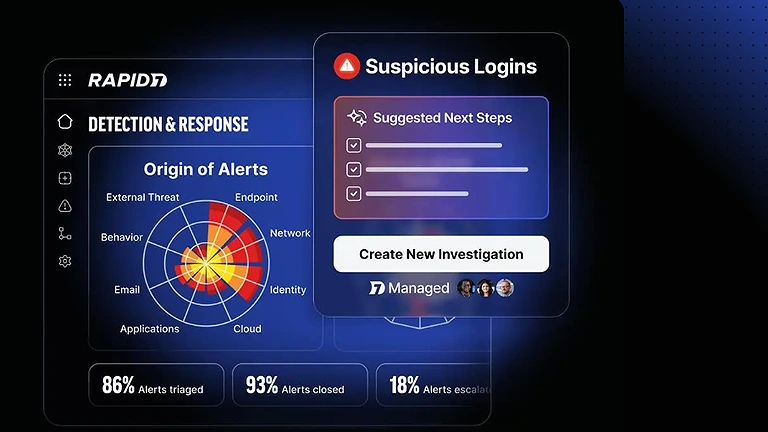
Rapid7 Official source image
15 Splunk
Splunk uses Artificial Intelligence to analyze machine data, monitor security events, and detect suspicious activities in real time. It helps organizations improve threat visibility, accelerate incident response, and transform large volumes of operational data into actionable cybersecurity intelligence through centralized analytics and monitoring tools. As security teams monitor real-time threats, they often rely on the same logic found in AI tools for data analysis to visualize patterns and predict potential system breaches before they occur
How to Use Splunk
- Install Splunk across servers, endpoints, cloud platforms, and networks.
- Connect logs, machine data, and security events to the centralized platform.
- Enable AI-powered analytics and threat detection features.
- Monitor dashboards, alerts, and reports for suspicious behavior.
- Use investigation and response tools to manage security incidents.
Pros
- Strong real-time monitoring and data analytics capabilities.
- Scalable platform suitable for enterprise environments.
- AI-driven insights improve threat detection and response speed.
Cons
- Licensing costs can become expensive for large deployments.
- Initial setup and configuration may be complex.
- Advanced features require technical expertise and training.
Limitations
- Requires proper data integration for full effectiveness.
- High system resource usage in large-scale environments.
- Smaller organizations may find the platform overly complex.
Pricing Plan
- Free Services: Offers a limited free version, free trials, and demos.
- Paid Plan: Subscription pricing depends on data volume, infrastructure size, and selected security features.
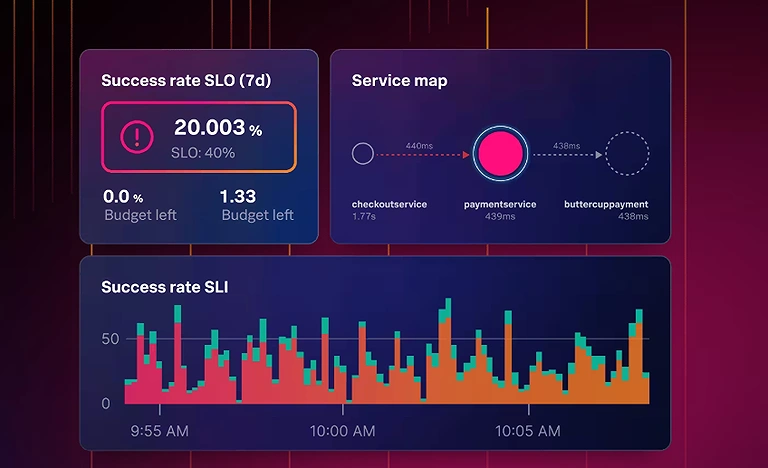
Splunk Official source image
FAQ
1. What are AI cybersecurity tools?
AI cybersecurity tools use artificial intelligence and machine learning to detect, analyze, and respond to cyber threats automatically across endpoints, networks, cloud environments, and enterprise systems. They help security teams identify risks faster than traditional security solutions.
2. How do AI tools detect unknown cyber threats?
AI-powered security platforms analyze user behavior, network activity, and system anomalies instead of relying only on known malware signatures. This enables them to identify zero-day attacks, advanced persistent threats (APTs), and emerging cyber risks in real time.
3. Are AI cybersecurity tools suitable for small businesses?
Yes. Many AI-driven cybersecurity solutions offer cloud-based deployment, automated threat detection, and simplified management, making enterprise-grade security accessible for startups and small businesses with limited IT resources.
4. Can AI cybersecurity tools prevent ransomware attacks?
Yes. Platforms like SentinelOne, Trend Micro, and Sophos use behavioral analysis and predictive AI to detect ransomware before encryption begins, isolate infected devices, and automatically stop malicious processes.
5. Do AI cybersecurity tools reduce false alerts?
Yes. AI analyzes security events using contextual intelligence and behavioral patterns, helping prioritize genuine threats while reducing false positives. This allows security teams to focus on incidents that require immediate attention.
6. What are the benefits of AI in cybersecurity?
AI improves threat detection speed, automates incident response, reduces manual workloads, enhances malware detection, strengthens cloud security, and provides continuous monitoring across an organization's digital infrastructure.
7. How does AI improve endpoint security?
AI continuously monitors endpoints such as laptops, servers, an
d mobile devices for suspicious behavior. It can detect fileless malware, unauthorized access attempts, and abnormal processes before they compromise sensitive data.
8. Can AI replace human cybersecurity professionals?
No. AI automates repetitive tasks and accelerates threat detection, but cybersecurity professionals remain essential for threat hunting, incident investigation, security strategy, compliance, and making complex security decisions.
9. Which industries benefit the most from AI cybersecurity solutions?
AI cybersecurity tools are widely used across finance, healthcare, government, manufacturing, retail, education, telecommunications, and technology sectors where protecting sensitive data and critical infrastructure is essential.
10. What is the future of AI in cybersecurity?
The future of AI cybersecurity includes autonomous threat detection, predictive risk analysis, AI-powered security operations centers (SOCs), adaptive zero-trust security, and automated incident response. As cyber threats become more sophisticated, AI will play an increasingly important role in protecting digital ecosystems.
Conclusion
AI-powered cybersecurity tools are transforming how organizations detect, prevent, and respond to evolving cyber threats. Platforms like Darktrace, CrowdStrike, SentinelOne, and Splunk improve visibility, automate threat response, and strengthen protection across endpoints, networks, and cloud environments. As cyberattacks become more advanced, organizations should also understand how AI is reshaping national security beyond digital infrastructure. Explore our guide on AI defense systems transforming modern military operations to learn how intelligent technologies are enhancing surveillance, battlefield coordination, and strategic defense capabilities worldwide.