.webp)
Cinematic AI Storyboarding and Pre-Production: Top Tools for Directors
Professional directors, scriptwriters, and pre-visualization (pre-viz) artists need more than a tool that creates a single impressive video clip. They need an AI platform that can generate multiple connected scenes while following the script from beginning to end. Many basic AI video generators struggle with this because characters may change appearance, backgrounds can shift unexpectedly, and camera angles often become inconsistent. These issues break visual continuity, make storyboards unreliable, and slow down the entire pre-production process.
The best AI pre-production platforms solve these problems by keeping every scene consistent throughout the project. They can turn scripts into visual storyboards, maintain the same characters and locations across multiple shots, and let creators plan camera movements before filming begins. This guide highlights the best AI tools that help filmmakers, directors, and creative teams build accurate visual sequences, improve collaboration, and streamline pre-production with greater confidence.

 Updated: July 06, 2026 | 12 min read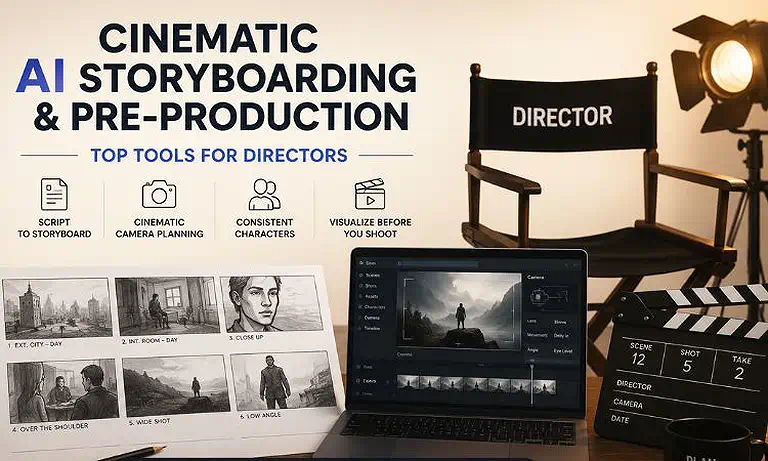
Cover Photo Cinematic AI Storyboarding and Pre-Production: Top Tools for Directors
Why This Use Case Matters
Cinematic pre-production tools are engineered for visual continuity and narrative planning, functioning more like a digital director's monitor than a generic media generator. By establishing clear spatial boundaries and asset memory, these platforms serve as the foundational bridge between a text script and a final shot list.
Multi-Shot Continuity: Unlike single-prompt engines, advanced pre-viz tools view the project as a cohesive sequence. They ensure that background architecture, environmental lighting, and secondary props remain structurally identical from Shot 1 to Shot 50.
Character Constancy Across Scenes: By utilizing dedicated identity-embedding pipelines and persistent profiles, these engines eliminate the "shape-shifting" effect. A character's facial geometry, wardrobe colors, and age parameters are firmly locked across dynamic angles.
Full Visual Script Layout Control: Filmmakers can import entire screenplays to instantly map pacing, establish aspect ratios, dictate technical focal lengths, and configure tracking trajectories before making financial commitments to crew or gear.
Rapid Asset Portability: Instead of baking outputs into uneditable video files, these platforms maintain a non-destructive multi-layer timeline. Creators can isolate individual audio tracks, swap underlying generation models, or export structured sequences directly into non-linear editors (NLEs).
🎯 The Quick Verdict Table
| Tool | Quick Verdict |
| LTX Studio | The best AI pre-production platform for transforming scripts into cinematic storyboards with persistent characters, intelligent shot planning, camera keyframing, and end-to-end production workflows. |
| Runway | The best AI pre-visualization platform for generating cinematic concepts, testing camera movements, exploring scene compositions, and validating creative ideas before production begins. |
Who Should Read This Guide
Ideal For
Film Directors & Cinematographers: Instantly generating high-fidelity lookbooks, complex animatics, and accurate tracking sequences to pitch to studio executives.
Creative Directors & Agencies: Building fully realized, client-ready ad concepts and sequence storyboards with exact branding parameters in a fraction of the time.
Pre-Visualization (Pre-Viz) Artists: Designing clean plate foundations, establishing blocking grids, and testing composition layout structures prior to physical principal photography.
Not Ideal For
Casual Content Editors: The platform's comprehensive narrative hierarchy and deeply granular parameter configurations introduce an inefficient learning curve for basic, high-volume TikTok or Reel generations.
Final Output Photorealism: While exceptional for cinematic structural design and layout planning, the raw video motion is intended as a production template rather than finalized, cinema-grade silver screen visual effects.
How We Tested Every Platform
To provide a highly technical and completely objective breakdown, we evaluated the platform within an active pre-production pipeline using a standardized script test:
Script-to-Storyboard Automation Test: We imported a multi-scene screenplay containing specific descriptive settings, dialogue cues, and lighting changes to evaluate how accurately the engine processed script logic into independent visual sequences.
Character Constancy Rigor Test: We generated a specific character across twelve completely distinct framing variations (including extreme close-ups, wide tracking shots, and high-angle profiles) to measure identity drift.
Camera Tracking & Grid Test: We tested the system's keyframe vector system against professional filmmaking commands, executing specific 3D orbital, low-angle dolly, and crane-up maneuvers.
Timeline Production Export Test: We verified the platform's multi-track performance, evaluating its ability to sync ambient sound effects, isolate voice-over tracks, and compile clean multi-shot export packages.
Evaluation Criteria
Our evaluation is based on six core indicators essential to professional cinematic storyboarding and studio workflow execution:
Character Identity Persistence: The ability to lock a character’s face, hair texture, and outfit details across varying scenes, angles, and prompt changes.
Multi-Shot Sequence Continuity: How seamlessly the tool preserves environmental architecture, background props, and color grading across consecutive shots.
Granular Camera & Composition Controls: The precision of mechanical camera tools (e.g., focal lengths, tilt angles, panning speeds) and drawing canvas adjustments.
Script Ingestion & Scene Breakdown: The efficiency of the AI in parsing screenplays into logic-based storyboard frames, shot lists, and suggested framing layouts.
Timeline and Audio Orchestration: The depth of built-in non-destructive timeline editing, including synchronized multi-track audio, voiceovers, and frame sequencing.
Studio Pipeline Integration: Support for collaborative workflows, cloud asset management, multi-model rendering options, and structured timeline exports for external NLE software.
At-a-Glance Comparison Matrix
| Criteria | LTX Studio | Runway |
| Best For | End-to-end AI storyboarding, script visualization, shot planning, and pre-production workflows. | AI-powered pre-visualization, cinematic concept generation, and creative scene exploration. |
| Ideal Team Size | Solo creators, studios, and production teams (1–50+ users). | Individual creators, agencies, and enterprise teams (1–100+ users). |
| Entry Price | $35/month | $15/month |
| TCO Risk | Low – Predictable subscription pricing with tier-based credit allocation. | Medium– Credit-based generation can increase costs for high-volume projects. |
| Overall Score | 9.6 / 10 | 9.3 / 10 |
Rating Source: Our overall ratings combine real user feedback with independent product evaluation. LTX Studio holds an estimated G2 rating of 4.8/5, while Runway has an estimated G2 rating of 4.7/5. Final scores also consider feature depth, ease of use, AI capabilities, pricing, scalability, collaboration, customer support, and overall value for professional pre-production workflows.
In-Depth Reviews of the Top AI Pre-Production Tools
LTX Studio for Cinematic Pre-Production
Why It Fits This Use Case: LTX Studio is purpose-built for filmmakers, directors, and creative teams who need more than standalone AI videos. It transforms scripts into connected cinematic sequences while maintaining character consistency, camera continuity, and scene structure. With integrated storyboarding, timeline editing, and production planning, it offers one of the most complete AI-powered pre-production workflows available.
Strengths for This Use Case
a) Script-to-Storyboard Workflow: Converts scripts or prompts into structured multi-shot storyboards, helping directors visualize scenes before production.
b) Consistent Characters & Assets: Keeps characters, costumes, props, and environments consistent across multiple scenes using persistent asset management.
c) Advanced Camera Planning: Supports cinematic camera movements, shot composition, keyframes, and lens controls for accurate pre-visualization.
d) Production-Ready Collaboration: Includes timeline editing, project organization, and export options that simplify pitching and collaboration with production teams.
Limitations for This Use Case
Complex hand interactions and fast action sequences may still require multiple generations for the best results.
High-quality character consistency depends on providing strong reference images and well-structured prompts.
Use Case Verdict: LTX Studio is the best all-in-one AI pre-production platform for directors who need script visualization, cinematic storyboards, and consistent scene planning before filming.
Deep Review: Read our detailed LTX Studio review to explore its AI storyboarding, script-to-scene workflow, cinematic planning tools, pricing, features, pros, cons, and overall performance.
Runway for AI Pre-Visualization
Why It Fits This Use Case: Runway excels at turning creative ideas into cinematic visuals during the earliest stages of production. Rather than replacing traditional storyboarding, it helps directors quickly generate concept scenes, experiment with camera angles, explore visual styles, and communicate creative direction before moving into production.
Strengths for This Use Case
a) Fast Cinematic Concept Generation: Quickly creates high-quality visuals from text, images, or reference frames for scene exploration.
b) Creative Camera Experimentation: Enables filmmakers to test different compositions, camera movements, and cinematic styles before production.
c) Powerful Image-to-Video Workflow: Animates concept art and storyboard frames into realistic motion, making presentations more engaging.
d) Professional Editing Suite: Includes AI-powered editing, masking, background removal, motion tracking, and collaborative tools within the same platform.
Limitations for This Use Case
It is not a dedicated storyboarding or screenplay planning platform like LTX Studio.
Maintaining perfect character continuity across long multi-shot sequences may require additional manual refinement.
Use Case Verdict: Runway is the leading AI pre-visualization platform for filmmakers who want to explore cinematic ideas, create concept sequences, and refine visual direction before production begins.
Deep Review: Explore our in-depth Runway review to discover its AI video generation, cinematic pre-visualization tools, pricing, features, pros, cons, performance, and ideal use cases before choosing it.
Scenario Winners
| Scenario | Winner |
| Best Overall AI Pre-Production Platform | LTX Studio |
| Best for Script-to-Storyboard Workflows | LTX Studio |
| Best for Multi-Shot Character Consistency | LTX Studio |
| Best for Cinematic Camera Planning | LTX Studio |
| Best for AI Pre-Visualization | Runway |
| Best for Cinematic Concept Development | Runway |
| Best for Image-to-Video Scene Visualization | Runway |
| Best for Production Pitch Decks & Storyboards |
How to Choose the Right AI Pre-Production Setup
Map Out Your Project's Continuity Depth: If your project contains a recurring cast of characters across varied geographic settings, prioritize ecosystems that utilize isolated, persistent asset databases over standard text-only prompt engines.
Analyze Screenplay Integration Needs: Choose a platform that offers native text parsing. Uploading a raw script and letting the engine automatically handle scene splits saves dozens of hours of manual copy-pasting.
Evaluate Camera Precision vs. General Motion: For strict visual planning, choose a system that provides vector-based control wheels, precise camera tracking paths, and direct focal length options over engines that rely solely on descriptive text phrases like "zoom in."
Review Post-Production Export Requirements: Ensure the selected software can export clean, structured layouts—such as organized PDF pitch decks for client approval or timed video clips for your editing timeline.
Manage Generation Token Budgets: To keep your production costs low, leveragefast draft modes to lock down your camera blocking and framing before using premium high-resolution credits for final rendering.
Step-by-Step Cinematic Pre-Visualization Workflow
Follow this workflow to create consistent cinematic storyboards, maintain visual continuity, and reduce unnecessary AI generation costs.
1. Import Your Script or Concept (10 Minutes): Upload your screenplay or enter a detailed prompt into your AI pre-production tool. The platform analyzes the content, divides it into scenes, and generates an initial storyboard or shot sequence.
2. Create Consistent Character References (15 Minutes): Upload clear reference images for your main characters and key assets. Define appearance, clothing, and other visual details to keep characters and props consistent throughout every scene.
3. Plan Camera Angles and Shot Composition (5 Minutes): Review each storyboard frame and adjust camera positions, movements, shot types, and focal lengths. Establishing camera direction early creates a stronger visual narrative and reduces later revisions.
4. Generate Low-Resolution Preview Drafts (Under 5 Minutes): Render draft-quality previews to verify scene composition, character continuity, and camera framing. Early previews help identify issues before using higher-quality rendering credits.
5. Finalize and Render the Complete Sequence (10 Minutes): After confirming the storyboard and scene layout, render the complete sequence in the highest available quality. Export the storyboard or animatic for presentations, team collaboration, or production planning.
Why Plan the Structure Before Rendering?
Professional filmmakers always finalize storyboards, camera placement, and character continuity before producing high-quality renders. This approach minimizes revisions, prevents visual inconsistencies, saves AI credits, and creates a smoother transition from pre-production to filming.
Buying Considerations for Film Studios
Verify Studio Data Security and Workspace Privacy: When handling unreleased scripts, sensitive IP, or proprietary client assets, ensure your platform features robust data isolation policies, secure single sign-on (SSO) systems, and clear guarantees that your inputs won't be used for public model training.
Assess Team Collaboration Scales: Look for subscription models that include shared cloud workspaces, centralized asset lockers, and real-time multiplayer editing capabilities so directors, writers, and artists can collaborate smoothly on the same project.
Analyze Commercial Usage and Intellectual Property Policies: Carefully review the platform’s licensing terms across different subscription levels. Ensure your plan grants uncompromised commercial ownership rights for all generated visual frames, audio assets, and multi-shot animatics before presenting your work to clients.
Understanding the Total Cost of Ownership
Account for Multi-Shot Testing Iterations: Developing an accurate, highly specific cinematic shot sequence requires running multiple variations. Platforms that use transparent, predictable token-tier structures make it much easier to track and forecast your monthly pre-production expenses.
Evaluate Premium Model Token Scales: When working with modern multi-model pipelines, remember that running advanced, high-fidelity third-party rendering engines inside your workspace will use up your credit balance faster than standard base configurations.
Review Export Packaging and Format Coverages: Check whether high-value deliverables—like automated, formatted PDF pitch decks, multi-track audio sheets, or structured XML timelines for external NLE software—are included in your baseline plan or tied to higher subscription tiers.
FAQ
Why do traditional AI tools struggle to keep character faces identical across different scenes?
Standard AI generation engines treat every single prompt as a completely new starting point, with no memory of past frames. Without a built-in character memory system or dedicated identity-embedding pipelines, the model randomizes facial details, clothing textures, and lighting styles with every new render.
Can I import a standard multi-page script directly into LTX Studio?
Yes. The platform features an automated text breakdown system. You can paste an entire screenplay directly into the engine, and the AI will analyze the text formatting, split the narrative into separate logical scenes, and automatically generate a structured sequence of storyboard frames.
How do I stop the background from morphing when my character moves within a shot?
The most reliable method is to establish your composition using a static reference image, select your persistent character elements, and then use targeted motion paths. This tells the generator to animate only the specified subject while keeping the surrounding environmental architecture completely locked.
What is the advantage of using a multi-model workspace for pre-visualization?
Every AI model has its own unique strengths—some excel at maintaining character identity, while others are better at generating complex cinematic motion. A multi-model environment lets you use the best engine for each specific task within a single, unified timeline project.
Do I lose my production credits if a scene renders with visual artifacts or glitches?
On modern cloud-based AI generation platforms, tokens are spent the moment a rendering process begins. To keep your production costs low, it is best to test and refine your scene compositions using fast, low-cost draft modes before committing to final high-resolution renders.
Final Recommendation
Choosing the right AI pre-production tool depends on your filmmaking workflow, project complexity, and creative objectives. LTX Studio is our top recommendation for directors who need complete script-to-storyboard automation, consistent characters, advanced camera planning, and structured multi-shot pre-production. Runway is the best choice for AI pre-visualization, enabling filmmakers to create cinematic concept sequences, test camera angles, and refine visual styles quickly. Together, these platforms provide a powerful combination for planning, visualizing, and streamlining professional film production.