.webp)
Top 20 AI Tools to Generate MCQs Quickly and Efficiently
Ever spent your entire Sunday night writing 30 multiple-choice questions, only to have a student find the "obvious answer" pattern in question 3? Yeah, we've all been there. Writing good MCQs isn't just time-consuming it's a skill nobody warns you takes hours you don't have.
Here's the good news: AI just made that entire Sunday disappear. Feed it a document, slide deck, or even a video, and it'll spit out accurate, relevant MCQs in minutes no late nights, no repeated answer patterns, no "wait, is this question even fair?" moments. Better yet, most tools now offer difficulty customization, instant answer explanations, and direct integration with platforms like Kahoot, Quizizz, or your LMS.
So whether you're a teacher drowning in grading, a corporate trainer building onboarding quizzes, or a student creating practice tests, we tested 20 of the most reliable AI MCQ generators out there complete with step-by-step guides, features, and pricing so you can pick the right one without the trial-and-error.

 Updated: April 29, 2026 | 22 min read
 | Best For | Pricing | Ease | |
| Quizlet | Flashcards & MCQ generation | Free + Paid | Beginner |
| Kahoot | Interactive quizzes & learning games | Free + Paid | Beginner |
| Quizizz | Gamified quizzes & assessments | Free + Paid | Beginner |
| Questgen | AI question generation | Free + Paid | Beginner |
| QuizWhiz | Automated quiz creation | Paid | Beginner |
| GitMind AI Question Generator | AI-based question generation | Free + Paid | Beginner |
| QuizFlex AI | Flexible quiz generation | Paid | Beginner |
| Revizly | AI revision & quiz tools | Paid | Beginner |
| HyperWrite | AI writing & question generation | Free + Paid | Beginner |
| Trickle AI Quiz Generator | AI quiz automation | Paid | Beginner |
| Mashq AI | Educational quiz creation | Paid | Beginner |
| AIQuizGen | MCQ generation | Paid | Beginner |
| ProProfs Quiz Maker | Professional quiz builder | Free + Paid | Beginner |
| Classtime | Classroom assessments & quizzes | Free + Paid | Beginner |
| Typeform | Interactive quizzes & forms | Free + Paid | Beginner |
| Riddle | Quiz & interactive content | Free + Paid | Beginner |
| EdApp | Microlearning & quizzes | Free + Paid | Beginner |
| MagicSchool AI | Education-focused AI tools | Free + Paid | Beginner |
| QuestionWell | AI question generation for teachers | Free + Paid | Beginner |
| StudyFetch | AI study tools & quizzes | Free + Paid | Beginner |
AI MCQ Prep Tools: Cover overview highlighting advanced platforms designed to convert documents, textbooks, and notes into interactive multiple-choice questions.
What Is AI MCQ Generation?
AI MCQ generation uses artificial intelligence to automatically create multiple-choice questions from text, documents, PDFs, presentations, web pages, or custom prompts. Instead of manually writing questions, educators, trainers, content creators, and students can generate quizzes in seconds while controlling factors like difficulty level, number of questions, and learning objectives. Many AI MCQ tools also provide answer keys, explanations, Bloom's Taxonomy alignment, LMS exports, and analytics, making them valuable for classroom assessments, corporate training, certification preparation, and self-paced learning.
Why AI MCQ Generation Is Booming in 2026
Several trends are driving the rapid adoption of AI-powered MCQ generators in 2026:
- AI dramatically reduces the time needed to create quizzes, assessments, and practice tests.
- Schools and universities are increasingly adopting AI-assisted teaching and assessment workflows.
- Corporate learning platforms require scalable quiz creation for employee onboarding and compliance training.
- Modern AI models generate higher-quality, context-aware questions with improved accuracy.
- Support for PDFs, Word documents, PowerPoint files, videos, and web content makes quiz generation more flexible.
- Integration with LMS platforms such as Moodle, Canvas, Google Classroom, and Microsoft Teams streamlines course management.
- Personalized learning is becoming a priority, with AI creating adaptive quizzes based on learner performance.
- Educators are using AI to build large question banks for exams, certification programs, and continuous assessments.
Benefits of AI MCQ Generation
- Saves hours of manual question writing.
- Generates quizzes from documents, notes, presentations, and web content.
- Produces consistent question formats with answer keys.
- Supports multiple difficulty levels for different learners.
- Creates large question banks for exams and practice tests.
- Improves student engagement through interactive assessments.
- Enables personalized learning with adaptive quizzes.
- Reduces repetitive work for teachers and instructional designers.
- Integrates with popular LMS and classroom platforms.
- Speeds up employee training and certification development.
- Simplifies quiz updates when course content changes.
- Helps learners prepare faster with instant practice tests.
How We Selected These Tools
To identify the best AI tools for generating MCQs, we evaluated each platform using criteria that matter most to educators, trainers, students, and instructional designers.
Our evaluation focused on:
- AI question generation quality and contextual accuracy.
- Support for PDFs, Word files, PowerPoint presentations, web pages, and text prompts.
- Speed of quiz generation and editing workflow.
- Variety of supported question formats, including multiple-choice questions.
- Question customization, difficulty settings, and answer editing.
- Export options for LMS platforms, Kahoot!, Google Forms, and other learning systems.
- Collaboration features for classrooms and training teams.
- Analytics and learner performance tracking.
- Pricing, free plan availability, and overall value.
- Ease of use for both beginners and experienced educators.
- Platform reliability, customer adoption, and ongoing product development.
Professional Workflow Stage
| Workflow Stage | Recommended Tools |
| Import learning materials (PDF, DOCX, PPT, Notes) | StudyFetch, QuizWhiz, AIQuizGen, Questgen |
| Generate AI MCQs | QuestionWell, Questgen, Quizlet, QuizFlex AI, MagicSchool AI |
| Customize questions and difficulty | ProProfs Quiz Maker, Quizizz, Classtime, HyperWrite |
| Create interactive quizzes | Kahoot!, Quizizz, Typeform, Riddle |
| Export to LMS or classroom platforms | QuestionWell, ProProfs Quiz Maker, Classtime, EdApp |
| Deliver quizzes to learners | Kahoot!, Quizizz, EdApp, Typeform |
| Track learner performance | Classtime, ProProfs Quiz Maker, Quizizz, Kahoot! |
| Build question banks for future assessments | Questgen, AIQuizGen, StudyFetch, MagicSchool AI |
Platform Compatibility
| Platform | Compatible Tools |
| Web Browser | All 20 tools |
| Windows | All web-based tools |
| macOS | All web-based tools |
| Linux | All web-based tools |
| Android | Quizlet, Kahoot!, Quizizz, EdApp, StudyFetch |
| iOS | Quizlet, Kahoot!, Quizizz, EdApp, StudyFetch |
| Google Classroom | Quizizz, Kahoot!, MagicSchool AI, Classtime |
| Moodle | QuestionWell, ProProfs Quiz Maker, Classtime, EdApp |
| Canvas LMS | QuestionWell, ProProfs Quiz Maker, Classtime |
| Microsoft Teams | Kahoot!, Quizizz, EdApp |
| Google Forms | Typeform (via integrations), ProProfs Quiz Maker, AI-generated content export workflows |
| SCORM/xAPI Learning Platforms | EdApp, ProProfs Quiz Maker |
| Browser-based (No Installation) | All 20 tools |
1. Quizlet
Quizlet is a widely used AI-powered study platform that helps students and teachers create learning materials and quizzes. It converts notes into flashcards and automatically generates multiple-choice tests using spaced-repetition technology. This approach improves memory retention and allows universities students to practice quizzes repeatedly for better exam preparation and concept understanding.
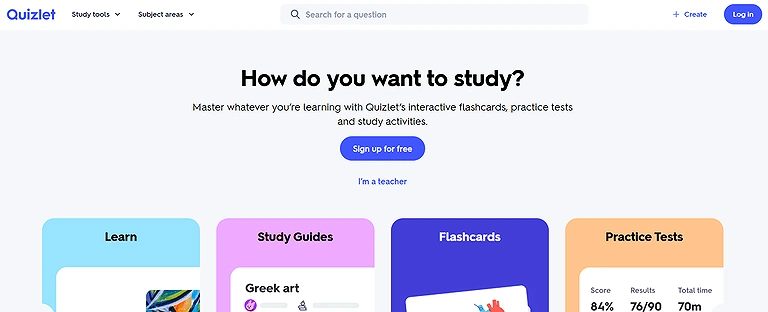
Official source view of Quizlet the ultimate digital flashcard and study companion built to simplify memorization and test prep.
Key Features
- AI-powered flashcard and MCQ generation
- Smart study modes and adaptive learning
- Collaborative classroom learning tools
- Progress tracking and performance insights
- Mobile-friendly learning experience
Best For
Students, teachers, and trainers who need AI-generated study sets and MCQ practice tests.
How does it generate test?
- Create a Quizlet account and log in.
- Click Create Study Set.
- Paste notes or upload study material.
- Quizlet AI converts content into flashcards.
- Select Test Mode.
- Quizlet generates MCQs automatically.
- Customize question types and difficulty.
- Share or practice the generated test.
Pros
- Generates quizzes from notes and study materials
- Excellent flashcard integration
- Supports multiple learning modes
- Mobile apps for learning anywhere
- Large educational content library
- Easy sharing with students
Cons
- AI features require premium plan
- Limited quiz customization
- Better for study than formal exams
- Advanced analytics are limited
- Free version includes ads
- Less suitable for corporate assessments
Best Use Cases
- Exam preparation
- Classroom quizzes
- Homework assignments
- Self-paced learning
- Vocabulary practice
- Certification revision
Pricing
Freemium with paid premium plans
Related Alternatives
Anki, Brainscape, Cram, StudySmarter
2. Kahoot!
Kahoot! is a gamified learning platform widely used in schools, universities, and training programs. Its AI feature can generate quizzes from documents, links, or topics. Kahoot’s competitive live quiz format encourages engagement, collaboration, and excitement, making learning more interactive while allowing teachers to track student understanding in real time.
Key Features
- Interactive live quiz and MCQ creation
- Gamified classroom engagement features
- Real-time participation and scoring
- AI-assisted question generation tools
- Team-based learning activities
Best For
Interactive classroom quizzes, live learning sessions, and engaging team training.
How does it generate test?
- Sign up or log in to Kahoot.
- Click Create Kahoot.
- Choose AI Question Generator.
- Upload a PDF or paste topic text.
- AI analyzes the content.
- It generates multiple-choice questions.
- Edit or customize questions.
- Launch quiz live or assign as homework.
Pros
- Highly engaging live quizzes
- AI-assisted question generation
- Excellent classroom engagement
- Supports remote participants
- Easy sharing and collaboration
- Works across multiple devices
Cons
- Best features require subscription
- Limited question editing with AI
- Internet connection required
- Competitive format isn't ideal for every learner
- Fewer advanced assessment options
- Less suitable for lengthy exams
Best Use Cases
- Live classroom sessions
- Employee training
- Workshops
- Online teaching
- Icebreaker activities
- Event quizzes
Pricing
Free basic plan with paid education and business tiers
Related Alternatives
Mentimeter, Gimkit, AhaSlides, Quizizz
3. Quizizz
Quizizz is an AI-driven learning platform designed for teachers and trainers. It automatically generates quizzes from topics or documents and enhances engagement through memes, leaderboards, and gamification. Quizizz also provides powerful analytics, helping educators evaluate student performance and identify knowledge gaps effectively across classrooms or remote learning environments.
Key Features
- AI-generated quizzes and assessments
- Self-paced and live quiz modes
- Detailed analytics and reports
- Multimedia question support
- Classroom integration features
How does it generate test?
- Create a Quizizz account.
- Click Create Quiz.
- Enter a topic or upload study material.
- Choose AI Generate Questions.
- AI creates MCQs instantly.
- Customize options and time limits.
- Add memes or gamification features.
- Assign the quiz to students.
Pros
- Highly engaging live quizzes
- AI-assisted question generation
- Excellent classroom engagement
- Supports remote participants
- Easy sharing and collaboration
- Works across multiple devices
Cons
- Best features require subscription
- Limited question editing with AI
- Internet connection required
- Competitive format isn't ideal for every learner
- Fewer advanced assessment options
- Less suitable for lengthy exams
Best Use Cases
- Live classroom sessions
- Employee training
- Workshops
- Online teaching
- Icebreaker activities
- Event quizzes
Pricing
Free basic version with paid teacher plans
Related Alternatives
Kahoot!, Blooket, Socrative, Nearpod
4. Questgen
Questgen is an AI question generation tool designed specifically for educators and content creators. It automatically converts paragraphs, articles, or documents into multiple-choice questions. By analyzing key concepts in the text, Questgen produces relevant questions quickly, helping teachers save time while creating structured assessments for students or training programs.
Key Features
- Automated MCQ and question generation
- NLP-based content understanding
- PDF and text input support
- Bloom’s taxonomy question creation
- Fast export and sharing options
Best For
Generating MCQs automatically from documents, PDFs, and educational content.
How does it generate test?
- Open the Questgen website.
- Create an account.
- Select MCQ Generator.
- Paste text or upload a document.
- Choose question difficulty.
- Click Generate Questions.
- Review and edit the MCQs.
- Export or share the test.
Pros
- AI quiz generation from documents
- Supports homework assignments
- Detailed performance reports
- Gamified learning experience
- Easy LMS integrations
- Large question library
Cons
- Premium needed for advanced AI
- Free version has limitations
- Question editing often required
- Limited branding customization
- Requires internet
- Some AI questions need refinement
Best Use Cases
- School assessments
- Homework
- Online classrooms
- Student revision
- Formative assessments
Pricing
Free trial with paid subscription plans
5. QuizWhiz
QuizWhiz is an AI-powered MCQ generator designed for educators and exam creators. It generates multiple-choice questions with adjustable difficulty levels and detailed answer explanations. This helps learners understand concepts rather than memorizing answers. QuizWhiz is particularly useful for practice tests, exam preparation, and automated question bank creation.
Key Features
- AI-powered multiple-choice question generation
- Quick content-to-quiz conversion
- User-friendly quiz editing tools
- Automatic answer generation
- Educational assessment support
Best For
- Quick AI-powered quiz generation from PDFs, notes, and study materials.
How does it generate test?
- Sign up on QuizWhiz.
- Select MCQ Generator Tool.
- Enter topic or upload content.
- Choose difficulty level.
- Click Generate Quiz.
- AI creates questions with explanations.
- Review or edit the quiz.
- Export or share the test.
Pros
- Generates quizzes within seconds
- Supports document uploads
- User-friendly interface
- Saves preparation time
- Suitable for students and teachers
- Fast editing workflow
Cons
- Limited free usage
- AI may miss context
- Smaller integration ecosystem
- Requires internet
- Advanced exports are limited
- Premium unlocks full features
Best Use Cases
- Study guides
- Classroom quizzes
- Practice exams
- Revision sessions
- Homework creation
- Test preparation
Pricing
Free trial with premium plans
Related Alternatives
QuestionWell, AIQuizGen, QuizWhiz, Quillionz
6. GitMind AI Question Generator
GitMind AI Question Generator is a smart tool that transforms study materials into quizzes instantly. It supports multiple file formats such as PDF, Word, and PowerPoint. By analyzing the uploaded content, GitMind generates relevant MCQs and reference answers, helping educators and students quickly create structured assessments for learning or revision.
Key Features
- AI-based question and MCQ generation
- Mind mapping and brainstorming support
- Collaborative workspace features
- Fast educational content creation
- Cloud-based accessibility
Best For
Creating MCQs from notes, mind maps, and educational documents.
How does it generate test?
- Visit GitMind AI Question Generator.
- Log in to your account.
- Upload a PDF, Word, or PPT file.
- Choose question type (MCQ).
- Click Generate Questions.
- AI analyzes the document.
- Review generated questions.
- Download or share the quiz.
Pros
- AI question generation
- Mind map integration
- Easy document import
- Clean interface
- Supports collaborative learning
- Quick content organization
Cons
- Limited assessment features
- Few export options
- AI quality depends on source material
- Premium needed for full access
- Limited LMS support
- Requires online access
Best Use Cases
- Study planning
- Knowledge reviews
- Classroom assessments
- Mind map learning
- Exam revision
- Course preparation
Pricing
Freemium with premium upgrade
Related Alternatives
XMind, MindMeister, Coggle, EdrawMind
7. QuizFlex AI
QuizFlex AI is a flexible quiz generator that can create tests from PDFs, YouTube videos, text, or voice notes. It supports over 30 languages, making it useful for global education environments. The tool helps educators transform multimedia learning materials into structured quizzes quickly and efficiently.
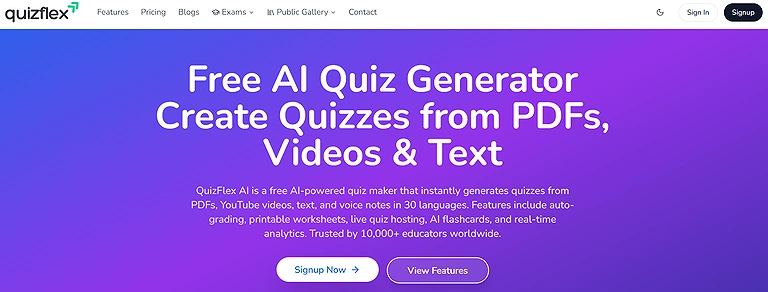
QuizFlex AI: Official platform preview highlighting dynamic test generation, customizable quiz structures, and automated educational content scaling.
Key Features
- AI-driven quiz automation tools
- Flexible MCQ customization features
- Instant question generation from text
- Performance tracking support
- Interactive learning workflows
Best For
Generating flexible practice quizzes for students and educators.
How does it generate test?
- Create a QuizFlex account.
- Choose input type (PDF, video, text, voice).
- Upload or paste content.
- Select quiz format (MCQ).
- Choose language.
- Click Generate Quiz.
- Review questions.
- Export or assign quiz.
Pros
- Fast AI-generated MCQs
- Beginner-friendly interface
- Multiple quiz formats
- Good personalization
- Time-saving automation
- Easy editing
Cons
- Smaller feature set
- Limited integrations
- Premium required for advanced options
- AI occasionally generates duplicates
- Export features are basic
- Internet required
Best Use Cases
- Student practice
- Classroom learning
- Homework
- Online tutoring
- Revision tests
- Skill assessments
Pricing
Free plan with paid upgrades
Related Alternatives
Quizizz, ProProfs Quiz Maker, Kahoot!, Classtime
8. Revizly
Revizly is an AI-powered quiz generator focused on self-testing and exam preparation. It converts study material into instant MCQs with detailed answer explanations. Teachers and students can quickly generate quizzes from notes, PDFs, or topics to assess understanding and identify weak areas efficiently.
Key Features
- AI-powered revision and quiz creation
- Personalized learning assistance
- Smart progress monitoring
- Interactive educational content generation
- Quick MCQ practice tools
Best For
Creating revision quizzes and study assessments with AI.
How does it generate test?
- Sign up or log in to Revizly.
- Choose Quiz Generator.
- Paste content or upload documents.
- Select MCQ format.
- Click Generate Quiz.
- Review generated questions.
- Edit as needed.
- Share or download the test.
Pros
- AI-powered revision tools
- Generates practice questions quickly
- Student-friendly interface
- Organized study workflow
- Supports personalized learning
- Fast quiz editing
Cons
- Limited enterprise features
- Smaller question library
- Premium features locked
- Fewer integrations
- AI output may need adjustments
- Internet dependency
Best Use Cases
- Exam revision
- School homework
- Student practice
- Weekly assessments
- Subject reviews
- Self-learning
Pricing
Freemium with premium subscription
Related Alternatives
StudyFetch, Quizlet, Knowt, Brainscape
9. HyperWrite
HyperWrite AI produces MCQs with high-quality distractors and customizable difficulty levels. It focuses on generating plausible answer choices, helping learners practice critical thinking. Ideal for educators who need quizzes that challenge chemist students rather than just test recall, making study sessions more effective and engaging.
HyperWrite: Official platform view highlighting its multi-functional AI writing assistant, document summarizer, and template-based content generator.
Key Features
- AI writing and question generation assistant
- Content summarization and rewriting tools
- Smart educational prompt generation
- Research assistance capabilities
- Browser-based productivity support
Best For
Generating educational questions from prompts and written content.
How does it generate test?
- Log in to HyperWrite AI.
- Choose MCQ Generator.
- Paste text or upload documents.
- Select difficulty level.
- Click Generate Questions.
- Review and edit questions.
- Save or export quiz.
- Assign or share with learners.
Pros
- Powerful AI writing engine
- Flexible prompt-based generation
- Creates various question types
- Fast content creation
- Good language quality
- Supports multiple subjects
Cons
- Not education-focused
- Manual formatting required
- Limited LMS integration
- AI occasionally produces generic questions
- Subscription required
- Few classroom features
Best Use Cases
- Creating MCQs
- Educational writing
- Course creation
- Assessment drafting
- Study material generation
- Teacher productivity
Pricing
Freemium with premium plan
Related Alternatives
Jasper AI, Writesonic, Grammarly, Copy.ai
10. Trickle AI Quiz Generator
Trickle AI Quiz Generator allows educators to generate quizzes by entering topics or keywords. It includes an adjustable creativity setting, producing unique and varied MCQs. This tool is particularly useful for quickly generating question banks or practice tests without preparing detailed study content.
Key Features
- Instant AI-based quiz generation
- Text-to-MCQ conversion support
- Interactive educational workflow tools
- Fast online quiz sharing
- Simple and intuitive interface
Best For
Fast AI quiz creation for online learning and educational websites.
How does it generate test?
- Create a Trickle AI account.
- Enter a topic or keywords.
- Adjust creativity level.
- Select MCQ format.
- Click Generate Quiz.
- Review questions.
- Edit if needed.
- Export or assign quiz.
Pros
- Quick quiz generation
- Modern interface
- Easy sharing
- AI-assisted automation
- Beginner friendly
- Good workflow speed
Cons
- Limited advanced customization
- Small integration ecosystem
- Premium unlocks more features
- AI questions need review
- Limited analytics
- Internet required
Best Use Cases
- Online courses
- Practice quizzes
- Student assessments
- Training programs
- Educational websites
- Learning communities
Pricing
Free with paid upgrades
Related Alternatives
Quizgecko, AIQuizGen, Questgen, QuizWhiz
11. Mashq AI
Mashq AI converts PDFs and slides into MCQ quizzes with spaced-repetition support. It is ideal for educators who want to repurpose lecture materials for testing. By automatically analyzing content, Mashq AI saves time and helps students review topics in a structured manner.
Key Features
- AI-assisted educational assessment creation
- Automatic MCQ generation tools
- Smart question formatting support
- Learning and revision optimization
- Quick content analysis features
Best For
Arabic and multilingual AI-generated educational assessments.
How does it generate test?
- Log in to Mashq AI.
- Upload PDFs or slides.
- Choose quiz type (MCQ).
- Select spaced-repetition option.
- Click Generate Quiz.
- Review questions.
- Edit as needed.
- Export or assign quiz.
Pros
- Strong multilingual support
- AI-powered question generation
- Education-focused platform
- Easy classroom use
- Supports different subjects
- Saves teacher time
Cons
- Smaller global adoption
- Limited third-party integrations
- Premium features restricted
- AI may require editing
- Fewer customization options
- Internet required
Best Use Cases
- Language learning
- School assessments
- Arabic education
- Student practice
- Homework generation
- Teacher lesson planning
Pricing
Freemium with premium subscription
Related Alternatives
QuestionWell, QuizFlex AI, StudyFetch, Quizizz
12. AIQuizGen
AIQuizGen instantly generates customizable quizzes from text, topics, or uploaded files. It allows teachers to adjust question quantity, difficulty, and options. This makes it ideal for fast quiz creation and personalized learning exercises, helping students focus on weak areas efficiently.
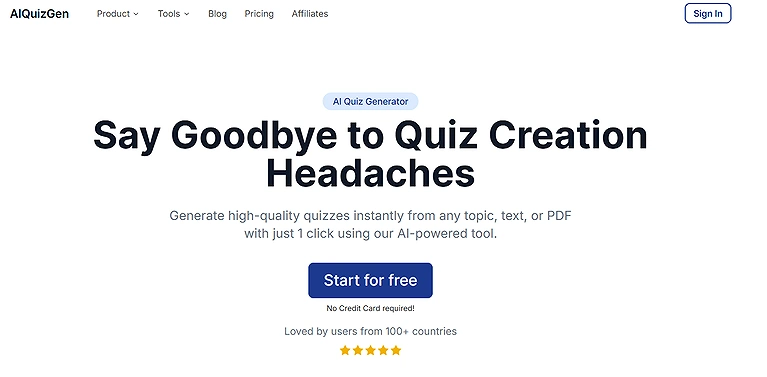
Official source view of AIQuizGen the intelligent creation engine designed to turn raw text, documents, or topics into interactive quizzes in seconds.
Key Features
- AI-generated quizzes and MCQs
- Fast educational content automation
- Topic-based question generation
- Export and sharing functionality
- User-friendly interface for educators
Best For
Automatically generating MCQs from text, PDFs, and documents.
How does it generate test?
- Log in to AIQuizGen.
- Enter text, topic, or upload file.
- Select MCQ format.
- Choose number of questions.
- Select difficulty level.
- Click Generate Quiz.
- Review and edit.
- Export or share quiz.
Pros
- Fast AI generation
- Supports multiple file formats
- Easy editing
- Beginner-friendly
- Time-saving workflow
- Good accuracy
Cons
- Limited free version
- AI occasionally misinterprets content
- Few integrations
- Export options are basic
- Internet required
- Premium needed for larger usage
Best Use Cases
- Exam creation
- Classroom quizzes
- Practice tests
- Homework
- Certification preparation
- Learning management
Pricing
Free with premium upgrade
Related Alternatives
Questgen, QuizWhiz, Quizgecko, Trickle AI Quiz Generator
13. ProProfs Quiz Maker
ProProfs Quiz Maker is a professional AI quiz generator with analytics, reporting, and proctoring features. It helps create MCQ exams for schools, universities, and corporate training. Its robust platform allows detailed tracking of learner performance and supports large-scale testing efficiently.These platforms are essential for HR teams who use AI for talent acquisition to build employee onboarding assessments.
Key Features
- Advanced online quiz and test builder
- AI-powered assessment automation
- Detailed reporting and analytics
- Secure quiz sharing capabilities
- Multimedia-supported questions
Best For
Professional quizzes, assessments, certifications, and employee training.
How does it generate test?
- Log in to ProProfs.
- Click Create Quiz.
- Upload content or enter topic.
- Choose MCQ format.
- Click Generate Questions.
- Customize questions and scoring.
- Enable analytics/proctoring.
- Share or assign quiz.
Pros
- Powerful AI quiz generator
- Extensive customization
- Advanced reporting
- Large template library
- LMS integrations
- Supports certifications
Cons
- Premium plans can be expensive
- Interface has learning curve
- Free plan is limited
- Some AI suggestions need editing
- Advanced branding requires higher plans
- Internet required
Best Use Cases
- Employee training
- Customer education
- School assessments
- Certification exams
- Compliance testing
- Online learning
Pricing
Paid plans only (trial available)
Related Alternatives
Typeform, ClassMarker, Quizizz, Easy LMS
14. Classtime
Classtime provides AI-generated quizzes with real-time student response tracking. Teachers can create MCQs from topics or documents and monitor understanding instantly. It is ideal for interactive lessons, formative assessment, and identifying knowledge gaps during class.
Key Features
- Real-time classroom assessment platform
- AI-assisted question creation
- Instant student performance analytics
- Collaborative learning features
- LMS integration support
Best For
Real-time classroom assessments with AI-assisted question creation.
How does it generate test?
- Log in to Classtime.
- Click Create Quiz.
- Enter content or topic.
- Select MCQ format.
- Click Generate Questions.
- Review generated quiz.
- Assign to students.
- Track live responses.
Pros
- Live classroom monitoring
- AI question support
- Instant analytics
- Student performance insights
- LMS integration
- Easy teacher dashboard
Cons
- Premium required for advanced features
- Limited free version
- AI editing may be needed
- Best suited for education
- Internet required
- Smaller template library
Best Use Cases
- Classroom assessments
- Live quizzes
- Student evaluations
- Homework
- Formative assessments
- Teacher feedback
Pricing
Freemium with paid plans
Related Alternatives
Nearpod, Socrative, Formative, Kahoot!
15. Typeform
Typeform AI builds interactive quizzes with a modern, survey-style interface. It allows users to create engaging MCQs that feel like conversation. This tool is suitable for informal learning, training assessments, or marketing quizzes where user experience is important.Beyond quizzes, Typeform is a powerhouse for data collection, often integrated with the best AI tools for email marketing to segment new leads.
Key Features
- Interactive form and quiz builder
- Conversational question interface
- AI-powered survey assistance
- Custom branding and templates
- Data collection and analytics tools
Best For
Interactive quizzes, surveys, and lead-generation assessments.
How does it generate test?
- Log in to Typeform.
- Click Create Form.
- Select Quiz Template.
- Enter topic or questions.
- Enable AI-assisted question suggestions.
- Review and edit quiz.
- Customize UI and style.
- Publish or share quiz.
Pros
- Beautiful conversational interface
- AI form generation
- Strong integrations
- Highly customizable
- Mobile optimized
- Excellent user experience
Cons
- Not dedicated to education
- AI MCQ features are limited
- Premium pricing
- Advanced logic requires paid plans
- Limited grading features
- Best for surveys rather than exams
Best Use Cases
- Interactive quizzes
- Customer assessments
- Lead generation
- Employee onboarding
- Educational surveys
- Online forms
Pricing
Freemium with paid upgrades
Related Alternatives
Jotform, Google Forms, Tally, SurveyMonkey
16. Riddle
Riddle AI is designed for marketing and lead-generation quizzes. It uses AI to generate MCQs that capture user engagement and collect data. Educators can also use it for practice quizzes, while businesses can leverage it for interactive content marketing.
Key Features
- Interactive quiz and poll creation
- Audience engagement tools
- AI-assisted content generation
- Embeddable quizzes for websites
- Real-time analytics and tracking
Best For
Creating interactive quizzes for websites, publishers, and marketing.
How does it generate test?
- Log in to Riddle.
- Click Create Quiz.
- Enter topic or content.
- Select quiz type (MCQ).
- Click Generate Quiz.
- Review and edit questions.
- Customize design.
- Publish or share quiz.
Pros
- Interactive quiz builder
- AI-assisted content creation
- Website embedding
- Lead capture tools
- Easy customization
- Analytics included
Cons
- Marketing-focused platform
- Premium plans required
- Limited classroom tools
- Basic AI capabilities
- Fewer educational integrations
- Internet required
Best Use Cases
- Website quizzes
- Marketing campaigns
- Audience engagement
- Lead generation
- Interactive content
- Educational blogs
Pricing
Free trial with paid plans
Related Alternatives
Outgrow, Typeform, Opinion Stage, Kahoot!
17. EdApp
EdApp AI generates MCQ tests optimized for mobile micro-learning and employee training. It allows companies and educators to quickly create bite-sized quizzes that reinforce learning, track progress, and support remote or on-the-go training sessions.
Key Features
- Mobile-first learning management platform
- AI-generated microlearning quizzes
- Gamification and engagement tools
- Team training automation
- Progress tracking and reporting
Best For
Corporate learning, microlearning, and employee training quizzes.
How does it generate test?
- Log in to EdApp.
- Click Create Lesson.
- Add content (text, video, slides).
- Choose MCQ format.
- Click Generate Questions.
- Review and edit questions.
- Assign to learners.
- Track analytics.
Pros
- AI lesson generation
- Mobile-first learning
- Microlearning support
- LMS integration
- Employee analytics
- Easy course creation
Cons
- Better for corporate use
- Premium unlocks advanced AI
- Limited academic focus
- Some customization limits
- Internet required
- Learning curve for administrators
Best Use Cases
- Employee training
- Compliance courses
- Corporate onboarding
- Mobile learning
- Sales training
- Knowledge assessments
Pricing
Related Alternatives
TalentLMS, LearnUpon, Docebo, Moodle
18. MagicSchool AI
MagicSchool AI offers 80+ teacher tools including AI assessment and quiz generation. It supports creating MCQs, tests, and learning materials from text or uploaded files. It is ideal for schools, tutors, and self-paced learning environments. MagicSchool AI pairs perfectly with specialized AI tools for physics students to create complex problem sets in seconds.
Key Features
- AI tools designed for educators
- Automated quiz and worksheet generation
- Classroom productivity enhancement
- Lesson planning assistance
- Student learning support tools
Best For
Teachers creating classroom quizzes, lesson plans, and educational resources.
How does it generate test?
- Log in to MagicSchool AI.
- Select Quiz Generator.
- Enter topic or upload document.
- Select MCQ format.
- Click Generate Questions.
- Review and edit questions.
- Export or assign quiz.
- Track usage and performance.
Pros
- Designed specifically for teachers
- AI lesson and quiz generation
- Saves preparation time
- Multiple educational tools
- Easy classroom workflow
- Frequently updated features
- Cons
- Primarily education-focused
- Premium features available
- Limited enterprise functionality
- AI content needs review
- Internet required
- Limited branding options
- Best Use Cases
- Classroom teaching
- Lesson planning
- Quiz creation
- Homework
- Student assessments
- Curriculum development
Pricing
Freemium with paid plans
Related Alternatives
Eduaide AI, Curipod, Canva for Education, SchoolAI
19. QuestionWell
QuestionWell AI generates quizzes and allows exporting directly to platforms like Kahoot, Blooket, and LMS systems. It helps teachers save time while creating MCQs and ensures seamless integration with popular education platforms for classroom or online testing.
Key Features
- AI-powered question bank generation
- Fast MCQ creation from text input
- Export support for LMS platforms
- Classroom assessment automation
- Easy editing and customization tools
Best For
Teachers who want AI-generated MCQs with direct export to Kahoot, Blooket, and LMS platforms.
How does it generate test?
- Log in to QuestionWell.
- Enter topic or upload material.
- Choose MCQ format.
- Click Generate Questions.
- Review and edit questions.
- Select export platform.
- Export quiz to Kahoot, Blooket, or LMS.
- Assign quiz to learners.
Pros
- Direct export to Kahoot and LMS
- Fast MCQ generation
- Simple editing workflow
- Saves lesson preparation time
- Classroom-friendly interface
- Supports multiple export formats
Cons
- Limited free version
- AI output sometimes needs editing
- Internet connection required
- Limited advanced customization
- Premium required for higher usage
- Smaller feature set than enterprise LMS tools
Best Use Cases
- Classroom quizzes
- LMS assessments
- Kahoot quiz creation
- Blooket activities
- Teacher lesson preparation
- Student practice tests
Pricing
Free with paid upgrade
Related Alternatives
Questgen, QuizWhiz, AIQuizGen, Quillionz
20. StudyFetch
StudyFetch extracts key concepts from academic notes and automatically generates MCQs. It is ideal for students and educators who want to quickly convert study material into practice quizzes. StudyFetch improves revision efficiency and helps focus on weak areas for exam preparation and this tool is particularly popular among healthcare majors, often used alongside AI study tools for nursing students to master clinical skills."
Key Features
- AI-generated study materials and quizzes
- Smart note summarization tools
- Personalized learning support
- Flashcard and MCQ automation
- Interactive study assistant features
Best For
Students converting study materials into AI-generated quizzes and exam preparation resources.
How does it generate test?
- Log in to StudyFetch.
- Upload notes or paste content.
- Select MCQ format.
- Click Generate Questions.
- Review and edit questions.
- Export quiz or assign to students.
- Repeat for additional topics.
- Track completed quizzes.
Pros
- Generates quizzes from notes and PDFs
- AI tutoring assistant included
- Flashcards and study tools
- Supports multiple document formats
- Fast quiz generation
- Easy-to-use interface
Cons
- Premium required for advanced AI
- Free plan has usage limits
- AI occasionally misses context
- Internet required
- Limited enterprise features
- Some exports require paid plans
Best Use Cases
- Exam preparation
- Student revision
- Study guides
- Homework practice
- Self-paced learning
- College coursework
Pricing
Freemium with premium upgrade
Related Alternatives
Quizlet, Knowt, Brainscape, Revisely
Which AI MCQ Generator Should You Choose?
| If You Need... | Recommended Tool(s) |
| Best Overall AI MCQ Generator | QuestionWell |
| Best for Teachers | MagicSchool AI QuestionWell |
| Best for Students | StudyFetch, Quizlet |
| Best Free AI MCQ Generator | Questgen, Quizizz |
| Best for Live Classroom Quizzes | Kahoot!, Quizizz |
| Best for Corporate Training | ProProfs Quiz Maker,EdApp |
| Best for Creating Question Banks | Questgen, AIQuizGen |
| Best for PDFs & Documents | StudyFetch, QuizWhiz, Questgen |
| Best for LMS Integration | QuestionWell, Classtime, ProProfs Quiz Maker |
| Best for Interactive Forms & Surveys | Typeform, Riddle |
| Best for Custom AI Prompting | HyperWrite |
| Best for Mobile Learning | EdApp, Quizlet |
How to Choose the Right AI MCQ Generator
Not every AI quiz generator is designed for the same audience. Before choosing a tool, consider how you'll create, deliver, and manage assessments.
Look for these factors when comparing platforms:
- Content Input: Ensure the tool supports your preferred formats, such as PDFs, Word documents, PowerPoint files, web pages, videos, or plain text.
- Question Quality: Choose AI that produces accurate, context-aware MCQs with minimal manual editing.
- Customization: Look for options to adjust difficulty levels, number of questions, distractors, and answer explanations.
- Export & Integrations: If you use an LMS or classroom platform, verify compatibility with Moodle, Canvas, Google Classroom, Kahoot!, or Microsoft Teams.
- Analytics & Reporting: Educators and trainers should prioritize platforms with learner performance tracking and assessment insights.
- Ease of Use: A simple interface can significantly reduce quiz creation time, especially for beginners.
- Pricing & Scalability: Compare free plans, premium features, and enterprise options to match your budget and future needs.
- Collaboration Features: Teams, schools, and organizations may benefit from shared workspaces, question banks, and collaborative editing.
Common Challenges of AI MCQ Generation
While AI significantly speeds up quiz creation, it still has limitations that users should consider.
- AI-generated questions may occasionally contain factual inaccuracies or ambiguous wording.
- Complex technical or specialized topics often require manual review for accuracy.
- Automatically generated distractors (incorrect answers) aren't always equally plausible.
- Some tools have limited customization in their free plans.
- Premium features such as LMS integrations, analytics, and bulk generation may require paid subscriptions.
- Question quality depends heavily on the clarity and quality of the source material.
- Different educational standards or Bloom's Taxonomy levels may require additional editing.
- Sensitive subjects often need human review to ensure fairness and appropriate wording.
- Large organizations may face integration challenges with existing LMS or HR systems.
- AI-generated assessments should be reviewed regularly to maintain educational quality and relevance.
Future of AI MCQ Generation
AI-powered assessment creation is expected to become far more intelligent over the next few years. Rather than simply generating questions from text, future platforms will create adaptive quizzes that adjust difficulty based on learner performance, identify knowledge gaps in real time, and recommend personalized learning paths. Improvements in multimodal AI will also enable question generation from videos, images, diagrams, lectures, and interactive content.
We'll also see tighter integration with Learning Management Systems (LMS), virtual classrooms, and enterprise training platforms, allowing quizzes to be generated automatically as new learning materials are published. As generative AI models continue to improve, AI MCQ tools will deliver more accurate questions, richer explanations, stronger analytics, and greater support for personalized education and workforce training, making assessment creation faster, smarter, and more data-driven than ever before.
Frequently Asked Questions (FAQs)
1. What is an AI MCQ generator?
An AI MCQ generator is a tool that uses artificial intelligence to automatically create multiple-choice questions from text, documents, presentations, PDFs, or other learning materials. It helps educators, trainers, and students generate quizzes in minutes instead of writing questions manually.
2. How do AI MCQ generators work?
Most AI MCQ generators analyze the content you provide, identify key concepts, and automatically generate multiple-choice questions with answer options. Many tools also create answer keys, explanations, and adjustable difficulty levels.
3. Can AI-generated MCQs be customized?
Yes. Most AI quiz generators let you edit questions, modify answer choices, adjust difficulty levels, select the number of questions, and customize quizzes to match your learning objectives or curriculum.
4. Are AI-generated MCQs accurate?
Modern AI tools produce high-quality questions for most educational topics, but they're not perfect. It's recommended to review AI-generated questions for factual accuracy, clarity, and relevance before using them in exams or assessments.
5. Which file formats do AI MCQ generators support?
Most platforms support text, PDFs, Microsoft Word documents, PowerPoint presentations, web pages, and copied notes. Some advanced tools can also generate questions from videos, images, or lecture transcripts.
6. Are AI MCQ generators free to use?
Many AI MCQ tools offer free plans with limited features or monthly usage limits. Premium subscriptions typically unlock advanced AI models, unlimited question generation, LMS integrations, analytics, and collaboration features.
7. Can AI MCQ generators create questions for any subject?
Yes. Most AI-powered quiz generators support a wide range of subjects, including mathematics, science, history, language arts, medicine, engineering, business, law, and professional certification training.
8. Which AI MCQ generator is best for teachers?
Tools like QuestionWell, MagicSchool AI, Quizizz, and ProProfs Quiz Maker are among the best choices for teachers because they simplify classroom assessments, support LMS integrations, and offer flexible quiz customization.
9. Can AI-generated quizzes be exported to learning management systems (LMS)?
Yes. Many AI quiz generators support exporting quizzes to popular LMS platforms such as Moodle, Canvas, Google Classroom, and Microsoft Teams. Some tools also integrate directly with Kahoot!, Quizizz, or Blooket.
10. Can AI create different difficulty levels for MCQs?
Yes. Many AI quiz generators allow you to generate beginner, intermediate, and advanced questions. Some platforms also adapt question difficulty based on the learner's performance or selected educational level.
11. Are AI MCQ generators suitable for corporate training?
Absolutely. Many organizations use AI MCQ generators to create employee onboarding quizzes, compliance assessments, certification exams, product knowledge tests, and ongoing workforce training programs more efficiently.
12. What should I look for when choosing an AI MCQ generator?
Consider factors such as question quality, supported file formats, customization options, export capabilities, LMS integrations, analytics, ease of use, pricing, collaboration features, and the availability of a free plan. Choosing a tool that matches your teaching, training, or learning needs will provide the best long-term value.
Conclusion
AI-powered MCQ generation tools have revolutionized the way educators, trainers, and students create and practice quizzes. By automating question creation from text, PDFs, slides, or multimedia content, these tools save time while maintaining accuracy and consistency. They offer features like difficulty customization, instant feedback, answer explanations, and seamless integration with learning platforms such as Kahoot, Quizizz, or LMS systems.
Whether you are preparing classroom tests, corporate training assessments, or self-study quizzes, selecting the right AI tool can enhance learning efficiency and engagement. The 20 tools highlighted in this article provide a mix of flexibility, speed, and user-friendliness, empowering users to generate high-quality MCQs effortlessly.To see how these fit into a wider strategy, check out our ultimate guide on how to use AI tools for university in 2026.