.webp)
What is AI Video Creation? The Complete Operational Guide for Digital Content Teams in 2026
AI video creation is the process of generating video content using artificial intelligence instead of traditional filming and manual editing methods. It uses advanced AI models to automatically create visuals, animations, voiceovers, transitions, and edits from simple inputs such as text prompts, images, or scripts. In simple terms, it allows users to produce complete, ready-to-use videos by describing their idea in natural language, while the AI handles scene generation, sequencing, rendering, styling, and post-production tasks automatically with minimal human intervention.

 Updated: June 07, 2026 | 6 min read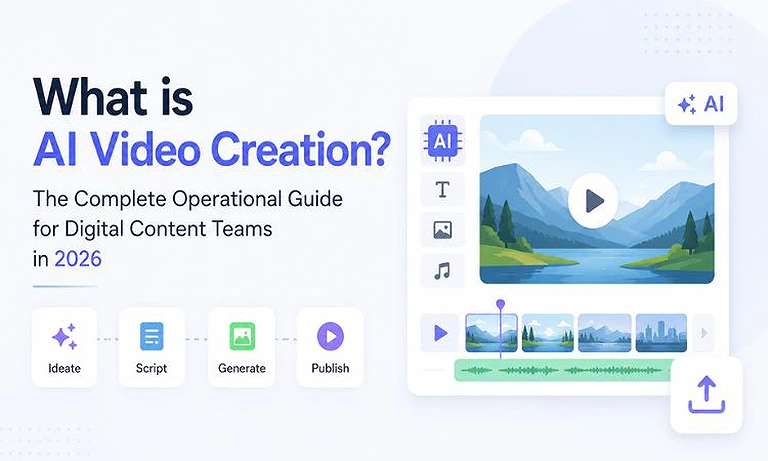
Cover Photo What is AI Video Creation? The Complete Operational Guide for Digital Content Teams in 2026
Defining the 2026 AI Video Ecosystem
The AI video ecosystem in 2026 is structured as a layered architecture where generation and usability are separated. This division helps distinguish between raw model computation and end-user video creation tools.
Foundation Layer: Base AI Video Models
This layer consists of large-scale generative video models such as Runway Gen-4/Gen-4.5, OpenAI Sora 2, and Google Veo, which directly synthesize video by generating and refining sequences of frames through spatial-temporal learning and diffusion-based architectures. These models function as the core rendering systems, simulating motion, lighting, physics, and camera dynamics at a low level to produce coherent and realistic video outputs from text, image, or multimodal inputs.
Application Layer: AI Video Tools & Wrappers
This layer includes platform-level tools such as InVideo AI and Pictory that do not generate video from scratch but instead integrate with foundation models through APIs and orchestration layers. Their purpose is to abstract the complexity of underlying AI systems and package them into structured workflows, enabling users to create videos through simplified interfaces like script-to-video, blog-to-video, or automated editing pipelines without requiring any knowledge of model-level operations.
The Three Pillars of AI Video Technology
Modern algorithmic video production relies on three independent technological methodologies, each solving a unique bottleneck in the media production pipeline:
AI Video Generation from Text and Images: This is the process of creating high-quality cinematic videos from simple text instructions or static images. The underlying Diffusion Transformer (DiT) model converts text descriptions into 3D space-time patterns instead of treating each frame separately. This allows the system to understand the full video context at once, helping it build spatial depth and basic physical behavior across the entire scene.
AI-Powered Video Editing: Instead of creating new assets, this approach uses machine learning to remove time-consuming manual editing work. It automatically handles tasks like cutting out subjects from backgrounds, adjusting frame rates, resizing videos for vertical formats, and converting speech into text. This makes the editing process faster, simpler, and less dependent on manual effort.
Digital Content Created by AI: This technology focuses on generating realistic videos using AI avatars and voice cloning technology. These systems are mainly used in corporate videos and localised marketing. They use deep learning models to create natural facial expressions, small body movements, and accurate lip-syncing based on simple text input, making it possible to produce professional talking videos without a real human recording.
How Modern Creative Teams Build an AI Production Stack
Integrating artificial intelligence into a professional studio environment requires a highly structured, iterative pipeline. Moving from raw concepts to a polished final export involves balancing automated cloud compute power with human creative curation.
| Production Stage | What Happens (Simple) | Tools Used | Human Role |
| 1. Planning & Setup | Script writing, style selection, and gathering ideas | AI writing tools (LLMs) | Define brand message and ensure content accuracy |
| 2. Video Creation | AI generates scenes, motion, and camera movements | AI video models (Runway, Sora, etc.) | Review outputs and correct unwanted or broken results |
| 3. Scene Arrangement | Organize clips, fix continuity, and sync audio | Editing and storyboard tools | Check flow, consistency, and visual coherence |
| 4. Final Editing | Merge clips, enhance audio, and export final video | Video editing software (Premiere Pro, DaVinci Resolve) | Polish pacing, timing, and overall visual quality |
Operational Efficiency Note: Shifting to this 4-step pipeline allows small content marketing teams to bypass traditional rendering bottlenecks entirely, moving from an initial conceptual prompt to multi-platform delivery in under two hours. If you are building out your team's workflow, reviewing a curated shortlist of the best AI tools for video creation can help you select the right engine for each production stage.
Critical Limitations of Current AI Video Engines
1. Spatial and Physics Errors
AI video models often misrepresent real-world physics because they generate visuals based on patterns rather than true physical understanding. This leads to issues like body parts clipping through objects, unnatural motion, warped structures, and unstable textures within a scene.
2. Character Consistency Issues (Character Drift)
Maintaining the same character appearance across multiple scenes is still difficult. Faces, outfits, and body structure often change between shots, breaking continuity in long-form storytelling and requiring extra tools or manual correction.
3. Prompt Misinterpretation Problems
AI models sometimes fail to fully understand complex or multi-part instructions. They may focus on only one part of the prompt while ignoring others, leading to incomplete, incorrect, or unbalanced video outputs.
Essential Ethics, Copyright, and Compliance Standards
1. Safe vs Unsafe AI Data Sources
Enterprise content teams must be careful about where their AI tools get data from. Some AI models, like Adobe Firefly Video Model, are trained only on licensed or public-domain content, making them safer for commercial use. However, other tools may use unverified web-scraped data, which can increase the risk of copyright issues and legal problems for brands.
2. Compliance and Content Labeling Rules
Today, many platforms and regulators require AI-generated content to be clearly labeled. Content teams must use systems that support C2PA standards, which embed secure tracking information into video files. This helps prove where the content came from and prevents issues like account warnings, reduced visibility, or removal from major platforms.
FAQs
Does AI video creation completely replace human editors?
No. While AI systems automate time-consuming tasks like rough-cutting, rotoscoping, and b-roll generation, they lack the contextual nuance, emotional intelligence, and narrative intent required to craft compelling stories. Human editors are transitioning into visual curators and creative directors who guide, correct, and assemble AI-generated assets.
What file formats do generative video tools export?
Most modern cloud-based AI video tools export in standard, highly compressed web formats, predominantly MP4 and MOV containers using H.264 or HEVC (H.265) codecs. Enterprise-grade generation models are expanding support for ProRes 422 HQ and multi-layer EXR sequences to allow cleaner integration into professional post-production software.
Can AI video tools generate full-length feature films natively?
No, current AI video models generate short clips of 5–15 seconds to maintain visual consistency. Longer videos are built by creating separate shots, ensuring continuity with tracking tools, and combining everything in an external editor.
How do AI video tools handle commercial safety and music licensing?
Commercial safety depends on a tool’s training data. Business-focused platforms use curated, royalty-free music and sound effects that are safe for monetization. Always review licensing terms before using assets in paid advertising campaigns.
What internet speeds and hardware are required for AI video creation?
Because rendering happens on cloud servers, teams do not need high-end local GPUs. However, a stable high-speed internet connection (50–100 Mbps) is essential for uploading large files and downloading high-resolution videos without delays.
Conclusion
The rise of AI video tools has changed how video content is created, shared, and used. By understanding how these systems work, their limitations, and using tools with safe and licensed data, teams can produce videos faster without losing quality or creativity. This helps organizations scale content production efficiently and safely. To learn more, explore detailed reviews of leading AI video tools like Runway and other platforms to choose the best option for your workflow.