.webp)
InVideo AI vs Pictory: Which AI Creates Better Video Content from text in 2026?
The biggest difference is how these tools create videos. InVideo AI turns your text prompts into complete videos from scratch, while Pictory converts blogs, articles, and webinars into videos with minimal effort. This comparison is ideal for creators, marketers, businesses, and educators who want faster video production. Picking the wrong tool can lead to extra editing, poor scene matching, weak captions, and higher costs. Compare both platforms carefully to find the best fit before you subscribe.

 June 28, 2026 | 9 min read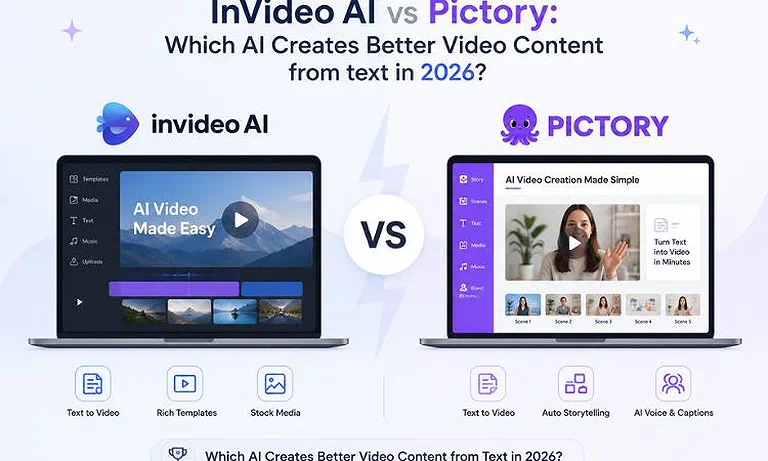
Cover Photo InVideo AI vs Pictory: Which AI Creates Better Video Content from text in 2026?
Quick Comparison Table
| Feature | InVideo AI | Pictory |
| Primary Workflow | Prompt-driven cinematic video generation | Long-form content parsing and blog-to-video extraction |
| Best Use Case | Faceless YouTube channels, ads, prompt-to-video | Blog-to-video, webinar clipping, automated summaries |
| AI Script Generation | Highly advanced prompt-to-script builder | Basic script summary and URL processing |
| Blog-to-Video Support | Manual copy-pasting of text required | Native URL scraping and article text parsing |
| Auto Captions | Multi-style animated kinetic subtitles | Clean, transcription-style standard captions |
| Stock Media Library | 16M+ assets (including premium iStock integration) | 12M+ assets (Getty Images & Storyblocks integration) |
| Brand Kit | Available on premium plans | Available (up to 10 brand kits on Team plans) |
| Collaboration | Multi-seat workspaces with shared assets | Multi-seat collaboration on Team plans |
| Maximum Export Quality | 4K resolution (top-tier plans) | 1080p Full HD maximum |
| API Availability | Custom developer/API options | API access on Team & Enterprise plans |
| Commercial Usage | Full commercial rights on paid plans | Full commercial rights on paid plans |
| Starting Price | $20/month (billed annually) | $25/month (billed annually) |
| Expert Rating | ⭐ 9.3 / 10 | ⭐ 8.9 / 10 |
Rating Source: Expert ratings combine hands-on editorial evaluation of feature depth, AI video quality, usability, pricing, scalability, and official product documentation with verified user feedback from G2, where InVideo AI holds a 4.6/5 rating and Pictory maintains a 4.7/5 rating.
What is InVideo AI?
InVideo AI is a powerful AI video generator that creates complete videos from simple text prompts. Just describe your idea, and the AI automatically writes the script, adds voiceovers, selects stock footage, and builds scenes. It is ideal for content creators, YouTubers, marketers, and social media teams who need videos quickly. Its biggest advantages are flexible prompt editing, automated video creation, and access to a large iStock media library. For a deeper feature-by-feature analysis, read our complete InVideo AI Review.
What is Pictory?
Pictory is an AI video creation tool designed to turn blogs, articles, and long videos into short, engaging clips. It automatically finds the most important points, adds matching stock footage, and creates videos in minutes. It is ideal for bloggers, marketers, businesses, and course creators who want to reuse existing content. Its biggest strengths are accurate text-to-video conversion, transcript-based editing, and fast content repurposing with minimal manual work. For a deeper feature-by-feature analysis, read our complete Pictory Review.
Quick Verdict Table
| Decision | Choose |
| 🏆 Best Overall | InVideo AI |
| 👶 Best for Beginners | Pictory |
| ✍️ Best for Bloggers | Pictory |
| 💼 Best for Small Businesses | InVideo AI |
| 🤖 Best AI Automation | InVideo AI |
| 🎬 Best Manual Editing Control | InVideo AI |
| 💰 Best Value for Money | Pictory |
Feature-by-Feature Workflow Comparison
1. AI Content Repurposing & Automation
InVideo AI: Requires manual pasting of text into prompts; struggles to clean raw blog URLs natively.
Pictory: Flawlessly extracts textual hierarchy from articles, mapping complex paragraphs into crisp scenes seamlessly.
Winner: Pictory dominates content recycling due to its dedicated URL-scraping engine.
2. Editing Workflow & Ease of Use
InVideo AI: Features a fluid script-box editing mode alongside text-command adjustments, providing intuitive creative flexibility.
Pictory: Relies on a highly structured, storyboard-driven UI that handles linear scene swaps with an extremely low learning curve.
Winner: InVideo AI wins for combining text-prompt editing commands with traditional timeline manipulation.
3. AI Editing Features
InVideo AI: Features top-tier generative script rebuilding, complex voice cloning, and deep localized multi-language generation.
Pictory: Excels at trimming raw talking-head videos via text, removing awkward silences, and parsing transcripts instantly.
Winner: Pictory takes this for pure functional AI video editing, clipping, and silence removal.
4. Templates & Brand Customization
InVideo AI: Provides thousands of complex, layered promotional layout templates that maintain multi-scene asset consistency.
Pictory: Keeps branding simple with clean lower-thirds, logo watermarks, and standard font customization across video chapters.
Winner: InVideo AI provides deeper, design-heavy customization options across complex promotional video types.
5. Social Media Optimization
InVideo AI: Offers instant cinematic vertical presets optimized heavily for attention-grabbing hooks and flashy YouTube Shorts.
Pictory: Automatically isolates long-form content highlights, dividing webinars into distinct short clips for TikTok and Reels.
Winner: Pictory wins for its automated batch-clipping of pre-existing long-form videos.
6. Collaboration & Business Workflow
InVideo AI: Uses a centralized workspace design but restricts simultaneous project management on mid-tier plans.
Pictory: Unlocks dedicated multi-seat access, joint asset libraries, and shared approval flows inside the Team plan.
Winner: Pictory provides a superior organizational structure for marketing teams and collaborative workspaces.
7. Export Quality & Performance
InVideo AI: Delivers high-bitrate outputs reaching up to sharp 4K quality on select generative premium plans.
Pictory: Locks exports at a maximum ceiling of 1080p, focusing heavily on lightweight online web standard processing.
Winner: InVideo AI leads comfortably with clearer visual fidelity and 4K capability.
Real-World Workflow Assessment
Assessment 1: Long-Form Content to Video Conversion
InVideo AI: When transforming extensive text, you must clean it up first. It won't scrape an external webpage cleanly, meaning you have to curate the narrative framework manually inside the prompt field before generating assets.
Pictory: It handles blog-to-video seamlessly. Dropping a URL triggers a natural language processing model that extracts key sentences, structures a concise script, summarizes long blocks, and applies highly matching, contextual B-roll footage automatically.
Assessment Result: Pictory wins this hands-down. Its native architecture is explicitly built to read, summarize, and map pre-existing long-form web content with almost zero preparation.
Assessment 2: Short-Form Content Production Speed
InVideo AI: It lets you craft short-form content quickly using a short prompt like "Create a vertical TikTok about the history of coffee, use a gravelly voiceover, and add fast-cut B-roll." The AI then outputs a platform-ready draft with stylized kinetic captions.
Pictory: It approaches shorts by slicing existing footage. You upload a 30-minute webinar or podcast, and the AI reviews the transcription to isolate strong hooks, trim dead air, and automatically generate framed vertical short clips.
Assessment Result: InVideo AI wins for creating short-form videos from scratch, while Pictory wins if your goal is extracting clips from recorded long-form footage.
Where InVideo AI Dominates
Prompt-to-Video Ingenuity: You can dictate massive structural changes simply by typing them into the edit console (e.g., "Change the voiceover to a British accent and swap the background music to upbeat lo-fi").
iStock Media Depth: Accessing premium iStock assets directly within its workflow means your visual quality bypasses generic, overused stock footage.
High-Definition Output: It provides clean 4K rendering profiles that keep video projects looking polished on large monitors and high-resolution mobile devices.
Where Pictory Dominates
Seamless URL Scraping: It extracts raw data directly from blog lines, pulling corresponding headings, text structures, and images into a presentation without manual copying.
Transcript-Based Video Trimming: Editing a talking-head video is as effortless as modifying a digital text document; deleting a written sentence clips the corresponding footage automatically.
Reliable Subscription Packaging: Video generation limits are bounded by clear video creation minutes, shielding creators from complex, fluctuating computational token counts.
Pricing & Cost Analysis
| Plan | Monthly Price (Billed Annually) | AI / Video Limits | Export Limits | Commercial Rights | Best For |
| InVideo AI (Plus Plan) | $17/mo | 75 AI credits/month | Unlimited exports (no watermarks) | Included | Individual creators & standard stock media needs |
| InVideo AI (Max Plan) | $85/mo | 390 AI credits/month | Unlimited exports (no watermarks) | Included | Professional agencies & heavy AI video production |
| Pictory (Starter Plan) | $25/mo | 200 video minutes/month | Up to 30-minute videos | Included | Solopreneurs & basic blog-to-video conversion |
| Pictory (Professional Plan) | $35/mo | 600 video minutes/month | Up to 30-minute videos | Included | Professional creators & ElevenLabs voice integration |
Note: Pricing plans, promotional token rates, and stock library inclusions vary over time and by region. Confirm details on the official InVideo AI and Pictory sites before purchasing.
Value Breakdown
Value Delivery: Pictory delivers better value for users handling large volumes of written text because its pricing model maps directly to clear video minutes rather than shifting compute tokens.
Tier Strengths: InVideo AI packs advanced, hyper-realistic voice clones and custom styles into its premium tiers, though its credit consumption can spike heavily during deep video regenerations.
Long-Term Investment: For predictable, systematic text-to-video processing, Pictory is highly reliable. If your pipeline demands creative flexibility, custom scripts, and high-end visual design from scratch,
InVideo AI justifies the higher long-term premium.
Best Use Cases (Selection Matrix)
Choose InVideo AI If You Need:
Faceless Video Creation: You need to build cash-cow channels or social media feeds using prompt ideas rather than written articles.
Premium Cinematic Stock Integration: You require high-end, premium B-roll clips from iStock to make promotional marketing videos stand out.
Advanced Vocal Personalization: You want to deploy realistic custom voice clones to handle narration across dozens of videos consistently.
Choose Pictory If You Need:
Automated Article Conversion: You want to transform text from blog posts, press releases, or text documents into videos with zero re-writing.
Transcript-Based Video Editing: You want to clean up recorded webinars, Zoom meetings, or interviews by editing text rather than timelines.
Fast Social Media Clipping: You need to extract shorter, captioned vertical video snippets from long video clips for social feeds.
Better Alternatives Worth Considering
| Alternative | Best For | When to Choose It |
| Runway | Advanced AI video generation and editing | Choose Runway if you need cinematic AI video generation, object removal, motion editing, and professional creative tools beyond InVideo AI's marketing-focused workflow. |
| Lumen5 | Automated blog-to-video conversion | Choose Lumen5 if your workflow centers on transforming articles, blogs, and website content into engaging marketing videos with minimal manual effort. |
Looking beyond these two platforms? Explore our complete AI Tools for Video Creation leading AI video generators, editors, avatar platforms, and automation tools, helping you choose the best solution for your content workflow.
FAQs
Which tool is better for converting blog posts into videos?
Pictory is superior for converting blog posts. Its text-parsing engine reads live URLs, extracts core talking points, and builds coherent, structured storyboards automatically, whereas InVideo AI requires manual copy-pasting and narrative formatting.
Which editor is easier for beginners?
Pictory features an easier, linear storyboard layout that presents text side-by-side with matched clips. This makes it highly approachable for beginners who want a simple, no-code video creation experience without timeline management.
Which platform creates better AI captions?
InVideo AI creates more dynamic, kinetic style captions that animate in step with voiceovers, matching social trends. Pictory creates cleaner, highly accurate transcription subtitles ideal for business explainer content and talking-head videos.
Which tool is best for YouTube Shorts?
InVideo AI is ideal for generating quick, creative YouTube Shorts using text prompts from scratch. However, if your shorts are clipped from pre-existing long-form videos, Pictory is the better option for extraction.
Which platform offers the largest stock media library?
InVideo AI offers a larger comprehensive media footprint, integrating over 16 million stock assets, including premium iStock media. Pictory leverages around 12 to 18 million high-quality assets sourced primarily through Getty Images and Storyblocks.
Which editor is better for small business marketing?
InVideo AI fits small business marketing workflows better due to its comprehensive template library, high-bitrate 4K presentation layouts, and advanced promotional branding options that elevate product launch videos.
Which platform exports without watermarks?
Both Pictory and InVideo, export clean videos without watermarks on their paid subscription plans. Free trials on both platforms include brand stamps or strict restrictions to protect their asset pools.
Which tool provides better value for money?
Pictory provides superior value for content creators focused on text workflows because its limits are locked to predictable video minutes, ensuring you don't exhaust credits during clip regenerations.
Conclusion
Both platforms offer exceptional video automation capabilities, but they solve entirely different workflow bottlenecks. Pictory excels at content recycling, making it incredibly easy to turn written blogs and recorded webinars into text-captioned clips. InVideo AI shines in prompt-led creative generation, allowing you to build rich, multi-scene videos from simple text ideas. Choose Pictory if your priority is repurposing text and raw footage efficiently. Choose InVideo AI if you want custom prompt-to-video creation backed by deep stock assets. Weigh your production needs against their formatting strengths before picking a subscription.